
Click To Media Widget for Elementor
On this page
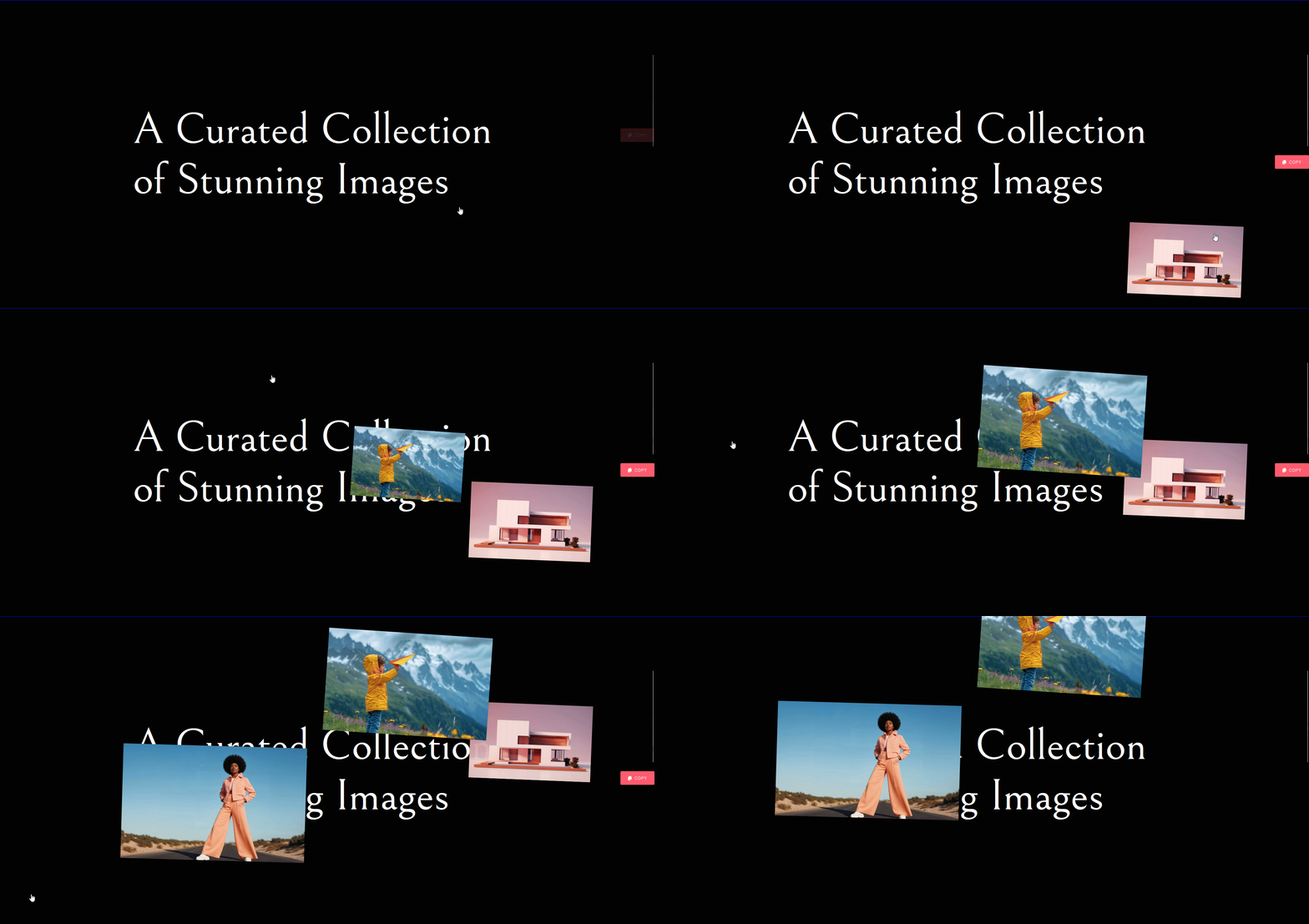
With the Click to Media widget, any container on your page becomes a click-to-reveal surface. Every click plays a new, randomly picked piece of media, an image, a video, a text snippet, or an embedded video URL, with a short pop-up animation.
What It Does
Click to Media is a free Elementor widget from WDesignKit. It wraps a repeater of media items around a container so that every visitor click plays back one item at random. An item can be an uploaded image, an uploaded video, a text snippet with its own color, or an externally hosted video URL. The reveal itself is animated with GSAP: the chosen item scales and fades in near the cursor, then fades out again a few seconds later.
Why It Matters
Static hero sections and image blocks are predictable. A click-to-reveal interaction gives visitors a small reward for engaging with the page instead of just scrolling past it, and it does this without writing a single line of JavaScript. Because the media is randomized, the same container feels different on every click, which is useful anywhere you want a page to feel alive rather than fixed.
What You Get
- A Media repeater where each item can independently be an Image, a Video, a Text snippet, or a Video URL.
- Unlimited items per widget instance, added with the + Add Item button.
- A randomized reveal on every click, animated with GSAP.
- A working demo page and a walkthrough video, both linked above.
Benefits
- No code required. Every option is a standard Elementor control.
- Free widget. Click to Media does not require a WDesignKit Pro license.
- Works in any container. Drop it into a section, column, or existing layout without restructuring the page.
- One widget, four content types. No need to combine separate image, video, and text widgets to get the same variety.
Capabilities
- Mix Image, Video, Text, and Video URL items in the same instance.
- Upload media directly from the WordPress Media Library for Image and Video items.
- Set a custom color per Text item.
- Play an externally hosted or embeddable video without uploading a file, using the Video URL type.
How It Works
Each click on the container triggers three steps behind the scenes. First, the widget checks which content types actually have items configured. Second, it randomly picks one of those available types, then a random item within that type. Third, it builds the corresponding element (an image tag, a video tag, an iframe for an external URL, or a styled text span) and animates it in near the click position with GSAP, holding it briefly before fading it out and removing it from the page.
How to Use It
Requirements
- Elementor FREE Plugin installed and activated.
- The WDesignKit plugin installed and activated.
- A WDesignKit account created and logged in.
- The Click to Media widget downloaded from the WDesignKit widget library.
Activate the widget
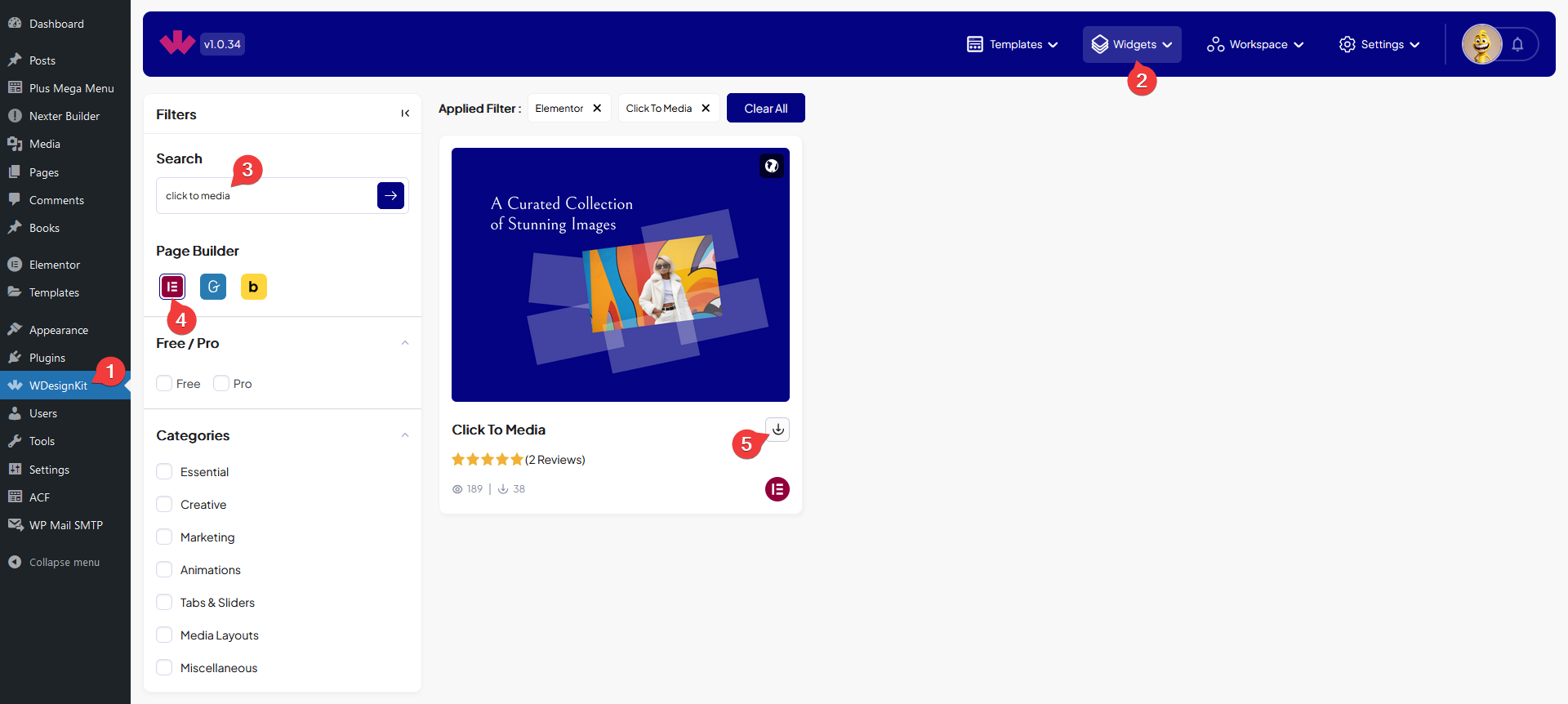
- Go to WDesignKit → Widgets.
- Search for the widget name and select Elementor as the page builder.
- Click the download icon on the widget card.
Configure the media items
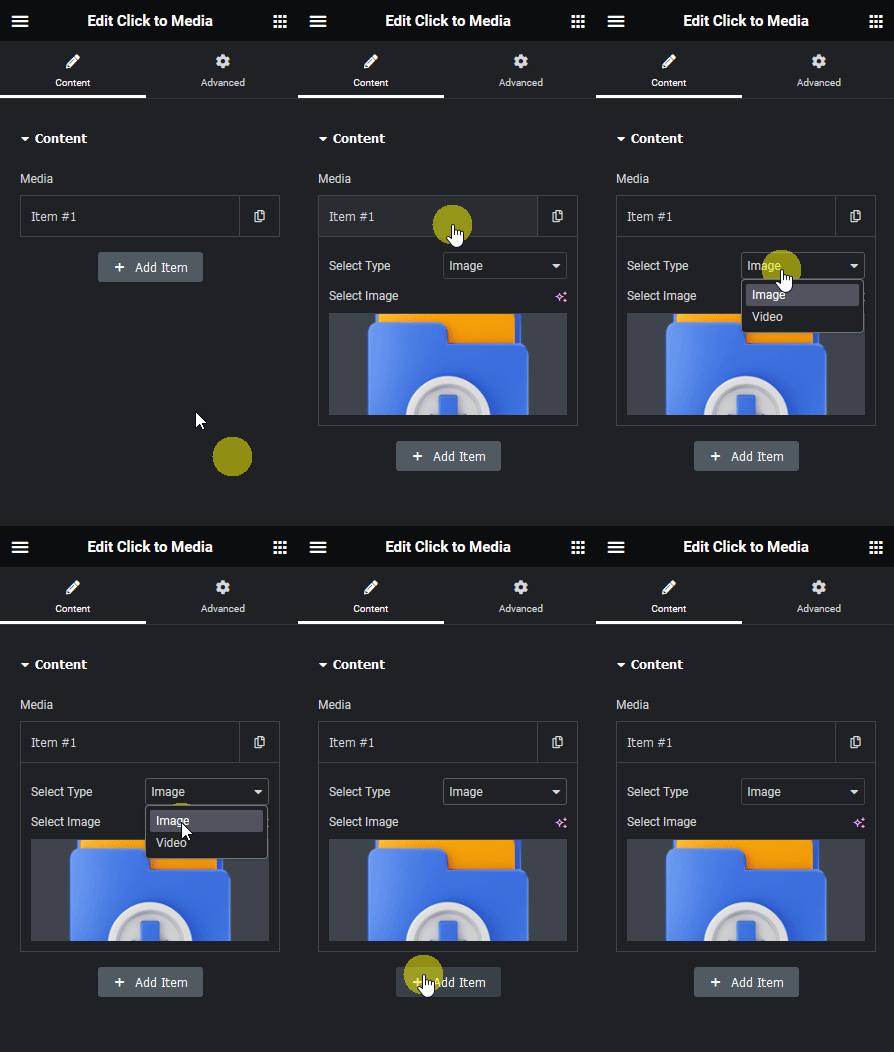
Add the widget to your page, then open the first item in the Media repeater. The Select Type dropdown offers four options:
- Image – To add an image.
- Video – To add an uploaded video.
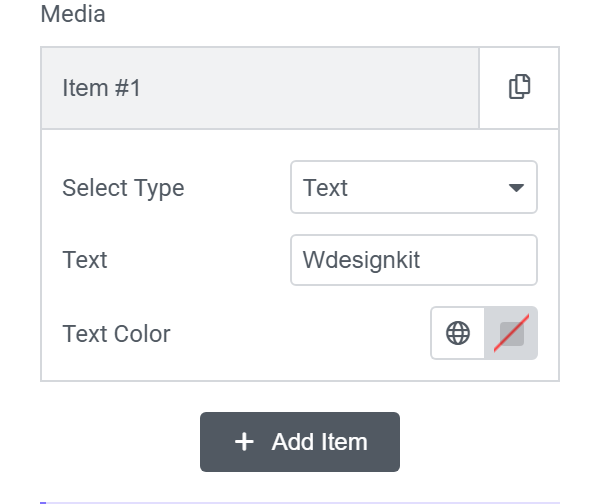
- Text – To show a text snippet with a custom text color instead of media.
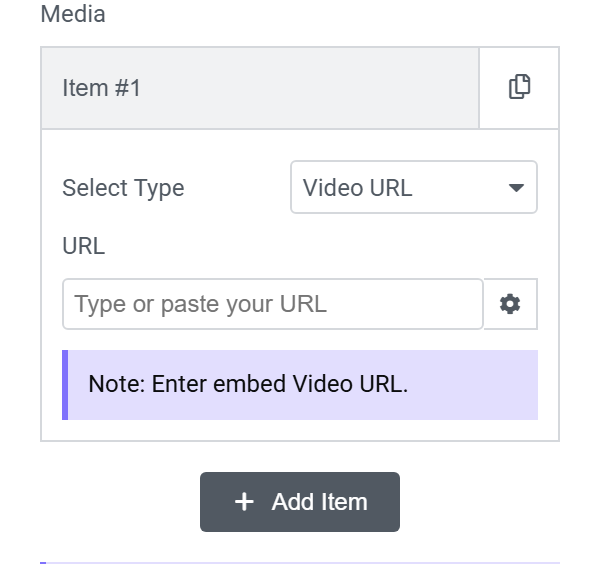
- Video URL – To embed a video from an external URL instead of uploading a file.
Choosing Image or Video reveals a Media Library picker for that item:
Choosing Text instead reveals a text field and a text color picker, so you can show a short text snippet on click instead of an image or video:
Choosing Video URL reveals a URL field where you can paste an embed video link, so you can play a hosted or embedded video without uploading a file to your Media Library:
Click + Add Item to add more media items, mixing types freely. Save and view the page: clicking anywhere inside the widget’s container now plays back a random item on every click.
Use Cases
- A playful hero section where every click surfaces a different product shot or line of copy.
- A portfolio page with a hidden extra image or clip revealed on click.
- A rotating set of short testimonial or quote snippets using the Text type.
- A lightweight showcase of a few externally hosted demo videos, without building a full video gallery.
Limitations
- The reveal is fully random. There is no control setting for which specific item shows on a given click.
- Elementor only. There is no Gutenberg or Bricks version of this widget in the WDesignKit library.
- Text and Video URL content is typed in directly. It does not pull from the Media Library the way Image and Video items do.
Troubleshooting
These are workflow-derived, not sourced from a specific support ticket:
- Widget does not appear in the Elementor panel right after downloading it. Refresh the Elementor editor, or close and reopen it. The widget needs a fresh editor session to register after download.
- Newly added images or videos are not showing up. Refresh the page after applying new media, as noted directly in the widget panel.
- Video URL item is not playing. Confirm the link is an embeddable URL rather than a normal watch-page link. The widget appends autoplay and mute parameters to the URL and expects it to load inside an iframe.