
 Let's Build a Widget from Code with WDesignKit for Free
Drag & Drop Block Builder for Gutenberg, Powered by Nexter
Convert your custom HTML, CSS, JS, or PHP into Nexter Gutenberg Blocks Builder. No more repeating the same code for every client. Just build once, control everything, and reuse with ease. Ideal for developers, agencies, and power users.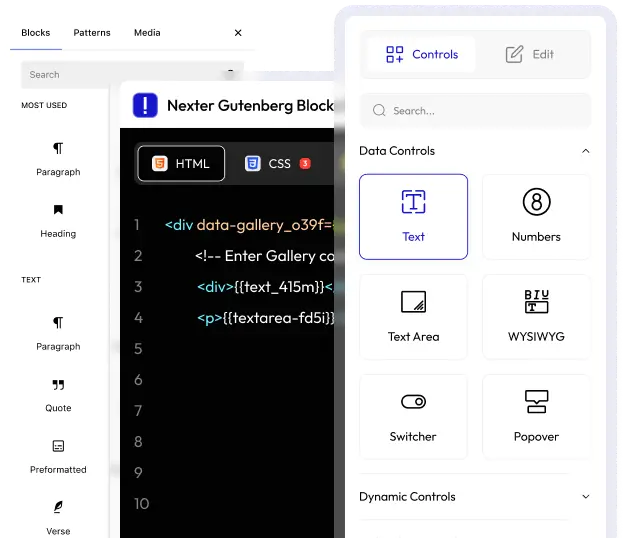
HTML, CSS, JS Support
PHP Support
Connect CDN Libraries
Drag and Drop Controllers
29+ Controller Types
Always Updated with Gutenberg
Save Blocks on Cloud
Ready to Watch Your Nexter Gutenberg Block Come Alive?
Step - 1
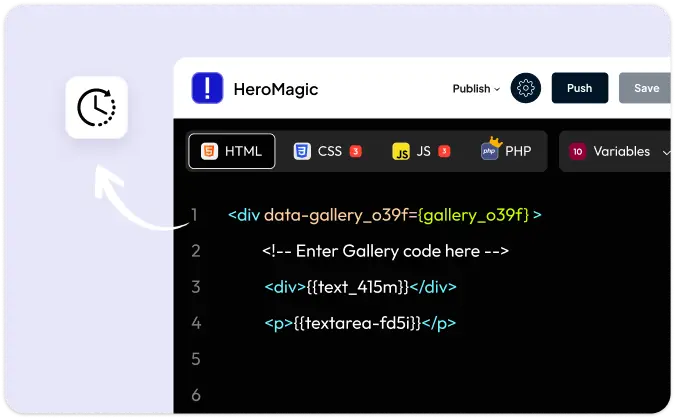
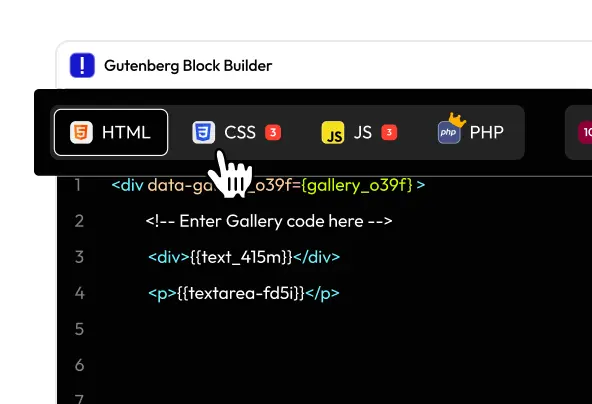
Start by adding your own HTML, CSS, JS, or PHP. This defines the block’s layout and logic. Your code, your rules.
Unlock More Than Just Blocks!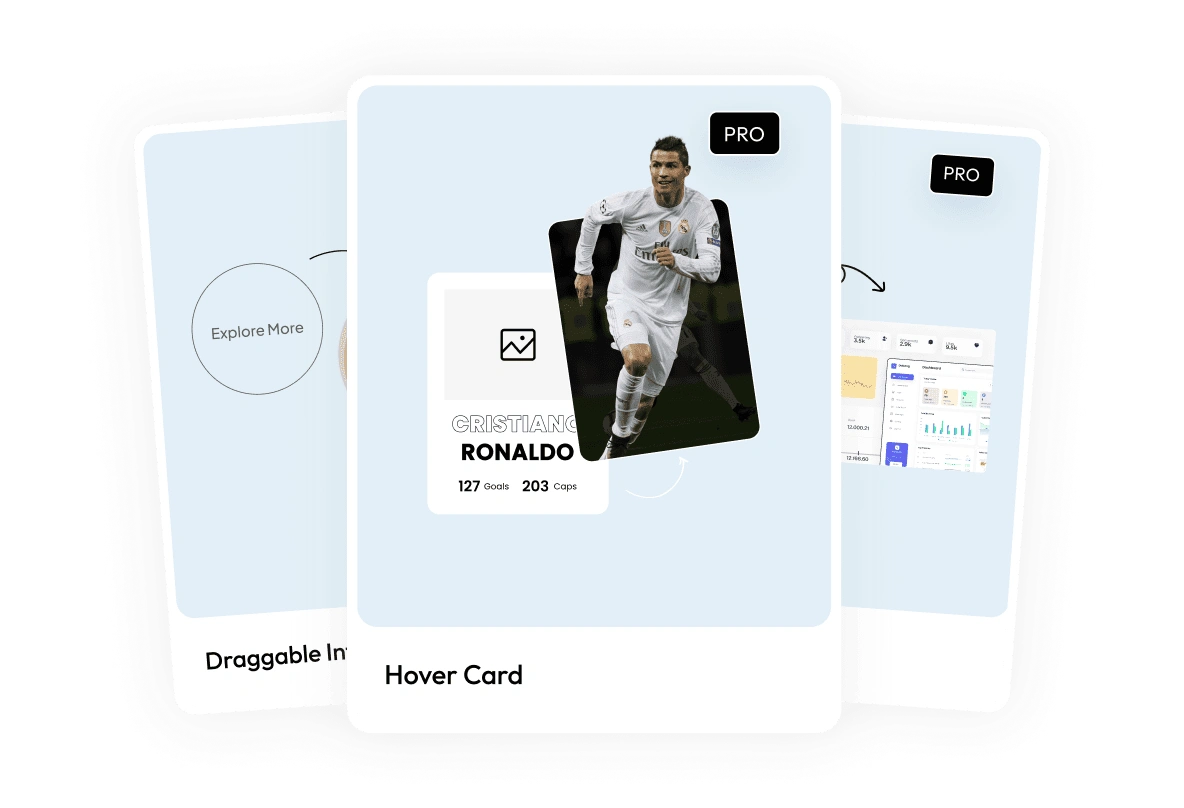
0 Nexter Gutenberg BlocksPrebuilt blocks created with real code. Fully editable, customizable, and ready to plug into your workflow.
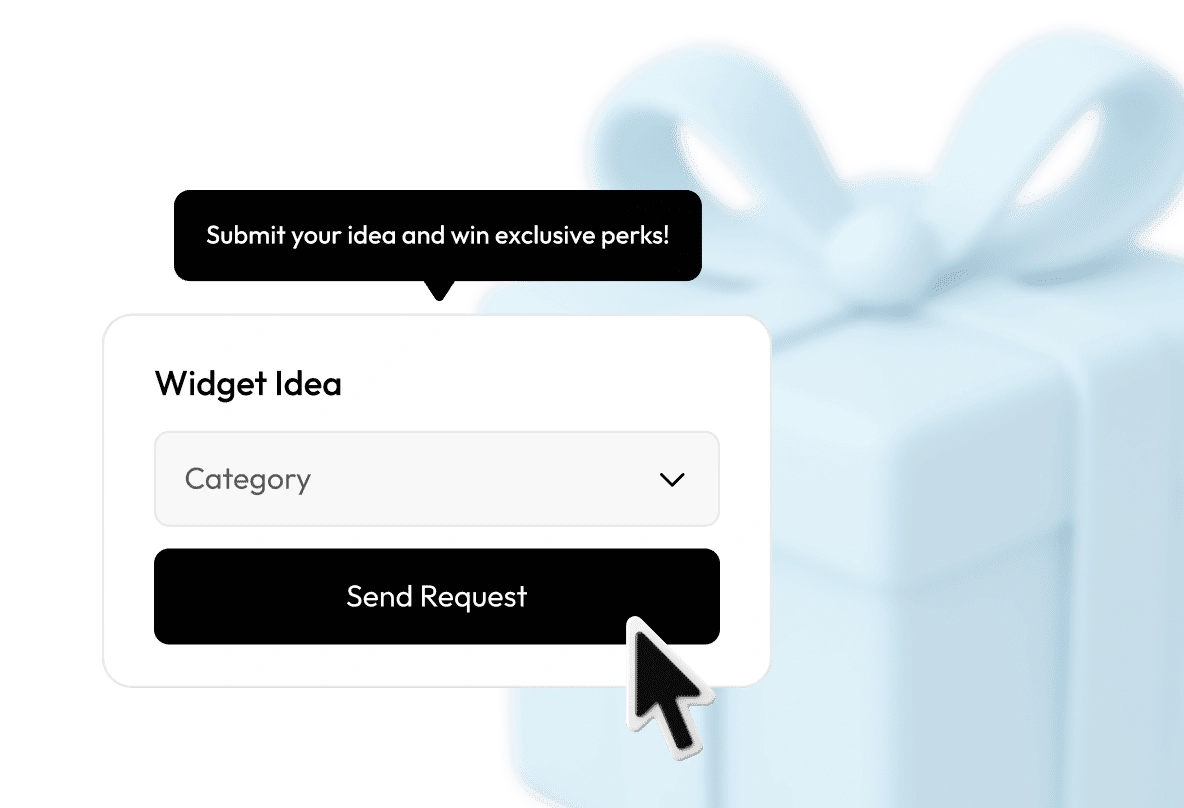
Request a Block, Win Prizes!Have a block idea? Submit it, and we might build it for you! With rewards, shoutouts, and surprise perks.
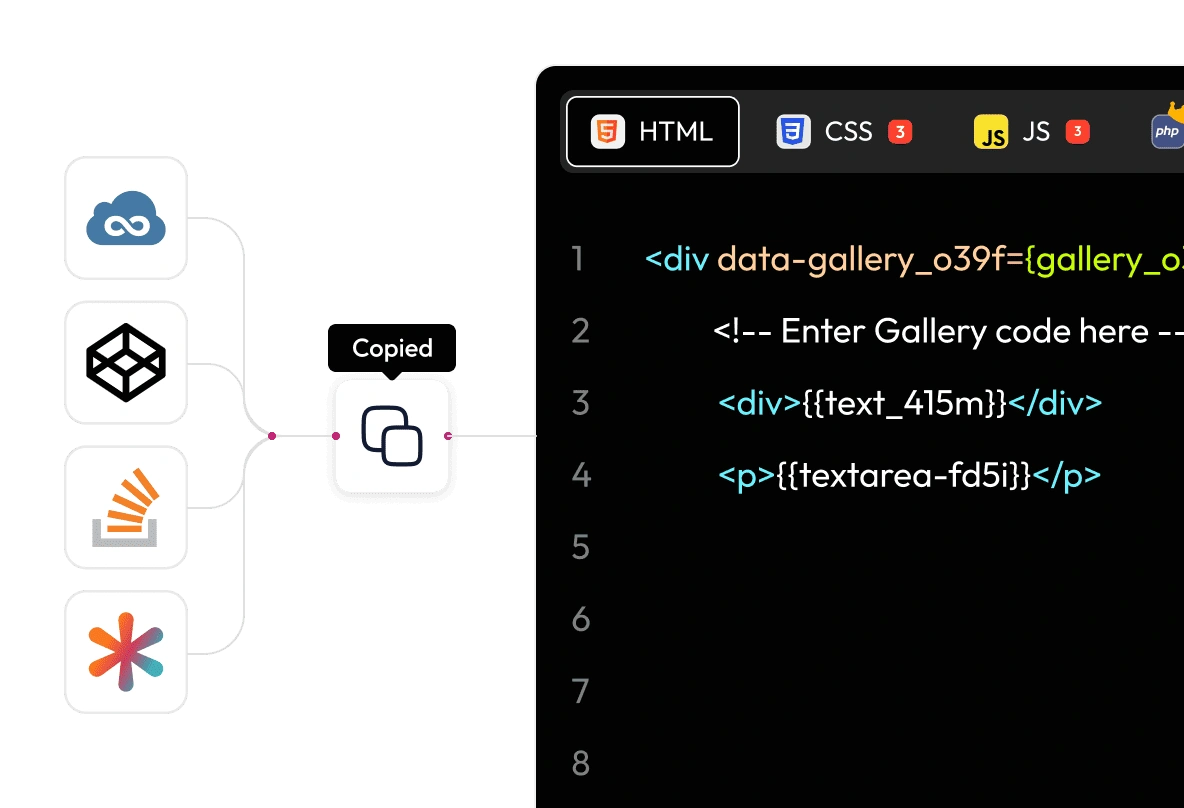
Turn Snippets into Editable BlocksCopy any code snippet from CodePen, CSS Tricks, or JSFiddle and turn it into a visual, editable Gutenberg block in minutes.
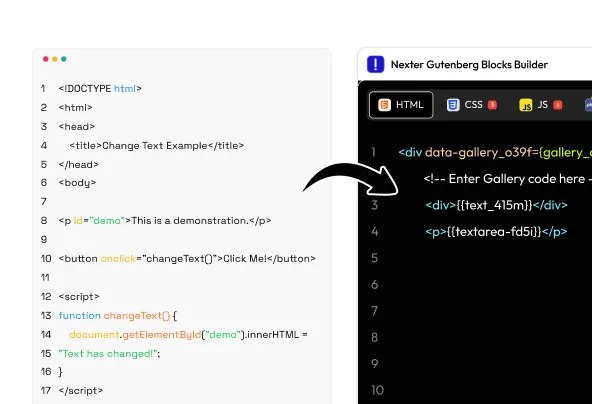
Convert HTML, CSS & JS to BlocksWrite your logic once and turn it into a reusable Gutenberg block with cloud sync and visual controls for every setting.
Supports PHP, Twig & HooksGo beyond frontend. Use PHP, Twig, and WordPress hooks to create dynamic, logic-driven blocks that clients can still edit easily.
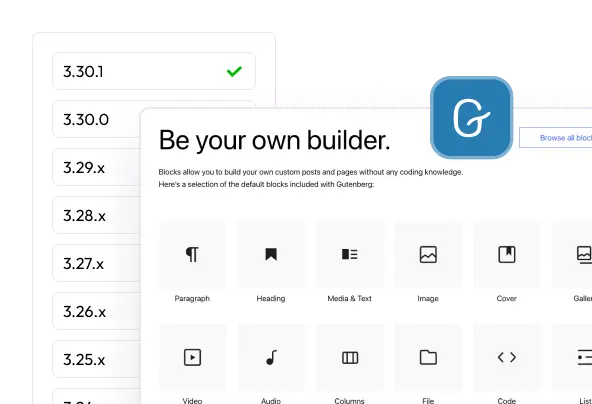
Always Compatible with GutenbergWe stay updated with every major Gutenberg release so your blocks never break. Build once, use forever with peace of mind.
Simplify Your Workflow with Cloud-Based Block Management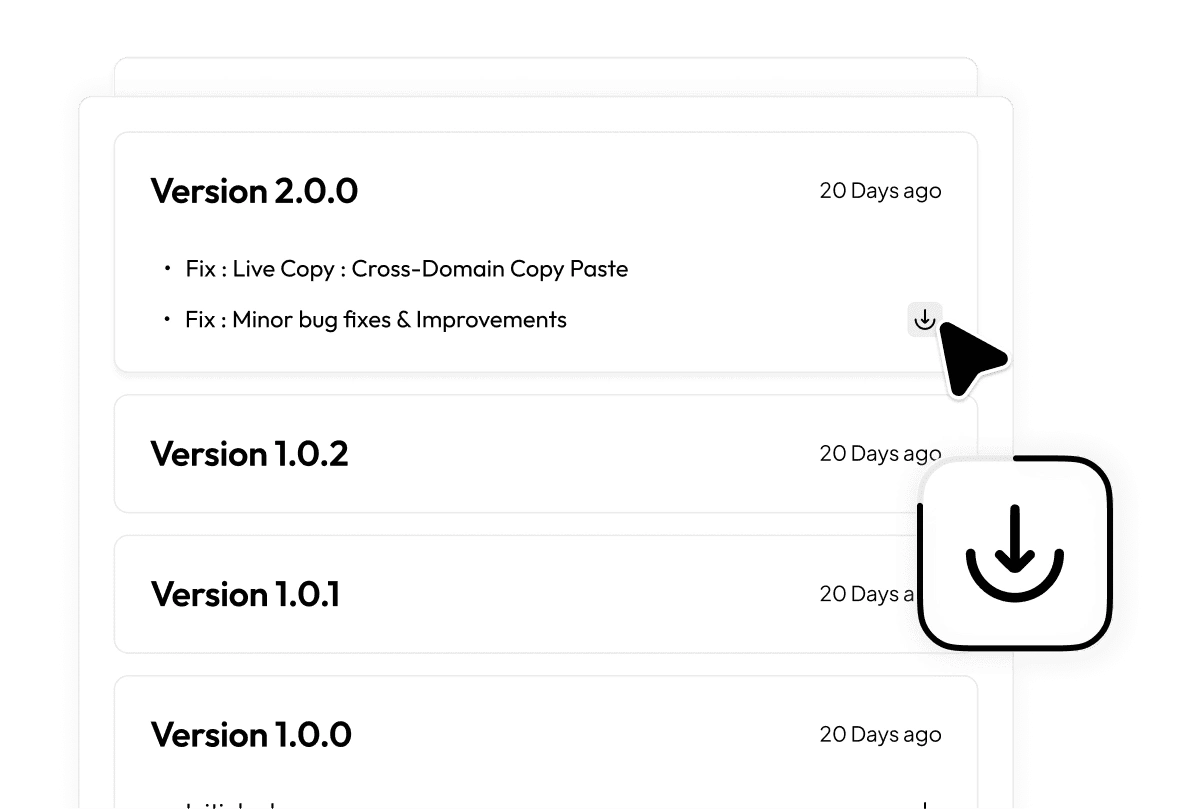
Manage Block Versions for Client MaintenanceTrack every change with built-in version history. Know what changed, when, and keep your client sites stable and stress-free.
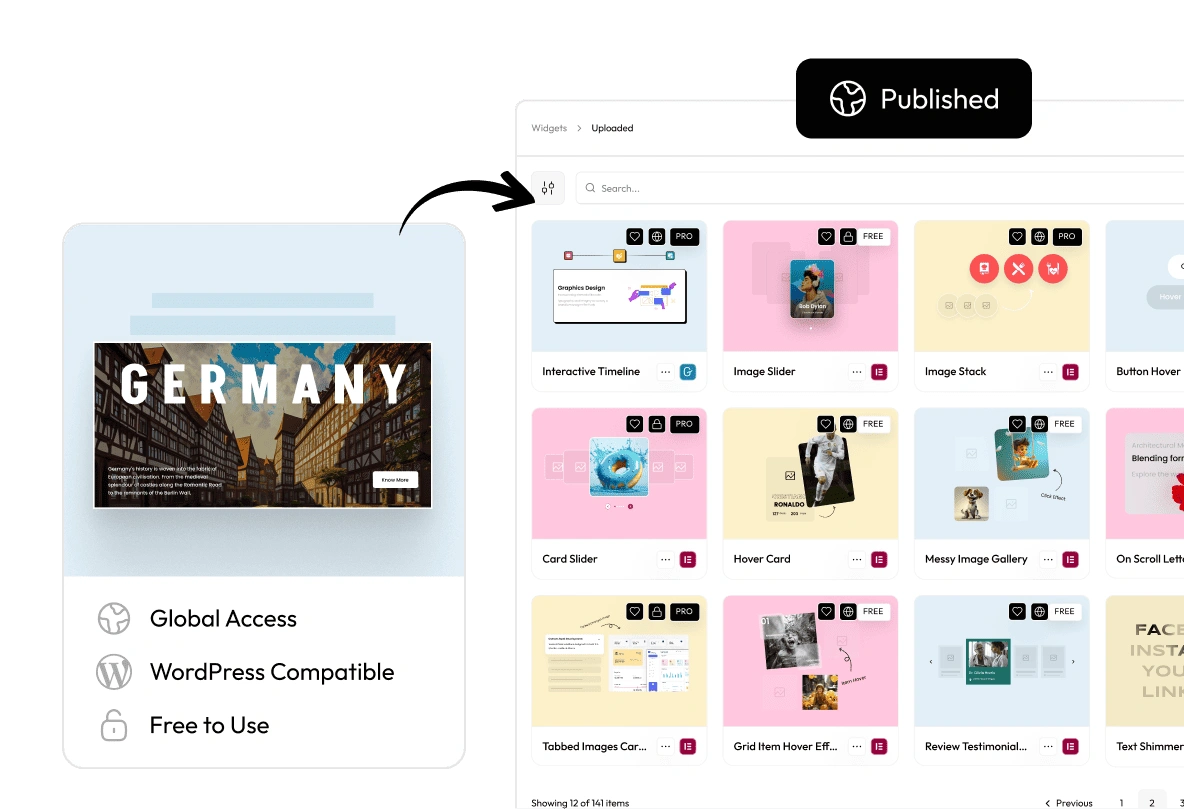
Build and Publish WordPress Blocks FreelyCreate your own custom blocks and publish them for the entire WordPress community. Share your work, grow your impact, and give back.
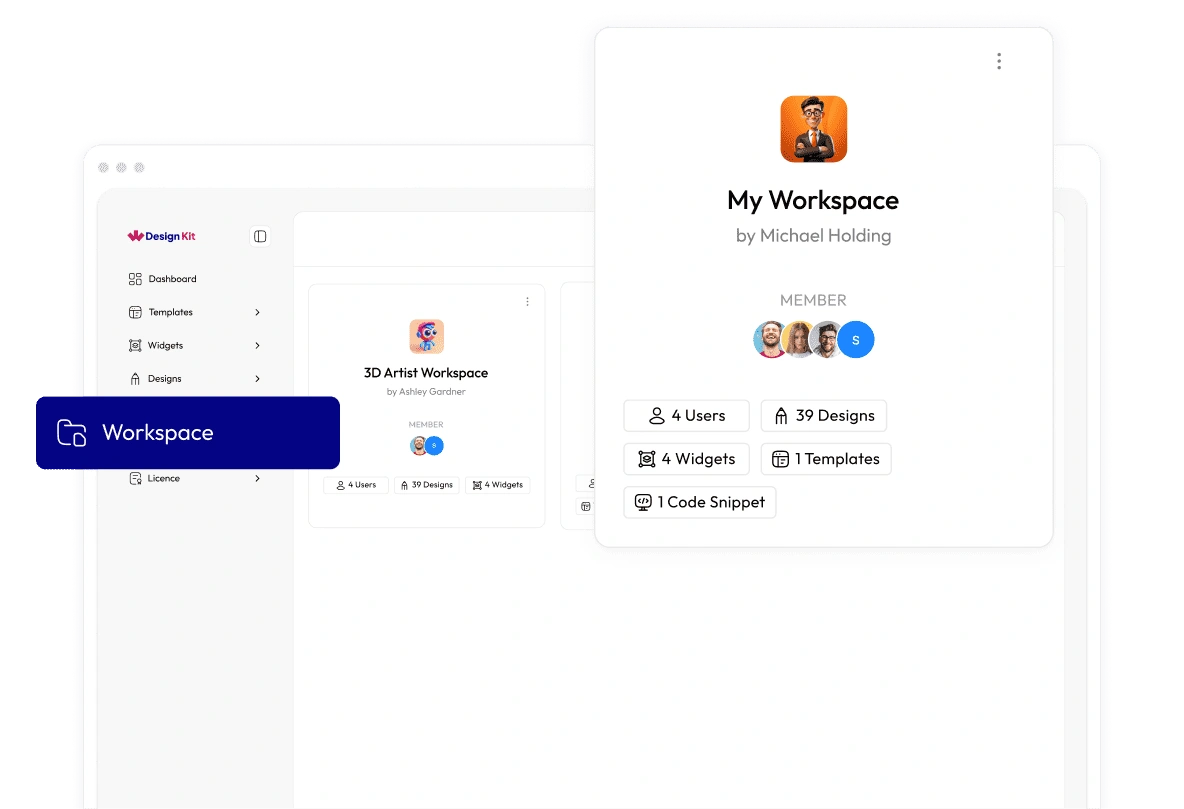
Private Cloud Storage with Easy ManagementSave blocks in your own cloud workspace. Reuse them across multiple sites and projects without starting from scratch.
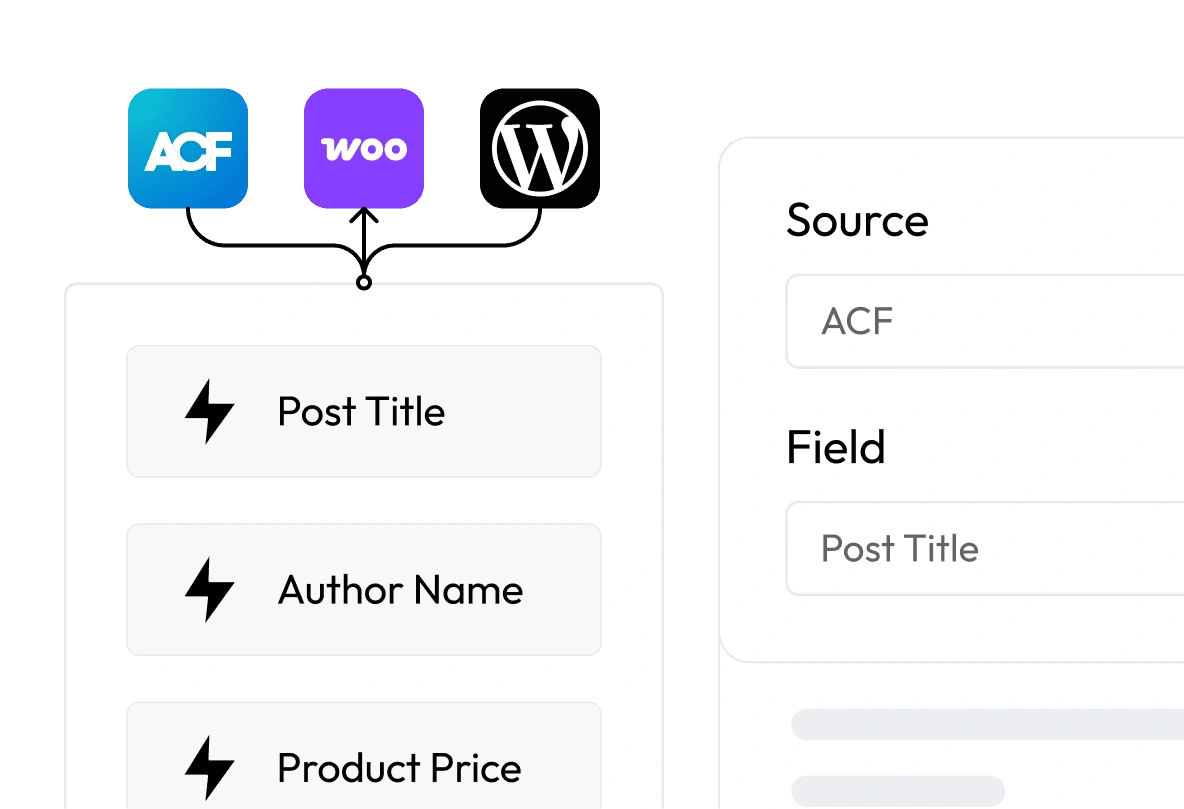
Supports Popular WordPress Dynamic ContentConnect with ACF, WooCommerce, and WordPress core fields. Power your blocks with dynamic, flexible data. No extra setup needed.
29+ Controller Types to Make Any Block Fully Customizable
Seamlessly Integrated With
Rated 5 of 5Why 0 Agencies, Designers & Developers Trust WDesignKit

WPTuts@WPTuts
WDesignKit: The Ultimate WordPress Design & Collaboration Tool
I explored WDesignKit as an all-in-one solution for WordPress design and collaboration. Even though the video was sponsored, I focused purely on demonstrating the features.With 100+ widgets, multi-builder support, templates, and cloud sharing, it's a practical tool for streamlining WordPress workflows. 

Vishit Shah@vishitshah
Best Widget Builder
I have tried this plugin and truly love it. It offers many innovative features, including the ability to create custom widgets and customize pre-built ones as well.It supports different editors like Elementor, Bricks, and Gutenberg. I tried building a widget for Elementor, and it worked smoothly without any issues. Wishing the team continued success with future updates.
Mehebub Zahidi@ontherocksdigital
Absolutely loving the amazing widgets of WDesignKit. They’re super useful and make the whole building experience much better!

flaxandstitch@flaxandstitch
Great Resource and Amazing Support
I highly recommend WDesignKit for building engaging websites. It offers a strong range of templates and widgets backed by a responsive support team.I built a calculator in under 30 minutes using their library examples. When I needed formatting help, support responded quickly and resolved everything smoothlyWPTuts@WPTuts
WDesignKit: The Ultimate WordPress Design & Collaboration Tool
I explored WDesignKit as an all-in-one solution for WordPress design and collaboration. Even though the video was sponsored, I focused purely on demonstrating the features.With 100+ widgets, multi-builder support, templates, and cloud sharing, it's a practical tool for streamlining WordPress workflows. Vishit Shah@vishitshah
Best Widget Builder
I have tried this plugin and truly love it. It offers many innovative features, including the ability to create custom widgets and customize pre-built ones as well.It supports different editors like Elementor, Bricks, and Gutenberg. I tried building a widget for Elementor, and it worked smoothly without any issues. Wishing the team continued success with future updates.Mehebub Zahidi@ontherocksdigital
Absolutely loving the amazing widgets of WDesignKit. They’re super useful and make the whole building experience much better!
flaxandstitch@flaxandstitch
Great Resource and Amazing Support
I highly recommend WDesignKit for building engaging websites. It offers a strong range of templates and widgets backed by a responsive support team.I built a calculator in under 30 minutes using their library examples. When I needed formatting help, support responded quickly and resolved everything smoothlyWPTuts@WPTuts
WDesignKit: The Ultimate WordPress Design & Collaboration Tool
I explored WDesignKit as an all-in-one solution for WordPress design and collaboration. Even though the video was sponsored, I focused purely on demonstrating the features.With 100+ widgets, multi-builder support, templates, and cloud sharing, it's a practical tool for streamlining WordPress workflows. Vishit Shah@vishitshah
Best Widget Builder
I have tried this plugin and truly love it. It offers many innovative features, including the ability to create custom widgets and customize pre-built ones as well.It supports different editors like Elementor, Bricks, and Gutenberg. I tried building a widget for Elementor, and it worked smoothly without any issues. Wishing the team continued success with future updates.Mehebub Zahidi@ontherocksdigital
Absolutely loving the amazing widgets of WDesignKit. They’re super useful and make the whole building experience much better!
flaxandstitch@flaxandstitch
Great Resource and Amazing Support
I highly recommend WDesignKit for building engaging websites. It offers a strong range of templates and widgets backed by a responsive support team.I built a calculator in under 30 minutes using their library examples. When I needed formatting help, support responded quickly and resolved everything smoothlyWPTuts@WPTuts
WDesignKit: The Ultimate WordPress Design & Collaboration Tool
I explored WDesignKit as an all-in-one solution for WordPress design and collaboration. Even though the video was sponsored, I focused purely on demonstrating the features.With 100+ widgets, multi-builder support, templates, and cloud sharing, it's a practical tool for streamlining WordPress workflows. Vishit Shah@vishitshah
Best Widget Builder
I have tried this plugin and truly love it. It offers many innovative features, including the ability to create custom widgets and customize pre-built ones as well.It supports different editors like Elementor, Bricks, and Gutenberg. I tried building a widget for Elementor, and it worked smoothly without any issues. Wishing the team continued success with future updates.Mehebub Zahidi@ontherocksdigital
Absolutely loving the amazing widgets of WDesignKit. They’re super useful and make the whole building experience much better!
flaxandstitch@flaxandstitch
Great Resource and Amazing Support
I highly recommend WDesignKit for building engaging websites. It offers a strong range of templates and widgets backed by a responsive support team.I built a calculator in under 30 minutes using their library examples. When I needed formatting help, support responded quickly and resolved everything smoothly
andrea egli@andreaegli
I Built a Custom Widget from Code Using WDesignKitWDesignKit: The Ultimate WordPress Design & Collaboration Tool
What impressed me most about WDesignKit is the ability to build a widget from code and still have it behave like a native Elementor widget. In this video, I created a custom widget step by step and showed how it can remain fully editable inside Elementor with dynamic controls.The process is straightforward but powerful, especially for freelancers who want deeper customization without losing the visual editing experience. It’s a solid approach for anyone who prefers flexibility in their Elementor projects. 
andrea egli@andreaegli
I Tested WDesignKit's AI-Powered Templates
In this video, I tested WDesignKit's AI-powered template system for Elementor to see how practical it really is. I walked through the full process, showing exactly what it generates and how usable the output is.It gives a clear idea of whether this feature is worth adding to your workflow or not.

ontherocksdigital@ontherocksdigital
Best Support on Elementor / WordPress
WDesignKit offers a great set of designs for Elementor and other page builders as well. Even though we haven’t explored everything yet, we can already see the limitless possibilities it offers.What really stands out is the proactive and professional support team. We couldn’t recommend it more.
ssiddiqi4@ssiddiqi4
Easy to Use - Excellent Support
It is easy to use and very straightforward to get started. I had an issue downloading widgets into the WordPress admin panel and contacted support for help.They looked into it, updated the code, and resolved the issue within a couple of days. The process was smooth, and the support experience was genuinely excellent.andrea egli@andreaegli
I Built a Custom Widget from Code Using WDesignKitWDesignKit: The Ultimate WordPress Design & Collaboration Tool
What impressed me most about WDesignKit is the ability to build a widget from code and still have it behave like a native Elementor widget. In this video, I created a custom widget step by step and showed how it can remain fully editable inside Elementor with dynamic controls.The process is straightforward but powerful, especially for freelancers who want deeper customization without losing the visual editing experience. It’s a solid approach for anyone who prefers flexibility in their Elementor projects. andrea egli@andreaegli
I Tested WDesignKit's AI-Powered Templates
In this video, I tested WDesignKit's AI-powered template system for Elementor to see how practical it really is. I walked through the full process, showing exactly what it generates and how usable the output is.It gives a clear idea of whether this feature is worth adding to your workflow or not.ontherocksdigital@ontherocksdigital
Best Support on Elementor / WordPress
WDesignKit offers a great set of designs for Elementor and other page builders as well. Even though we haven’t explored everything yet, we can already see the limitless possibilities it offers.What really stands out is the proactive and professional support team. We couldn’t recommend it more.ssiddiqi4@ssiddiqi4
Easy to Use - Excellent Support
It is easy to use and very straightforward to get started. I had an issue downloading widgets into the WordPress admin panel and contacted support for help.They looked into it, updated the code, and resolved the issue within a couple of days. The process was smooth, and the support experience was genuinely excellent.andrea egli@andreaegli
I Built a Custom Widget from Code Using WDesignKitWDesignKit: The Ultimate WordPress Design & Collaboration Tool
What impressed me most about WDesignKit is the ability to build a widget from code and still have it behave like a native Elementor widget. In this video, I created a custom widget step by step and showed how it can remain fully editable inside Elementor with dynamic controls.The process is straightforward but powerful, especially for freelancers who want deeper customization without losing the visual editing experience. It’s a solid approach for anyone who prefers flexibility in their Elementor projects. andrea egli@andreaegli
I Tested WDesignKit's AI-Powered Templates
In this video, I tested WDesignKit's AI-powered template system for Elementor to see how practical it really is. I walked through the full process, showing exactly what it generates and how usable the output is.It gives a clear idea of whether this feature is worth adding to your workflow or not.ontherocksdigital@ontherocksdigital
Best Support on Elementor / WordPress
WDesignKit offers a great set of designs for Elementor and other page builders as well. Even though we haven’t explored everything yet, we can already see the limitless possibilities it offers.What really stands out is the proactive and professional support team. We couldn’t recommend it more.ssiddiqi4@ssiddiqi4
Easy to Use - Excellent Support
It is easy to use and very straightforward to get started. I had an issue downloading widgets into the WordPress admin panel and contacted support for help.They looked into it, updated the code, and resolved the issue within a couple of days. The process was smooth, and the support experience was genuinely excellent.andrea egli@andreaegli
I Built a Custom Widget from Code Using WDesignKitWDesignKit: The Ultimate WordPress Design & Collaboration Tool
What impressed me most about WDesignKit is the ability to build a widget from code and still have it behave like a native Elementor widget. In this video, I created a custom widget step by step and showed how it can remain fully editable inside Elementor with dynamic controls.The process is straightforward but powerful, especially for freelancers who want deeper customization without losing the visual editing experience. It’s a solid approach for anyone who prefers flexibility in their Elementor projects. andrea egli@andreaegli
I Tested WDesignKit's AI-Powered Templates
In this video, I tested WDesignKit's AI-powered template system for Elementor to see how practical it really is. I walked through the full process, showing exactly what it generates and how usable the output is.It gives a clear idea of whether this feature is worth adding to your workflow or not.ontherocksdigital@ontherocksdigital
Best Support on Elementor / WordPress
WDesignKit offers a great set of designs for Elementor and other page builders as well. Even though we haven’t explored everything yet, we can already see the limitless possibilities it offers.What really stands out is the proactive and professional support team. We couldn’t recommend it more.ssiddiqi4@ssiddiqi4
Easy to Use - Excellent Support
It is easy to use and very straightforward to get started. I had an issue downloading widgets into the WordPress admin panel and contacted support for help.They looked into it, updated the code, and resolved the issue within a couple of days. The process was smooth, and the support experience was genuinely excellent.
Tolga@ontherocksdigital
The last three Elementor templates you published truly reflect Posiymth’s quality standards. Kudos to the team for delivering such excellent work, really impressive!

dobrapani@dobrapani
Like Building with LEGO for a Million-Dollar Site
I just love using WDesignKit, it has become my everyday helper for building truly stunning websites. The widgets look premium and polished, yet they’re easy to customize from scratch or by tweaking pre-made designs.It honestly feels like building with LEGO, creative and fun. Even with all the features available, my site still runs fast, which surprised me. And their support is amazing, you really feel you’re in good hands.
Gabriel Nistor@springbreak
Simply the Best
This is exactly what I've been waiting for, a solution that replaces multiple plugins with one strong combination: Nexter Pro and WDesignKit.It covers most features I need without relying on additional tools. The support team is fast, straight to the point, and problems get solved quickly. A great combo backed by an excellent team.
vincentbao@vincentbao
New Age Tool for WordPress Design Workflow
WDesignKit adds real value to the WordPress design workflow, especially with its design library and cross-builder system. The ability to build for Elementor, Gutenberg, and Bricks and convert between them with a click is impressive.Cloud storage is a helpful addition, and support has consistently been top notch. With more documentation and tutorials in the future, it will become even stronger.Tolga@ontherocksdigital
The last three Elementor templates you published truly reflect Posiymth’s quality standards. Kudos to the team for delivering such excellent work, really impressive!
dobrapani@dobrapani
Like Building with LEGO for a Million-Dollar Site
I just love using WDesignKit, it has become my everyday helper for building truly stunning websites. The widgets look premium and polished, yet they’re easy to customize from scratch or by tweaking pre-made designs.It honestly feels like building with LEGO, creative and fun. Even with all the features available, my site still runs fast, which surprised me. And their support is amazing, you really feel you’re in good hands.Gabriel Nistor@springbreak
Simply the Best
This is exactly what I've been waiting for, a solution that replaces multiple plugins with one strong combination: Nexter Pro and WDesignKit.It covers most features I need without relying on additional tools. The support team is fast, straight to the point, and problems get solved quickly. A great combo backed by an excellent team.vincentbao@vincentbao
New Age Tool for WordPress Design Workflow
WDesignKit adds real value to the WordPress design workflow, especially with its design library and cross-builder system. The ability to build for Elementor, Gutenberg, and Bricks and convert between them with a click is impressive.Cloud storage is a helpful addition, and support has consistently been top notch. With more documentation and tutorials in the future, it will become even stronger.Tolga@ontherocksdigital
The last three Elementor templates you published truly reflect Posiymth’s quality standards. Kudos to the team for delivering such excellent work, really impressive!
dobrapani@dobrapani
Like Building with LEGO for a Million-Dollar Site
I just love using WDesignKit, it has become my everyday helper for building truly stunning websites. The widgets look premium and polished, yet they’re easy to customize from scratch or by tweaking pre-made designs.It honestly feels like building with LEGO, creative and fun. Even with all the features available, my site still runs fast, which surprised me. And their support is amazing, you really feel you’re in good hands.Gabriel Nistor@springbreak
Simply the Best
This is exactly what I've been waiting for, a solution that replaces multiple plugins with one strong combination: Nexter Pro and WDesignKit.It covers most features I need without relying on additional tools. The support team is fast, straight to the point, and problems get solved quickly. A great combo backed by an excellent team.vincentbao@vincentbao
New Age Tool for WordPress Design Workflow
WDesignKit adds real value to the WordPress design workflow, especially with its design library and cross-builder system. The ability to build for Elementor, Gutenberg, and Bricks and convert between them with a click is impressive.Cloud storage is a helpful addition, and support has consistently been top notch. With more documentation and tutorials in the future, it will become even stronger.Tolga@ontherocksdigital
The last three Elementor templates you published truly reflect Posiymth’s quality standards. Kudos to the team for delivering such excellent work, really impressive!
dobrapani@dobrapani
Like Building with LEGO for a Million-Dollar Site
I just love using WDesignKit, it has become my everyday helper for building truly stunning websites. The widgets look premium and polished, yet they’re easy to customize from scratch or by tweaking pre-made designs.It honestly feels like building with LEGO, creative and fun. Even with all the features available, my site still runs fast, which surprised me. And their support is amazing, you really feel you’re in good hands.Gabriel Nistor@springbreak
Simply the Best
This is exactly what I've been waiting for, a solution that replaces multiple plugins with one strong combination: Nexter Pro and WDesignKit.It covers most features I need without relying on additional tools. The support team is fast, straight to the point, and problems get solved quickly. A great combo backed by an excellent team.vincentbao@vincentbao
New Age Tool for WordPress Design Workflow
WDesignKit adds real value to the WordPress design workflow, especially with its design library and cross-builder system. The ability to build for Elementor, Gutenberg, and Bricks and convert between them with a click is impressive.Cloud storage is a helpful addition, and support has consistently been top notch. With more documentation and tutorials in the future, it will become even stronger.
severine97@severine97
Incredible Support Services
The support team answered all my requests in less than two hours, which was really impressive. They were quick, clear, and very helpful with every question I had.Along with the fast support, the plugin itself offers amazing features and has been a great investment for me. Thanks again for all the help!
Daveden@daveden2
A Practical Way to Build Custom Widgets with WDesignKit
I explored how WDesignKit provides ready-made widgets and templates for Elementor, Gutenberg, and Bricks, along with the ability to build custom widgets.I demonstrated it with Elementor, but the same system works across other builders too. It’s a flexible solution for more control without complexity.

nor1don@nor1don
Absolutely Stunning – The Tool of the Pros
After using many plugins and themes over the years, WDesignKit truly stands out. It offers powerful features like cloud storage, custom widget building, and conversion between Elementor, Gutenberg, and Bricks with just a click.The library is massive and keeps growing, and having personal cloud space to reuse saved elements across projects adds huge value. What impressed me most is the active development and incredible support, there’s almost always someone available to help. It feels like a professional tool built by a team that genuinely cares.severine97@severine97
Incredible Support Services
The support team answered all my requests in less than two hours, which was really impressive. They were quick, clear, and very helpful with every question I had.Along with the fast support, the plugin itself offers amazing features and has been a great investment for me. Thanks again for all the help!Daveden@daveden2
A Practical Way to Build Custom Widgets with WDesignKit
I explored how WDesignKit provides ready-made widgets and templates for Elementor, Gutenberg, and Bricks, along with the ability to build custom widgets.I demonstrated it with Elementor, but the same system works across other builders too. It’s a flexible solution for more control without complexity.nor1don@nor1don
Absolutely Stunning – The Tool of the Pros
After using many plugins and themes over the years, WDesignKit truly stands out. It offers powerful features like cloud storage, custom widget building, and conversion between Elementor, Gutenberg, and Bricks with just a click.The library is massive and keeps growing, and having personal cloud space to reuse saved elements across projects adds huge value. What impressed me most is the active development and incredible support, there’s almost always someone available to help. It feels like a professional tool built by a team that genuinely cares.severine97@severine97
Incredible Support Services
The support team answered all my requests in less than two hours, which was really impressive. They were quick, clear, and very helpful with every question I had.Along with the fast support, the plugin itself offers amazing features and has been a great investment for me. Thanks again for all the help!Daveden@daveden2
A Practical Way to Build Custom Widgets with WDesignKit
I explored how WDesignKit provides ready-made widgets and templates for Elementor, Gutenberg, and Bricks, along with the ability to build custom widgets.I demonstrated it with Elementor, but the same system works across other builders too. It’s a flexible solution for more control without complexity.nor1don@nor1don
Absolutely Stunning – The Tool of the Pros
After using many plugins and themes over the years, WDesignKit truly stands out. It offers powerful features like cloud storage, custom widget building, and conversion between Elementor, Gutenberg, and Bricks with just a click.The library is massive and keeps growing, and having personal cloud space to reuse saved elements across projects adds huge value. What impressed me most is the active development and incredible support, there’s almost always someone available to help. It feels like a professional tool built by a team that genuinely cares.severine97@severine97
Incredible Support Services
The support team answered all my requests in less than two hours, which was really impressive. They were quick, clear, and very helpful with every question I had.Along with the fast support, the plugin itself offers amazing features and has been a great investment for me. Thanks again for all the help!Daveden@daveden2
A Practical Way to Build Custom Widgets with WDesignKit
I explored how WDesignKit provides ready-made widgets and templates for Elementor, Gutenberg, and Bricks, along with the ability to build custom widgets.I demonstrated it with Elementor, but the same system works across other builders too. It’s a flexible solution for more control without complexity.nor1don@nor1don
Absolutely Stunning – The Tool of the Pros
After using many plugins and themes over the years, WDesignKit truly stands out. It offers powerful features like cloud storage, custom widget building, and conversion between Elementor, Gutenberg, and Bricks with just a click.The library is massive and keeps growing, and having personal cloud space to reuse saved elements across projects adds huge value. What impressed me most is the active development and incredible support, there’s almost always someone available to help. It feels like a professional tool built by a team that genuinely cares.Need Quick Help?Simple Solutions to Keep You Moving
Getting StartedLicense & BillingTroubleshootingTemplateWidget & Widget BuilderCode Snippet & Cloud WorkspaceAI & MCP
Getting StartedLicense & BillingTroubleshootingTemplateWidget & Widget BuilderCode Snippet & Cloud WorkspaceAI & MCP
You can manage widgets directly from the WDesignKit dashboard. Simply enable the widgets you need and disable the ones you don’t, keeping your site lightweight and optimized.
Read the detailed guide on How to enable or disable widgets
Read the detailed guide on How to enable or disable widgets