
WDesignKit Credit System: Explained
On this page
What It Does
WDesignKit’s Credits System is how usage beyond your plan’s built-in allowance gets paid for. There are two separate credit balances, Storage Credits and AI Credits, and this page explains what each one covers and why they exist as two separate balances.
Correction note: this page previously described an older, single credit pool spent on saving templates, widgets, and workspaces (2 / 5 / 10 credits each, a 200-credit free allowance). That model is no longer how WDesignKit’s live pricing page works. It has been replaced below with the current two-credit-type system, cross-checked against wdesignkit.com/pricing and against the How to Use Credits in WDesignKit doc, which was fact-checked live on 2026-09-01.
Why It Matters
Every WDesignKit plan ships with a fixed allowance built in. Understanding that storage usage and AI usage are billed separately helps you diagnose which limit you actually hit, and buy only the add-on you need instead of guessing or upgrading your whole plan unnecessarily.
What You Get
A plain explanation of what Storage Credits and AI Credits are, how each is earned or bought, and where to check your current balance, plus a link to the exact current add-on prices.
Benefits
- Separating storage from AI usage means a heavy AI month does not eat into your file-storage allowance, and vice versa.
- Downloading templates or widgets, yours or someone else’s, does not consume either credit balance.
- You can top up just the balance you are short on instead of upgrading your entire subscription plan.
Capabilities
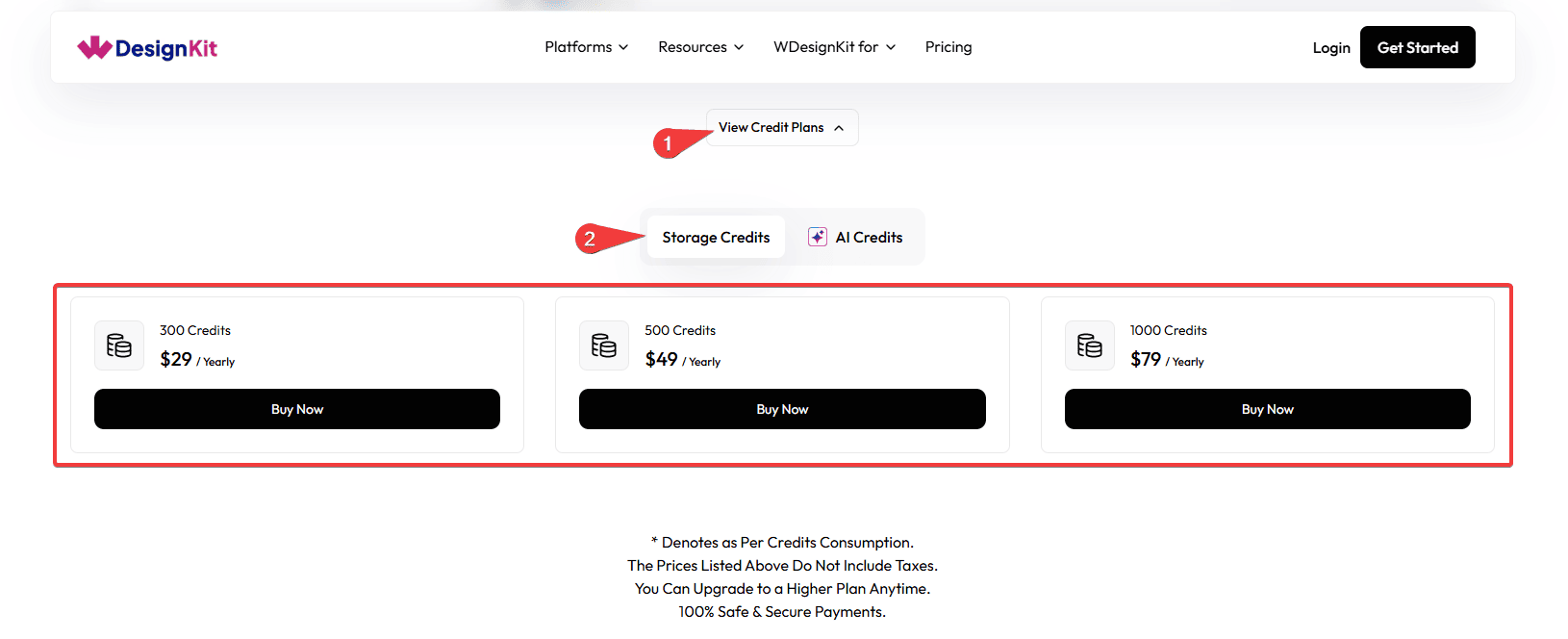
- Storage Credits: cover files, designs, and assets kept in your WDesignKit workspace. Billed yearly, and every paid plan includes a base allowance before you would ever need to buy more.
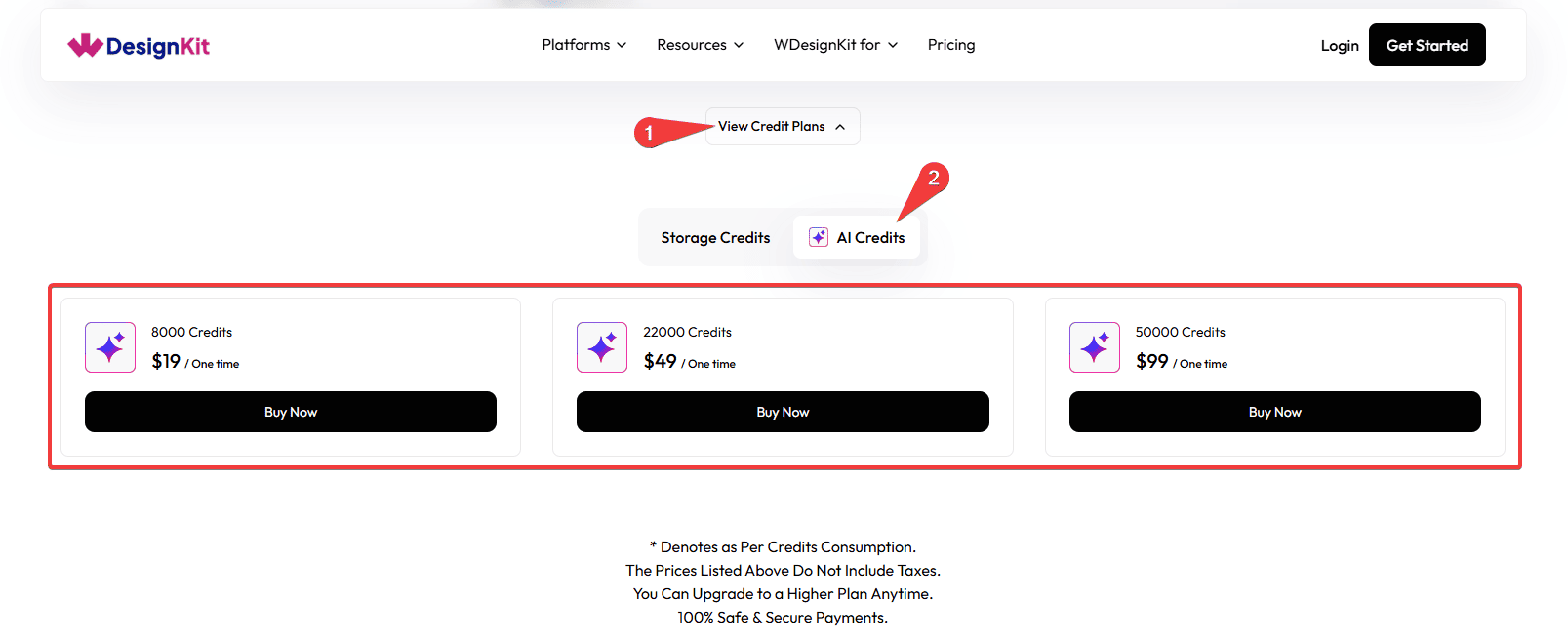
- AI Credits: cover AI-powered actions such as AI Content Import and other AI-driven generation features. Bought as a one-time pack, valid for one year from the purchase date.
- Both balances can be topped up independently at any time from the WDesignKit pricing page’s credit plans section.
How It Works
Your plan includes a starting allowance of each credit type. Storage Credits deplete as your workspace’s stored files, designs, and assets grow; AI Credits deplete as you use AI-powered features, with the exact amount depending on the action performed. When a balance runs low, buying an add-on pack tops up that balance only, the other stays untouched.
How to Use It
Where and How to Check Your Credit Balance
Log in to your WDesignKit account and go to Licence > Activate. Your current Storage Credit and AI Credit balances are shown there as separate totals.
How to Get More Credits
Every paid plan includes a base Storage Credit and AI Credit allowance. If you need more of either, go to the WDesignKit Pricing page, open View Credit Plans, and buy a Storage Credit pack or an AI Credit pack directly, without upgrading your whole subscription. For the exact current pack sizes and prices, live-verified against the pricing page, see How to Use Credits in WDesignKit.
Note: If you have active licences for The Plus Addons for Elementor Pro or Nexter Blocks Pro, activating them inside WDesignKit has historically added bonus credits on top of your plan allowance. This detail could not be independently re-verified against the current cross-product licensing flow this session, so treat it as unconfirmed rather than current fact until re-checked.
Use Cases
- Checking whether a “you’re out of credits” message is about Storage Credits or AI Credits before deciding what to buy.
- Understanding why downloading a widget or template never reduces either balance, so you can browse the Public Library freely.
- Deciding to top up just AI Credits for a one-off AI-heavy project instead of upgrading your whole plan.
Limitations
- Storage Credits and AI Credits are separate balances; buying more of one never tops up the other.
- AI Credits expire one year after purchase and unused credits are not carried forward; Storage Credits are billed yearly alongside your plan.
- This page intentionally does not repeat exact pack sizes or prices, since those live on the pricing page and can change; see How to Use Credits in WDesignKit for the currently verified numbers instead of relying on a number written here.
Troubleshooting
- Saved elements became inaccessible after running low on credits. This reflects the older single-credit-pool model this page used to describe and does not match the current Storage/AI Credit system; if you see this behavior on a live account, treat it as a discrepancy to report to WDesignKit support rather than expected current behavior.
- Not sure which credit type a feature uses. As a rule of thumb, storing files or assets uses Storage Credits, while any AI-powered action uses AI Credits; check Licence > Activate for both balances if you are unsure which one moved.
- Purchased credits are not showing up. This is workflow-derived guidance, not sourced from a specific support ticket this session: refresh your account page after checkout, since a short delay before the balance updates is normal, and contact support if it has not appeared after several minutes.