
How to Download Figma Templates?
On this page
What It Does
Figma templates in WDesignKit are complete, multi-page website designs delivered as native Figma .fig files: full editable layouts, not static mockups. WDesignKit ships hundreds of them across free and Pro tiers, and a subset are marked UiChemy-compatible so they convert straight into an Elementor site.
Why It Matters
Starting a new site design from a blank Figma canvas is slow. A ready-made template gives you a full, professionally designed multi-page site to restyle and rebrand, instead of designing every page from scratch; if the template is UiChemy-compatible, you skip the hand-coding step entirely and go straight to a working WordPress site.
What You Get
- A searchable, filterable gallery of Figma templates inside the WDesignKit web app (wdesignkit.com)
- Full multi-page website designs, not single-page mockups, as native, editable
.figfiles - Both free and Pro (license-gated) templates in the same gallery
- UiChemy-tagged templates that can be converted directly into an Elementor WordPress site
Benefits
- Cuts a full site design cycle down to picking a template and restyling it
- Removes the mockup-to-code handoff entirely for UiChemy-compatible templates
- Same login covers both free exploration and Pro/UiChemy Pro downloads once licensed
Capabilities
| Capability | Detail |
|---|---|
| Access tier | Free templates: any WDesignKit.com account. Pro templates: WDesignKit Pro or UiChemy Pro license, activated in WDesignKit. |
| File format | Native Figma .fig file, imported directly into the Figma desktop/web app |
| UiChemy compatibility | Templates marked with the Figma + UiChemy logo can be converted into an Elementor site via the UiChemy plugin |
| Where it lives | WDesignKit.com web app only, not inside the WordPress plugin or wp-admin |
Required Setup
- A free account on WDesignKit.com (required even for free templates)
- A WDesignKit Pro or UiChemy Pro license, activated in WDesignKit, if you want Pro templates
- The Figma desktop app or figma.com, to open the downloaded
.figfile
How to Use It
Figma templates are downloaded from the WDesignKit web app, not from inside WordPress.
- Log into your account at wdesignkit.com, then go to the header menu: Templates > Figma Templates.
- Browse the gallery of free and Pro templates and click the one you want.
- On the template’s detail page, click Download. This downloads the design as a
.figfile. - Open the Figma app, click Import > From your computer, and select the downloaded
.figfile to bring it into your Figma workspace for editing.
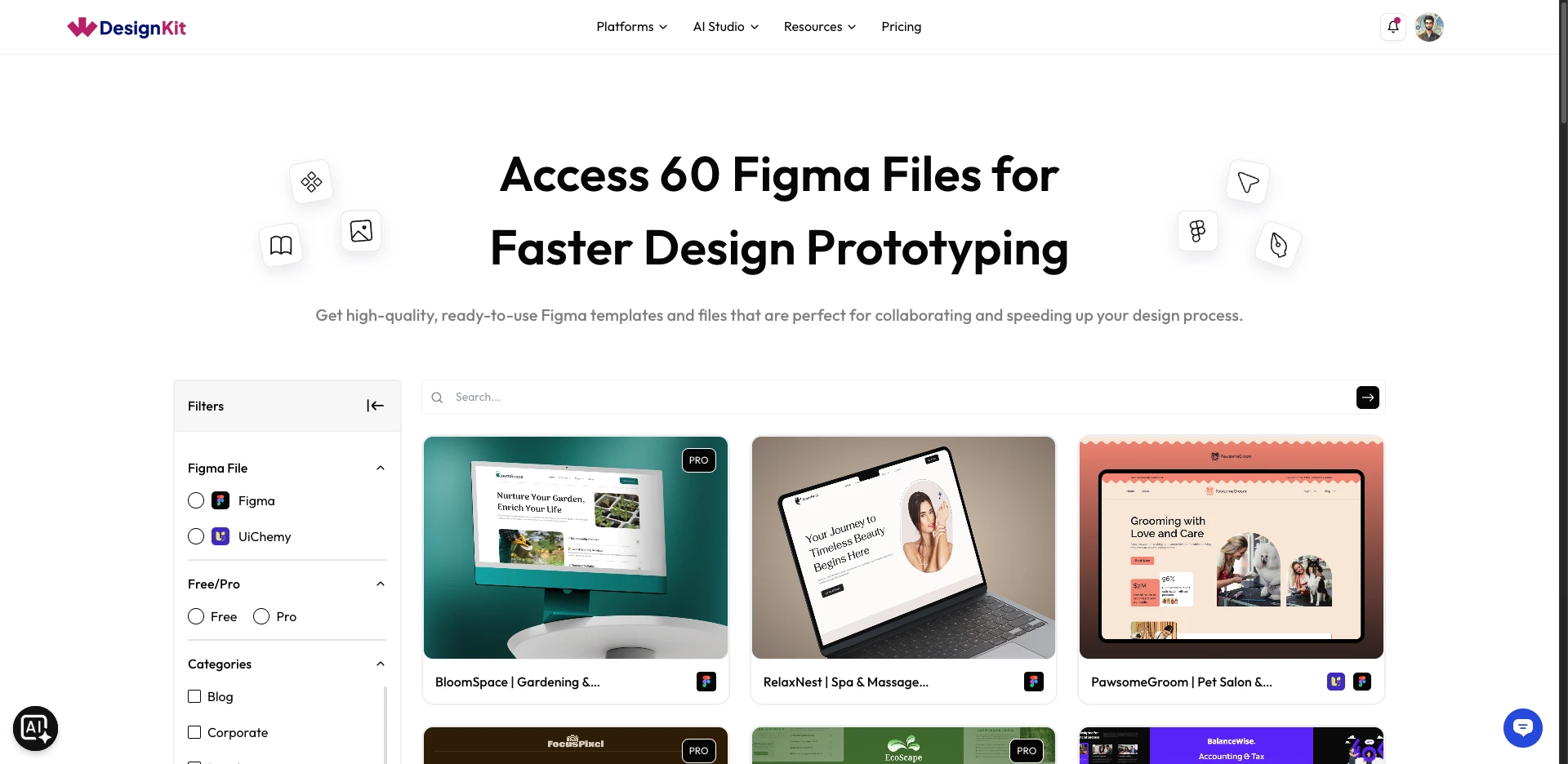
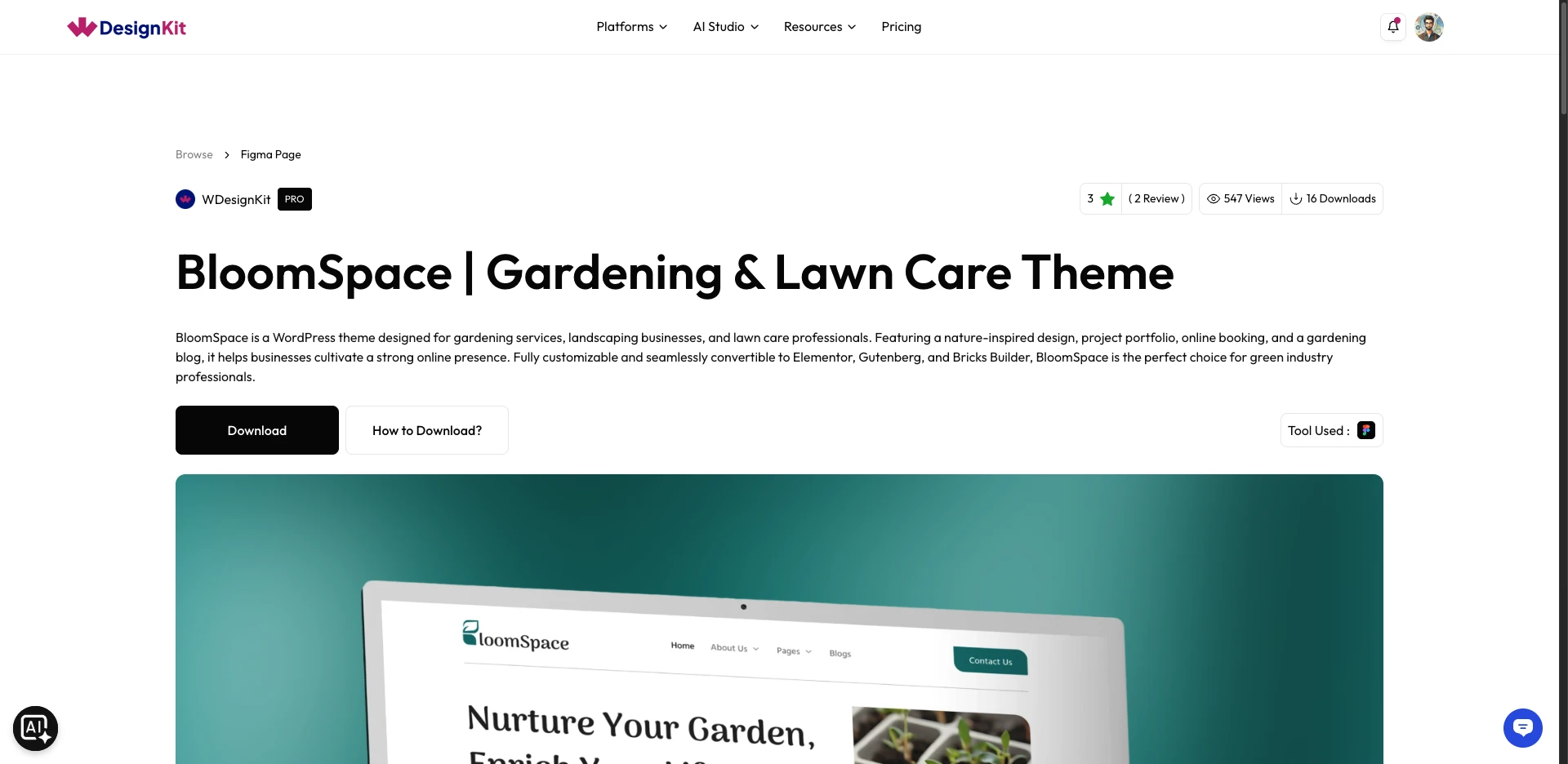
Note: To download Pro templates, you need a WDesignKit Pro or UiChemy Pro account and an activated license in WDesignKit.
Note: Templates carrying both the Figma and UiChemy logos are UiChemy-compatible; you can convert them into a WordPress site using UiChemy in a few clicks.
Use Cases
- Starting a client site design from a ready-made multi-page layout instead of a blank canvas
- Pulling a UiChemy-compatible template to convert straight into a live Elementor site
- Sourcing a Figma reference file for a design system or brand refresh
- Reviewing free templates before committing to a Pro license
Limitations
- Download requires a WDesignKit.com account; it is not available from inside the WordPress plugin or wp-admin.
- Pro templates require an active WDesignKit Pro or UiChemy Pro license activated in WDesignKit; a free account alone cannot download them.
- You need the Figma app (desktop or web) installed to open and edit the downloaded
.figfile; WDesignKit does not provide an in-browser editor for it. - Only templates explicitly tagged with the Figma + UiChemy logo can be converted into Elementor via UiChemy; other Figma templates are design-only.
Troubleshooting
No FluentSupport tickets specifically about Figma template download issues were found at the time of writing (keyword search returned unrelated autoreplies, not substantive support threads). If you hit an issue:
- Download button greyed out or missing: confirm you are logged into wdesignkit.com; for Pro templates, confirm your license is activated (Templates > My Licenses).
- Downloaded file won’t open in Figma: confirm the file kept its
.figextension (some browsers rename downloads); re-download if it was corrupted or partial. - Template isn’t converting via UiChemy: only Figma+UiChemy-logo templates support conversion; check the template’s tags on its detail page before assuming a plugin issue.