
How to See List of Previously Downloaded Templates?
On this page
What It Does
WDesignKit keeps a record of every template you have downloaded, so you can find and reuse a template kit without browsing the marketplace again.
Why It Matters
Once you download several template kits across different projects, it becomes hard to remember which ones you already have. A dedicated list of previously downloaded templates means you never re-download the same kit or lose track of a design you were planning to reuse.
What You Get
A single screen, under Templates > My Templates, that lists every template kit you have downloaded to your account, with quick actions to re-import, preview, or manage each one.
Capabilities
- See every previously downloaded template in one grid
- Re-import a template into a new page without downloading it again
- Open a template directly in Elementor or Gutenberg from the list
How It Works
WDesignKit records a template against your account the moment you download it from the marketplace. The My Templates screen simply queries that record and displays each template’s thumbnail, name, and builder type (Elementor or Gutenberg).
How to Use It
- In your WordPress dashboard, go to MyDesignKit in the left sidebar.
- Make sure you are logged in to your WDesignKit cloud account.
- Click the Templates dropdown in the top navigation.
- Select My Templates from the dropdown.
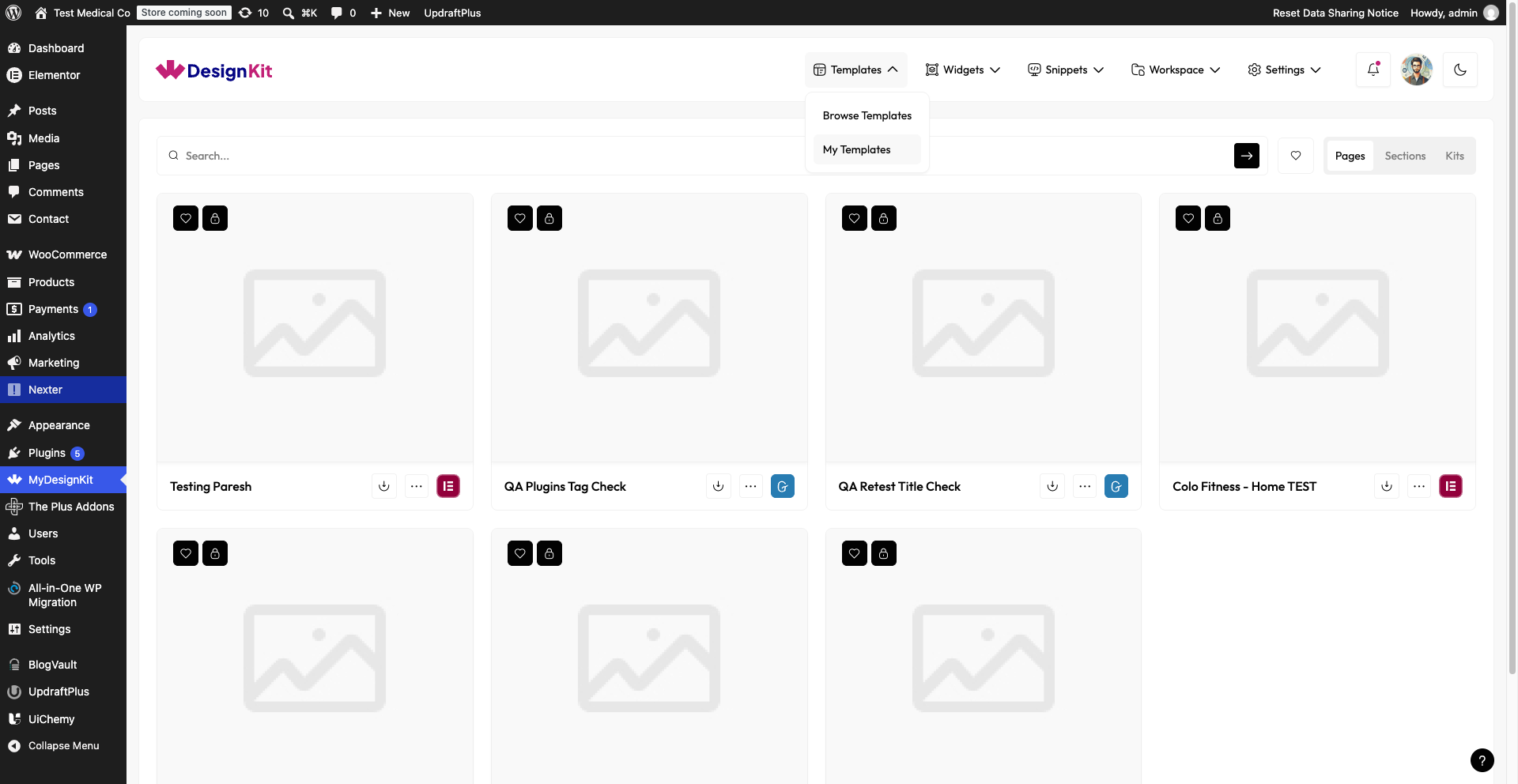
You will see every template you have downloaded in the past, along with an icon showing which page builder it belongs to.
If you cannot find a template you expect to see here, confirm you are logged in to the same WDesignKit account you used to download it. Templates are tied to your cloud account, not to the WordPress site.
Use Cases
- Reusing a template kit on a second website without browsing the marketplace again
- Checking which templates you have already downloaded before starting a new project
- Quickly re-importing a template after accidentally deleting it from a page
Limitations
- My Templates shows templates downloaded with your current WDesignKit cloud account only, not templates downloaded by teammates unless shared through a Workspace
- Removing a template from this list does not delete it from pages where you already used it
Troubleshooting
- A downloaded template does not work correctly after adding it in Elementor. Some customers have reported a template importing but not rendering correctly in the Elementor editor. Re-download the template from My Templates rather than re-using a partially imported copy, and confirm Elementor and WDesignKit are both updated to their latest versions.
- Re-importing a previously downloaded template gets stuck spinning on “Import Template.” If the import step hangs indefinitely, refresh the page and retry the import once rather than waiting, since a stalled import does not always recover on its own. If it happens repeatedly, try the import on a fresh page.
- Leftover design artifacts (such as popups) remain after deleting a downloaded template. Deleting a template from a page does not always clear every element it added, such as a popup it registered. Check the Popup Builder or Template Library for orphaned entries left behind by the deleted template and remove them manually.