
How to Get License Key for WDesignKit Activation?
On this page
To use the templates, widgets, blocks, widget builder, and other powerful features of WDesignKit, you have to activate your WDesignKit account.
What It Does
Getting a license key is the step that unlocks WDesignKit’s templates, widgets, widget builder, and other PRO features. There are four key types, WDesignKit, The Plus Addons for Elementor Pro, Nexter Blocks Pro, and UiChemy Pro, plus two add-on keys for extra AI and Storage credits, and each is retrieved and activated the same way.
Why It Matters
Without an activated key, WDesignKit runs on the free plan’s credit limits (140 templates, 20 widgets, 2 workspaces). Activating any of the four product keys removes those caps, adds credits, and, for The Plus Addons for Elementor and Nexter Blocks specifically, unlocks the PRO template library tied to that plugin.
What You Get
- A Free plan you can start with no credit card and no key
- A key delivered instantly to your POSIMYTH Store dashboard after a Pro purchase
- One activation flow inside WDesignKit, Licence → Activate, that works the same for all four products
Benefits
Activating The Plus Addons for Elementor and Nexter Blocks together unlocks PRO templates for both plugins from a single WDesignKit account. Activating all three of WDesignKit, The Plus Addons for Elementor, and Nexter Blocks upgrades your plan to WDesignKit and adds an extra 200 credits on top of what each key grants individually. A widget builder account is still required to build custom widgets, even with these keys active.
Capabilities
Types of keys you can retrieve and activate:
- WDesignKit
- WDesignKit Extra AI Credits
- WDesignKit Extra Storage Credits
- The Plus Addons for Elementor – Pro
- Nexter Blocks – Pro
- UiChemy – Pro
How It Works
On the Free plan, clicking Start Free on the Pricing page redirects you to login/sign-up, no key is issued because none is needed. On a paid plan, clicking Buy Now completes checkout on the POSIMYTH Store and the activation key is generated and shown immediately, and it also stays visible from your Store account dashboard afterward.
How to Use It
WDesignKit Key
Visit the Pricing Page and choose a plan. On Free, click Start Free and log in or sign up. On a paid plan, click Buy Now and complete checkout on the POSIMYTH Store to get your key.
You can also find the key from the Dashboard of your POSIMYTH Store account.
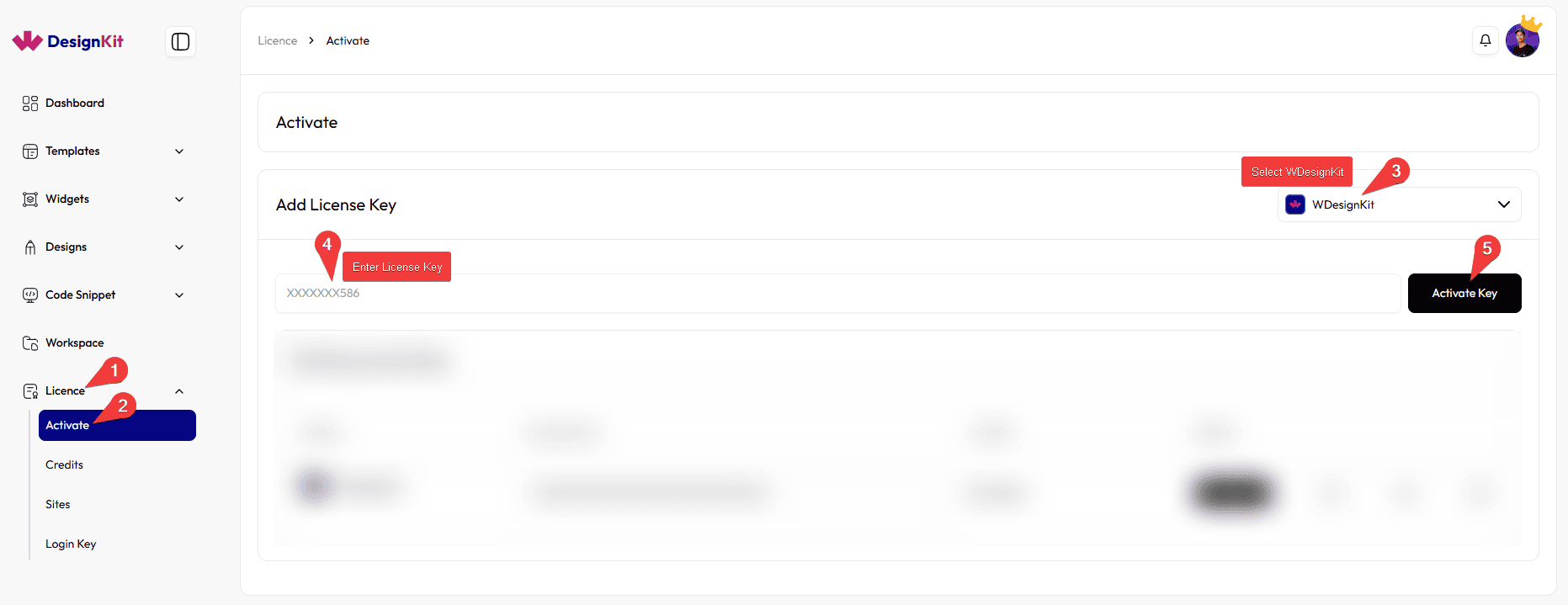
To activate: in the WDesignKit Server, go to Licence → Activate, paste the key into Add Licence Key, select WDesignKit from the product dropdown, then click Activate Key.
The Plus Addons for Elementor Key
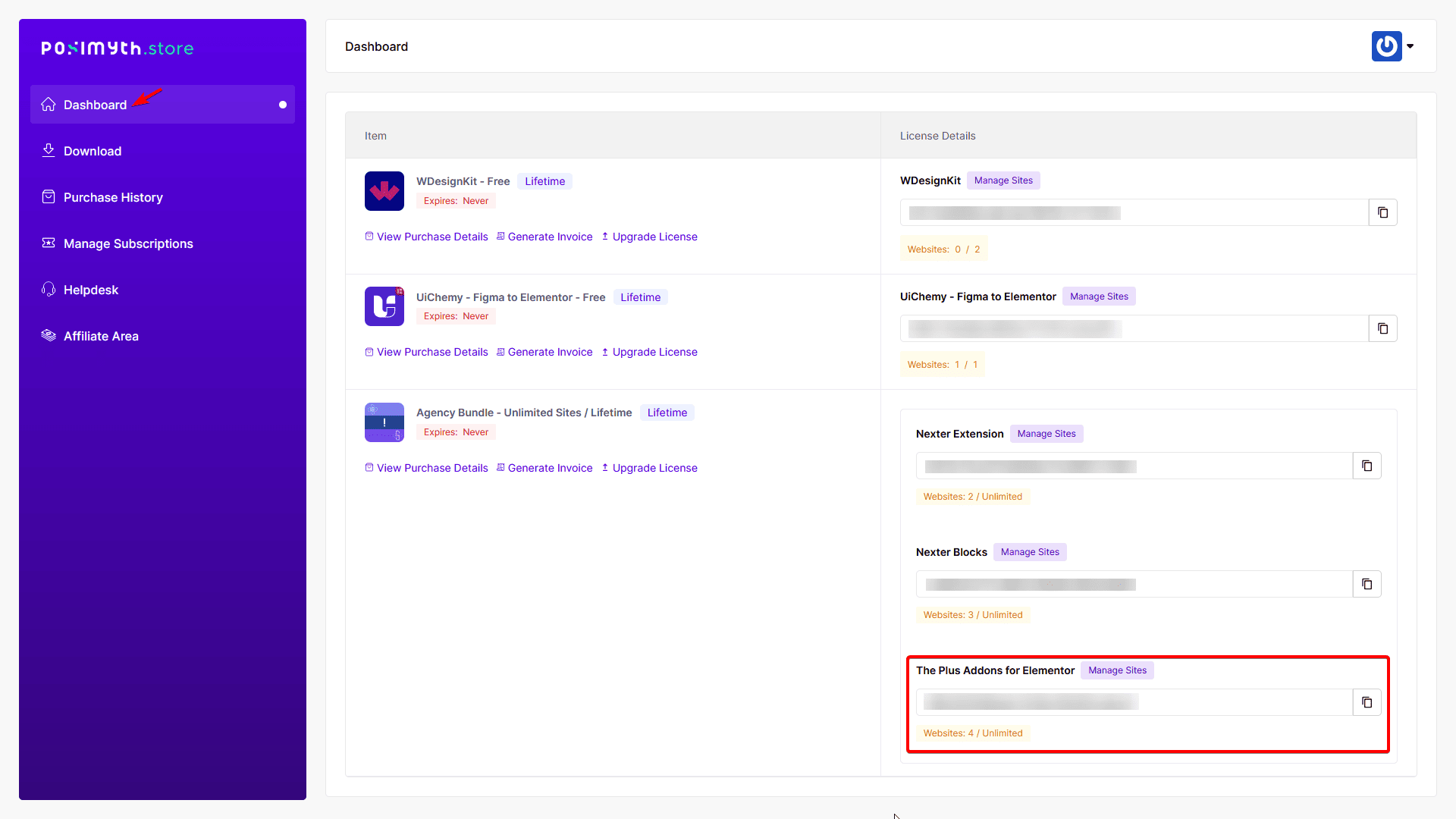
Log in to your POSIMYTH Store account, the key is on the Dashboard under The Plus Addons for Elementor.
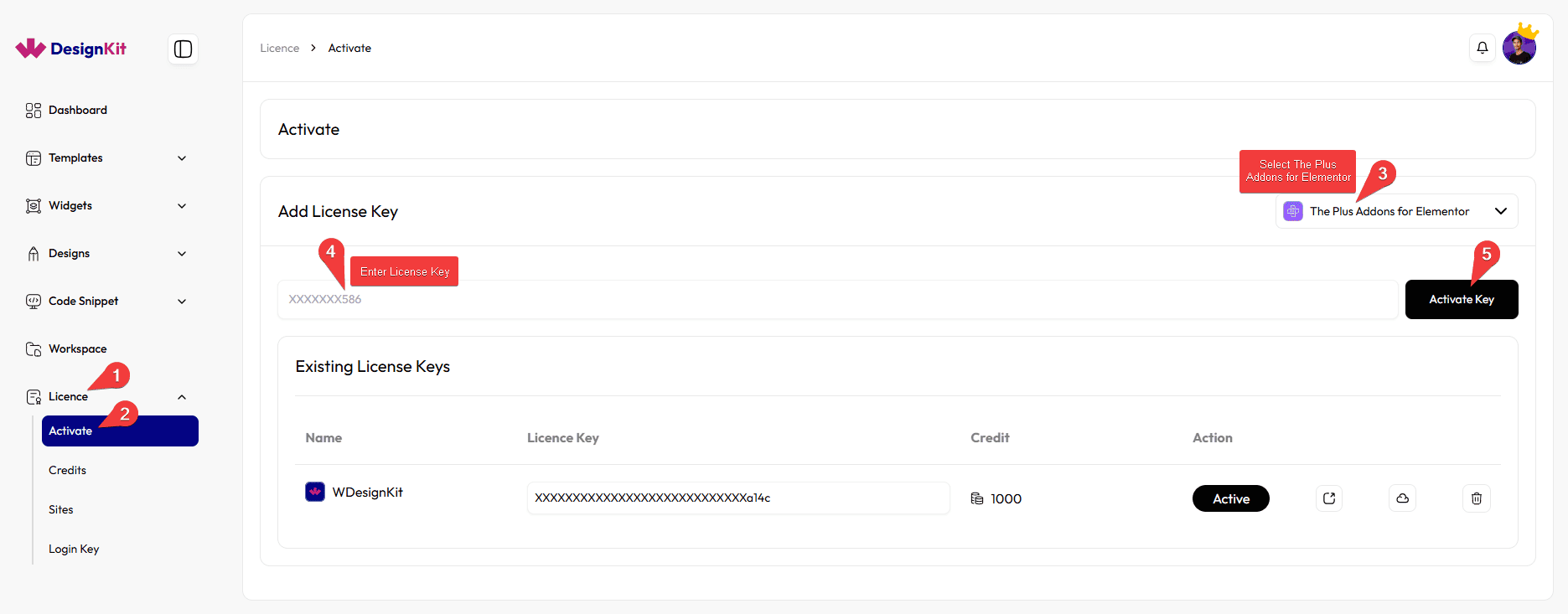
Activate it the same way, Licence → Activate, paste the key, select The Plus Addons for Elementor, click Activate Key.
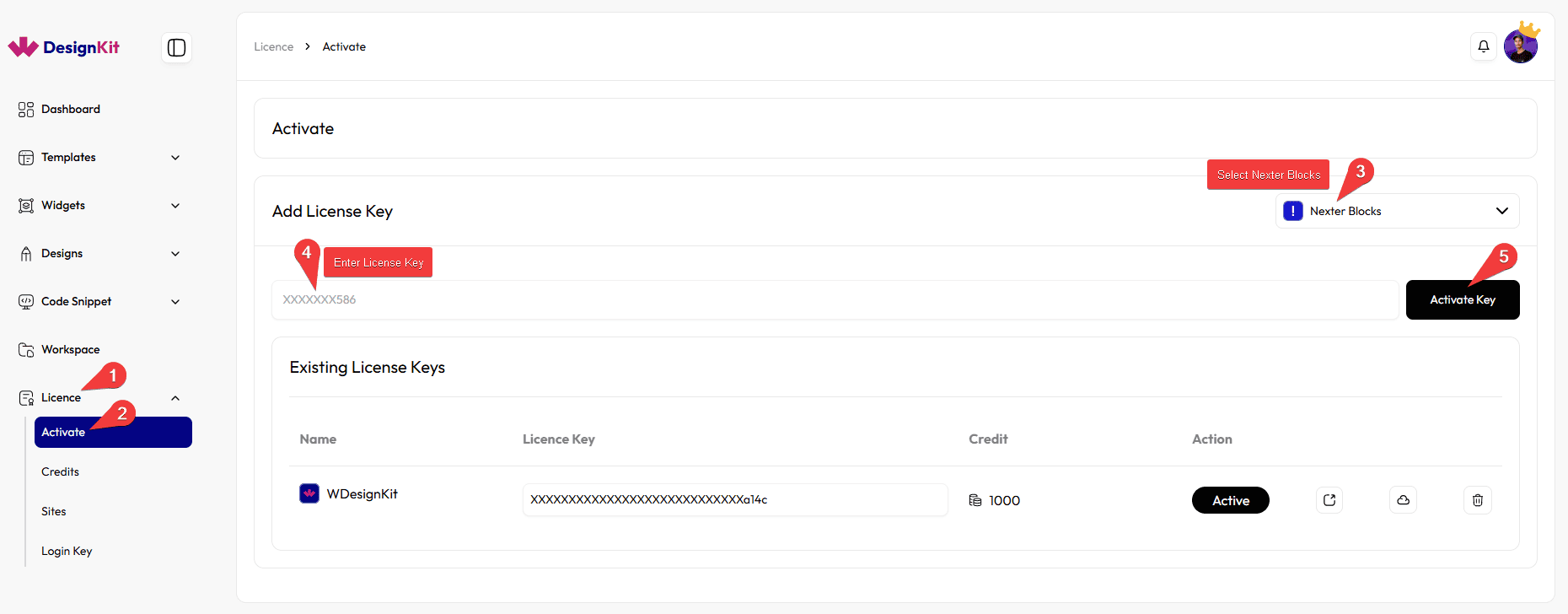
Nexter Blocks Key
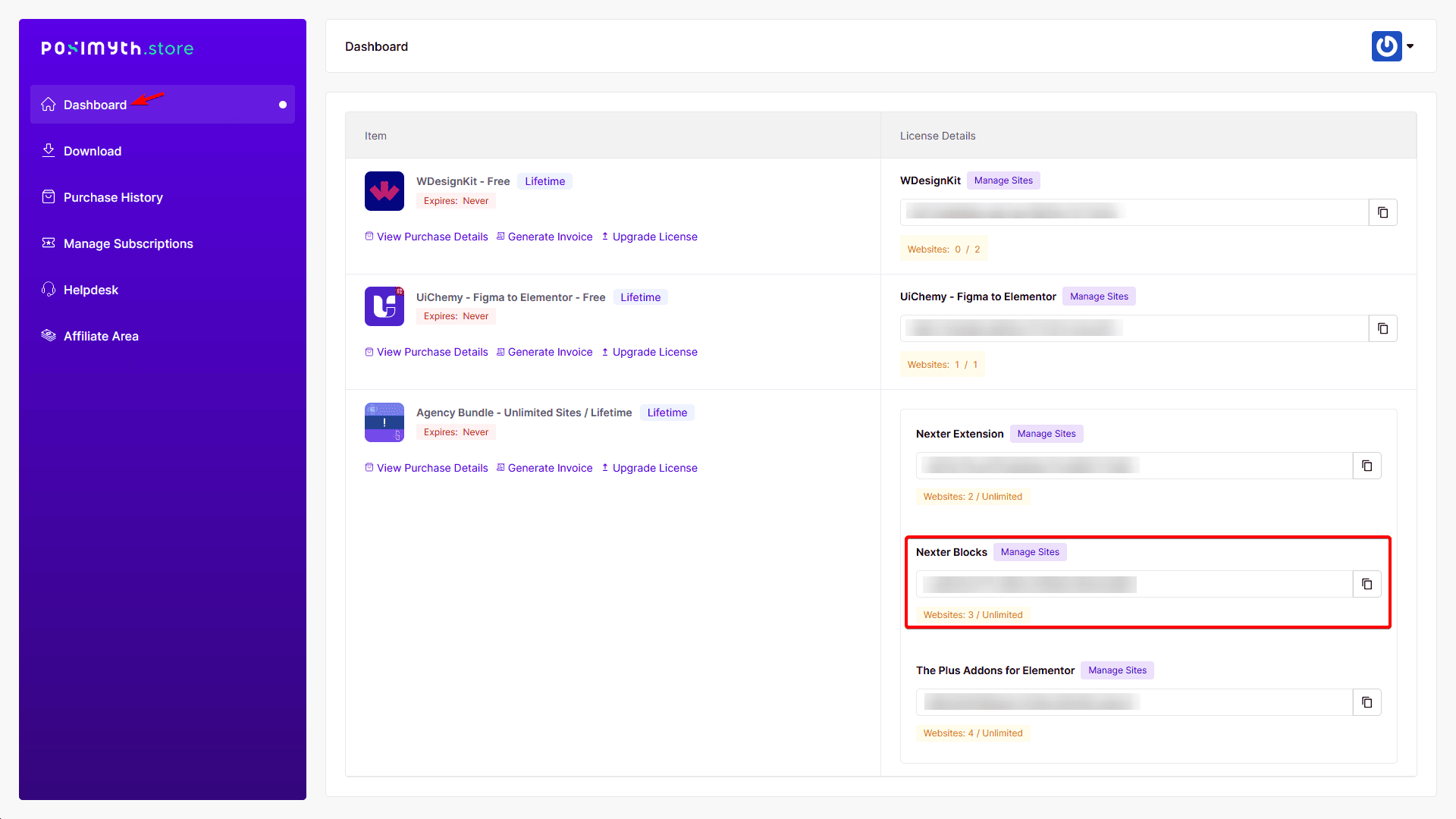
Same source: your POSIMYTH Store Dashboard, under the Nexter Blocks label.
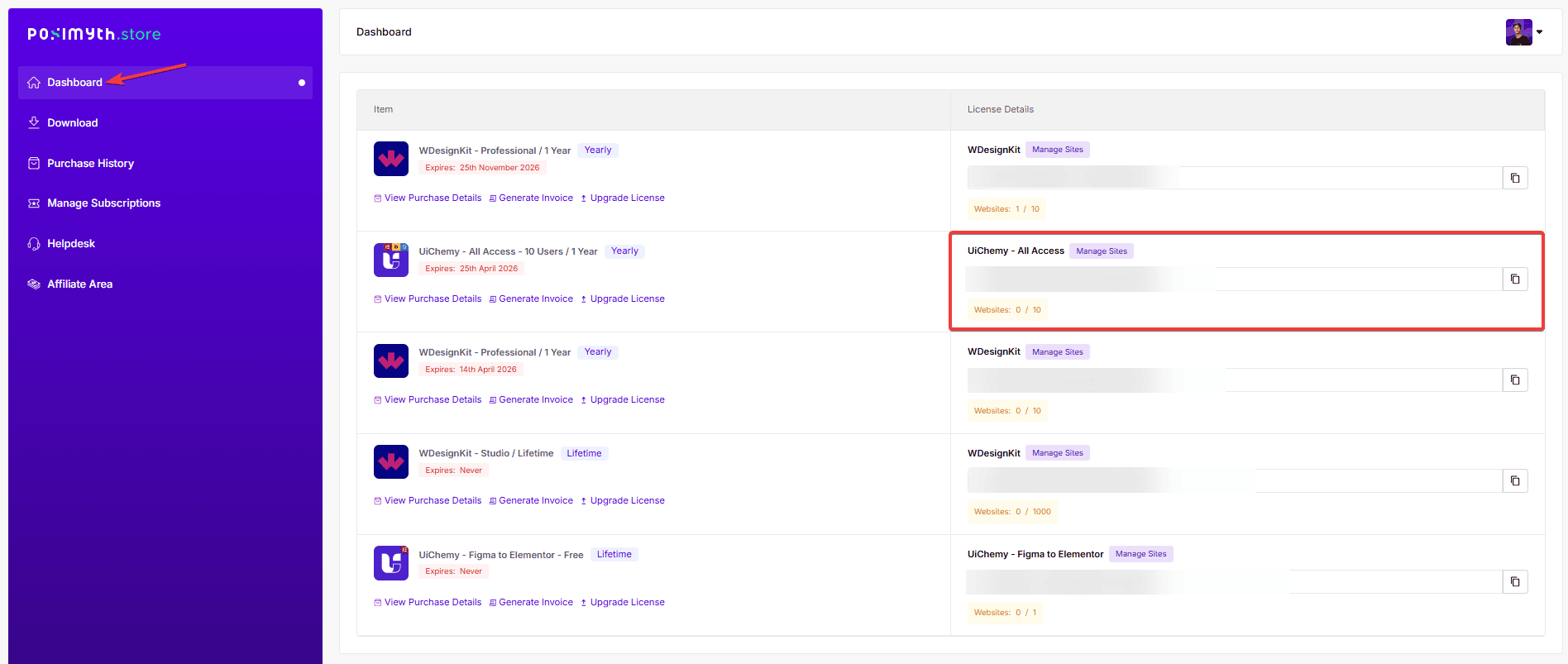
UiChemy Key
Also on your POSIMYTH Store Dashboard, under the UiChemy label.
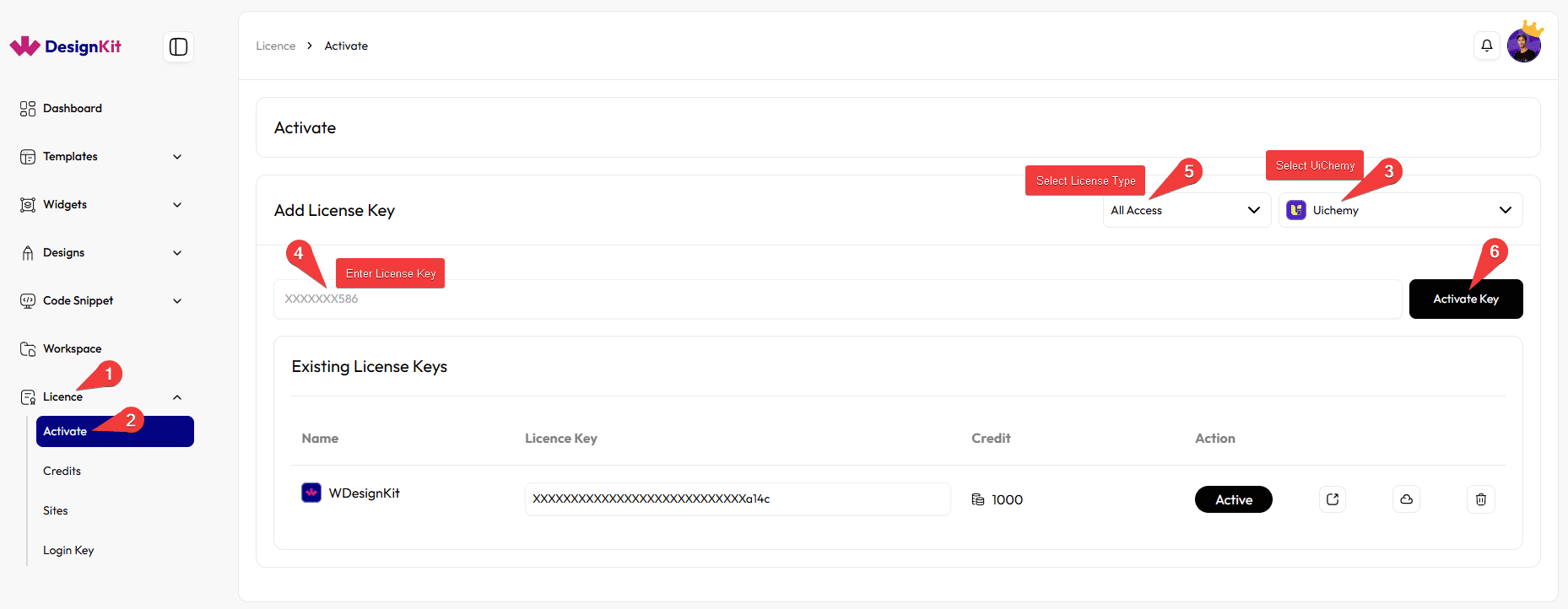
Use Cases
- A first-time user starting on the Free plan with no key at all
- A site already running The Plus Addons for Elementor Pro, activating its existing key in WDesignKit to unlock matching PRO templates
- A team activating WDesignKit, The Plus Addons for Elementor, and Nexter Blocks together to bundle into the WDesignKit plan and claim the extra 200 credits
Limitations
- Activating only one of The Plus Addons for Elementor or Nexter Blocks unlocks PRO templates for that plugin only, not both
- Widgets still require a WDesignKit account even when a plugin key is active
- Each key must be activated on the same product it was purchased for, a Nexter Blocks key won’t activate under the TPAE dropdown option
Troubleshooting
- Key won’t activate at all: double-check you copied it from the correct POSIMYTH Store account and selected the matching product in the dropdown, a UiChemy key entered against a different product returns an activation error rather than activating.
- “Error message Not Found” on activation: reported after purchase when the wrong product was picked in the dropdown, or when a firewall/security plugin blocks the outbound licence check, retry after selecting the correct product and whitelisting the request.
- Key isn’t visible on the Store dashboard: confirm you’re logged into the same POSIMYTH Store account used at checkout, keys are tied to the purchasing account, not the WordPress site.
Note: If you activate The Plus Addons for Elementor, Nexter Blocks and WDesignKit all at once your plan becomes WDesignKit, adding 200 extra credits on top of your selected plan’s credits and features.