
How to Cancel Subscription of WDesignKit
On this page
Thank you for considering the WDesignKit subscription. We understand that sometimes circumstances may change and you may need to cancel, we’ve made the process as easy as possible.
What It Does
Cancelling stops future billing on a WDesignKit subscription. It doesn’t revoke access immediately, your plan keeps working until the current billing period ends.
Why It Matters
Circumstances change, a project wraps up, budgets shift, or a subscription auto-renewed unexpectedly. Being able to stop future charges yourself, without waiting on a support reply, avoids an unwanted renewal charge landing on your card.
What You Get
A self-serve Cancel control on your active subscription in the POSIMYTH Store dashboard, with a confirmation step so you don’t cancel by accident.
Benefits
Cancelling is immediate and self-serve, you don’t need to email support or wait for a reply to stop future renewals, and the plugin keeps functioning for the rest of the period you already paid for.
Capabilities
Cancelling stops the next renewal charge only. It does not refund the current period, does not deactivate the plugin on your site immediately, and does not delete your account, templates, widgets, or workspaces.
How It Works
Clicking Cancel flips your subscription’s auto-renew flag off in the payment processor (Stripe or PayPal). Your licence stays active and valid until the date the current billing period was due to renew, then simply doesn’t charge again.
How to Use It
- Visit the POSIMYTH Store and log in with the account you used at checkout.
- Click Dashboard at the top of the page.
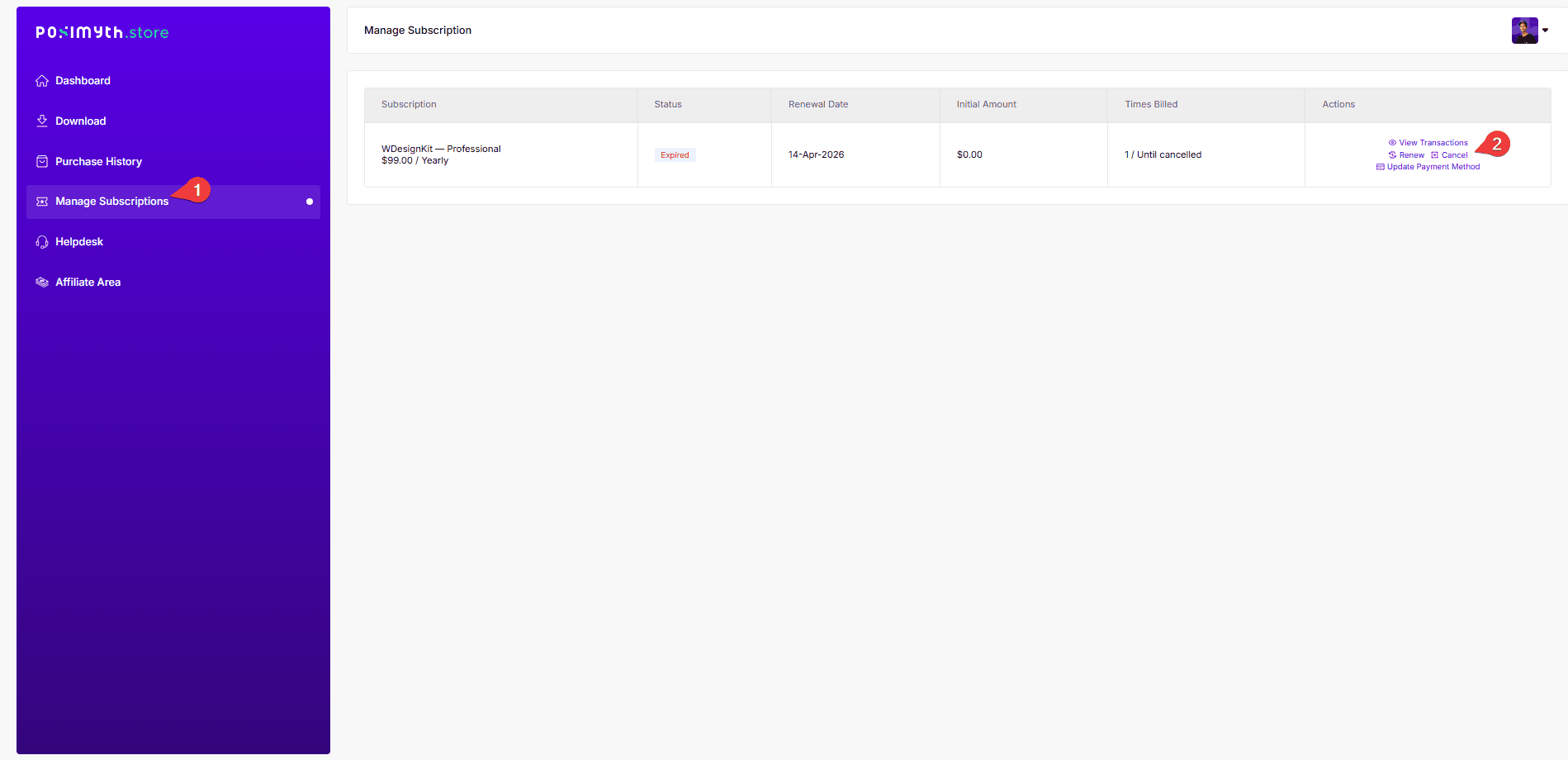
- Go to Manage Subscriptions to see your current plan.
- Click Cancel next to the subscription, then confirm the cancellation request.
- Your subscription is cancelled and you won’t be billed again.
Example shown below: cancelling a WDesignKit Professional plan.
Use Cases
- A project has ended and the site no longer needs WDesignKit going forward
- Switching to a one-time lifetime plan instead of staying on a recurring subscription
- Stopping an auto-renewal you didn’t intend to keep active
Limitations
- Cancelling does not automatically refund the current billing period, that’s a separate refund request, subject to the refund policy window
- You must cancel from the same POSIMYTH Store account used at checkout, a different login won’t show the subscription
- Cancelling doesn’t uninstall or deactivate the plugin on your site; it only stops future billing
Troubleshooting
- Can’t find where to cancel: a recurring report from customers, it’s under Dashboard → Manage Subscriptions, not on the main account page; if it’s still not visible, contact support with your invoice ID.
- Already cancelled but got charged again: confirm the cancellation date against your renewal date, a cancellation submitted after the renewal date has already processed won’t stop that charge, only the next one; contact support for a refund on that specific charge.
- Checkout shows an unexpected $0 initial amount or a mismatched plan after a support-issued custom link: this can happen when support sends a manual checkout link to fix a glitched purchase, reply on the same ticket rather than starting a new purchase, so the correct plan and price get applied.