
How to Upgrade the Current Plan to Higher in WDesignKit?
On this page
What It Does
Upgrading lets you move from your current WDesignKit plan to a higher one, a lower yearly plan to a higher yearly plan, a yearly plan to a lifetime plan, or a lower lifetime plan to a higher lifetime plan, without cancelling and rebuying from scratch.
Why It Matters
As your needs grow past your current plan’s templates, widgets, or storage/AI credit limits, upgrading is the only way to raise those ceilings without losing the time already left on your current subscription, it’s credited toward the new plan automatically.
What You Get
- A one-click Upgrade License path from your POSIMYTH Store dashboard
- Automatic proration, you only pay the price difference, not the full new-plan price
- A checkout page that shows the exact amount before you confirm
Benefits
The earlier in your billing cycle you upgrade, the less you pay, unused time on the current plan is deducted in full from the new plan’s price, so there’s no penalty for upgrading right away instead of waiting for renewal.
Capabilities
Yearly Plan to a Higher Yearly Plan
You pay the price difference between the two plans, minus a credit for the unused time left on your current subscription.
Example: you bought the yearly Starter plan at $39/year on 1 January, then upgrade to the Studio plan at $99/year on 1 June (6 months used). Half your Starter price is credited ($39 ÷ 2 = $19.50), so the amount due is $99 − $19.50 = $79.50. The more of the year you’ve used, the smaller the credit, and the more you pay for the upgrade.
How It Works
The POSIMYTH Store calculates the prorated credit automatically from your original purchase date, you don’t need to work out the math yourself. The final amount is always shown on the checkout page before you pay.
How to Use It
- Log in to your POSIMYTH Store account.
- From your Dashboard, click Upgrade License.
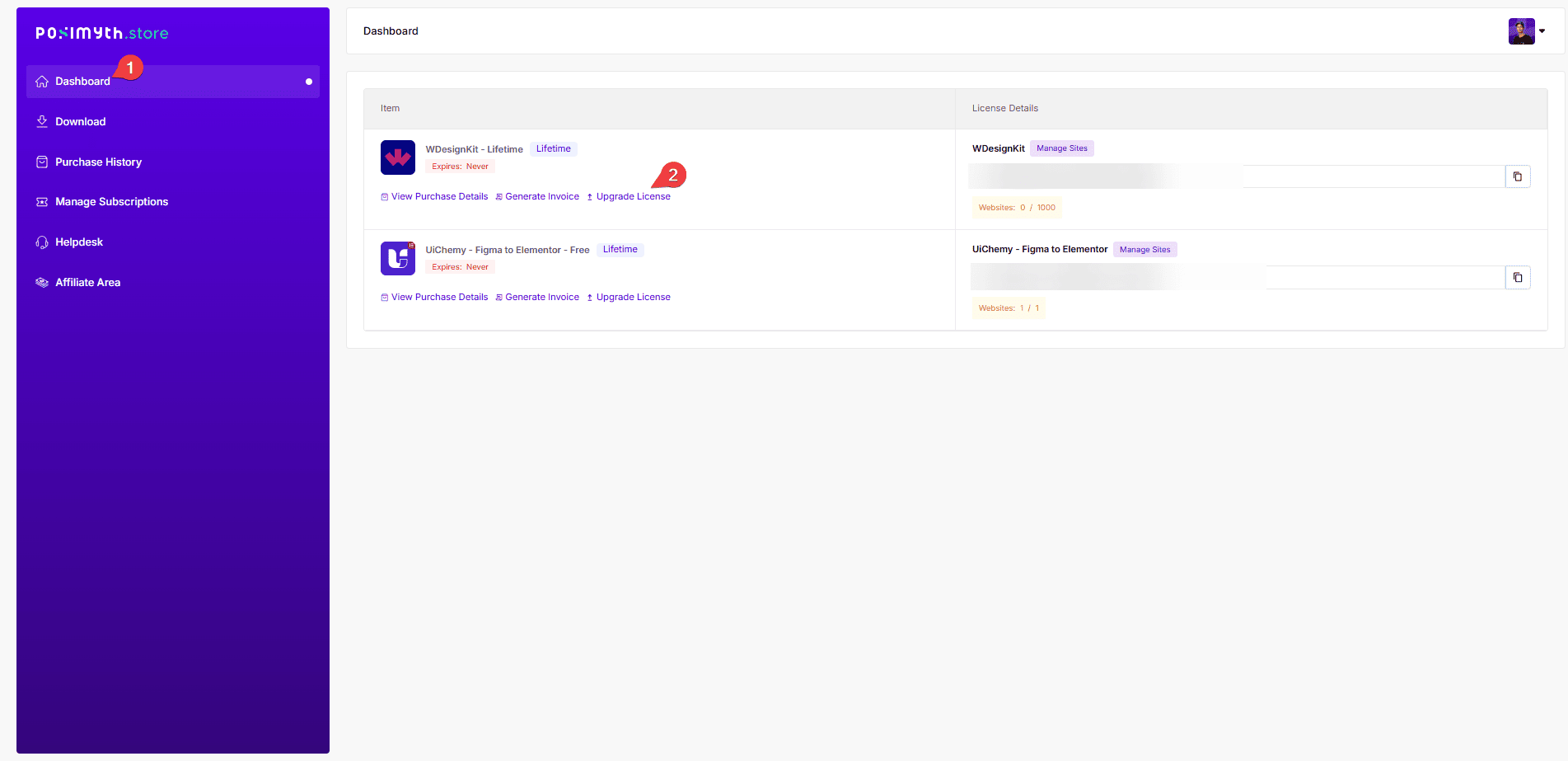
- You’ll see the upgrade options available for your purchase. From Purchase History, click Upgrade License next to the plan you want to upgrade.
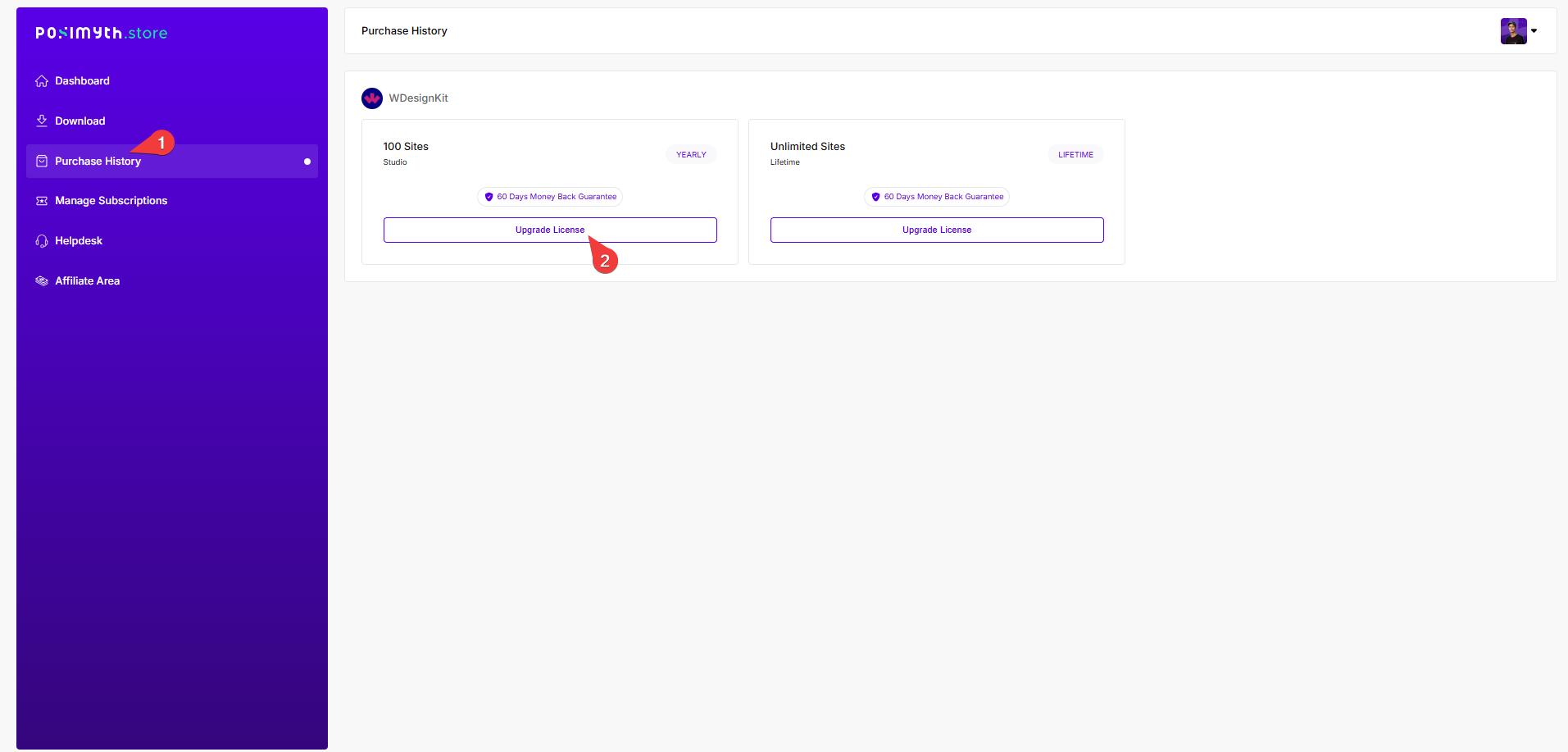
- On the checkout page, confirm the prorated amount shown, then pay the difference to complete the upgrade.
Use Cases
- Outgrowing the Starter plan’s template/widget limits partway through the year
- Moving from a yearly plan to a lifetime plan to stop renewing altogether
- An agency consolidating several lower lifetime plans into one Studio/Agency-tier plan
Limitations
- Upgrades only move you to a higher plan, there’s no in-store path to downgrade; that requires contacting support
- The proration credit is based on time elapsed since purchase, not usage, using few credits doesn’t increase the credit
- You can only upgrade a plan that shows an Upgrade License option in Purchase History; older or manually-issued licences may need a support ticket instead
Troubleshooting
- No Upgrade License link next to your plan: the current WDesignKit pricing FAQ points to the same flow via Purchase History → View License → View Upgrade, if you still don’t see it, contact support with your invoice number.
- Unsure how much you’ll be charged: the exact prorated amount only appears once you reach checkout, there’s no way to preview it earlier in the flow.
- Paid but the higher plan’s limits haven’t applied yet: log out and back into your WordPress site’s WDesignKit connection, or re-sync the licence from Manage Licence, since the new limits sync on the next licence check.