
How to Use Credits in WDesignKit
On this page
What It Does
The Credits System in WDesignKit lets you buy extra Storage Credits and AI Credits beyond what your plan includes, so a temporary spike in usage does not force you onto a higher plan.
Why It Matters
Every WDesignKit plan ships with a fixed allowance of Storage Credits and AI Credits. If your workspace grows faster than expected, or you run an AI-heavy import month, running out mid-project stalls your work. Add-on credits let you top up exactly what you are short on, storage or AI, without upgrading your whole subscription.
What You Get
This guide explains how to find credit plans, the difference between Storage Credits and AI Credits, and how to use them effectively.
Benefits
- Buy only the type of credit you are short on, storage or AI, instead of a bundled upgrade.
- Storage Credits are billed yearly and stack with your plan’s base allowance.
- AI Credits are a one-time purchase, so you are never locked into a recurring charge just to finish one project.
Capabilities
- Buy Storage Credit packs of 300, 500, or 1,000 credits, billed yearly.
- Buy AI Credit packs of 8,000, 22,000, or 50,000 credits, as a one-time purchase.
- Upgrade to a higher credit plan at any time from the pricing page.
How It Works
Storage Credits and AI Credits are two separate balances on your account. Storage Credits are consumed by what you keep in your workspace, files, designs, and assets, and are billed on a yearly cycle. AI Credits are consumed by AI-powered actions and are purchased once, with the purchased balance valid for one year from the purchase date. Buying more of one type never affects your balance of the other.
How to Use It
How to Find Credit Plans in WDesignKit
Follow these steps to view and purchase credits:
- Go to the WDesignKit Pricing page.
- Scroll to the View Credit Plans section.
- Click View Credit Plans to expand the available credit options.
- You will see two types of credits: Storage Credits and AI Credits.
- Choose the type of credit you need and select the plan that best fits your requirements.
How to Use Storage Credits
Storage Credits are used for storing files, designs, assets, and other resources inside your WDesignKit workspace. These credits are billed yearly and increase your storage capacity.
Available Storage Credit Plans
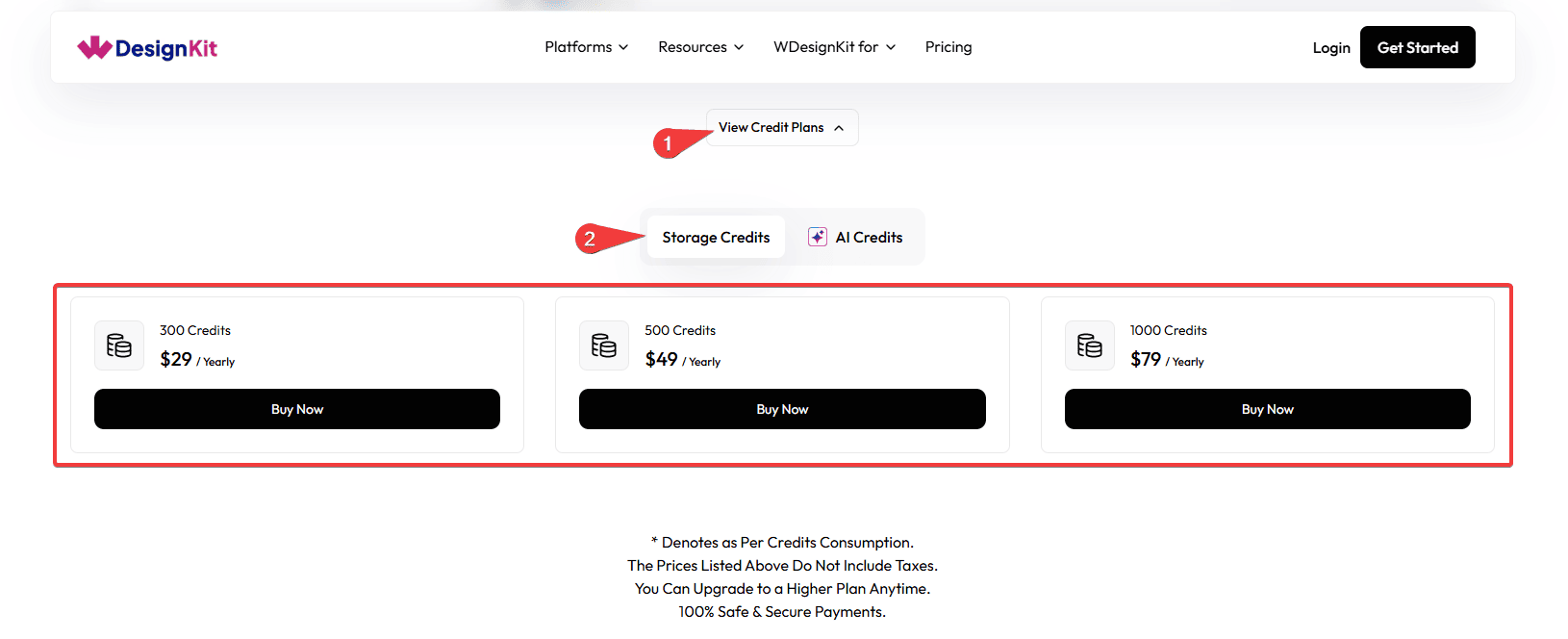
- 300 Storage Credits: $29 / Yearly, suitable for light storage needs and small projects.
- 500 Storage Credits: $49 / Yearly, best for regular users storing multiple design assets and files.
- 1,000 Storage Credits: $79 / Yearly, recommended for heavy users or teams managing many assets.
Storage credits are consumed when you upload files or design assets, save projects in the workspace, store media or design resources, and manage large collections of files. If you run out of storage credits, you can upgrade or purchase additional credits anytime.
How to Use AI Credits
AI Credits power AI-based features in WDesignKit, such as AI Content Import and other AI-driven generation tasks. Unlike Storage Credits, AI Credits are purchased as a one-time package.
Available AI Credit Plans
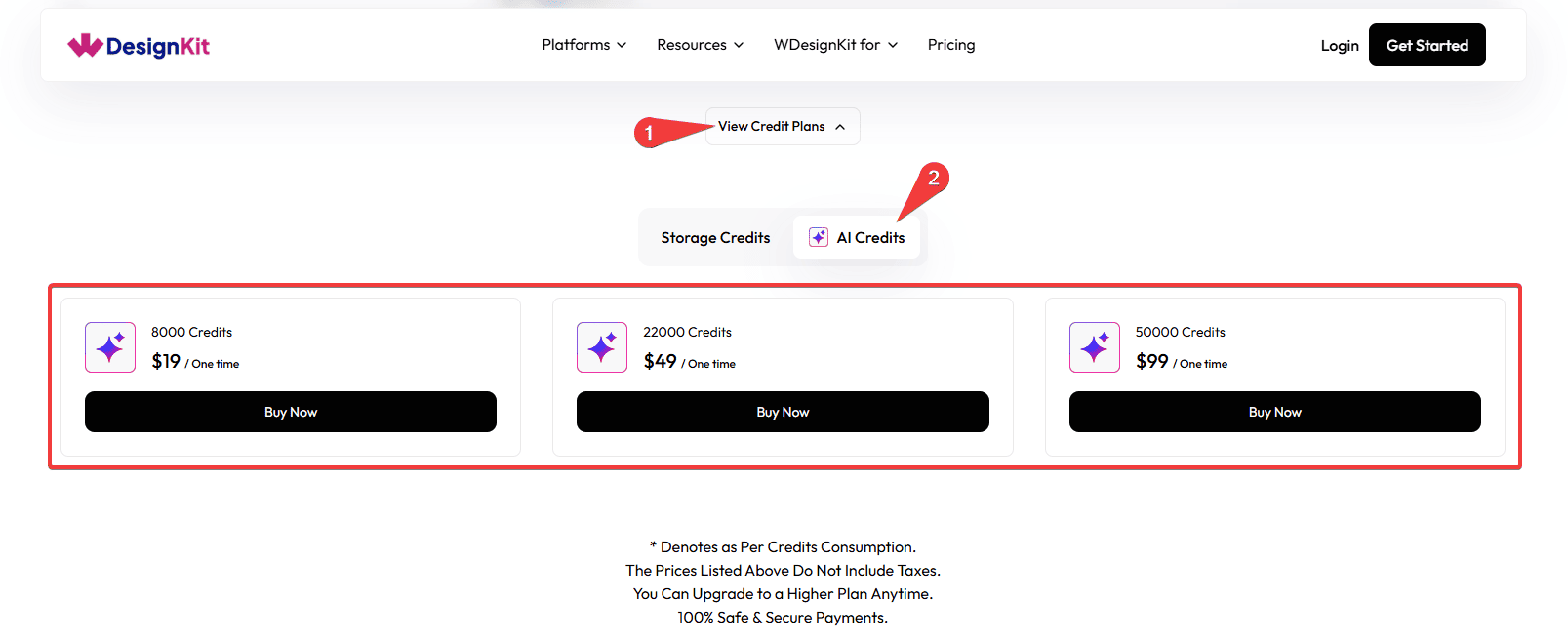
- 8,000 AI Credits: $19 (One-time), ideal for light AI usage and occasional use.
- 22,000 AI Credits: $49 (One-time), best for frequent AI users.
- 50,000 AI Credits: $99 (One-time), designed for power users and heavy AI workflows.
AI credits are consumed when you use AI-powered design tools, AI content or asset generation, automated AI-based workflows, and smart design or editing features. The number of credits used depends on the type of AI action performed.
Note: Credit usage depends on feature consumption, prices listed do not include taxes, you can upgrade to a higher plan anytime, and all payments are 100% safe and secure.
Note: AI credits are valid for 1 year from the date of purchase. For example, if you purchase credits on 17 March 2026, they will expire on 16 March 2027. Unused credits will not be carried forward after the expiry date.
Use Cases
- An agency mid-project realizes their workspace is close to its storage limit and buys a 500-credit Storage pack rather than upgrading plans early.
- A freelancer doing a one-off AI-heavy import buys a one-time 8,000 AI Credit pack instead of committing to a higher monthly AI allowance.
- A team on the Free plan buys AI Credits to trial AI Content Import before deciding whether to upgrade their subscription.
Limitations
- Storage Credits and AI Credits are separate balances, buying one does not top up the other.
- AI Credits expire 1 year after purchase and unused credits are not carried forward.
- Listed prices do not include taxes, your final checkout total may be higher depending on your location.
Troubleshooting
No FluentSupport ticket matching WDesignKit-specific storage or AI credit issues was found at the time of this update, so the items below are derived from the documented credit system rather than a support ticket.
- Purchased credits are not reflecting in your account. Refresh the pricing or account page, since a brief delay between checkout and the balance updating is normal, contact support if it has not appeared after several minutes.
- Not sure which type of credit ran out. Check the Manage Licence area of your account, which shows Storage Credits and AI Credits as separate totals.
- AI Credits show as expired sooner than expected. Confirm the original purchase date, AI Credits are valid for exactly one year from when they were bought, not from when your subscription started.