
How to Get a Refund for WDesignKit ?
On this page
What It Does
If WDesignKit doesn’t work out for you, this is how to request a refund on your purchase.
Why It Matters
Trying a plugin risk-free matters when you’re deciding whether it fits your workflow. WDesignKit backs every purchase with a money-back guarantee, so you’re not locked in if it doesn’t meet your expectations.
What You Get
A 30-day money-back guarantee on WDesignKit purchases, processed through a support ticket rather than an automated self-serve button, so a real person reviews and confirms every refund.
Benefits
Going through the helpdesk means the support team can also try to resolve whatever issue prompted the refund request first, and route your feedback back into the product, but a refund is never withheld or delayed for declining that help.
Capabilities
Refunds are issued to your original payment method and can take a few business days to reflect, depending on your bank or payment provider. You’ll be asked for the reason you’re requesting a refund, this is optional feedback, not a condition of getting the refund.
How It Works
Refund requests are handled manually by the POSIMYTH support team through FluentSupport, not by an automated store button. Raising a ticket from the same account used to purchase lets support verify the order instantly and process the refund without back-and-forth over account ownership.
How to Use It
WDesignKit is backed by a 30-day money-back guarantee, per the official refund policy.
To request one, raise a ticket on the helpdesk using the same account you used to purchase. Support will confirm your order and process the refund.
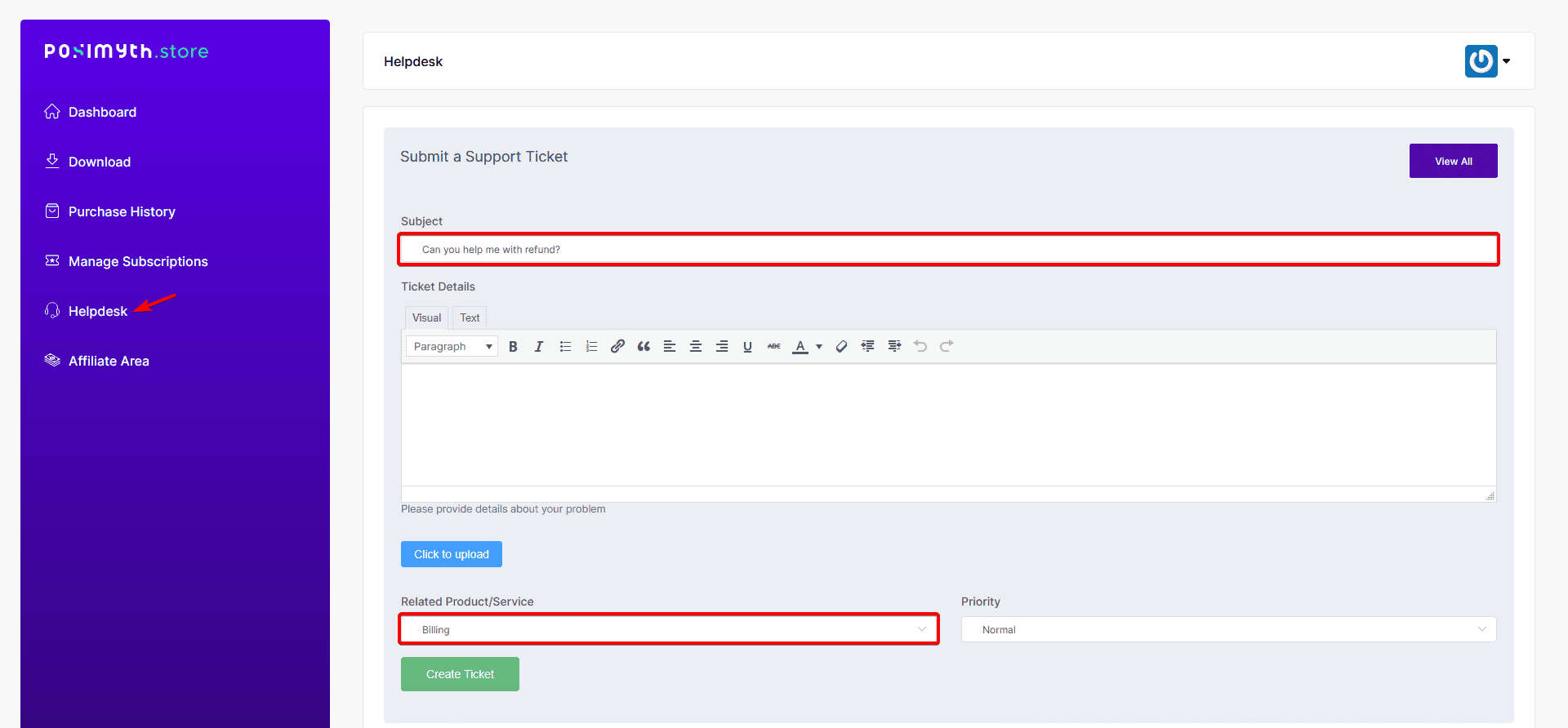
Once approved, the refund typically takes a few business days to reflect, depending on your payment method and financial institution.
Use Cases
- WDesignKit doesn’t fit a specific project’s builder or workflow requirements
- A purchase was made in error or duplicated
- A feature you needed turned out not to be available on the plan you bought
Limitations
- The refund window is 30 days from purchase per the published refund policy, requests raised after that window are handled at support’s discretion, not guaranteed
- Refunds must be requested from the same account used to purchase; support can’t process one raised from an unrelated account without extra verification
- Refund processing time depends on your bank/payment provider and isn’t instant even after approval
Troubleshooting
- Not sure which ticket to reply to after a duplicate or accidental charge: reference the invoice or receipt number in a new helpdesk ticket rather than emailing separately, support processes these against the specific charge shown on your receipt.
- Requested a refund alongside a cancellation and aren’t sure which happens first: mention both in the same ticket; support cancels the subscription and processes the refund together so no further charge lands in the meantime.
- Refund approved but hasn’t reflected yet: allow a few business days, if it still hasn’t appeared after a week, reply on the same ticket with your bank/payment provider so support can trace it.