
What is UiChemy and Why Does Its Compatibility Matter?
On this page
What It Does
UiChemy is a Figma plugin that converts a Figma design into a fully editable WordPress website. This doc explains what UiChemy is and why a Figma template’s design needs to follow certain guidelines for that conversion to work well.
Why It Matters
UiChemy reads the structure of a Figma file, such as layer names, groups, and component setup, to rebuild it as a WordPress page. If a Figma template was not designed with that structure in mind, the conversion can produce a broken or incomplete layout even though the design looks correct inside Figma.
What You Get
Clarity on which WDesignKit Figma files convert cleanly through UiChemy, and a reference checklist for anyone designing or choosing a Figma file for conversion.
Capabilities
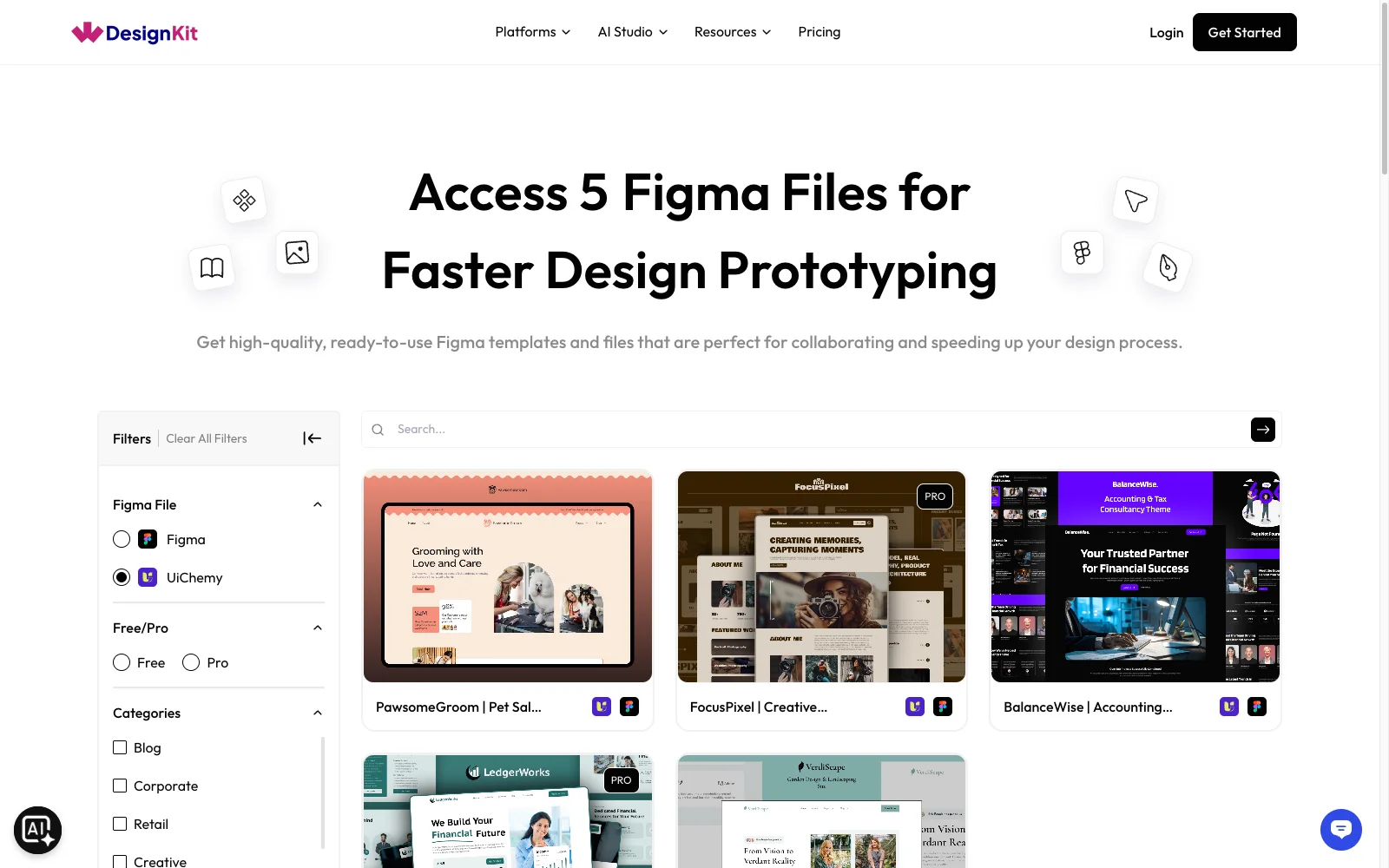
- WDesignKit’s Figma Kits library lets you filter files specifically by “UiChemy” so you only see Figma files already built to convert cleanly
- Any file marked UiChemy in that filter can be converted directly with UiChemy without extra cleanup
- A published design-checklist doc explains the guidelines a custom Figma file needs to follow
How It Works
UiChemy Compatible Figma files on WDesignKit are pre-checked against UiChemy’s Figma design checklist before publishing, covering things like consistent layer naming, using components and auto layout correctly, and avoiding structures UiChemy cannot parse. A file that is not marked UiChemy compatible can still be converted, but the result depends on how closely it happens to follow the same guidelines.
How to Use It
- Go to WDesignKit’s Figma Kits page.
- Under the Figma File filter, select UiChemy to see only files already built to convert cleanly.
- If you are bringing your own Figma file instead, review the Figma design checklist before converting it with UiChemy.
- Run the conversion in UiChemy and review the WordPress output against the original Figma design for any elements that did not carry over as expected.
Use Cases
- Picking a Figma file you already know will convert well through UiChemy
- Auditing a custom or client-supplied Figma file before committing time to convert it
- Explaining to a designer why a redesign needs to follow the checklist before handoff
Limitations
- UiChemy compatibility is a property of the Figma file’s structure, not something WDesignKit or UiChemy can fix automatically after the fact
- A Figma file that is not marked UiChemy compatible may still convert, but the result is not guaranteed to match the design exactly
Troubleshooting
- Some modules (accordions, tabs, testimonial sliders) do not convert correctly. Certain Figma component types need to be built a specific way for UiChemy to recognize them; if a module renders incorrectly after conversion, check it against the Figma design checklist and rebuild the component following the recommended structure.
- The converted layout breaks or misaligns on mobile even though desktop looks fine. This usually traces back to how content elements were structured in the original Figma file rather than a WDesignKit or UiChemy setting; review the checklist’s guidance on responsive structure and containers before converting again.
- The edit option does not work correctly in Elementor after converting a widget category. If elements are not editable as expected after conversion, re-check that the source Figma layers used supported component and naming conventions, since unsupported structures can convert visually but leave the resulting Elementor elements only partially editable.