
Banner 3D With Carousel Widget for Elementor
On this page
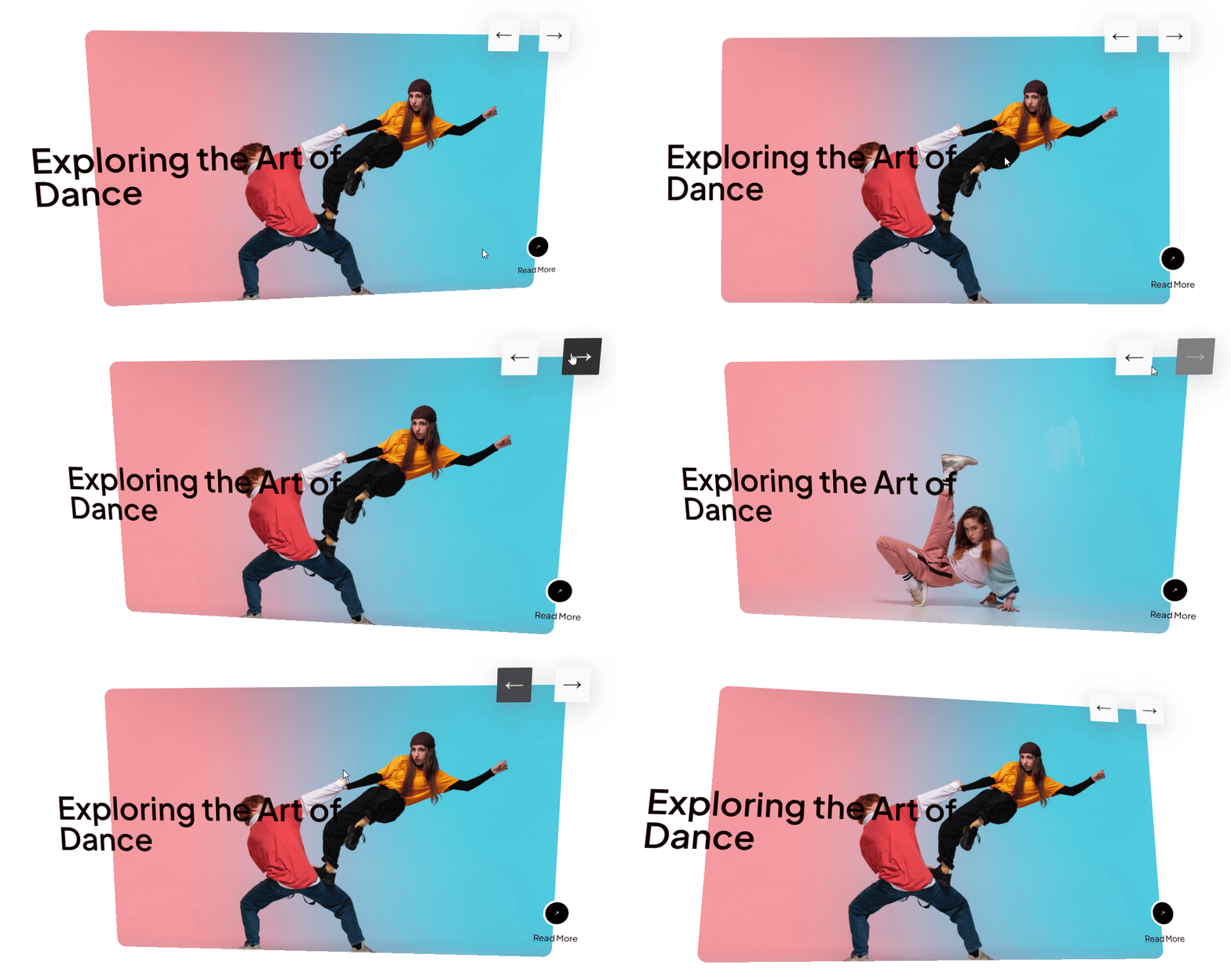
The Banner 3D With Carousel widget is a pro widget that displays a rotating banner carousel with a 3D tilt effect.
1. What It Does
Displays a carousel of full banner slides, each with an image, title, and button, rotating with a 3D tilt transition between slides.
2. Why It Matters
A 3D-tilted carousel gives a hero banner more visual depth than a flat fade or slide transition, useful for a landing page that needs a strong first impression.
3. What You Get
An Images repeater with a slide image, title, and button per item, plus arrow visibility and style controls.
4. Benefits
Skipped, already covered above: the value is the 3D-tilted slide transition described in Why It Matters and What You Get, restating it here would not add anything new.
5. Capabilities
- Images repeater, each item with Select Image, Title, Button Title, Select Icon, and Url
- Hide Arrow toggle to remove the navigation arrows
- Arrow Style dropdown for a pre-defined arrow look when arrows are shown
6. How It Works
Each Images entry becomes one banner slide, and moving between slides plays a 3D tilt transition. Hide Arrow removes the click-through navigation controls entirely, while Arrow Style only takes effect when arrows are shown.
7. How to Use It
- Confirm a WDesignKit Pro license is active, this is a pro-only widget.
- Activate the Banner 3D With Carousel widget from WDesignKit’s Ready Widgets.
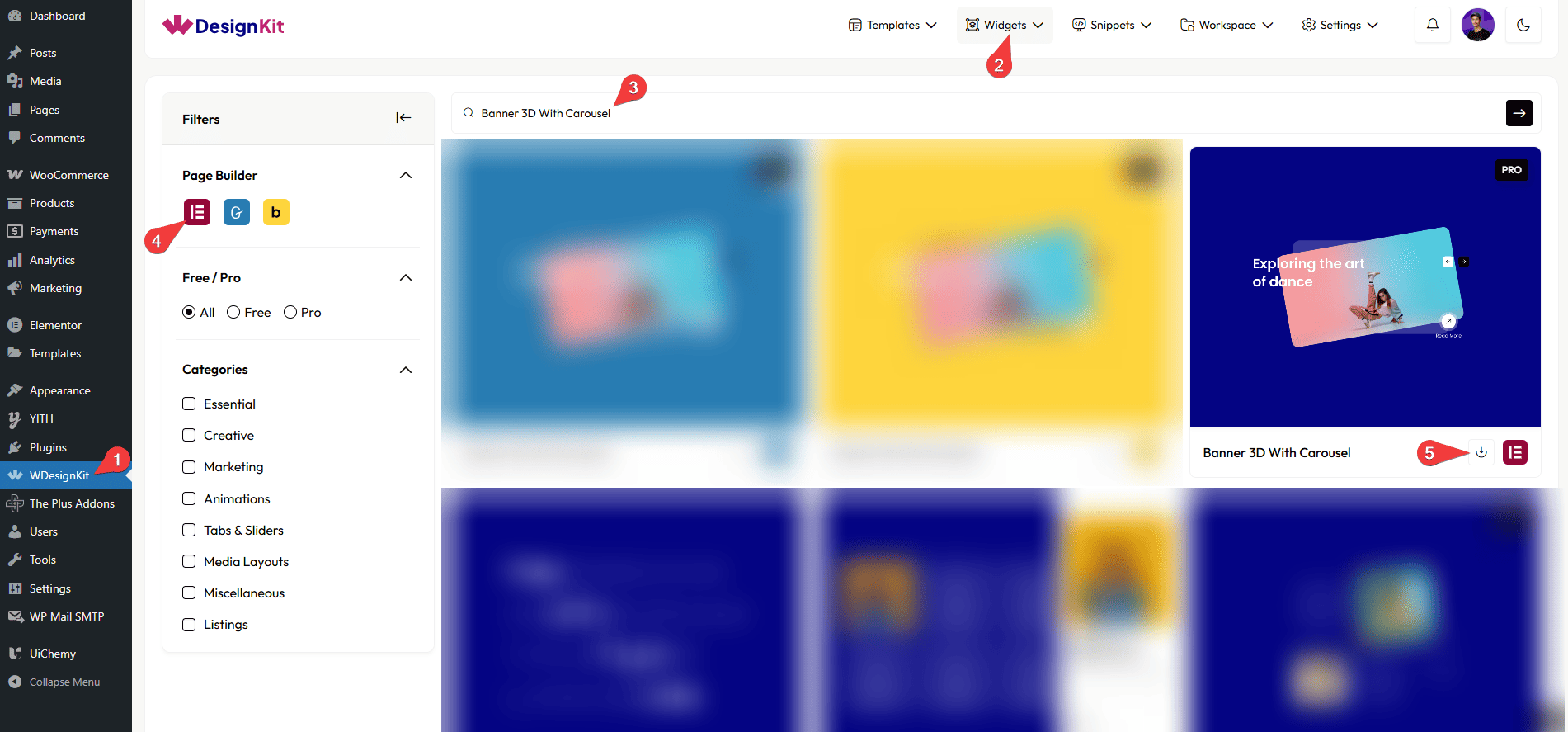
- Drag the widget onto the page and add items under Images, each with an image, title, button title, icon, and link.
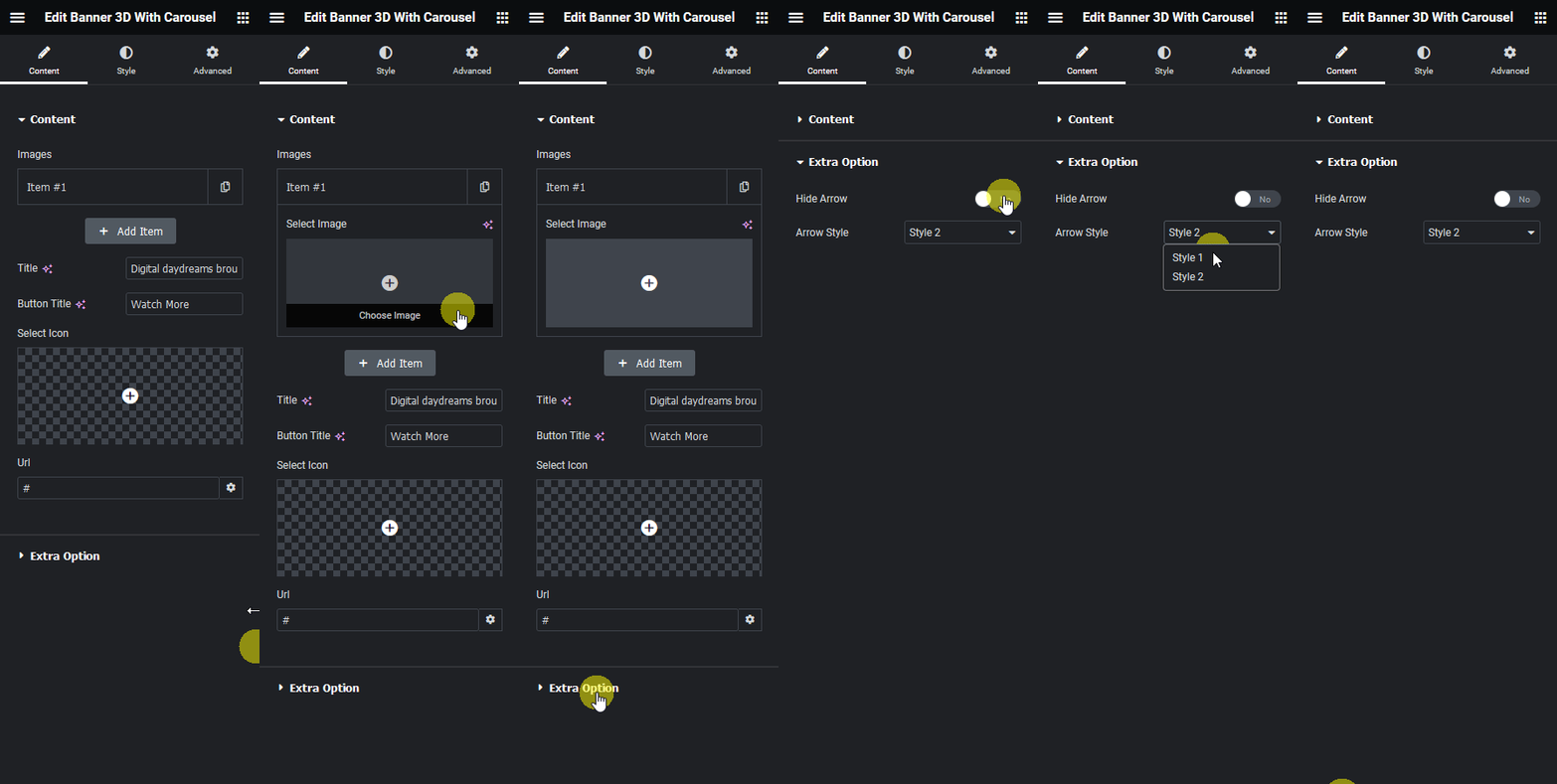
- Enable Hide Arrow to remove navigation, or leave it off and choose an Arrow Style, then customize further on the Style tab.
8. Use Cases
- A landing page hero carousel showcasing multiple offers or products
- A rotating announcement banner with a strong visual transition
9. Limitations
- This is a pro-only widget, it does not work without an active WDesignKit Pro license.
- Arrow Style only applies when Hide Arrow is off, the two settings cannot be combined.
10. Troubleshooting
- Widget does not appear in the panel after download: confirm the WDesignKit Pro license is active, pro widgets stay hidden without one.
- Navigation arrows are missing: check Hide Arrow is turned off if arrows are expected.
- Button link does not work on a slide: confirm Url is set for that specific Images item.