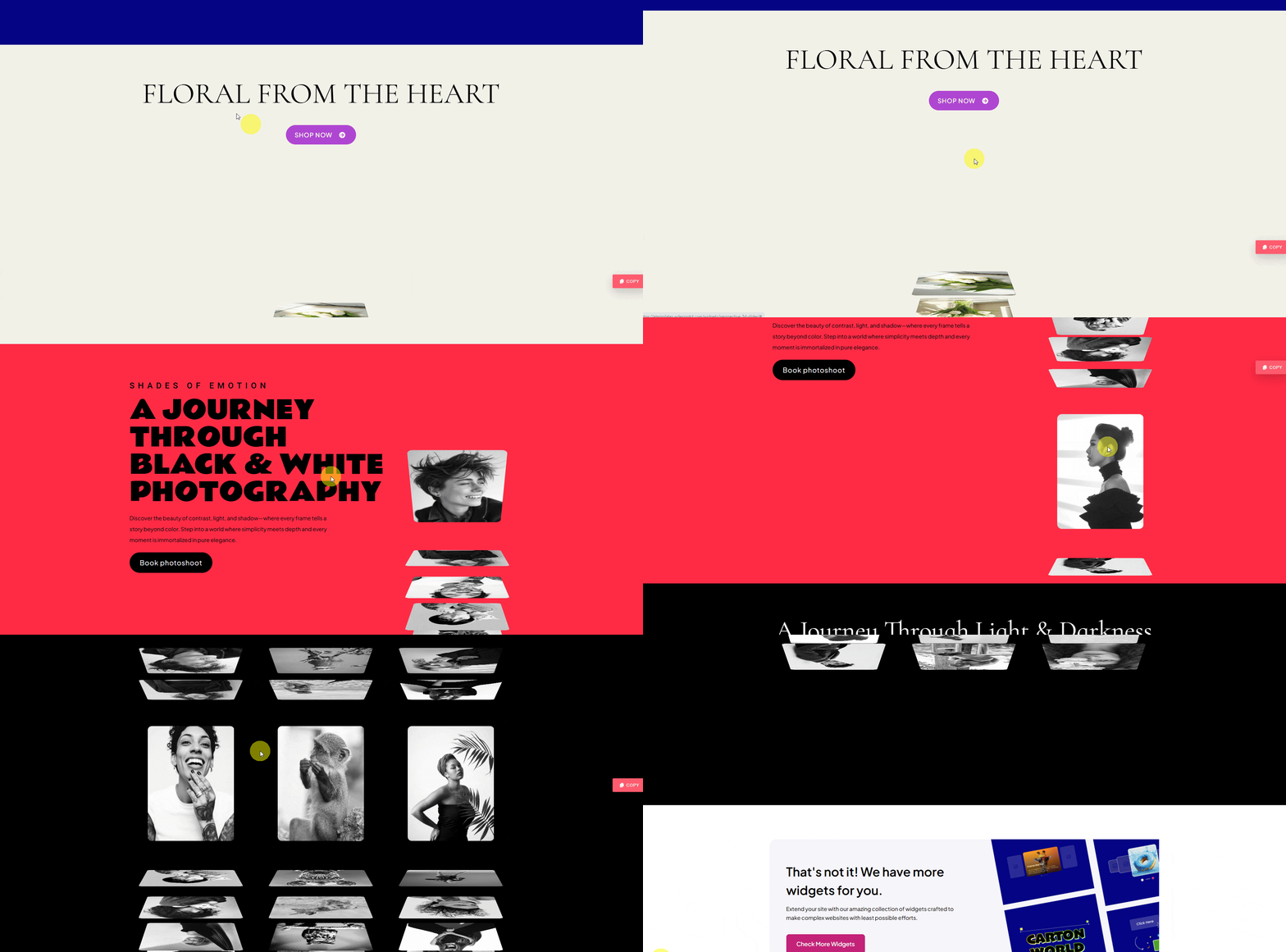
With this widget, you can create a 3D image slider, making your website more dynamic and engaging.
Required Setup
- Elementor FREE Plugin installed & activated.
- You need to have the WDesignKit plugin installed and activated.
- Make sure you’ve created an account and logged into it.
- This is a pro widget. A valid WDesignKit Pro license is required to access and use them.
- Make sure you’ve downloaded the Perspective 3D Slider widget.
How to Activate the Perspective 3D Slider Widget?
Go to
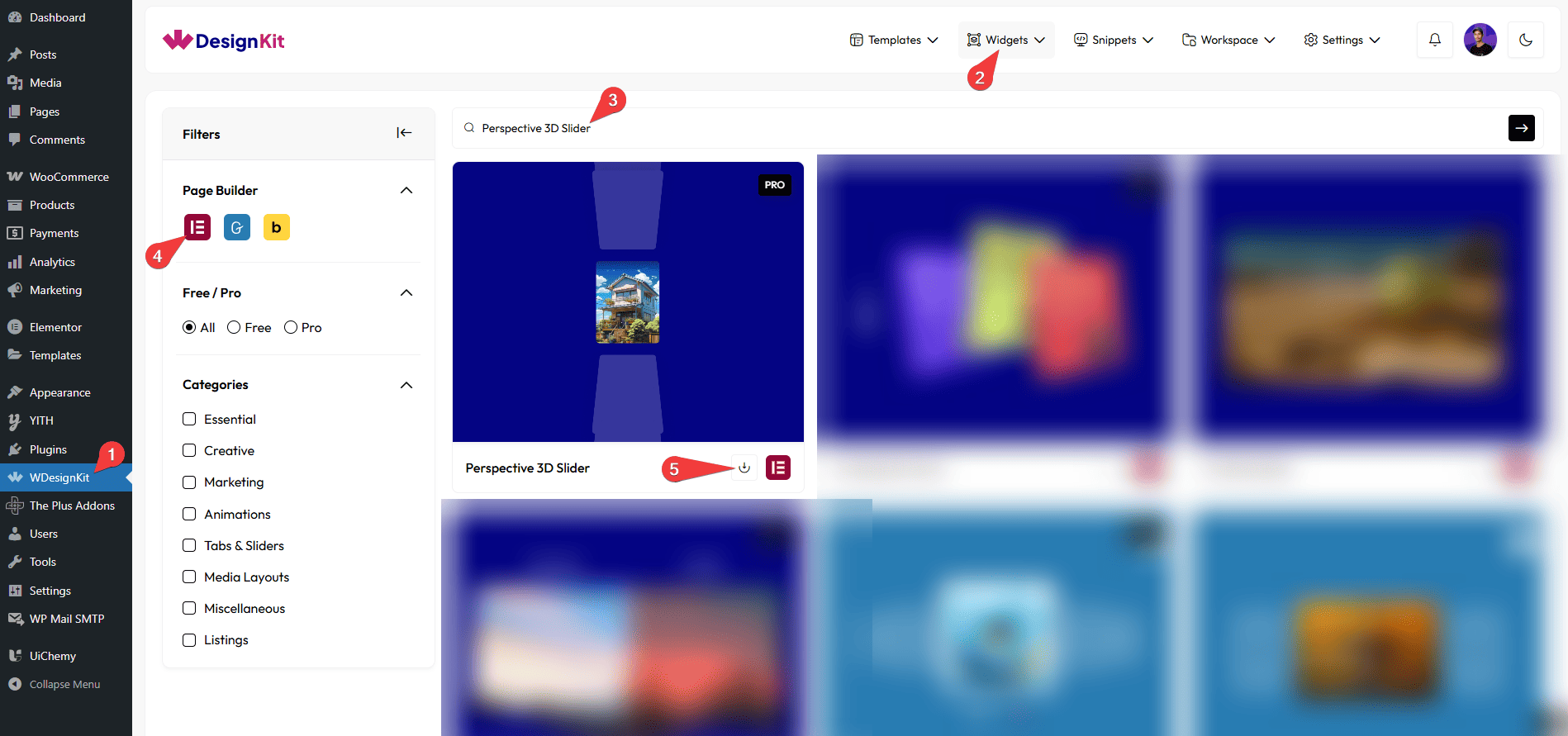
- WDesignKit → Widgets.
- Search the widget name and select Elementor as the Page Builder.
- Click on the Download icon.
How to Use the Perspective 3D Slider Widget in Elementor?
Add the Perspective 3D Slider widget to the page.
Content
Once you add the widget, you’ll see a repeater item under the Items section, open it.
From the Select Image section, you have to choose an image here to see the 3d slider effect.
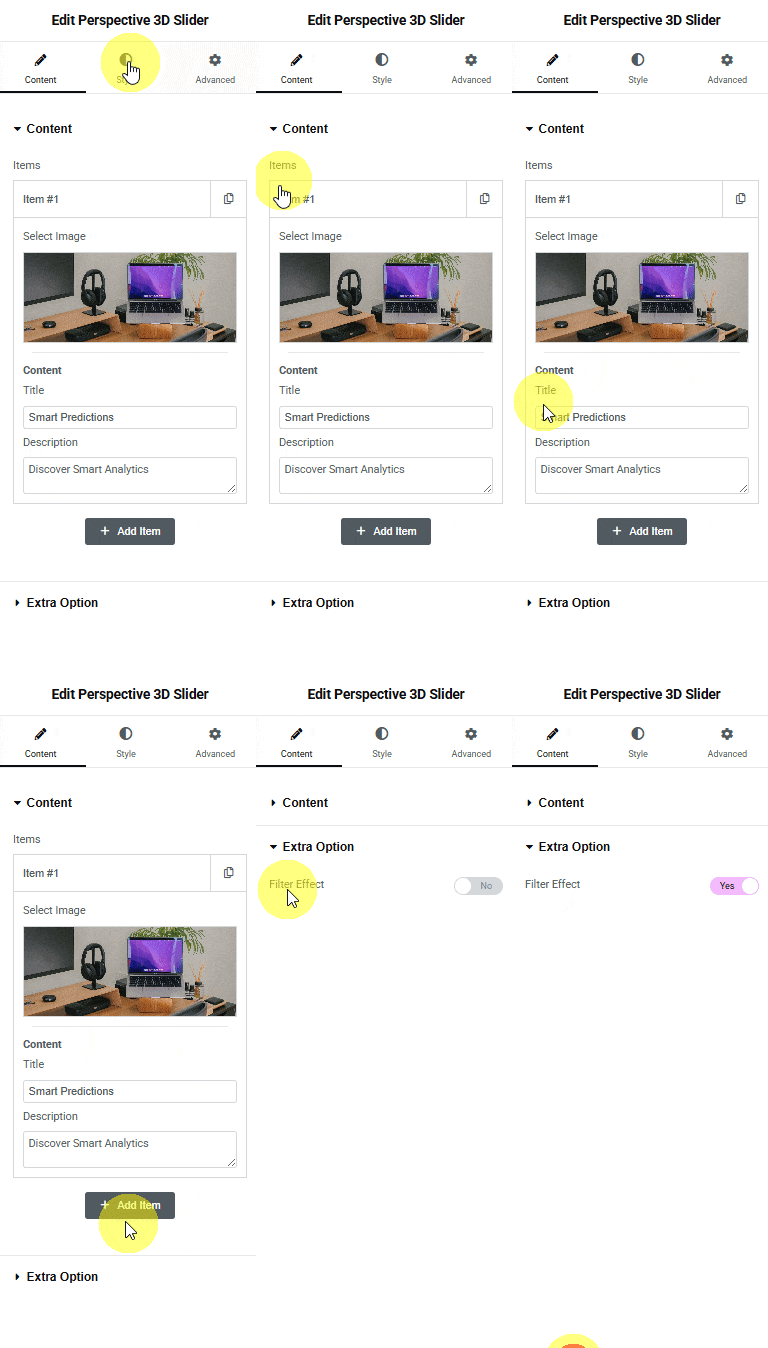
In the Title section, you can add a title to the image slide.
In the Description section, you can add a description to the image slide.
Then, you can click the + Add Item button to add more image slides.
Extra Option
By enabling the Filter Effect toggle, you’ll see a black-and-white effect on all image slides except the active one.
Then from the Style tab, you can further customize the style of the Perspective 3D Slider.