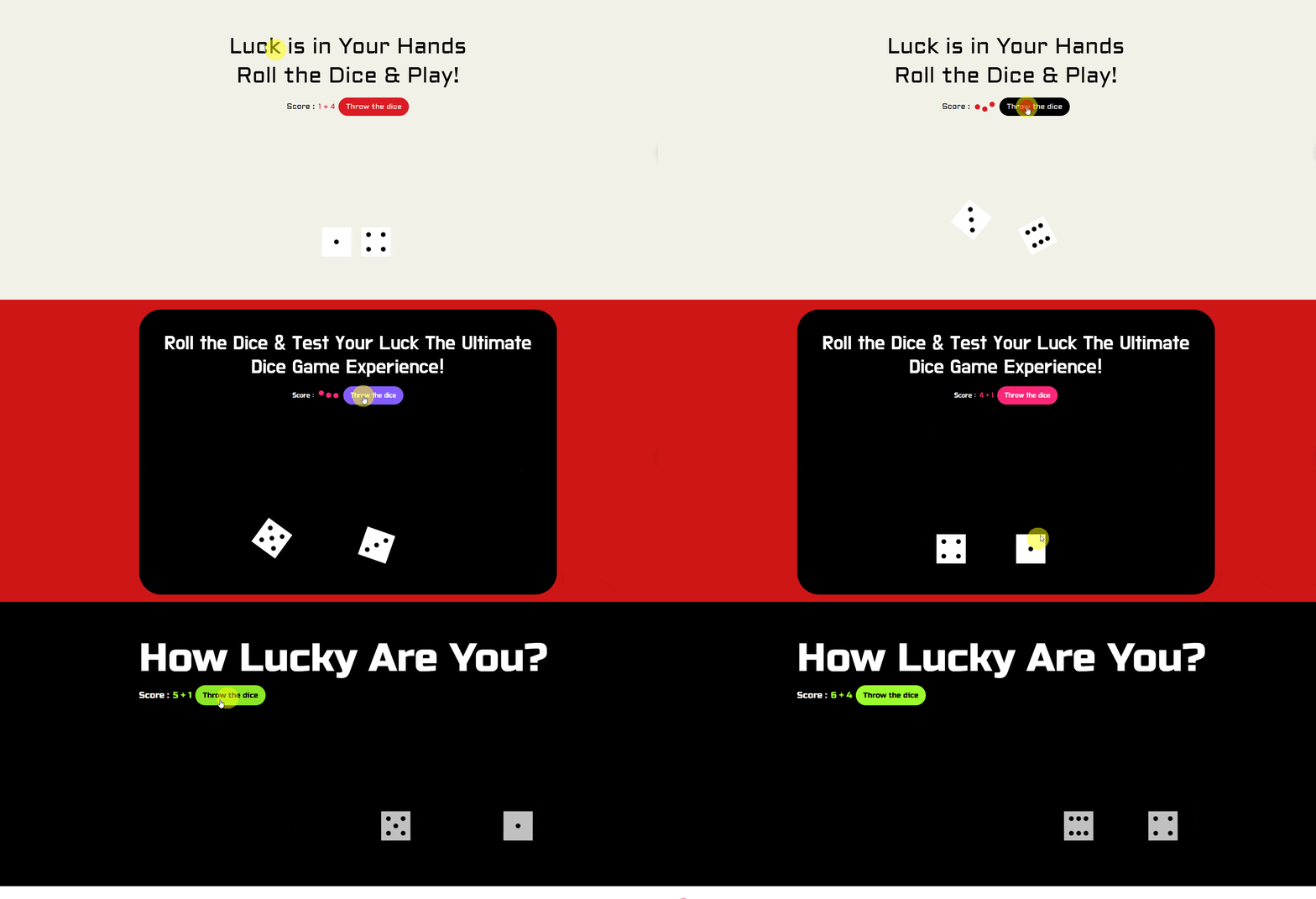
With this widget, you can make your website more fun and interactive. Users can roll virtual dice with a tap, see smooth animations, and get random results instantly. It’s great for games, lucky draws, making decisions, or even adding a fun touch to a 404 page.
Required Setup
- Elementor FREE Plugin installed & activated.
- You need to have the WDesignKit plugin installed and activated.
- Make sure you’ve created an account and logged into it.
- Make sure you’ve downloaded the Dice Game widget.
How to Activate the Dice Game Widget?
Go to
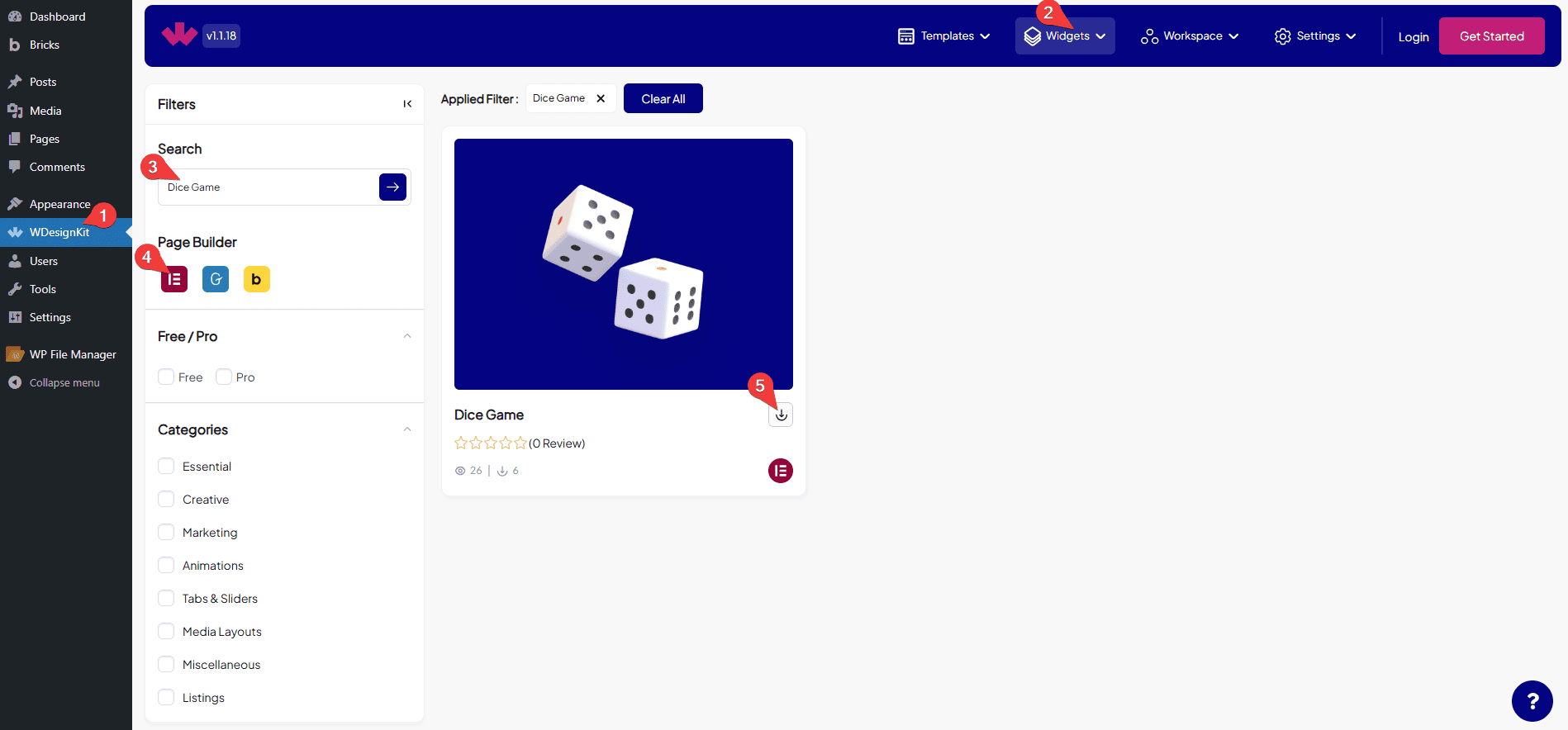
- WDesignKit → Widgets.
- Search the widget name and select Elementor as the Page Builder.
- Click on the Download icon.
How to Use the Dice Game Widget in Elementor?
Add the Dice Game widget to the page.
Content
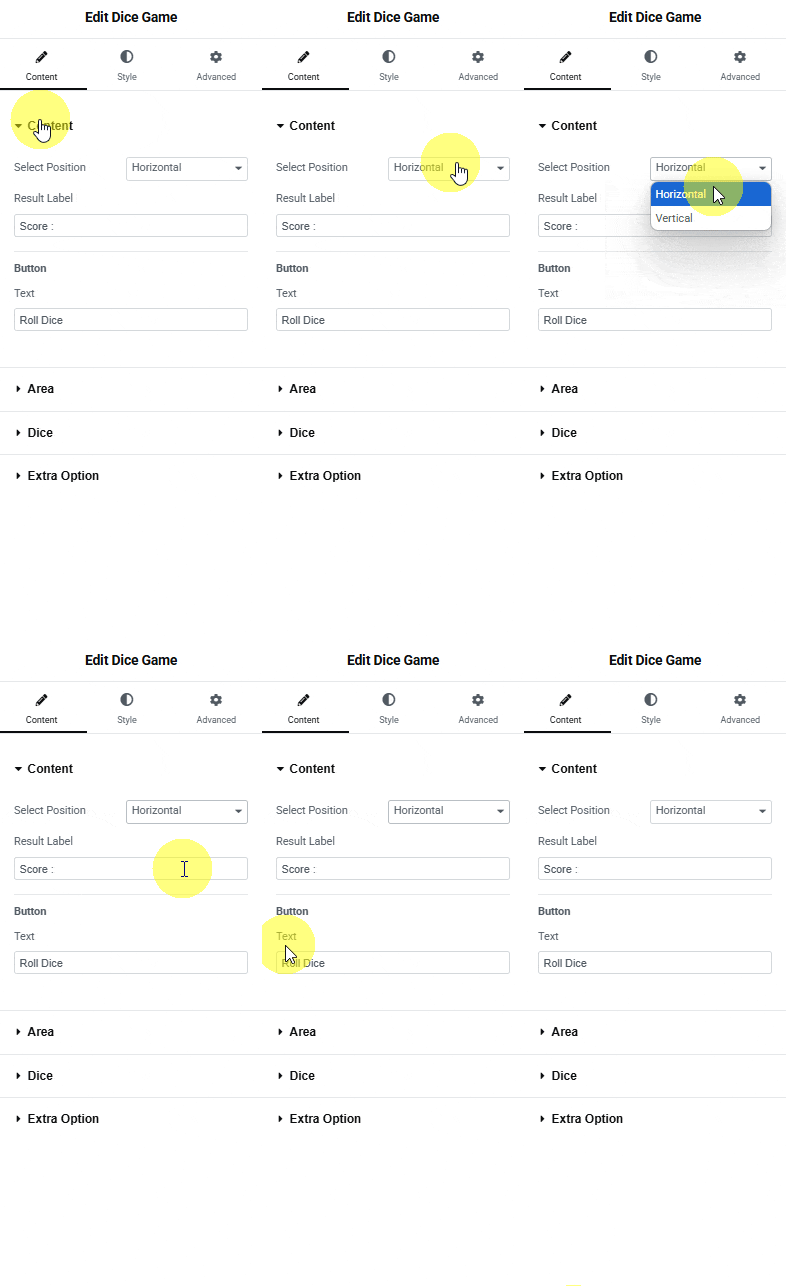
In the Select Position dropdown, you have to choose the layout position, here you’ll find two options -.
- Vertical: To arrange the content in a vertical layout.
- Horizontal: To arrange the content in a horizontal layout.
In the Result Label section, you can add a label of the result, such as Score.
In the Text field, you have to add the button text.
Area
From the Width section, you can set the width of the dice rolling area for desktop, tablet, and mobile separately from the Desktop, Tablet, and Mobile fields, respectively.
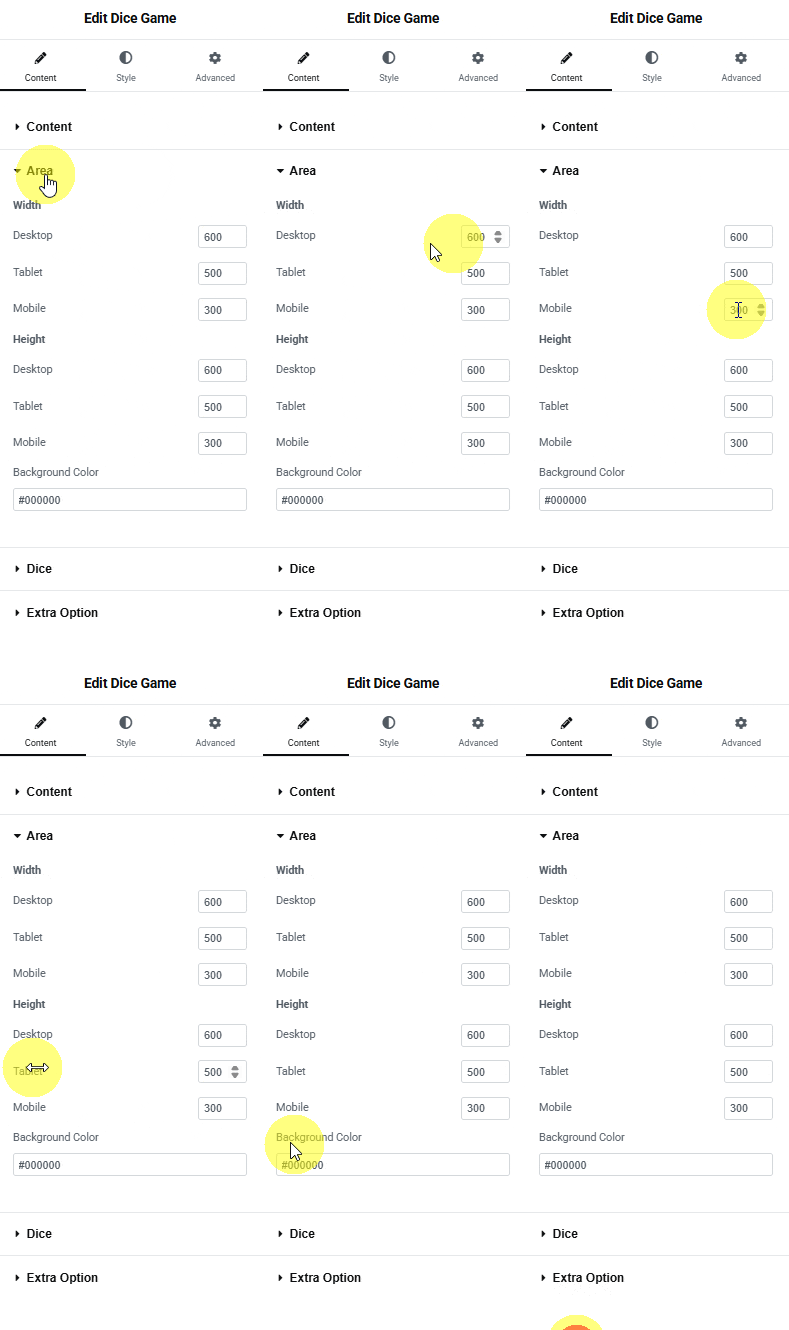
From the Height section, you can set the height of the dice rolling area for desktop, tablet, and mobile separately from the Desktop, Tablet, and Mobile fields respectively.
In the Background Color section, you can set the dice rolling area’s background color using a hex color code.
Dice
From the Size section, You can set the size of the dice separately for desktop, tablet, and mobile in the Desktop, Tablet, and Mobile fields respectively.
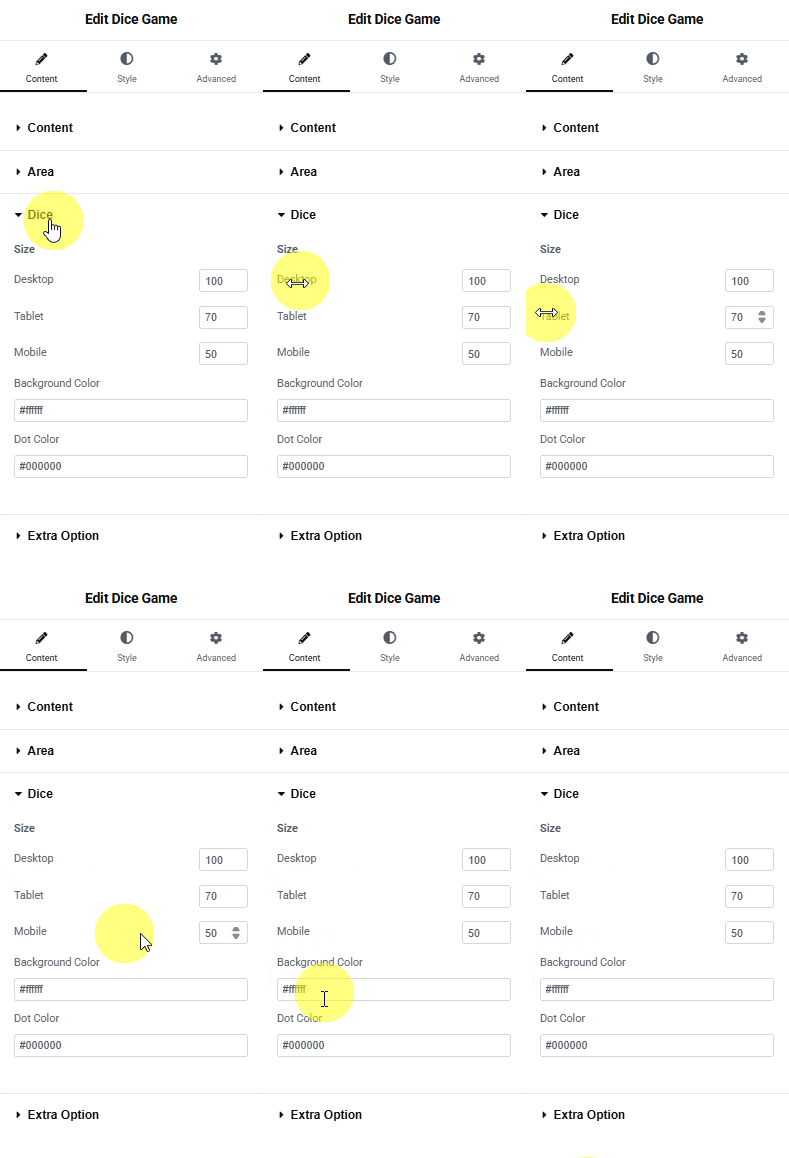
In the Background Color section, you can set the dice’s background color using a hex color code.
In the Dot Color section, you can set the color of the dots on the dice using a hex color code.
Extra Option
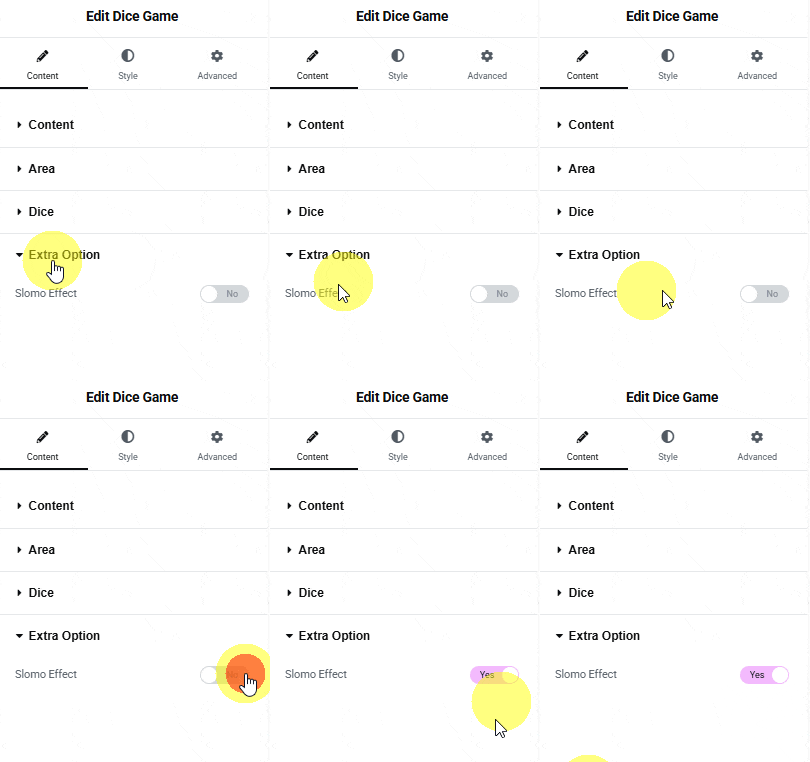
By enabling the Slomo Effect toggle, you’ll see the dice roll smoothly and slowly, making it easier to see the movement.
Then from the Style tab, you can further customize the style of the Dice Game.