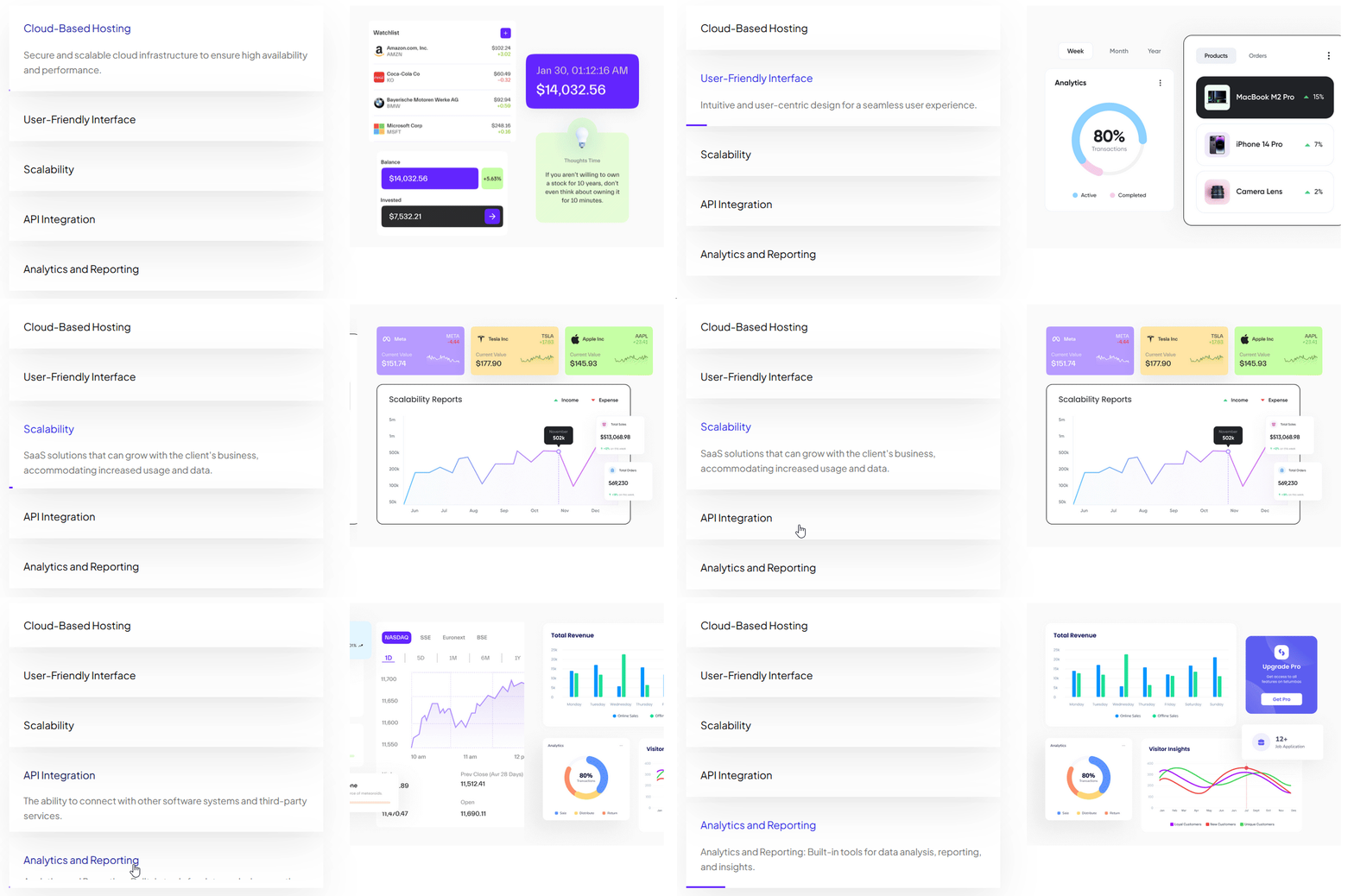
Tabbed Images Carousel Block for Gutenberg
Gutenberg Blocks1 min read
On this page
With this block, you can create a beautiful image carousel with a content tab.
Required Setup
- Nexter Blocks FREE Plugin installed & activated.
- You need to have the WDesignKit plugin installed and activated.
- Make sure you’ve created an account and logged into it.
- Make sure you’ve downloaded the Tabbed Images Carousel block.
How to Activate the Tabbed Images Carousel Block?
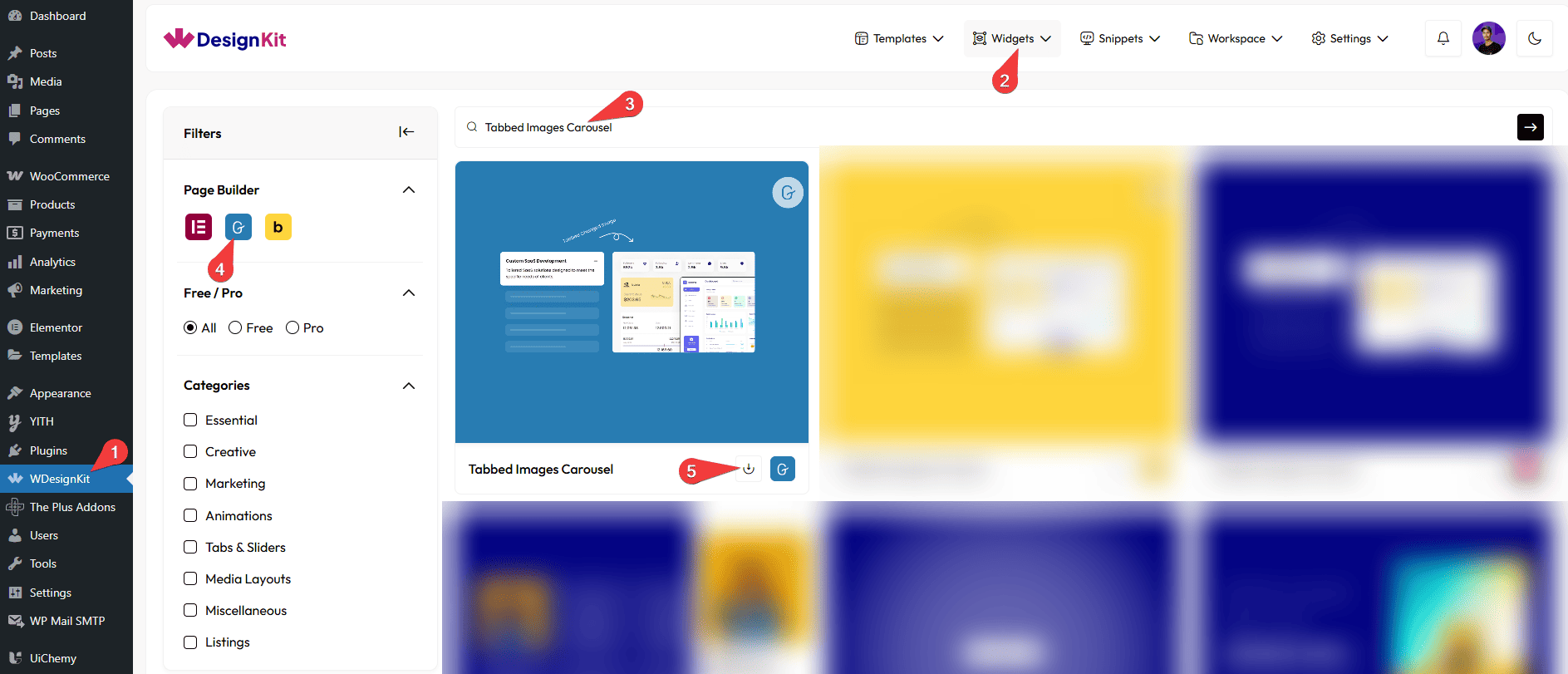
Go to
- WDesignKit → Widgets.
- Search the block name and select Gutenberg as the Page Builder.
- Click on the Download icon.
How to Use the Tabbed Images Carousel Block in WordPress?
Add the Tabbed Images Carousel block to the page.
Content
From the Tabs section, you have to add the tab items. By default, you’ll find one repeater item; open it.
In the Title field, you have to add the tab item title.
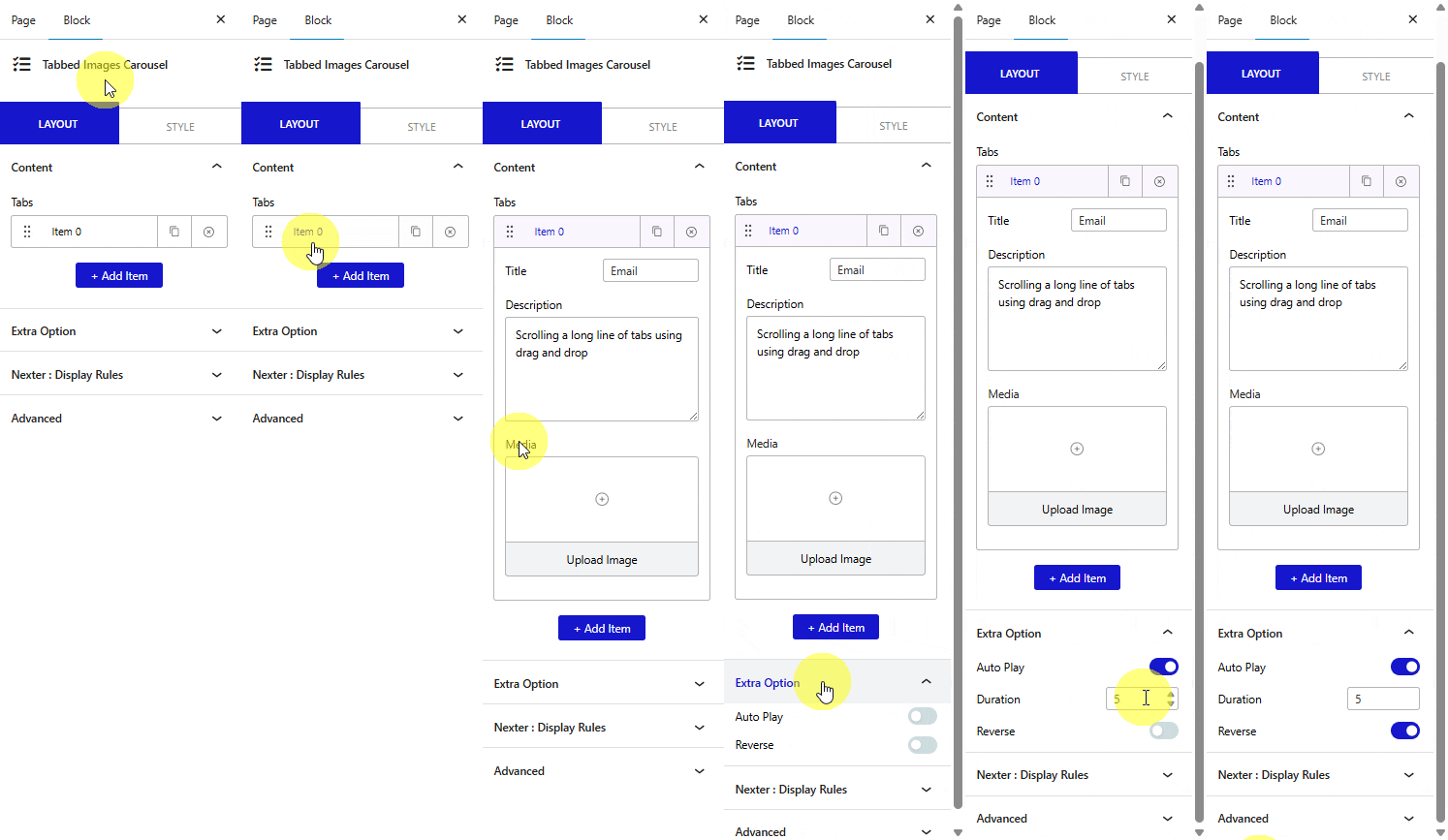
Then you can add a description from the Description field.
After that, you have to add the image for the tab item from the Media section.
You can click on the + Add Item button to add more tab items.
Extra Option
By enabling the Auto Play toggle, you can change the tabs automatically. When enabled, you can set the tab change duration.
Then, from the Reverse toggle, you can flip the layout.
You can customize the style further from the Style tab.