
Team Member Widget for Elementor
On this page
The Team Member widget shows a team member’s photo and name, then expands on click to reveal a rotating set of questions and answers about them.
1. What It Does
Displays a photo, name, and designation for one team member, with a click-to-expand panel that auto-rotates through a list of question-and-answer pairs.
2. Why It Matters
A question-and-answer format gives a team member card more personality than a static bio, and the auto-rotation surfaces multiple answers without needing extra clicks.
3. What You Get
A team member card, Name, Designation, Select Image, plus a Question – Answers repeater that auto-rotates on a set timer, confirmed live via the widget’s JSON.
4. Benefits
Skipped, already covered above: the value is the expandable, auto-rotating question-and-answer panel described in Why It Matters and What You Get, restating it here would not add anything new.
5. Capabilities
- Name, Designation, and Select Image fields for the card
- Question – Answers repeater, each item with its own Question and Answer text
- Select Icon field for the rotation arrow icon or SVG
- Name Link toggle with a URL field, to make the name clickable
- Animation Duration field to set the auto-rotation timing in seconds
6. How It Works
Clicking the name toggles the panel open, revealing the first Question – Answers item. If more than one item exists, the widget automatically advances to the next item on a timer set by Animation Duration, confirmed live via the widget’s JS.
7. How to Use It
- Activate the Team Member widget from WDesignKit’s Ready Widgets.
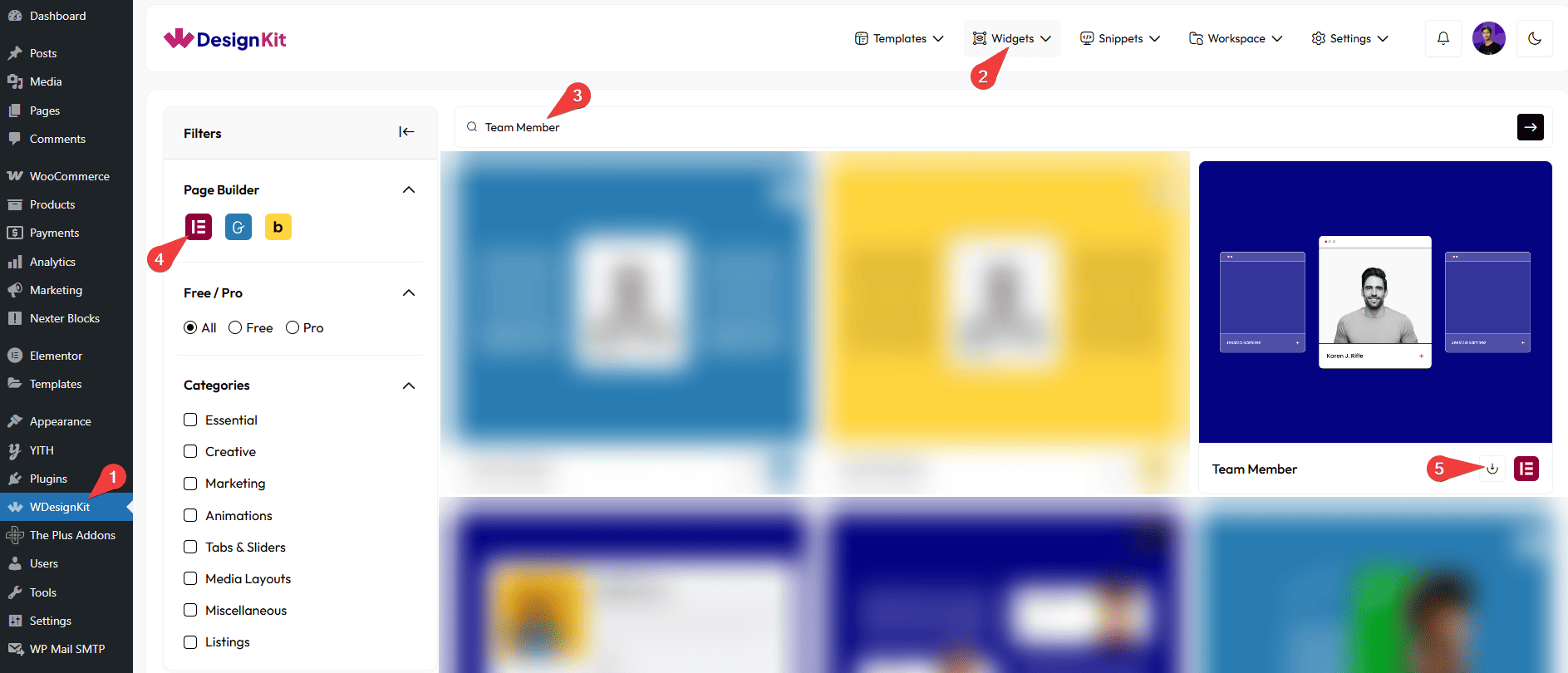
- Drag the widget onto the page and set the Name, Designation, and Select Image.
- Add one or more items under Question – Answers, each with its own Question and Answer.
- Optionally enable Name Link and add a URL, and set Animation Duration for the rotation speed.
8. Use Cases
- A team or about page where each member’s card reveals interesting facts on click
- A staff directory with a lightweight FAQ built into each person’s card
9. Limitations
- Only one Question – Answers item is visible at a time, there is no way to show all items expanded at once.
- The auto-rotation timer applies to the whole widget, individual items cannot have their own duration.
10. Troubleshooting
- Panel does not open on click: confirm the widget is not nested inside another clickable element that is intercepting the click.
- Items do not auto-rotate: Animation Duration only takes effect with two or more Question – Answers items, a single item has nothing to rotate to.
- Name is not clickable: enable the Name Link toggle first, the URL field only applies once that toggle is on.