
Button Reverse Text Animation Widget for Elementor
On this page
The Button Reverse Text Animation widget adds a button whose text animates in reverse on hover.
1. What It Does
Displays a button whose text slides out and back in reverse on hover, optionally alongside an icon.
2. Why It Matters
A reverse text animation gives a button a distinct hover personality beyond a simple color change, useful for a primary call to action that should stand out.
3. What You Get
A configurable button with text, an optional icon, a link, per-device alignment, and a Reverse Text toggle for the hover animation.
4. Benefits
Skipped, already covered above: the value is the reverse text hover animation described in Why It Matters and What You Get, restating it here would not add anything new.
5. Capabilities
- Button Text field
- Reverse Text toggle to enable the hover animation
- Show Icon toggle to add an icon to the button
- Url field for the button’s link
- Button Alignment control per responsive device
6. How It Works
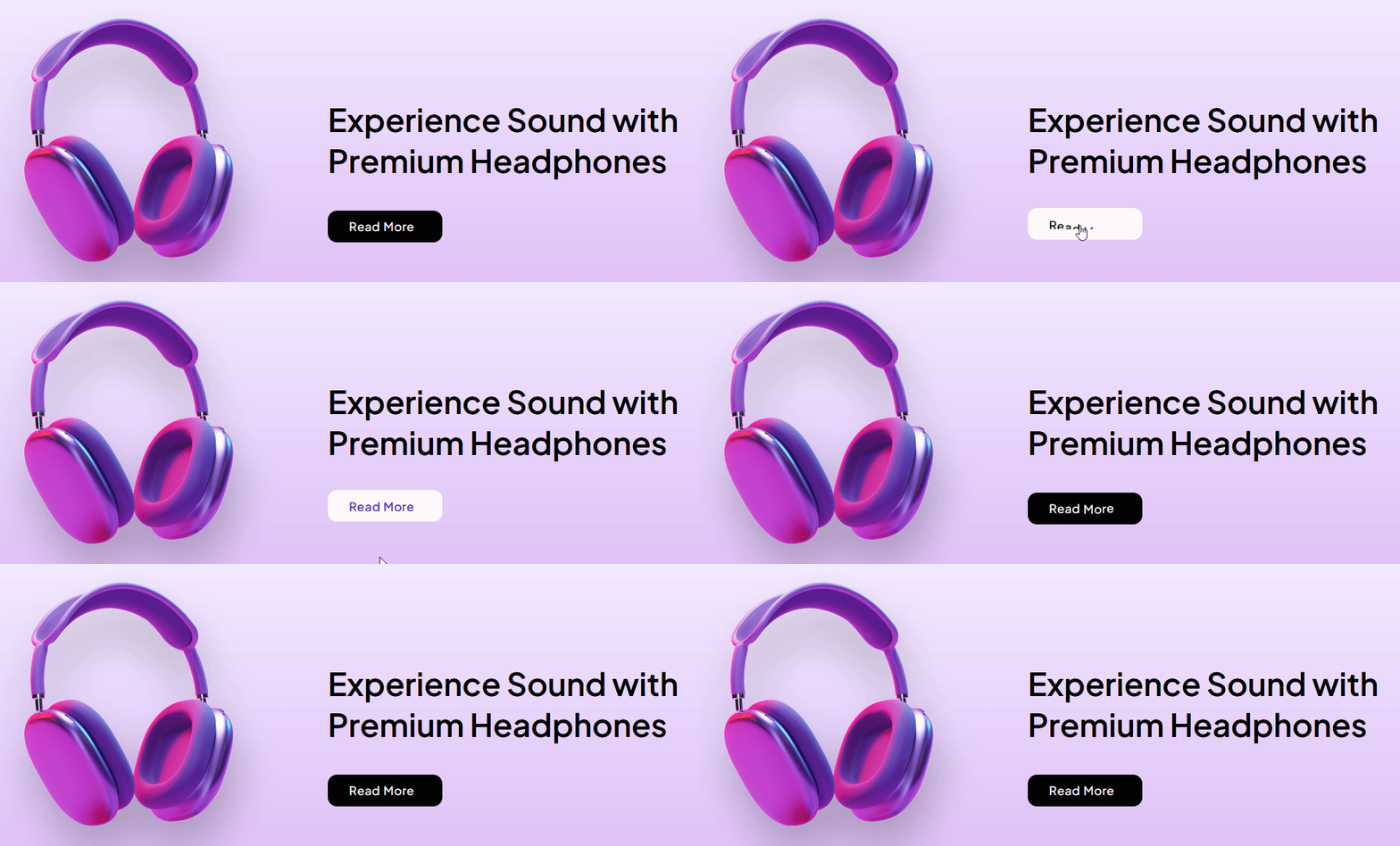
With Reverse Text enabled, hovering the button animates its text out and back in reverse direction rather than simply changing color, while Show Icon adds an icon alongside the text unaffected by that animation.
7. How to Use It
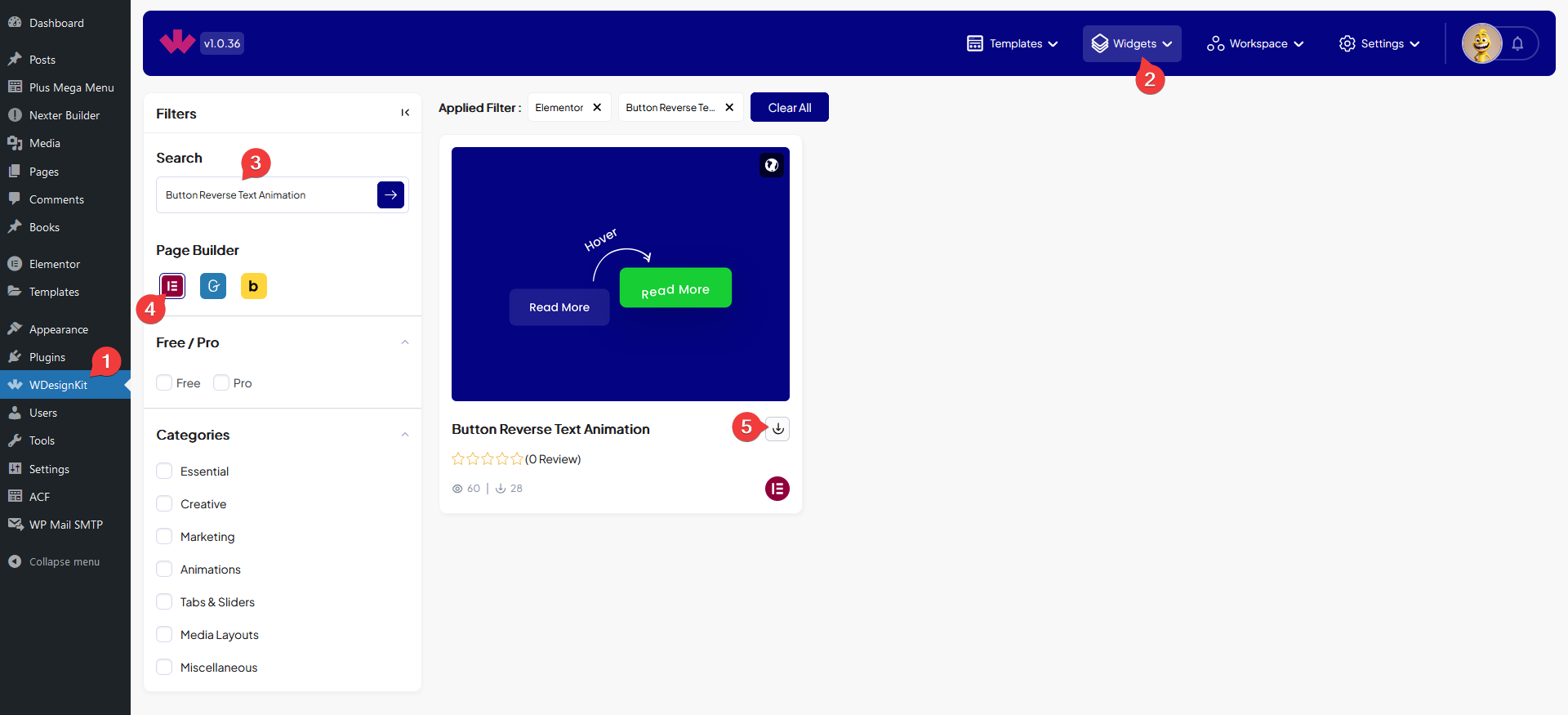
- Activate the Button Reverse Text Animation widget from WDesignKit’s Ready Widgets.
- Drag the widget onto the page and set the Button Text.
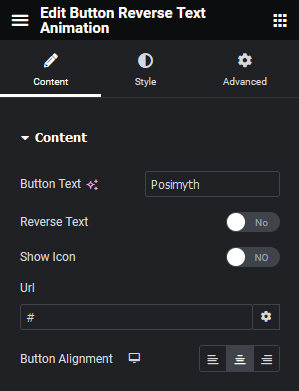
- Enable Reverse Text, optionally enable Show Icon, add a Url, and set Button Alignment per device.
8. Use Cases
- A primary call-to-action button that should feel more animated on hover
- A navigation or menu button with a distinct hover personality
9. Limitations
- The reverse animation is hover-triggered, touch devices only see the resting state until tapped.
- Reverse Text applies to the whole button label, individual words cannot animate separately.
10. Troubleshooting
- Hover animation does not play: confirm Reverse Text is enabled, it is off by default.
- Icon does not appear: enable Show Icon, the icon is hidden unless this toggle is on.
- Button link does not work: confirm the Url field has a complete address including https://.