On this page
- Table of Contents
- What a dental practice site needs that a generic business site doesn’t
- 3 dental & medical website templates compared
- Medclinic: the most-downloaded, general-practice option
- Precare: for a practice with more than one department
- Galen Medical: the newest, with the most style presets
- How to install one of these templates
- Frequently Asked Questions
- Suggested reading
Key Takeaways
- “Dentist website template” gets 170 searches a month in the US at a keyword difficulty of 0, even though a peer-reviewed PubMed Central study and industry patient-experience surveys show most patients research a dentist online before booking.
- BrightLocal's local-business survey found that 98% of consumers read online reviews before choosing a local business, making a visible testimonials section essential on a dental or medical clinic site.
- Medclinic, Precare, and Galen Medical are three WordPress kits from WDesignKit built for the medical/clinic category; Medclinic Pro alone has been downloaded over 4,400 combined times across its Gutenberg and Elementor versions, the most of the three.
- Precare is built for practices running more than one department, while Galen Medical is the newest of the three and ships with built-in colour-palette presets.
Table of Contents
“Dentist website template” pulls 170 searches a month in the US, and the keyword difficulty is 0. That’s not a typo: almost nobody is competing for this term in organic search, even though a peer-reviewed study published on PubMed Central found that patients extensively use online reviews when choosing dental care, and industry patient-experience surveys put the share of people who research a dentist online before booking at roughly 7 in 10. A practice with no real website, or one still running on a page builder from a decade ago, is invisible at the exact moment a patient is comparing options.
What a dental practice site needs that a generic business site doesn’t
A dental or medical clinic site has requirements a restaurant or portfolio template doesn’t: a services list that separates general, cosmetic, and specialist treatments, individual dentist or doctor profiles that build trust before a first visit, and, ideally, an appointment-booking path that doesn’t force a phone call. BrightLocal’s long-running local-business survey found that 98% of consumers read online reviews before choosing a local business, which makes a visible reviews or testimonials section non-negotiable for a clinic page, not a nice-to-have.
All three kits below come from WDesignKit, a free WordPress plugin (30,000+ active installations, 4.8 out of 5 on WordPress.org) that imports full page kits into Elementor or Gutenberg without a theme switch.
3 dental & medical website templates compared
| Kit | Best for | Builder(s) | Tier | Notable features |
| Medclinic | General & family dental/medical clinics | Elementor + Gutenberg | Pro (Lite/One/Pro tiers) | Appointment booking section, doctor profiles, services + testimonials, Google Maps location |
| Precare | Multi-specialty healthcare practices | Elementor + Gutenberg | Pro | Multiple homepage variations, department pages, online appointment booking |
| Galen Medical | Clinics, hospitals & diagnostic centers | Elementor + Gutenberg | Pro | Doctor & appointment sections, blog, colour-palette presets |
None of these are named “dentist” specifically; they’re built for the broader medical/clinic category, which a dental practice fits cleanly into. That’s an honest distinction worth making rather than implying a dentist-only kit exists when it doesn’t. All three list an appointment-booking section in their own marketplace description; treat that as a layout placeholder to connect to your real scheduling tool rather than a working booking system out of the box, since WDesignKit doesn’t independently verify that claim per kit.
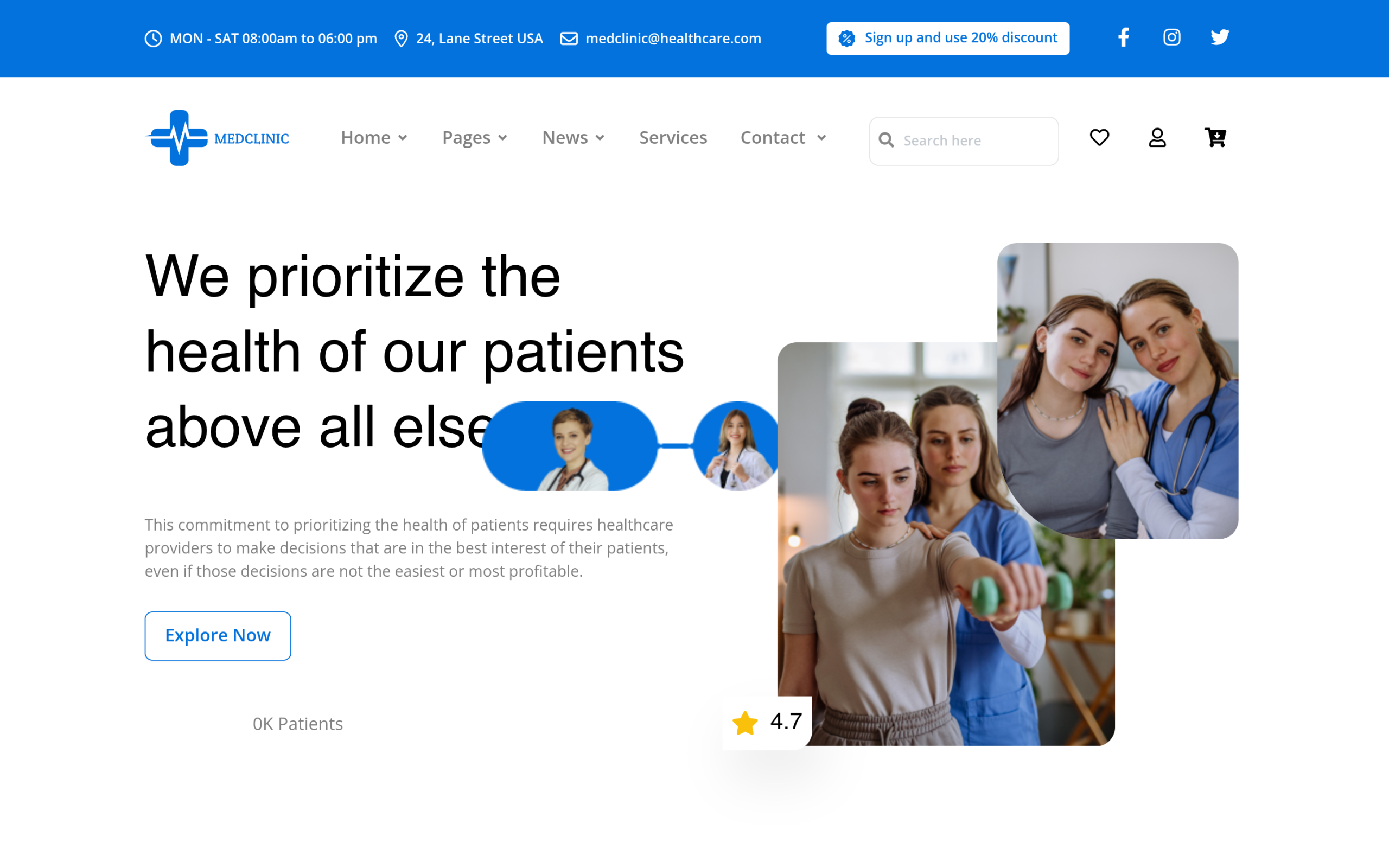
Medclinic: the most-downloaded, general-practice option
Medclinic ships in Lite, One, and Pro variations, all built around the same core: a booking-focused hero, a services grid, doctor/staff profiles, and a testimonials section. Its Pro tier alone has been downloaded over 4,400 combined times across its Gutenberg and Elementor versions, more than any other kit in this medical group, which is a reasonable signal that its layout is the safest default for a single-location or family dental practice that wants one clean homepage rather than a multi-department structure.
Also Read: Business Website Templates: 3 WordPress Kits Compared if your practice needs a more corporate, multi-service layout than Medclinic’s single-practice focus.
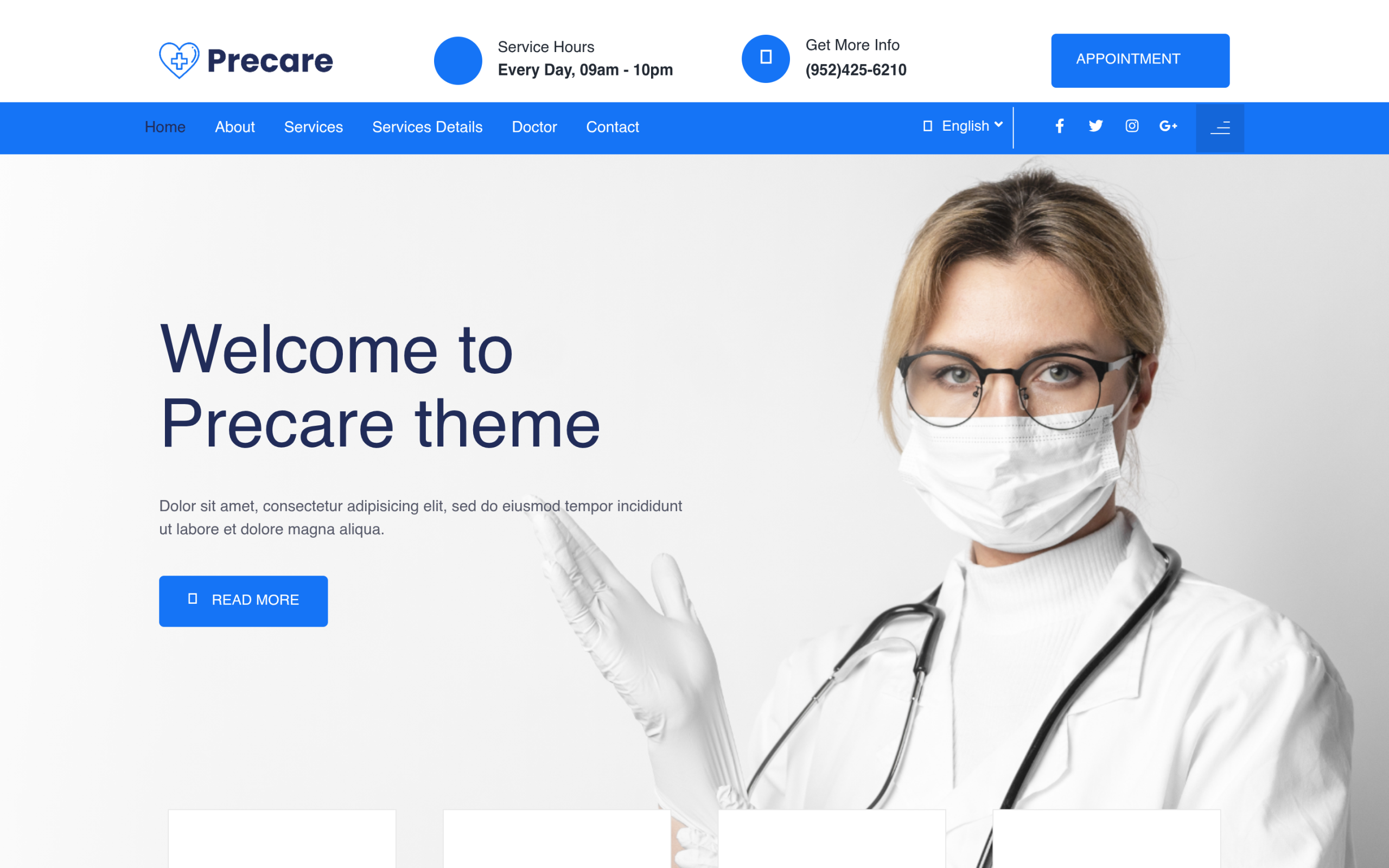
Precare: for a practice with more than one department
Precare’s block library leans toward practices that need to separate departments or specialisms, such as a clinic running general dentistry alongside orthodontics or cosmetic work. It includes multiple homepage variations and an online booking flow, and reads slightly more clinical/corporate than Medclinic’s warmer, single-practice tone.
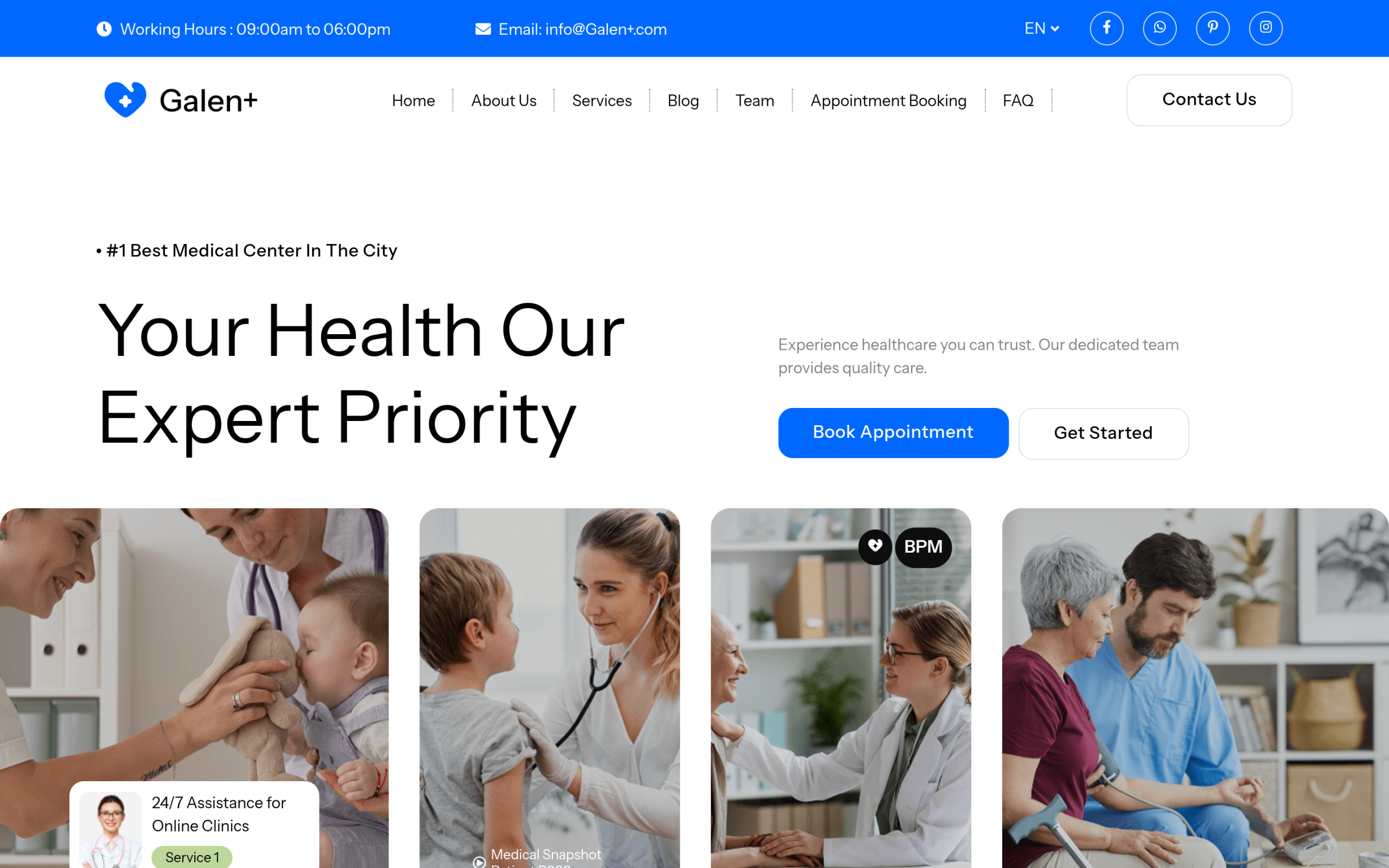
Galen Medical: the newest, with the most style presets
Galen Medical is the most recently published of the three and ships with several built-in colour-palette presets, useful if you want to match an existing practice brand without hand-editing every section’s colours. It covers the same core ground as the other two: doctor profiles, appointment sections, services, and a blog for patient education content.
Also Read: Fitness and Gym Website Templates for another local business where the site has to turn visitors into bookings.
How to install one of these templates
- Install the free WDesignKit plugin from your WordPress dashboard.
- Open the WDesignKit panel inside Elementor or the block editor and browse Website Kits.
- Search for Medclinic, Precare, or Galen Medical and import the pages you need with one click.
- All three are Pro-tier kits and require an active WDesignKit licence to unlock the full page set.
Also Read: What Are Template Kits, Sections and Full Pages in the WDesignKit Library for how kits, sections and full pages differ before you import.
Frequently Asked Questions
Which dentist website template is best for a single-location practice?
Medclinic is the safest default for a single-location or family dental practice because its layout centers on one clean homepage, with a booking-focused hero, services grid, doctor or staff profiles, and testimonials. The page also notes that its Pro tier has been downloaded over 4,400 combined times across Gutenberg and Elementor versions, which makes it the most proven option in this group. WDesignKit Learning Center offers this as a practical fit when you want a straightforward clinic site instead of a multi-department structure.
Do these WordPress clinic templates work with Elementor and Gutenberg?
All three kits are built for Elementor and Gutenberg, so they fit either editing workflow without forcing a theme switch. That matters if your site already uses one of those builders and you want to import full page kits instead of rebuilding from scratch. WDesignKit Learning Center provides these templates as full page kits inside the plugin, which keeps the setup focused on importing the pages you need rather than changing your whole WordPress stack.
What do most people get wrong when using a dentist website template?
The biggest mistake is treating the appointment section as if it were a finished booking system. The page says the appointment-booking area should be treated as a layout placeholder that connects to your real scheduling tool, because WDesignKit does not independently verify that claim per kit. That distinction matters for clinics that need actual scheduling reliability, not just a button-shaped section on the page.
How do I install a WDesignKit clinic template in WordPress?
The install path is simple: add the free WDesignKit plugin from your WordPress dashboard, open the WDesignKit panel inside Elementor or the block editor, browse Website Kits, then search for Medclinic, Precare, or Galen Medical and import the pages you need with one click. One practical catch is that all three are Pro-tier kits and require an active WDesignKit licence to unlock the full page set.
Last reviewed: September 29, 2026
Also Read: Nonprofit Website Templates for WordPress if your next client is a community health charity rather than a private practice.
Suggested reading
- Business Website Templates: 3 WordPress Kits Compared
- Portfolio Website Templates: 5 WordPress Kits
- Restaurant Website Templates: 3 WordPress Kits Compared
- Elementor Landing Page Templates
- What Are Template Kits, Sections and Full Pages in the WDesignKit Library
Author

Sagar is the Founder & CEO of POSIMYTH Innovations, with 10+ years building WordPress products trusted by 100,000+ websites globally. He has led the development of The Plus Addons for Elementor, Nexter, WDesignKit, and UiChemy, all built hands-on from concept to launch. His work focuses on making website building faster, more flexible, and accessible for creators and businesses worldwide.
Share this article