On this page
- Table of Contents
- What a restaurant website template actually needs to include
- 3 restaurant website templates compared
- SippinSpot: the smallest, most focused kit
- TasteWheels: built for a moving business
- Taj Bakery: the most complete kit of the three
- How to install one of these templates
- Frequently Asked Questions
- Suggested reading
Key Takeaways
- SippinSpot ships with exactly 3 pages: Home, About Us, and Contact Us, and its homepage combines the menu section, hero, and testimonials in one scroll.
- TasteWheels is the only one of the 3 kits built around a food truck, and it includes a Product/Menu listing page plus individual Product Details pages for changing menus or pre-order items.
- Taj Bakery is the only kit with a dedicated Reservation page and a pre-built FAQs page, alongside Home, About, Menu, Gallery, Services, Testimonials, Contact, and Blog.
- WDesignKit is a free WordPress plugin with 730,000+ downloads on WordPress.org and a 4.8 out of 5 rating from active reviewers, and it installs template kits directly onto Elementor or Gutenberg with one click.
Table of Contents
Search “restaurant website template” and you get 320 searches a month in the US, a keyword difficulty score of 2, and almost nothing written about what is actually inside the templates people are searching for. Directory sites rank with generic “best of” roundups that never open a single template to check what pages it ships with. We pulled the real page manifests instead of guessing, so this is a comparison of what you actually get, not what a listing thumbnail implies.
What a restaurant website template actually needs to include
Before comparing kits, it helps to know what separates a usable restaurant template from a pretty one. A menu that customers can read on a phone without pinching to zoom. A way to take reservations or online orders without redirecting to a third-party app that breaks your branding. A gallery that shows the food and the room, not stock photography of a plate nobody in your kitchen has made. And a contact page with a real map embed, because “we’re near the mall” is not an address.
All three kits below come from WDesignKit, a free WordPress plugin (730,000+ downloads on WordPress.org, 4.8 out of 5 from active reviewers) that installs template kits directly onto Elementor or Gutenberg with one click. No theme lock-in, no page builder migration.
3 restaurant website templates compared
| Kit | Best for | Builder(s) | Tier | Real pages included |
| SippinSpot | Coffee shops & quick-service cafes | Elementor + Gutenberg | Pro | 3 (Home, About Us, Contact Us) |
| TasteWheels | Food trucks & mobile vendors | Elementor + Gutenberg | Free | 7 (Home, About, Menu, Item Details, Gallery, Contact, Blog) |
| Taj Bakery | Bakeries, cafes & reservation dining | Elementor + Gutenberg | Free | 10 (Home, About, Menu, Gallery, Services, Reservation, Testimonials, FAQs, Contact, Blog) |
Three kits, not five or ten. That is the honest count of dedicated food-and-beverage kits in the library right now, so this is a real shortlist, not a padded one.
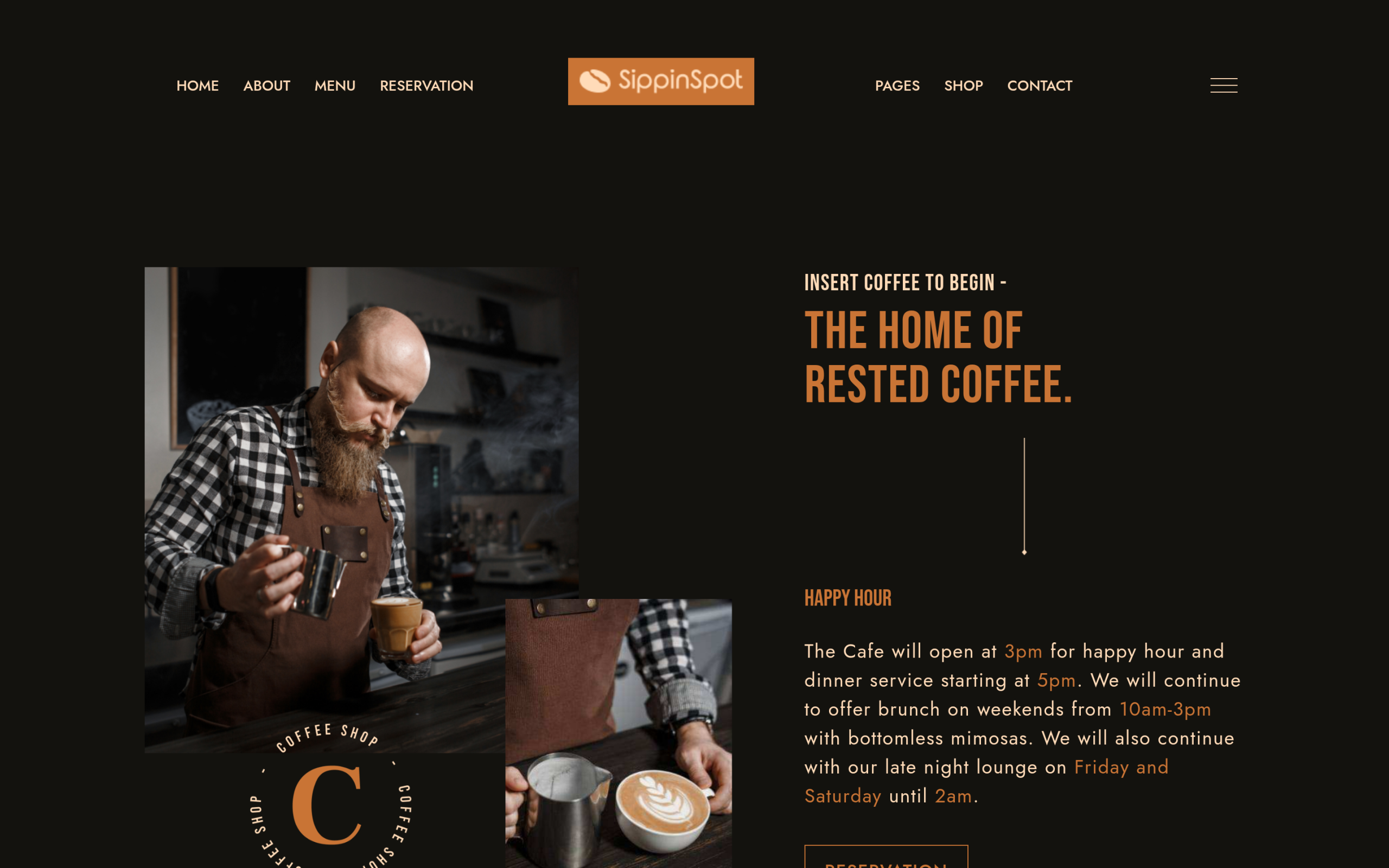
SippinSpot: the smallest, most focused kit
SippinSpot ships with exactly three pages: a homepage that carries the menu section, hero, and testimonials in one scroll; an About Us page for the story and team; and a Contact page with a map slot. It is a Pro-tier kit, and it is the right pick when you want a single-page-feeling site that a customer can absorb in one visit rather than clicking through a multi-page structure. It does not include a dedicated menu page, a gallery, or a blog. If you need those, size up to Taj Bakery below.
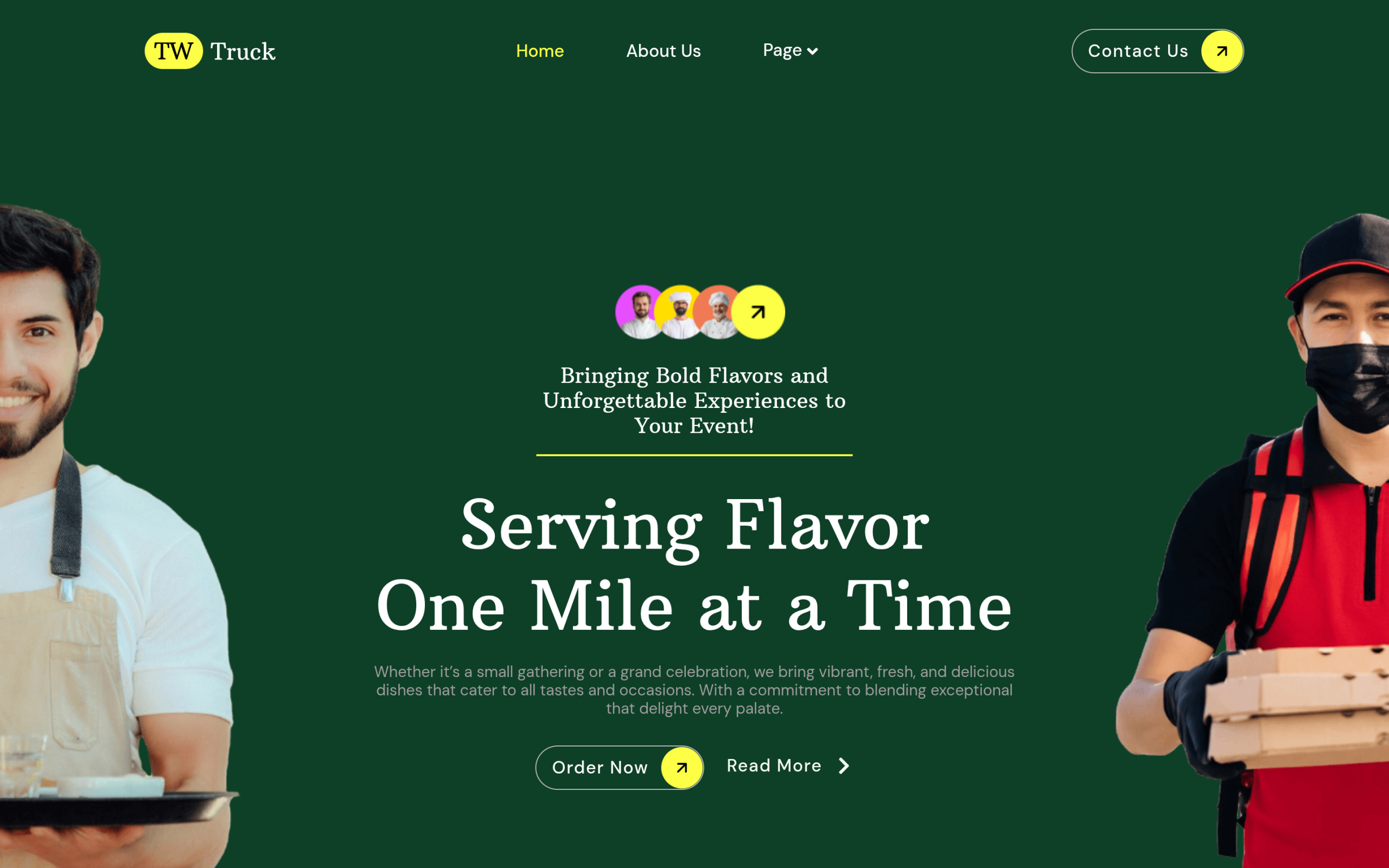
TasteWheels: built for a moving business
TasteWheels is the only one of the three built around a food truck rather than a fixed location, and it shows in the page structure: a Product/Menu listing page plus individual Product Details pages, which is the layout you want if you sell items customers pre-order or if you rotate a changing menu and want each dish to have its own linkable page. It is free, includes a working Gallery and Blog, and covers both builders. The trade-off is that it is styled around a casual, mobile-vendor brand voice, so a fine-dining room will want to restyle the color palette rather than use it as-is.
Also Read: Portfolio Website Templates: 5 WordPress Kits if you also need a portfolio-style page for a chef’s or caterer’s personal work.
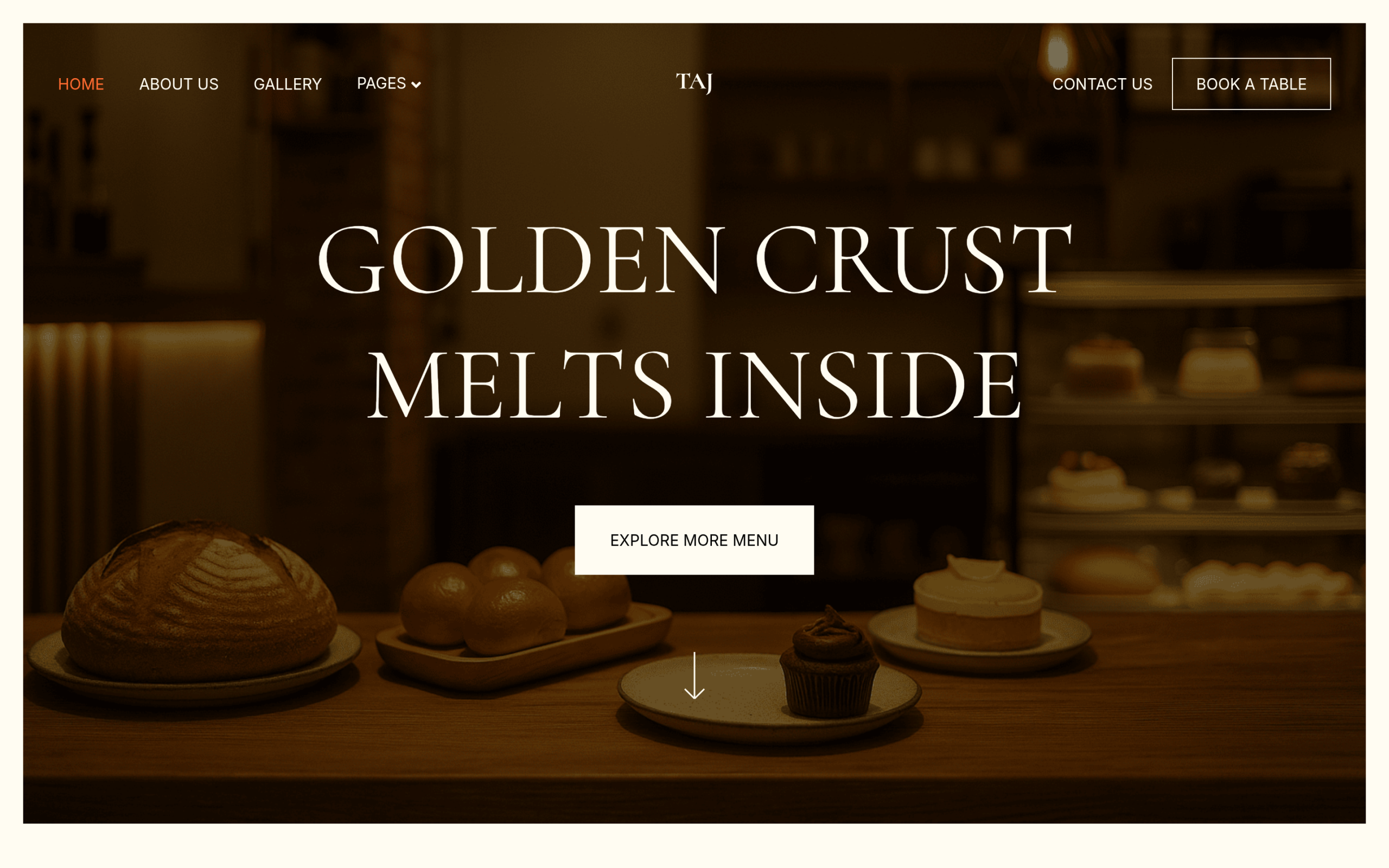
Taj Bakery: the most complete kit of the three
Taj Bakery is free, covers both builders, and is the only kit here shipping a dedicated Reservation page and a pre-built FAQs page alongside Home, About, Menu, Gallery, Services, Testimonials, Contact, and Blog. Despite the name, the page structure works for any sit-down food business that takes bookings, not only bakeries. It is the pick if you want the fullest site out of the box and are willing to do more re-branding work than SippinSpot requires, since its default styling leans toward a bakery/cafe palette.
Also Read: Dentist Website Templates for WordPress Clinics if you also build for other local businesses that run on bookings.
How to install one of these templates
- Install the free WDesignKit plugin from your WordPress dashboard, or download it from WordPress.org.
- Open the WDesignKit panel inside Elementor or the block editor and browse Website Kits.
- Search for SippinSpot, TasteWheels, or Taj Bakery and import the pages you need with one click.
- Pro-tier kits like SippinSpot require an active WDesignKit license to unlock; free kits import without one.
Also Read: What Are Template Kits, Sections and Full Pages in the WDesignKit Library for how kits, sections and full pages differ before you import.
Frequently Asked Questions
Which restaurant website template is best for a coffee shop that wants a simple site?
SippinSpot is the tightest fit for a coffee shop or quick-service cafe because it ships with only three pages: Home, About Us, and Contact Us. The homepage already carries the menu section, hero, and testimonials in one scroll, so it works well when you want a site customers can absorb fast. WDesignKit Learning Center offers this as a Pro-tier kit, which matters if you want a focused layout instead of a bigger multi-page build.
Which template works best for a food truck or mobile vendor?
TasteWheels is the strongest match for a food truck because it is the only one of the three built around a moving business. Its structure includes a Product/Menu listing page plus individual Product Details pages, which is useful when items change often or need their own linkable page. WDesignKit Learning Center provides this kit free, and it also includes both Gallery and Blog pages for vendors who want more than just a menu.
Which template has the most complete page set out of the box?
Taj Bakery is the most complete kit here because it includes 10 pages: Home, About, Menu, Gallery, Services, Reservation, Testimonials, FAQs, Contact, and Blog. The Reservation page is the big differentiator if bookings matter to your business. WDesignKit Learning Center offers it free for both Elementor and Gutenberg, so it is the best pick when you want the fullest structure before doing any re-branding.
Do these restaurant templates work with Elementor and Gutenberg?
All three kits support both Elementor and Gutenberg, so builder choice does not force you into one workflow. That matters if your team already uses one editor or if you want to keep future edits simple inside WordPress. WDesignKit Learning Center works with both builders through its template kits, and that makes these restaurant website template options easier to adopt without switching your page-building setup.
How do I install one of these restaurant website templates in WordPress?
The install path is short: add the free WDesignKit plugin from your WordPress dashboard or WordPress.org, then open the WDesignKit panel inside Elementor or the block editor and browse Website Kits. Search for SippinSpot, TasteWheels, or Taj Bakery and import what you need with one click. One gotcha is that Pro-tier kits like SippinSpot require an active WDesignKit license to unlock, while free kits import without one.
Last reviewed: September 29, 2026
Also Read: Nonprofit Website Templates for WordPress if you also build for community organizations that need to collect donations.
Suggested reading
- Portfolio Website Templates: 5 WordPress Kits
- Elementor Landing Page Templates
- What Are Template Kits, Sections and Full Pages in the WDesignKit Library
- How WDesignKit Templates Make WordPress Site Building Fast and Easy
- Introducing the WDesignKit Widget Builder
Author

Sagar is the Founder & CEO of POSIMYTH Innovations, with 10+ years building WordPress products trusted by 100,000+ websites globally. He has led the development of The Plus Addons for Elementor, Nexter, WDesignKit, and UiChemy, all built hands-on from concept to launch. His work focuses on making website building faster, more flexible, and accessible for creators and businesses worldwide.
Share this article