On this page
- Table of Contents
- What a portfolio template actually has to do
- How we picked these portfolio website templates
- The portfolio template kits, compared
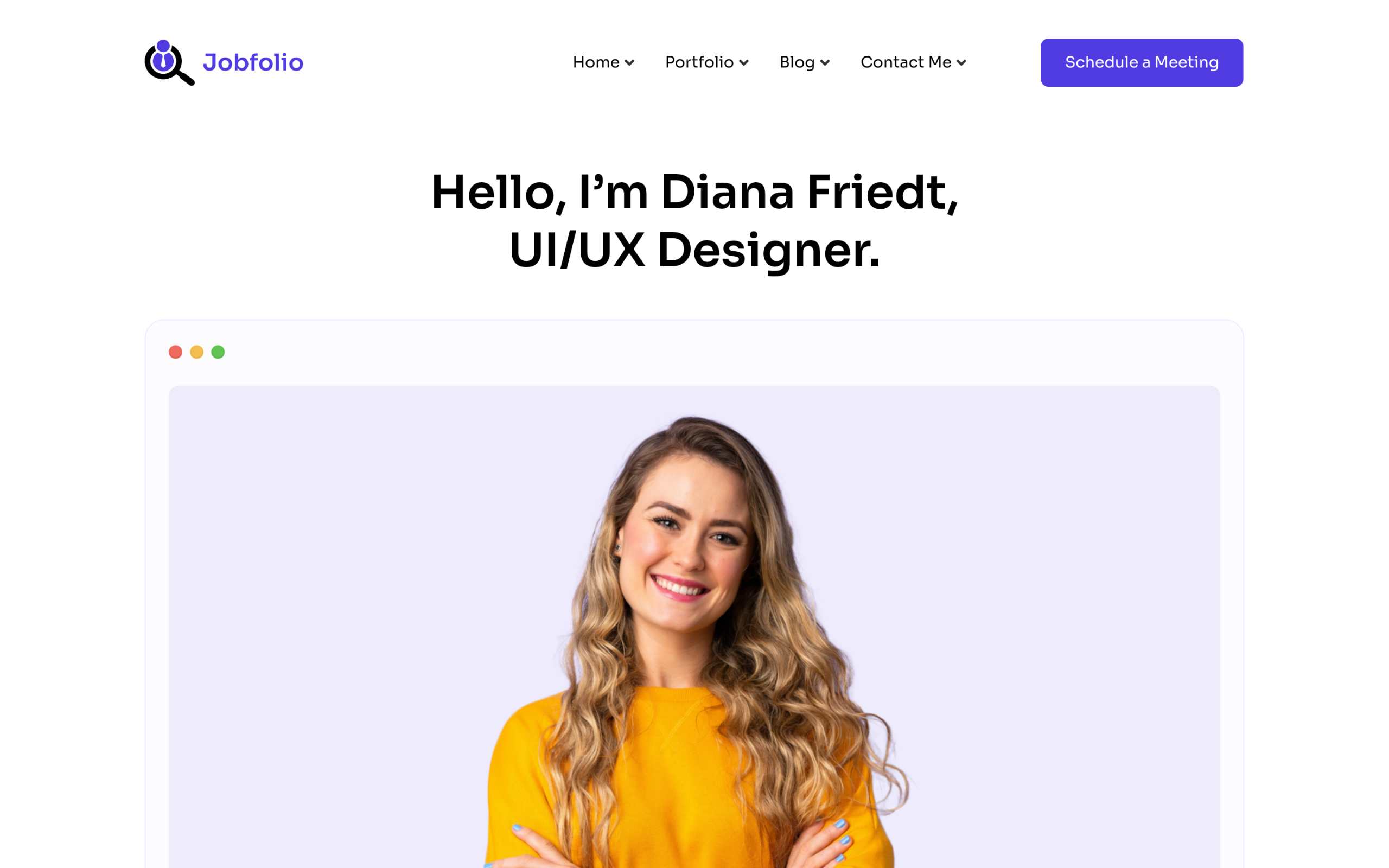
- JobFolio, for the most layout choice
- Vision Forge, for photography and video work
- BumpBlossom, for a softer editorial look
- Elementor or Gutenberg for a portfolio?
- Importing and customizing a portfolio template
- Which one to start with
- Suggested Reading
- Frequently Asked Questions
Key Takeaways
- JobFolio Elementor kit has 28 templates, including 5 project detail layouts, 4 home page variants, and 4 contact pages, so it gives the widest layout choice in the library.
- Vision Forge Elementor kit includes 12 templates with a services page, service details, a dedicated videography page, coming soon, and 404 pages, so it fits studio sites better than a simple portfolio.
- BumpBlossom Gutenberg kit is the only Pro kit in the comparison and is built for a business or personal site that includes a portfolio section rather than a portfolio-only site.
- WDesignKit compares kits by opening each one in the library on 1 September 2026 and counting the templates inside, instead of relying on vague “multiple pages” claims.
- Importing the header and footer first, then setting colours and type globally, keeps later pages inside one reusable layout and avoids restyling each page by hand.
Table of Contents
A portfolio site has a problem most other sites do not. The work is the product, so every hour spent fighting a layout is an hour not spent on the work itself. That is the trap: you open a blank canvas meaning to spend an evening on it, and three evenings later you are still adjusting the spacing above a project thumbnail.
A template skips that. But most roundups of portfolio website templates show you a thumbnail, a price, and nothing else, which tells you how the home page looks and hides the part that actually matters: whether the kit includes a project detail page, a contact page, and a header you can reuse. This post lists the portfolio kits in the WDesignKit library with the real page manifest of each one, pulled from the library on 1 September 2026.
What a portfolio template actually has to do
A portfolio is not one page. It is a small system, and a template that only gives you a home page leaves you building the rest by hand anyway.
- A grid that survives uneven work. Real project images are not all the same aspect ratio. A grid that only looks right with six identical squares will fall apart the first week.
- A project detail page. This is the page that wins the job, because it is where you explain the brief and the decision. It is also the page most template kits quietly skip.
- A contact route that is not just an email address. A form on the page converts better than a mailto link that opens an empty mail client.
- A reusable header and footer. Without them you are restyling navigation on every page you add.
That checklist is the one I used to sort the kits below, and it is why the page manifest matters more than the thumbnail.
How we picked these portfolio website templates
Every figure in the table below was pulled from the WDesignKit template library on 1 September 2026, not copied from a marketing page. The page counts come from opening each kit and counting the templates inside it, which is why they differ from the vague “multiple pages” claim most kit listings carry.
Two disclosures worth making plainly. First, WDesignKit is our own product, so this is not a neutral survey of the whole market. The page manifests are verifiable and every demo is linked, so you can check the claims rather than take our word for them. Second, one kit tagged as a portfolio in the library was left out: it had 20 views, no downloads, and no description written for it, which is not enough for anyone to build a site on.
The download and view counts are the library’s own numbers and are a rough popularity signal, not a quality ranking.
The portfolio template kits, compared
| Kit | Builder | Templates inside | Price | Best for |
|---|---|---|---|---|
| JobFolio | Elementor | 28 | Free | The widest choice of layouts |
| JobFolio | Gutenberg | 28 | Free | The same kit without Elementor |
| Vision Forge | Elementor | 12 | Free | Video and photography work |
| Vision Forge | Gutenberg | 12 | Free | Visual work in the block editor |
| BumpBlossom | Gutenberg | Multi-page kit | Pro | A softer, editorial look |
JobFolio, for the most layout choice
Best for: a personal portfolio or CV site where you want to try several looks before committing.
JobFolio is the largest portfolio kit in the library at 28 templates, and the breakdown is the interesting part: 4 home page variants, 3 portfolio grid layouts, 5 project detail layouts, 4 blog listing pages, 4 single post pages, 4 contact pages, and 2 headers with 2 matching footers. Several of those exist as colour variants, including a yellow theme that runs across the portfolio, blog, and contact pages, so you can switch the whole site’s accent by importing a different set.
Five separate project detail layouts is unusual. That is the page where you explain a piece of work, and having a grey, black, and yellow treatment means the case study page can carry a different mood from the grid that leads to it.
It is the most downloaded portfolio kit in the library, at 5,453 downloads against 8,081 views for the Elementor build and 2,263 downloads for the Gutenberg build. Worth knowing: the kit has no dedicated services or pricing page, so if you sell productised services you will be building that page yourself.
Demos: JobFolio for Elementor and JobFolio for Gutenberg.
Vision Forge, for photography and video work
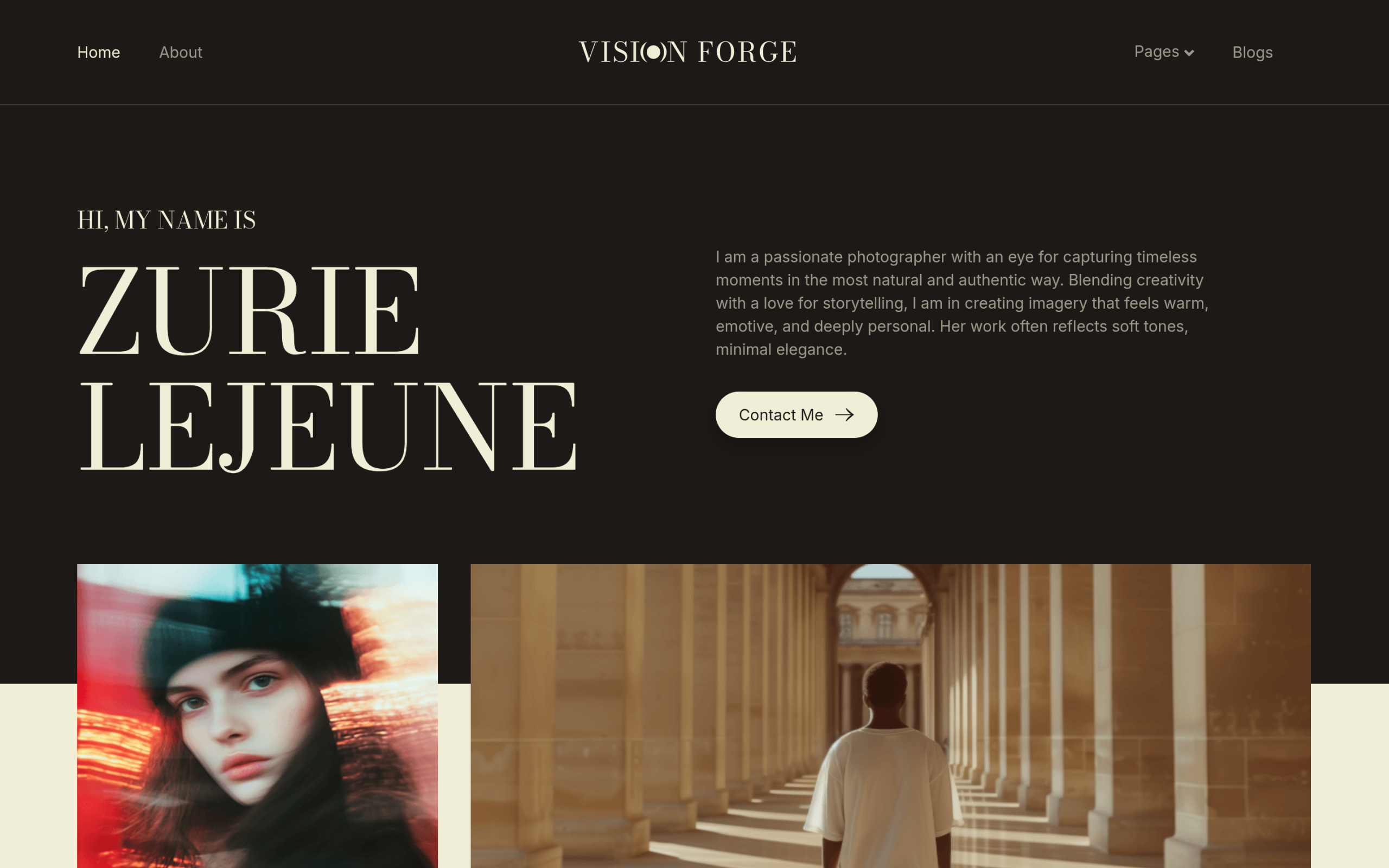
Best for: photographers, videographers, and small creative studios who need a services page as well as a gallery.
Vision Forge trades JobFolio’s layout variants for coverage of a wider site. Its 12 templates are a landing page, about, services, service details, a dedicated videography page, blog, blog details, contact, coming soon, a 404 page, plus a header and footer. That is closer to a studio site than a personal portfolio: it assumes you are selling a service, not only showing work.
The coming soon and 404 pages are the quiet win. Both are pages every site eventually needs and almost nobody wants to design, and they are the reason this kit needs less filling in than its smaller page count suggests. The Elementor build is also flagged as AI compatible in the library, which the JobFolio kit is not.
Worth knowing: there is only one home page layout, so if you want to test two directions this is the weaker starting point. It is also much newer, with 811 downloads on the Elementor build against JobFolio’s 5,453.
Demos: Vision Forge for Elementor and Vision Forge for Gutenberg.
BumpBlossom, for a softer editorial look
Best for: a personal brand site where the writing matters as much as the images.
BumpBlossom is the one Pro kit here, a Gutenberg kit with a lighter and more editorial feel than the other two. It is built for a business or personal site that includes a portfolio section rather than a site that is only a portfolio, so reach for it if your work sits alongside writing or a services offer. You can see it on the BumpBlossom demo.
Worth knowing: it needs a Pro licence, and at 68 downloads it is far less proven than JobFolio.
Also Read: Elementor Blog Templates if your work sits alongside regular writing and the site needs a proper blog too.
Elementor or Gutenberg for a portfolio?
Both JobFolio and Vision Forge ship in two builds, so the choice is real rather than theoretical.
Pick Elementor if you want fine control over spacing and hover behaviour without writing CSS, or if you already know the editor. The Elementor builds are also the more used ones by a wide margin, which usually means more of the rough edges have been reported.
Pick Gutenberg if you would rather not add a page builder at all. The block editor ships with WordPress, the pages stay lighter, and for a portfolio, where most pages are a grid and some text, you rarely need what a builder adds. Across the whole library the split is 2,040 Elementor templates against 1,635 for Gutenberg, so neither is an afterthought.
If you pick one and change your mind later, moving between the two is its own job rather than a toggle. The 1-click widget convertor covers what does and does not carry across.
Also Read: template kits, sections, and full pages explained, if you are unsure which of the three you actually need.
Importing and customizing a portfolio template
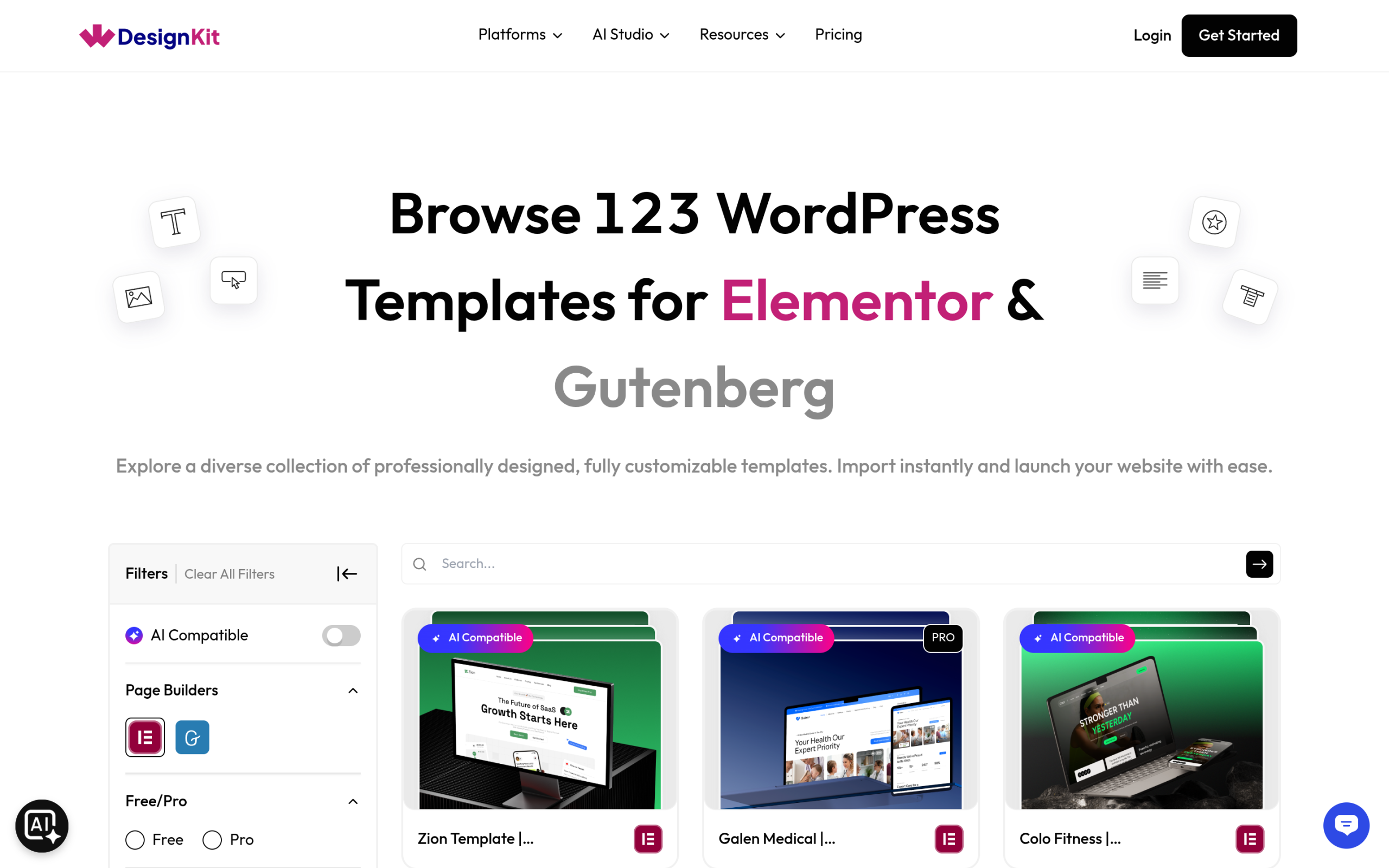
The order that saves the most time:
- Import the header and footer first. Set the site frame before any content page, and every page you import afterwards lands inside a layout that already looks finished.
- Set the colours and type globally, not per page. Vision Forge ships with a colour palette attached, so changing it once repaints the kit. Restyling page by page is how a portfolio ends up with three different greys.
- Import one project detail page and finish it completely. Get a single case study fully right, then duplicate it. This is faster than importing all five JobFolio detail layouts and deciding later.
- Replace the demo images early. Placeholder photography is chosen to flatter the layout. Your real work will have different crops, and it is better to find that out on page one than on page nine.
- Cut pages you will not maintain. A blog listing with two posts on it looks worse than no blog. Import the blog pages only when you have something to put in them.
All of the kits above except BumpBlossom are free, and they sit inside a library that currently holds 3,675 templates, of which 1,483 are free, along with 1,031 sections and 243 full kits. If a portfolio kit gets you most of the way but you need one more section, the sections library is usually where that gap gets filled.
Also Read: Elementor landing page templates, if the page you need next is a landing page rather than a portfolio.
Which one to start with
If you are building a personal portfolio and want room to change your mind, start with JobFolio. Its 28 templates and five project detail layouts give you more to work with than anything else here, and it is the most used kit in the set.
If you shoot photo or video and sell that as a service, Vision Forge is the better fit, because a services page, a service details page, and a videography page are already built and JobFolio has none of them.
One honest note on the wider picture. Search interest in portfolio website templates is down roughly 47 percent year on year, which fits a market where hosted site builders absorb a lot of this demand. That is not a reason to avoid a self-hosted portfolio. It is a reason to spend the saved time on the work in the grid rather than on the grid itself.
Suggested Reading
- Elementor landing page templates
- What are template kits, sections, and full pages
- How WDesignKit templates speed up WordPress site building
- The WDesignKit widget builder
- The all in one cloud workspace
Frequently Asked Questions
Which portfolio website template is best if I want the most layout choice?
JobFolio is the strongest pick for layout variety because it ships with 28 templates, including 4 home page variants, 3 portfolio grid layouts, and 5 project detail layouts. That matters if you want to test different directions before settling on one look. WDesignKit Learning Center uses that page manifest to show why JobFolio is better for personal portfolios and CV sites than a kit with only one home page.
Which portfolio template works better for photography and video work?
Vision Forge fits photography and video work better because it includes a dedicated videography page, services page, service details, blog details, contact, coming soon, and 404 pages. That makes it feel more like a studio site than a simple gallery. WDesignKit Learning Center highlights it as the better choice when you are selling services as well as showing work.
Can I use these portfolio templates if I want a site with writing and services alongside my work?
BumpBlossom is the better match for that setup because it is described as a softer, more editorial Gutenberg kit built for a business or personal site that includes a portfolio section rather than a site that is only a portfolio. That makes it a better fit when writing matters as much as images. It also needs a Pro licence, so it is the one paid option in this comparison.
Should I choose Elementor or Gutenberg for a WordPress portfolio site?
Elementor makes sense if you want tighter control over spacing and hover behaviour without writing CSS, while Gutenberg is lighter because it ships with WordPress and usually covers what a portfolio needs: grids and text. The page also notes that the Elementor builds are used more often across the library. WDesignKit Learning Center points out that switching later is its own job, not just a toggle.
How do I avoid messing up a WordPress portfolio template when importing it?
Import the header and footer first, then set colours and type globally before touching individual pages. That keeps the site frame consistent and avoids ending up with multiple greys or mismatched styles across pages. The page also recommends finishing one project detail page completely before duplicating it, replacing demo images early, and skipping blog pages unless you actually have posts to show.
Last reviewed: September 29, 2026
Author

Sagar is the Founder & CEO of POSIMYTH Innovations, with 10+ years building WordPress products trusted by 100,000+ websites globally. He has led the development of The Plus Addons for Elementor, Nexter, WDesignKit, and UiChemy, all built hands-on from concept to launch. His work focuses on making website building faster, more flexible, and accessible for creators and businesses worldwide.
Share this article