
Construction Website Templates: 3 WordPress Kits Compared
Contents
- Table of Contents
- What a Construction Company Website Actually Has to Do
- The 3 WDesignKit Construction Kits at a Glance
- BuildIQ Elevate: The Full 16-Template Contractor Site
- BuildIQ Nexus: Same System, Different Homepage
- Skyframe: A One-Page Landing Site for Smaller Builders
- The Pages That Actually Win Contractor Leads
- Project Photos Do the Selling
- Put the Estimate Path Above the Fold
- Turn Phone Questions Into FAQs
- Free or Pro: What a Construction Build Needs
- How to Import a Construction Kit With WDesignKit
- Frequently Asked Questions
- Is There a Free Construction Website Template in WDesignKit?
- Do These Construction Templates Work With Gutenberg as Well as Elementor?
- What Is the Difference Between BuildIQ Elevate and BuildIQ Nexus?
- Can I Import Only Some Pages From a Kit?
- Will a Template Help My Construction Site Rank on Google?
- Suggested Reading
- Author
Key Takeaways
- BuildIQ Elevate ships 16 Elementor templates, including Team Member, Team Details and Project Categories, and it is the most downloaded kit at 1,073 Elementor downloads and 1,467 Gutenberg downloads.
- BuildIQ Nexus ships 14 Elementor templates and reuses eight inner pages from Elevate, but it drops Team Member and Team Details while adding its own homepage, Project Categories, 404 and Coming Soon pages.
- Skyframe ships only 3 templates, a Landing Page, Header and Footer, so it puts the entire contractor site on one scrolling page for smaller builders.
- Project Photos drive contractor leads because the post says before, during and after shots belong on Project and Project Categories pages, not just finished exteriors.
- All three construction kits are Pro kits in WDesignKit, so importing BuildIQ Elevate, BuildIQ Nexus or Skyframe requires a paid plan.
Table of Contents
In February, a builder posted a question to r/Contractor that a lot of contractors ask themselves quietly. Eight years in business, mostly exteriors, now moving into additions, eight full-time guys on payroll, and nearly all of the work coming from referrals. Their spouse had built the current site, and they wanted to know if paying someone $3,000 to $7,000 for a new one would actually change anything.
The replies disagreed on budget, but they agreed on the job. A contractor site does not need to be expensive. It needs to show real work, explain what you do, and make asking for a quote easy. That is the job a construction website template should handle for you, which is why this guide goes through the three construction kits in the WDesignKit library page by page, not just screenshot by screenshot.
Below you will find what each kit actually contains (pulled from the WDesignKit library on September 29, 2026), which kind of contractor each one fits, the pages that matter most for leads, and how to import one into WordPress.
What a Construction Company Website Actually Has to Do
A contractor’s website rarely makes the first introduction. Someone hears your name from a neighbor, sees a yard sign on a job, or finds you on a map. Then they open your site to check whether you look like a real, organized business. One reply in that February thread described the sequence well:
“Even referral clients Google you before calling. A clear website with real photos, services and information builds trust”
u/T__v__T on r/Contractor
So the site is less about attracting strangers and more about closing the gap between “someone mentioned you” and “they picked up the phone.” That gap is where small builders lose jobs without ever knowing it. In a separate thread from September, another contractor put a number on what a working site does for them:
“Yes. About 30% of my leads are generated by my website.”
u/No-Scheme-9700 on r/Contractor
Not everyone sees results like that. A reply in the same thread said their site mostly pulls in spam and solicitors, and that their real leads come from word of mouth, yard signs and mailers. Even so, that contractor added:
“Online stuff does seem to help with legitimacy. Gives people a place to go look at your work.”
u/Independent-Dish1464 on r/Contractor
Across these threads, the same three things kept coming up as the minimum: clearly listed services, real photos of finished work, and an obvious way to ask for an estimate. Keep that list in mind, because it is the lens for comparing the kits below.
The 3 WDesignKit Construction Kits at a Glance
WDesignKit currently has three kits built for construction companies: BuildIQ Elevate, BuildIQ Nexus and Skyframe. Each one comes in an Elementor version and a Gutenberg version, and all three are Pro kits. Here is how they compare, using the page lists and download counts shown in the WDesignKit library on September 29, 2026. Template counts are for the Elementor version.
| Kit | Templates | Standout pages | Plan | Downloads (Elementor / Gutenberg) |
|---|---|---|---|---|
| BuildIQ Elevate | 16 | Team Member, Team Details, Project Categories | Pro | 1,073 / 1,467 |
| BuildIQ Nexus | 14 | Alternate homepage, Project Categories | Pro | 270 / 522 |
| Skyframe | 3 | One landing page plus header and footer | Pro | 30 / 42 |
The numbers say something before you open a single demo. BuildIQ Elevate is the most downloaded of the three by a wide margin, and it is also the most complete. BuildIQ Nexus is a sibling of Elevate rather than a separate design. Skyframe is a different kind of product altogether, a single scrolling page instead of a multi-page site.
BuildIQ Elevate: The Full 16-Template Contractor Site
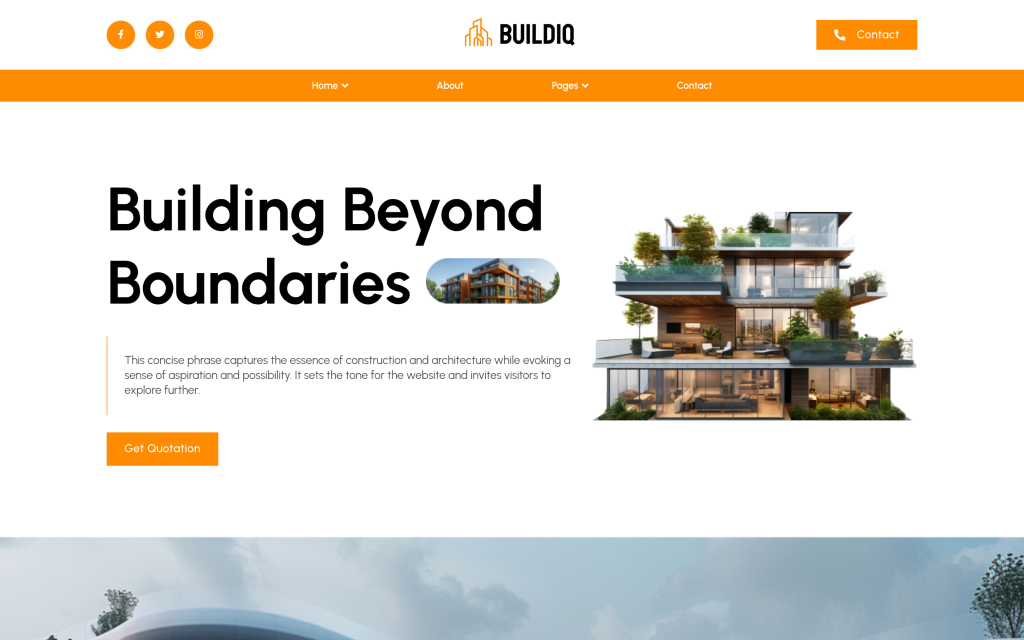
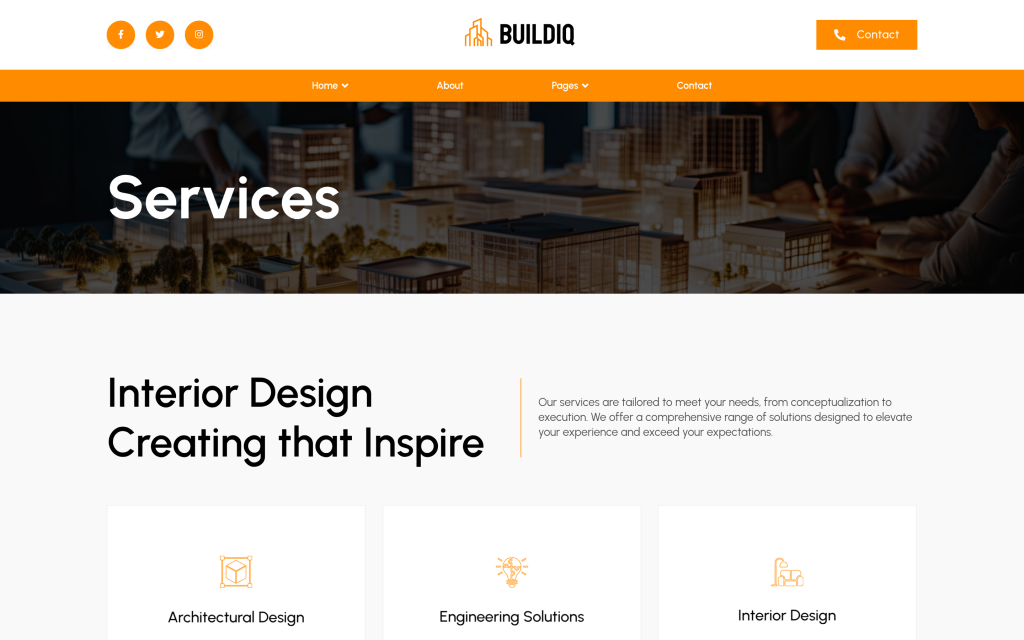
BuildIQ Elevate is the kit to start with if you run a general contracting or building company with more than one service line. Its Elementor version ships 16 templates: a header, a footer, and 14 pages covering Home, About Us, Services, Service Details, Project, Project Categories, Team Member, Team Details, Blog, Blog Details, Blog Author, Contact, a 404 error page and a Coming Soon page.
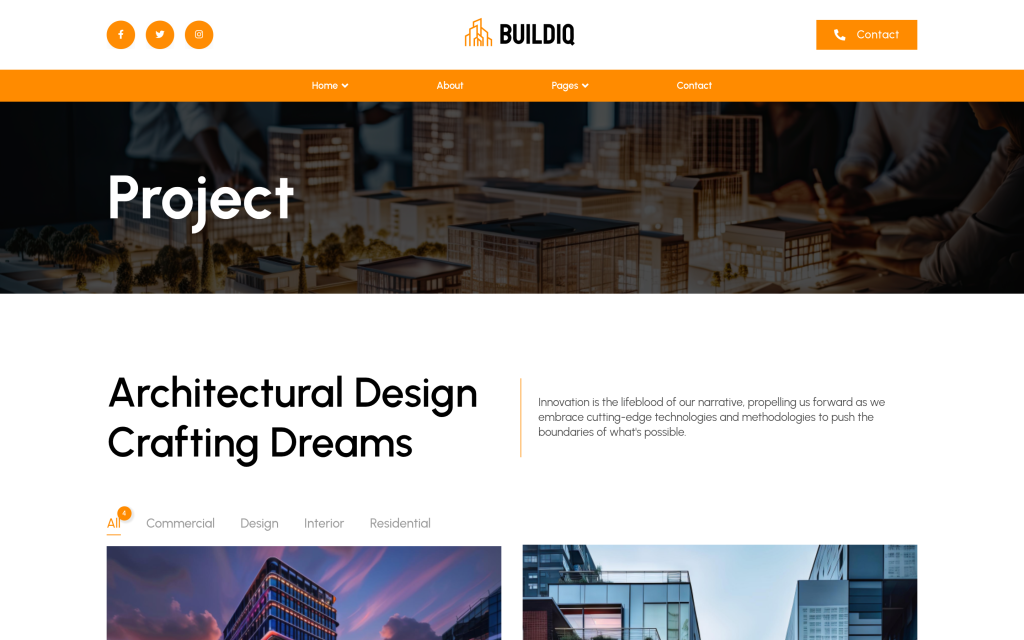
Two of those pages do most of the heavy lifting. Service Details means each trade you offer, whether that is framing, roofing, remodels or concrete, gets its own page with room to explain scope and process, instead of one crowded services list. Project Categories lets you split finished jobs by type, such as commercial, residential or interiors, so a homeowner looking for a kitchen extension does not have to scroll past warehouse builds to find something relevant.
The team pages are the other thing that sets Elevate apart. For a builder, the people who will be on site are part of the sale. A Team Member page with a Team Details page behind each person gives you a place to show licenses, years in the trade and the crew lead a client will actually deal with. Of the three construction kits, only Elevate includes them.
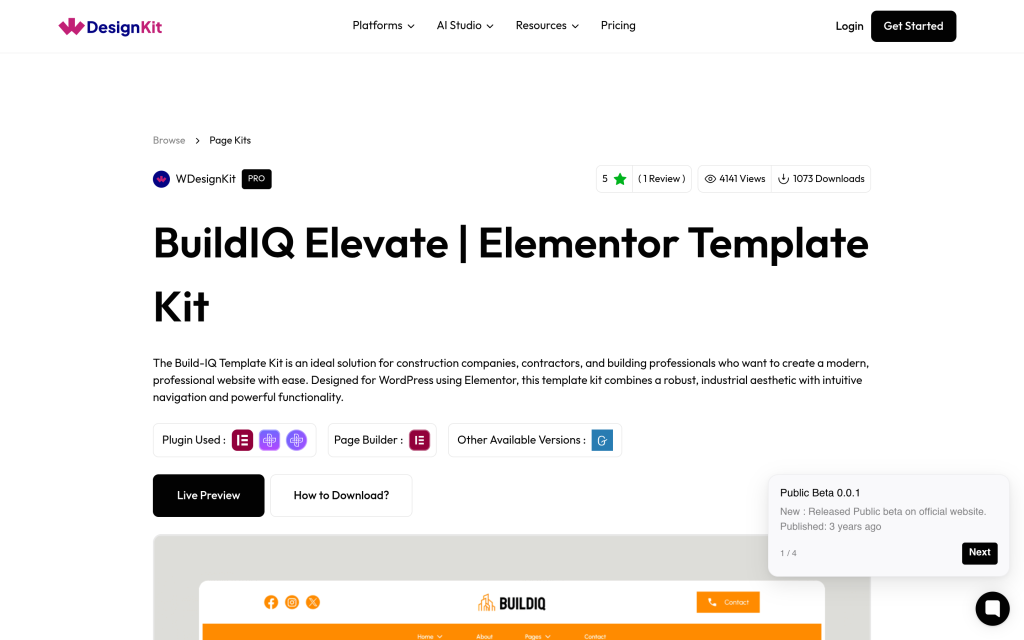
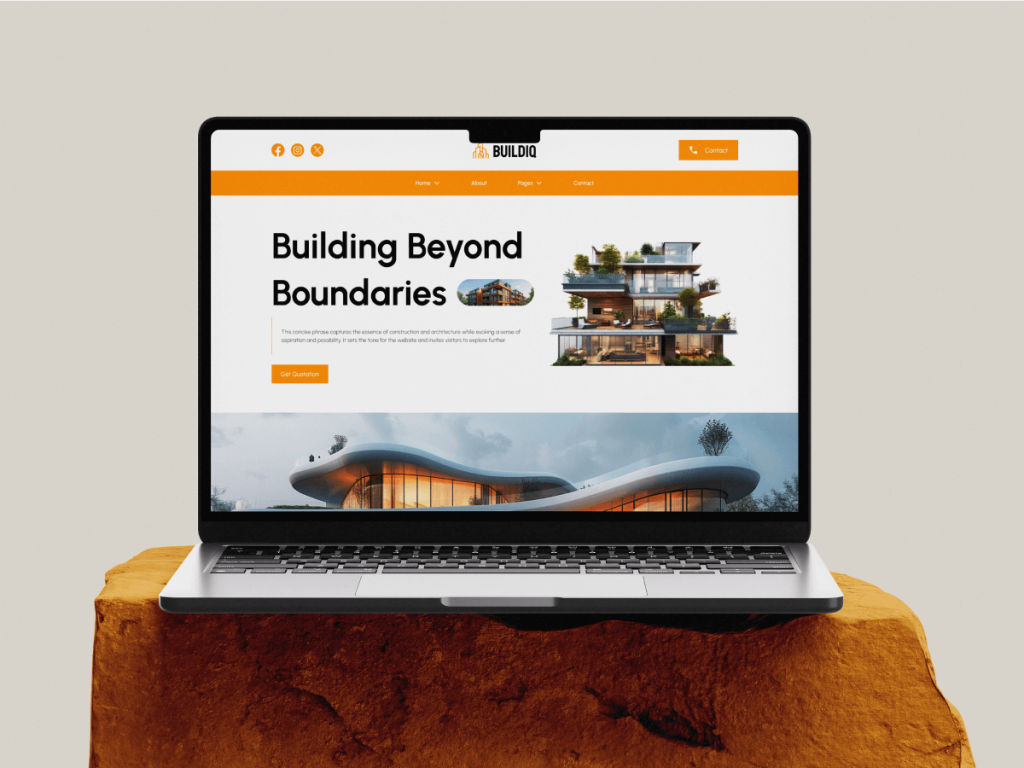
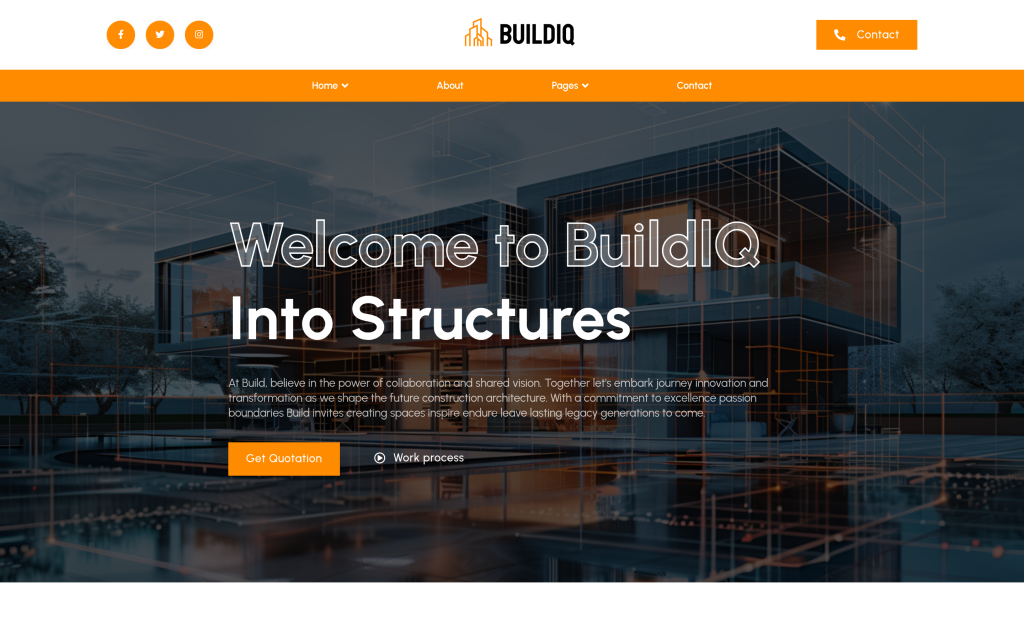
The homepage leads with a large headline, a short intro and a Get Quotation button above the fold. You can open the full live demo from the BuildIQ Elevate construction template kit page before importing anything.
BuildIQ Nexus: Same System, Different Homepage
BuildIQ Nexus is best read as a second front door to the same house. Its Elementor version ships 14 templates, and when you compare the two page lists, eight of the inner pages are the exact same templates Elevate uses: About Us, Services, Service Details, Project, Blog, Blog Details, Blog Author and Contact. The header and footer are shared too.
What changes is the homepage and a few supporting pages. Nexus has its own Home Page, its own Project Categories layout, and its own 404 and Coming Soon pages. The Nexus homepage puts a dark, full-bleed photo of a finished structure behind the headline, which suits firms that lead with large commercial or architectural builds. Elevate’s homepage is lighter, with a cut-out building image, which sits better with a mostly residential portfolio.
The honest trade-off is that Nexus does not include the Team Member or Team Details templates. If your crew is part of the pitch, start with Elevate or plan to build a team page yourself. If you only need a strong homepage and the standard inner pages, Nexus covers that with fewer templates to manage.
Skyframe: A One-Page Landing Site for Smaller Builders
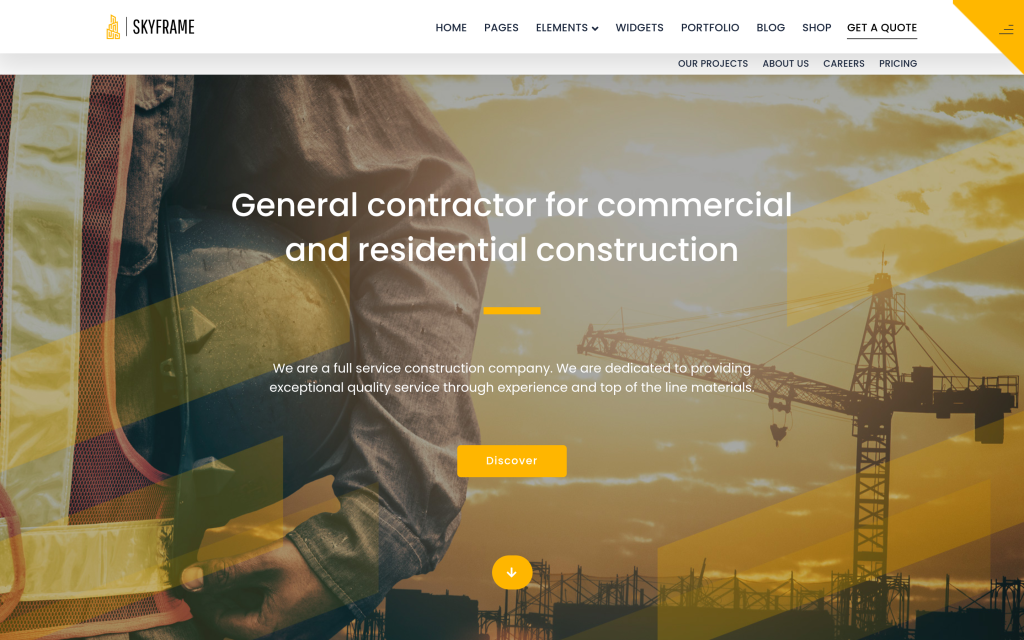
Skyframe solves a different problem. The kit ships three templates: a Landing Page, a Header and a Footer, so everything lives on one long page. The WDesignKit listing describes it as designed for factory, building and construction businesses, and the demo opens with the line General contractor for commercial and residential construction over a job-site photo.
A one-page site makes sense for a solo contractor or a small crew that mostly works from referrals and does not plan to publish much. The goal there is presence and a way to get in touch, not a ten-page brochure. As one r/Contractor member put it about their own basic site:
“having a legit website allows folks that aren’t on social media to find you.”
u/Welding_Burns on r/Contractor
Skyframe gets you there with less to fill in. The limitation is the same thing that makes it quick: there are no separate project, service or blog pages, so if you later want individual services to show up in search, you will outgrow it. Treat it as a starting point you can swap for a multi-page kit once the business grows.
The Pages That Actually Win Contractor Leads
Whichever kit you pick, the template is only the frame. What you put inside it decides whether it brings in work, and the advice from people who hire contractors and people who are contractors lined up closely.
Project Photos Do the Selling
One homeowner explained how they found and chose their general contractor:
“I found my awesome GC that way and then I found his Instagram page that had before and after photos along with in-progress stuff, all of which showed me scope of work.”
u/415Rache on r/Contractor
That is the job of the Project and Project Categories pages in both BuildIQ kits. Upload before, during and after shots for each job, not only the finished exterior. A contractor answering the February thread was blunt about whose job that is:
“YOU need to do the legwork of making sure your photos are top notch (videos are even better) and you have your copy written.”
u/possumslxt on r/Contractor
Put the Estimate Path Above the Fold
“I’d put service area, a few real project photos, and a clear request-an-estimate path above the fold.”
u/AccomplishedTennis47 on r/Contractor
Both BuildIQ homepages already place a Get Quotation button in the hero, and Skyframe has a call-to-action button in the same spot. Point that button at whatever your estimate process really is, a form, a phone number or a booking page, and add your service area to the hero text so people outside your range do not waste a call.
Turn Phone Questions Into FAQs
The same contractor added a tip that is easy to act on:
“listen for repeated questions on calls and turn each into a short FAQ tied to a service page; it helps people self-qualify before calling.”
u/AccomplishedTennis47 on r/Contractor
BuildIQ’s Service Details template has room below the main description for a short question and answer list per service. Minimum job size, permits, typical timelines and whether you handle design are all good candidates.
Also Read: Interior Design Website Templates if the firm also offers fit-outs and needs to show finished interiors.
Free or Pro: What a Construction Build Needs
All three construction kits are Pro, so you need a paid WDesignKit plan to import them. On September 29, 2026, the WDesignKit pricing page listed a Free plan at $0 next to paid Starter, Professional and Studio plans billed annually at $99, $149 and $249, with a Lifetime option shown alongside the yearly prices. Those yearly prices were displayed as flash-sale discounts at the time, so check the pricing page for the current numbers before you buy.
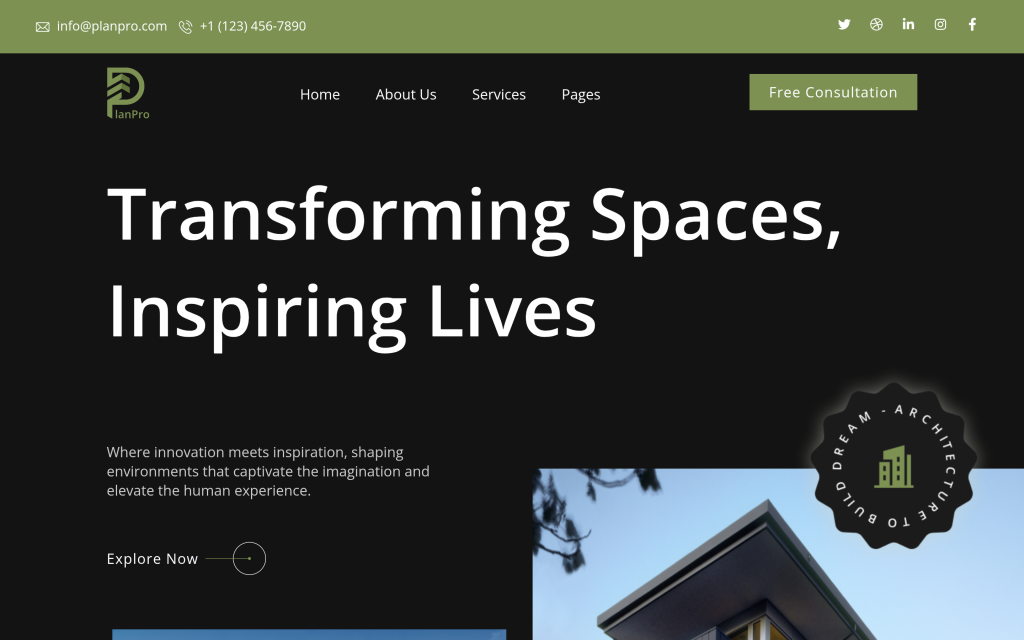
If you want to start without paying, the closest free option is PlanPro Architecture. It is built for architecture and interior design firms rather than contractors, but for a design-build company it covers a lot of the same ground: Home, About Us, Project and Project Detail pages, Pricing, Team and Team Details, Blog and Contact, 17 templates in the Elementor version. You would swap the architectural photography for your own builds and rewrite the copy around your construction services. For a closer look at what each tier includes, see our WDesignKit free vs Pro breakdown.
If your business sits closer to property or general services, two related guides compare kits for those sites: real estate website templates for WordPress and business website templates compared by page count.
How to Import a Construction Kit With WDesignKit
The import runs inside WordPress through the WDesignKit plugin. These steps follow WDesignKit’s own documentation for importing kits from its public library:
- Install and activate the WDesignKit plugin, then go to WDesignKit, Templates, Browse Templates in your WordPress dashboard.
- Pick your page builder, Elementor or Gutenberg, in the filter panel and select Page Kits as the template type.
- Search for BuildIQ or Skyframe, hover over the kit and click the download icon to open the Website Kit Setup Wizard.
- Enter your business name, tagline and logo, then choose a font pair and a color palette.
- Switch on the site features you want and confirm the backup notice.
- Choose how content comes in: Import Dummy Content for the full demo with sample media, Import as Wireframe for layout only, or Smart AI Content (beta) to generate copy from your business details.
- Let the wizard install the required plugins and import the pages, then preview the site.
One caveat from the same documentation: premium plugins are not installed automatically. If a kit lists a paid plugin in its requirements, install and license it before you run the import. Take a full backup first as well, since the wizard applies global and theme settings, not only pages.
Frequently Asked Questions
Is There a Free Construction Website Template in WDesignKit?
Not a dedicated one as of September 29, 2026. BuildIQ Elevate, BuildIQ Nexus and Skyframe are all Pro kits. The free PlanPro Architecture kit is the closest alternative and adapts well to design-build firms once you replace the photos and copy.
Do These Construction Templates Work With Gutenberg as Well as Elementor?
Yes. Each of the three kits has a separate Elementor version and Gutenberg version in the WDesignKit library. The template counts in this guide refer to the Elementor versions.
What Is the Difference Between BuildIQ Elevate and BuildIQ Nexus?
They share eight inner page templates plus the header and footer. Nexus has its own homepage, Project Categories, 404 and Coming Soon pages, while Elevate adds Team Member and Team Details pages that Nexus does not include.
Can I Import Only Some Pages From a Kit?
Yes. WDesignKit lists each page of a kit as its own template in the library, such as the BuildIQ Project page, so you can bring in individual pages instead of importing the whole kit.
Will a Template Help My Construction Site Rank on Google?
A template gives you the structure, not the ranking. Separate service detail pages help you target individual services, but real project content, your service area and reviews on your business profile matter more than which layout you start from.
Suggested Reading
- Template kits, sections and full pages in the WDesignKit library explained
- What the WDesignKit template library actually covers
- Portfolio website templates for WordPress compared
Author

Sagar is the Founder & CEO of POSIMYTH Innovations, with 10+ years building WordPress products trusted by 100,000+ websites globally. He has led the development of The Plus Addons for Elementor, Nexter, WDesignKit, and UiChemy, all built hands-on from concept to launch. His work focuses on making website building faster, more flexible, and accessible for creators and businesses worldwide.
Keep reading
Widget Builder vs Hand-Coding a Custom Elementor Widget: Time Comparison
Key Takeaways Elementor developer docs list 14 methods for a custom widget class, including register_controls(), render() and content_template(). WDesignKit Widget Builder opens with three panels, a Code Editor with HTML, CSS and JavaScript tabs, a Layout panel and a Controller panel. WDesignKit docs say the Create Widget popup asks for four items: builder, widget name, …
12 min read
Interior Design Website Templates: 5 WordPress Kits Compared
Interior design website template picks from WDesignKit: two free PlanPro kits and three Pro Space-Creators kits, compared by portfolio, process and page count.
12 min read
Free vs Pro in WDesignKit: What You Get at Each Tier
Real numbers on WDesignKit’s free and Pro plans: exact template, widget, and active-website counts, so you know what upgrading actually unlocks today.
12 min read