On this page
- Table of Contents
- Table of Contents
- The short answer
- What each one is
- Side by side
- Building layouts
- Navigation, loops and automatic blocks
- Designing the whole site
- Popups, forms and custom code
- Responsive design
- Reusable design: patterns, variations, variables and classes
- AI in each
- A quick budget check
- A short glossary
- What happens if you stop paying or switch
- Where WDesignKit fits
- How to choose
- Run a one-afternoon test
- Where to go next
- Sources checked on 13 November 2026
- Frequently Asked Questions
Elementor and Gutenberg are two of the most common ways to design a WordPress page, and they rest on different ideas. Gutenberg is the block editor that comes with WordPress. Elementor is a separate page builder plugin. People ask which one to use because the choice shapes everything that follows: how you build layouts, what you pay, which features you get and how easy it is to change course later.
This guide compares them on cost, layout tools, whole-site design, responsive design, reusable styles and AI. It uses only facts we could check against WordPress.org, the WordPress developer documentation and Elementor’s own pages on 13 November 2026. Where a point is our opinion, the text says so. Where we could not confirm something, we left it out.
Key Takeaways
- Gutenberg ships with WordPress core, and the latest stable WordPress release is 7.1.4, published on 28 October 2026.
- Elementor installs as a WordPress.org plugin with more than 10 million active installs, and its free version includes a drag and drop live editor, basic widgets, templates, and over 40 free widgets.
- WordPress Site Editor works only with a block theme, while Elementor Theme Builder is listed as an Editor Pro feature for headers, footers, and page templates.
- Elementor Pro adds Popup Builder, custom code and CSS, and forms need Elementor Pro.
- WordPress 7.0 adds detachable patterns and an AI Client to core, while Elementor 4 introduces atomic elements with Classes, Variables, Interactions and Components.
Table of Contents
Table of Contents
The short answer
Choose Gutenberg if you want the editor that ships with WordPress, a block theme and no extra plugin to maintain. Choose Elementor if you want a dedicated visual builder with its own widget set and you are happy to add a plugin, and possibly a paid plan. Both are free to start, so the practical test is to build one real page in each, which this guide shows how to do near the end.
What each one is
The WordPress developer handbook describes the block editor this way: “Through the Block Editor, you create content modularly using blocks.” It is part of WordPress itself. The latest stable WordPress release is 7.1.4, published on 28 October 2026. WordPress 7.2 is in beta and not yet a stable release, so anything it adds is outside this comparison.
Elementor is a plugin you install from the WordPress.org directory, where it shows more than 10 million active installs. Its listing says the free version gives you a drag and drop live editor, basic widgets and templates, and includes over 40 free widgets. Elementor’s pricing page says free widgets are included in all plans.
Side by side
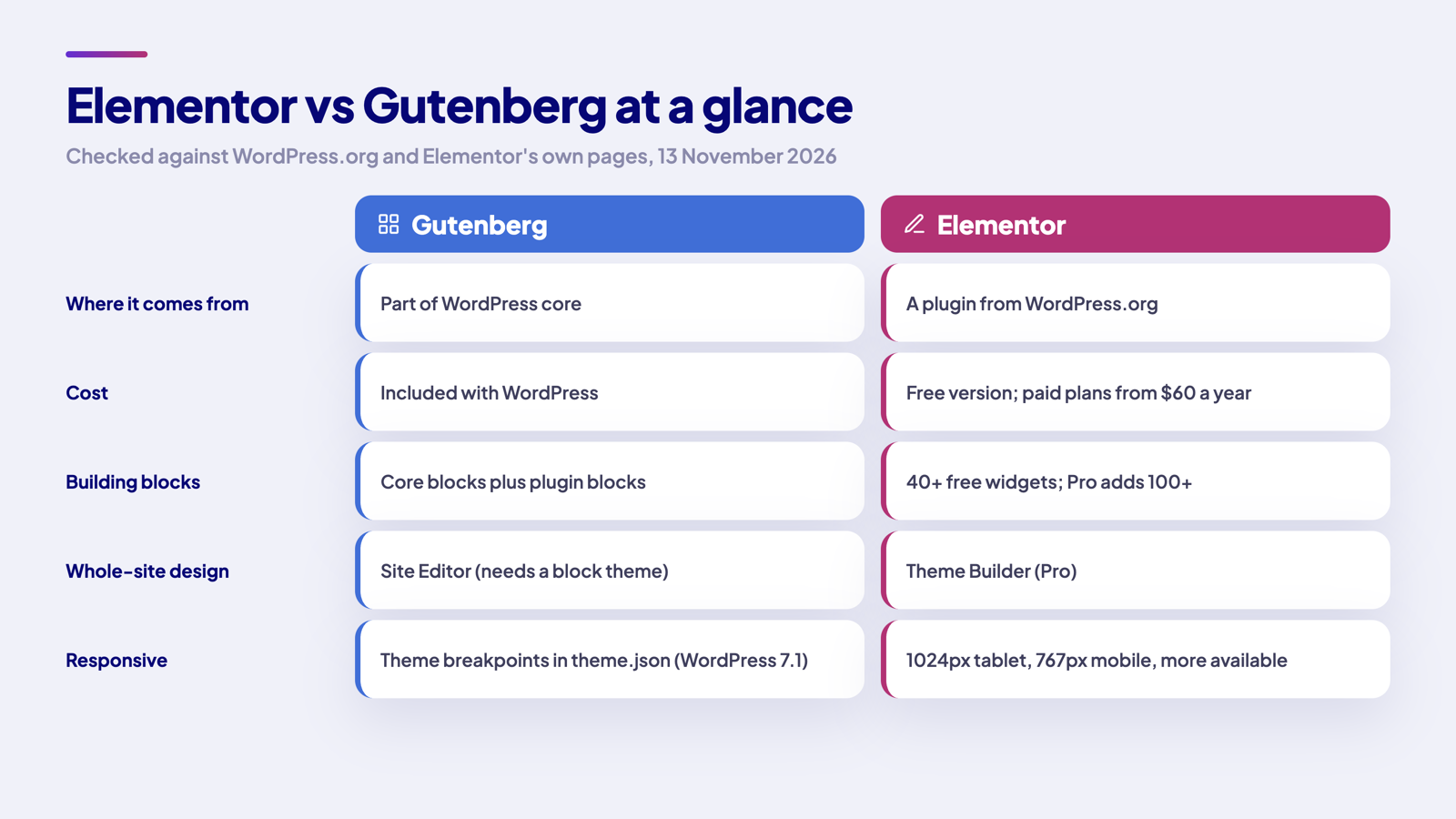
| Gutenberg | Elementor | |
|---|---|---|
| Where it comes from | Part of WordPress core | A plugin from WordPress.org |
| Cost | Included with WordPress | Free version, plus paid plans. Elementor’s pricing page says plans start from $60 a year |
| Widgets and blocks | Core blocks plus blocks from plugins | Over 40 free widgets. The WordPress.org listing says Pro adds 100+ widgets, features and tools |
| Whole-site design | Site Editor with templates and template parts, on a block theme | Theme Builder, listed by Elementor as a Pro feature |
| Reusable design | Patterns, style variations and theme.json | Atomic elements with Classes, Variables and Components, in Elementor 4 |
| Responsive design | Block themes can define their own mobile and tablet breakpoints in theme.json (WordPress 7.1) | Default breakpoints of 1024px for tablets and 767px for mobiles, with additional breakpoints available |
Building layouts
In Gutenberg, you build a layout from blocks. WordPress’s block documentation lists the design blocks as Group, Row, Stack, Grid, Columns and Buttons, along with Accordion and Tabs. The list marks Tabs as new in 7.1. Cover sits under media blocks. You nest blocks inside one another to get the structure you want, and you save a repeated arrangement as a pattern.
In Elementor, you build a layout from widgets in a live visual editor. The WordPress.org listing says the free version includes over 40, such as heading, image, text editor, video, button and gallery, while Elementor’s own form builder FAQ puts the free count at 32 widgets, so check the current number before you plan around it. The editor shows the page as visitors will see it while you work.
Our view: Gutenberg suits people who think in content and structure, and Elementor suits people who think in a canvas. Try the one that matches how you already work.
Navigation, loops and automatic blocks
Two other parts of the Gutenberg toolbox matter once a site grows past a handful of pages. WordPress’s block documentation lists the Navigation block, the Query Loop block with a Post Template inside it, and the Template Part block among its theme blocks. Together they cover menus and lists of posts without custom code. Block Hooks, available since WordPress 6.4, let a block insert itself automatically next to other blocks, in positions the handbook names before, after, first child and last child.
Check each of these against your own project. Our view: a short brochure site rarely needs a query loop, while a magazine or a shop usually does.
Designing the whole site
Gutenberg’s whole-site tools live in the Site Editor. WordPress documents it as only available when a block theme is active, and says you need a block theme to work with it. A classic theme, which the developer handbook describes as using a PHP-based templating system, does not get the Site Editor. In it, templates define the layout for specific page types, and a template part is, in WordPress’s words, “a block for managing the repeating global areas of the site such as a Header, Footer, Sidebar, etc.”
Elementor’s features page lists the Theme Builder among the capabilities you get when you upgrade to Editor Pro, so it is a paid feature, and the pricing page shows which plans include it. If you want to design headers, footers and page templates visually in Elementor, plan on a paid plan. If you design them in the Site Editor, the cost is the theme you choose, and the requirement is that the theme is a block theme.
Popups, forms and custom code
Elementor’s features page says you upgrade to Editor Pro for capabilities such as the Theme Builder, Popup Builder and custom code and CSS. Its form builder page says forms need Elementor Pro. These are the features that most often push a project from the free plan to a paid one, so list the ones you need before you decide. Check the current plan comparison on Elementor’s pricing page, because plan names and contents change.
For Gutenberg, the equivalent question is which plugins you will add for the same jobs. We have not compared plugin options here, so treat the cost of those plugins as part of your own estimate.
Responsive design
Both editors let you adjust a design for different screens. Elementor’s help page describes default breakpoints of 1024px for tablets and 767px for mobiles, and says additional breakpoints can be added. WordPress 7.1 added more responsive controls to the Site Editor. Its announcement says block themes can now define their own mobile and tablet breakpoints in theme.json, and you can style content per screen from Global Styles or from individual block settings.
Whichever you pick, check your design on a real phone before launch. Breakpoints are the starting point, not a guarantee that a layout looks right.
Reusable design: patterns, variations, variables and classes
Gutenberg stores its site-wide settings and styles in theme.json, which the handbook calls “a foundational piece of block theming.” Style variations are, in the handbook’s words, “alternative versions of theme.json that you can ship with your theme”. Patterns are predefined arrangements of blocks you insert into posts and pages. WordPress 7.0, released on 20 May 2026, added detachable patterns, which act as a single unit but can be detached for more isolated control, and extended pattern overrides to any block.
Elementor’s WordPress.org listing says it is now in version 4, and its version 4 FAQ describes a new generation of high-performance, flexible building blocks. The FAQ says atomic elements support Classes, Variables, Interactions and Components, that nothing happens to existing sites when you update, and that the core remains free. The same FAQ adds that new installations start with atomic features enabled by default. It also says Pro users get additional capabilities on top of the core plugin, and we could not confirm from that page which of Variables, Classes and Components need Pro.
AI in each
WordPress 7.0 added an AI Client to core. The field guide describes it as a central interface that lets plugins communicate with generative AI models, with the Abilities API integrated into it, and the new Connectors screen manages external connections in one place. The MCP Adapter is a separate plugin on WordPress.org that bridges the Abilities API with the Model Context Protocol. Its current version is 0.7.1.
Elementor’s AI offer is called Angie, which it describes as agentic AI for WordPress sites, with a free plan that has daily-renewing AI credits. The Elementor listing on WordPress.org also says you can connect AI tools including Claude, Codex and Cursor directly.
WordPress is building a shared layer that any plugin can use, while Elementor ships its own AI product, which it describes as working across WordPress sites. Compare how each handles credits and connections before you rely on either.
A quick budget check
Write the list down before you build. Using Elementor’s own pages, this is where each need falls:
| What you need | Where it falls in Elementor |
|---|---|
| A page built from the free widgets, templates and the live editor | included in the free version of Elementor. |
| A Theme Builder layout for headers, footers or page types | listed by Elementor as an Editor Pro capability. |
| Popups | Elementor's Popup Builder page says advanced popup features are available with some paid plans. |
| Forms | Elementor says forms need Elementor Pro. |
| Custom code and CSS | listed by Elementor among the Editor Pro capabilities. |
| WooCommerce design | Elementor's WooCommerce Builder page does not list it as free, so assume a paid plan and confirm on the pricing page. |
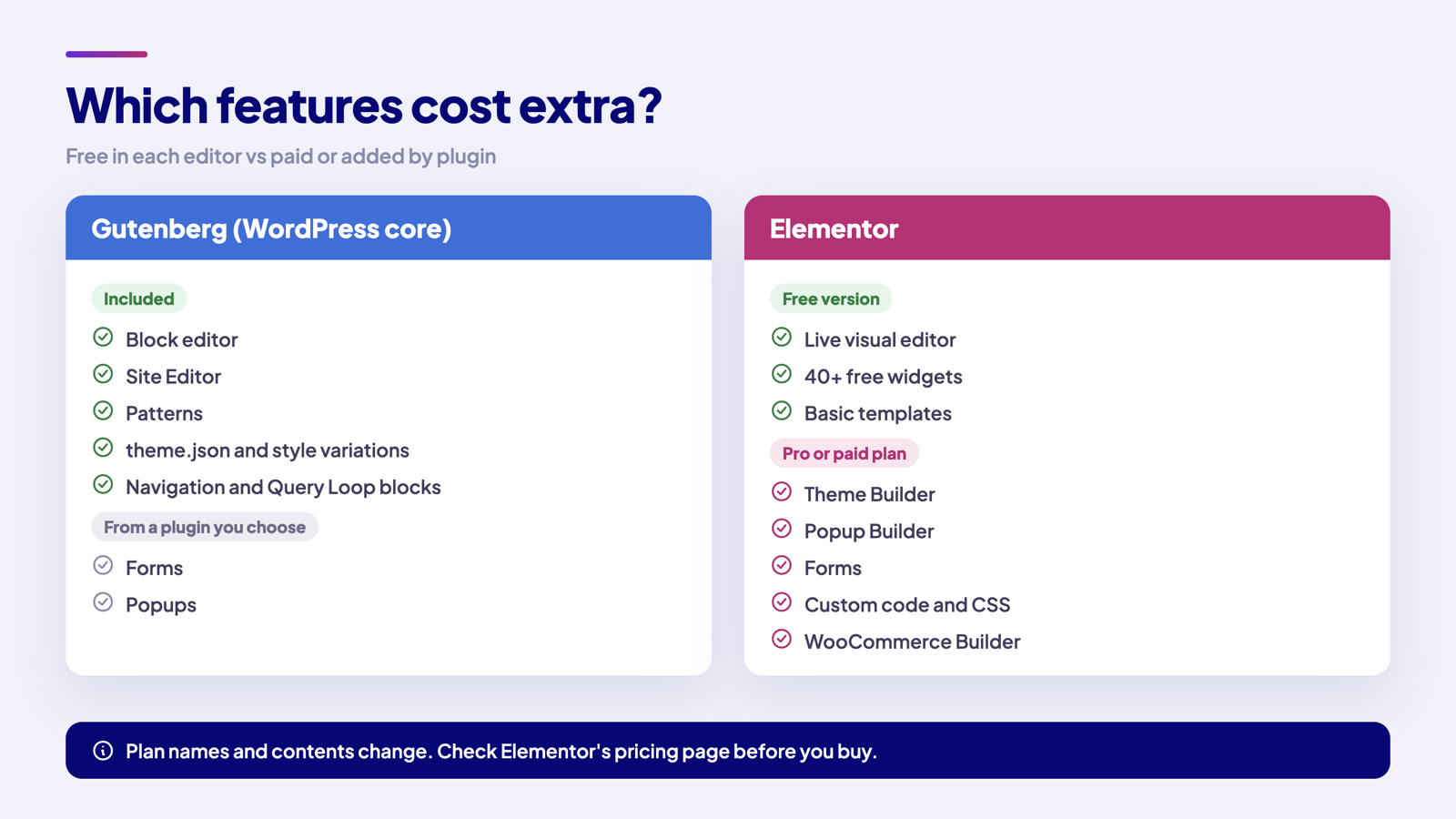
For Gutenberg, the list is shorter on the Elementor side and longer on the plugin side. The editor, the Site Editor, patterns and theme.json are part of WordPress. Anything beyond them, such as a form, comes from a plugin you choose, and that plugin has its own price. Add both columns up before you decide, and include the cost of a block theme if you plan to use the Site Editor.
A short glossary
The two editors use different words for similar ideas. This list maps them, using the definitions quoted above:
| Term | What it means |
|---|---|
| Block | the unit of content in Gutenberg. The handbook says you create content modularly using blocks. |
| Widget | the unit of design in Elementor, such as a heading, image or button. |
| Pattern | a predefined arrangement of blocks you insert into posts and pages. |
| Template | in the Site Editor, the layout and structure for a specific page type. |
| Template part | a block for a repeating global area such as a header or footer. |
| theme.json | the file that holds a block theme's settings and styles. |
| Breakpoint | the screen width at which a design changes, such as 1024px for tablets in Elementor. |
What happens if you stop paying or switch
Lock-in is a fair worry with any page builder. Elementor’s help page on cancelling Elementor Pro says anything that is part of the free version of Elementor will continue to function, and that you may only have limited access to existing Pro features. That means a site built only with free widgets is in a different position from one built around Pro features. Gutenberg has no subscription to cancel, because it is part of WordPress.
We could not confirm from primary documentation what happens to page content when you deactivate either editor, so test that on a staging copy before you commit a large project.
Where WDesignKit fits
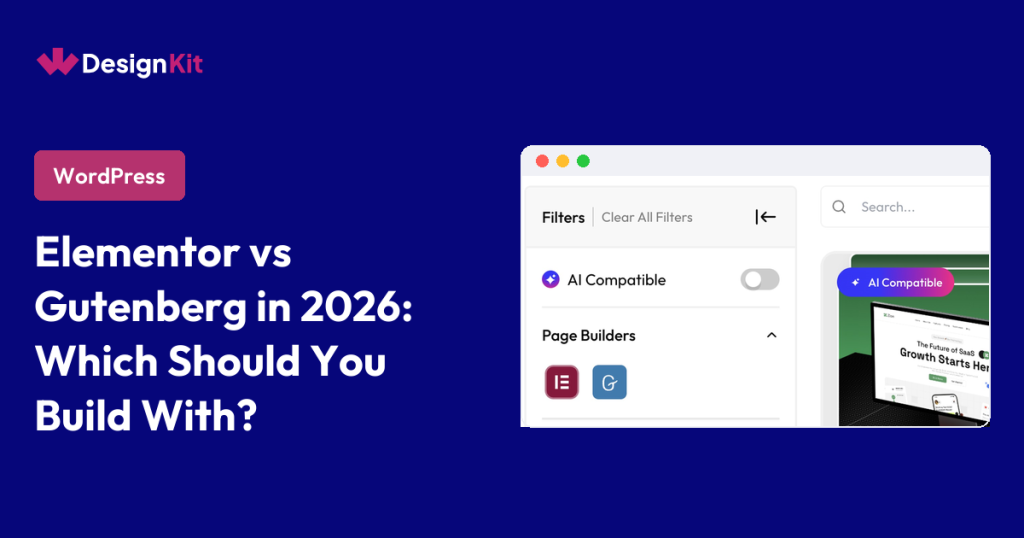
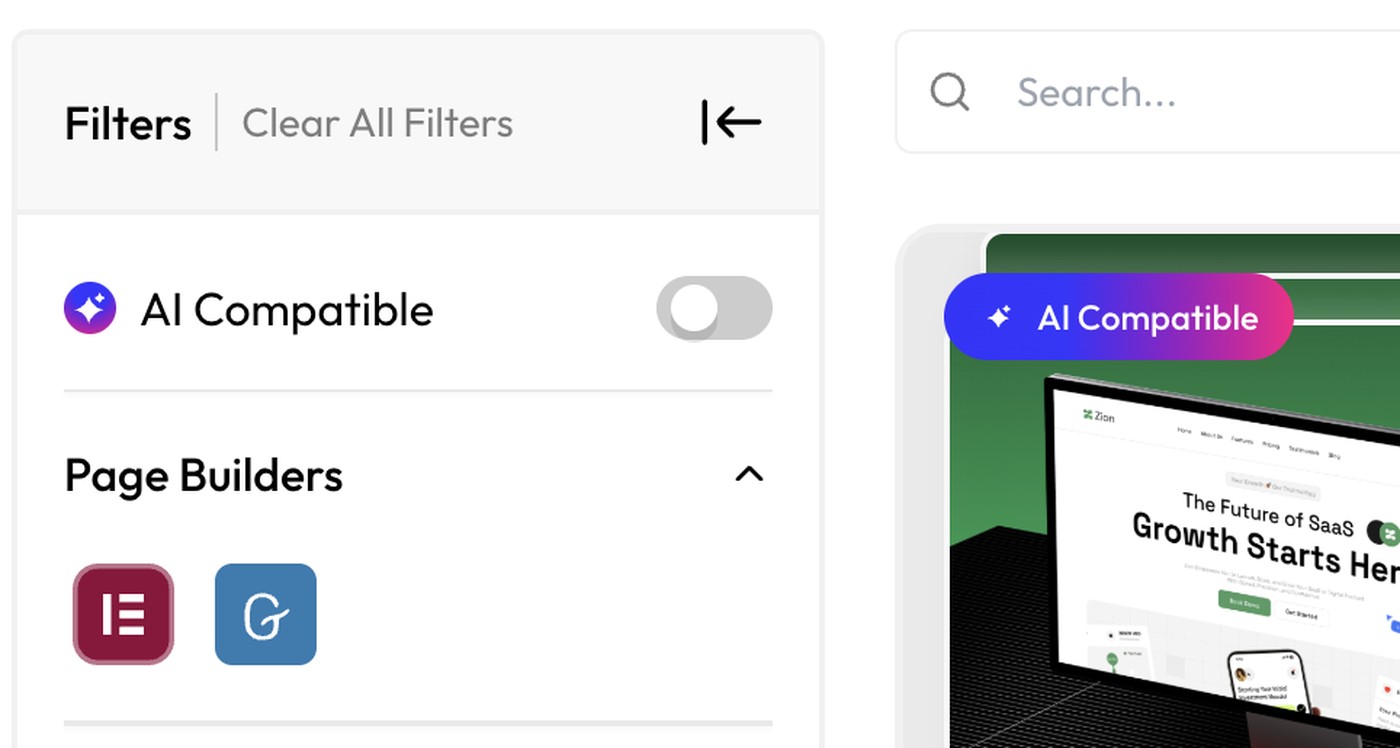
The WDesignKit template library covers both builders, and its filter panel lets you switch between Elementor and Gutenberg. WDesignKit can also create widgets for Elementor, Gutenberg and Bricks. See what the template library covers for the full picture.
How to choose
This part is our opinion, not a measured result:
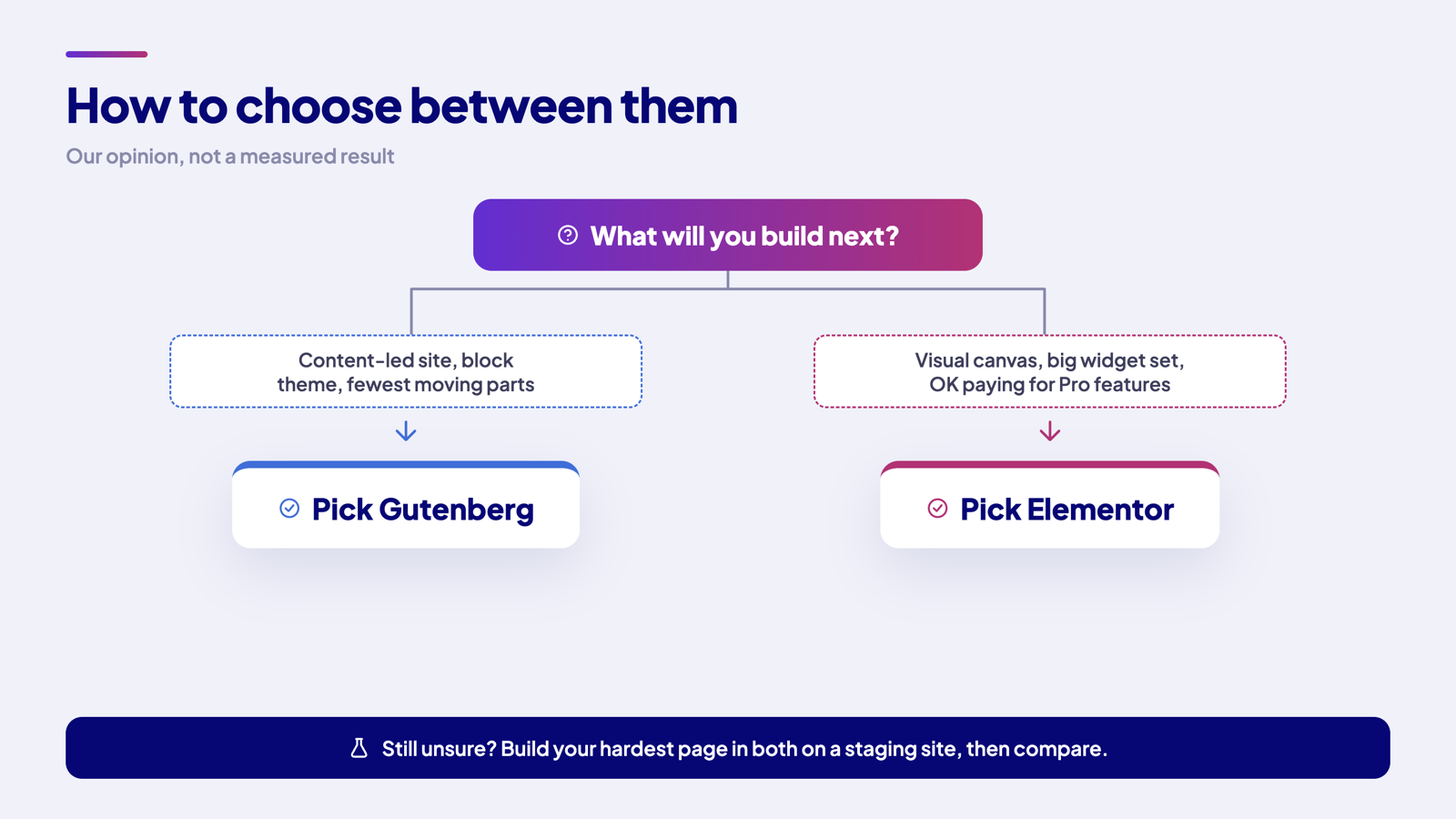
- Pick Gutenberg for content-led sites on a block theme, where you want the fewest moving parts.
- Pick Elementor when you want a separate visual builder and a larger ready-made widget set, and you are comfortable paying for Pro if you need the Theme Builder, popups or forms.
- Pick by the next five pages you have to build, not by the feature list.
- If a client will edit the site, pick the editor they can learn fastest.
Run a one-afternoon test
The most reliable way to decide is to build the same page twice. Here is a simple plan:
- Choose the hardest page on your list, such as a pricing page with a table, a form and a call to action.
- Set up a staging copy of your site so nothing touches the live pages.
- Build the page in Gutenberg on a block theme and note how long each part takes.
- Build the same page in Elementor and note the same things.
- Write down which features you needed and whether each was free or paid in Elementor.
- Look at both pages on a phone and a desktop.
- Pick the editor whose notes read better, not the one with the longer feature list.
Where to go next
If you pick Elementor, the best free Elementor templates roundup is a quick way to start without paying for anything, and the WDesignKit Free vs Pro guide explains our own plans. Questions about either editor are welcome in the WDesignKit Facebook group.
Sources checked on 13 November 2026
- WordPress.org download page for the current release.
- WordPress 7.0 field guide.
- WordPress 7.1 announcement.
- Site Editor documentation.
- WordPress blocks documentation.
- theme.json documentation.
- Elementor on WordPress.org.
- Elementor features.
- Elementor pricing.
- Elementor version 4 FAQ.
- Elementor mobile editing help page.
- Elementor help page on cancelling Pro.
- MCP Adapter on WordPress.org.
- WordPress 7.0 announcement.
- Block editor handbook.
- What is a theme.
- Style variations documentation.
- Elementor Angie.
- Elementor form builder.
- Elementor popup builder.
Frequently Asked Questions
Which is better for a WordPress site, Elementor or Gutenberg?
Gutenberg fits best when you want the editor that ships with WordPress, a block theme, and fewer moving parts. Elementor fits better when you want a separate visual builder with its own widget set and are fine adding a plugin, and possibly a paid plan. The practical difference is not just editing style, it affects layout tools, whole-site design, and what you may have to pay for later.
Does Gutenberg work for whole-site design without Elementor?
Gutenberg handles whole-site design through the Site Editor, but only when a block theme is active. WordPress describes template parts as the repeating global areas of a site, like headers and footers. That makes Gutenberg a clean fit for block-theme sites, while classic themes do not get the Site Editor. WDesignKit Learning Center also points to this split in its comparison of where each builder fits.
Can I build headers, footers, and page templates in Elementor without paying?
Elementor lists Theme Builder as an Editor Pro capability, so visual header, footer, and page-template design sits on the paid side. The free version still gives you widgets, templates, and a live editor, but the site-structure tools are what usually push people into Pro. That matters if your project needs more than single-page design and you want to keep everything inside one builder.
What is the difference between block editor and Elementor?
The block editor is part of WordPress itself and builds pages from blocks such as Group, Row, Stack, Grid, Columns, Buttons, Accordion, and Tabs. Elementor is a separate plugin that builds pages from widgets in a live visual editor. The big practical difference is that Gutenberg is tied to WordPress core and block themes, while Elementor adds its own feature set and pricing layer.
What should I use if I need forms or popups on my WordPress site?
Elementor puts forms and popup features on the Pro side. Its features page says forms need Elementor Pro, and Popup Builder is also listed as an Editor Pro capability. That means these are common reasons people move off the free plan. If you stay with Gutenberg, those jobs come from plugins you choose separately, so your total cost depends on which add-ons you pick.
What happens if I stop paying for Elementor Pro?
Anything that belongs to the free version of Elementor keeps working after cancellation, but access to existing Pro features may be limited. That creates a real split between sites built mostly with free widgets and sites built around Theme Builder, popups, forms, or custom code. The safest move is to treat Pro features as dependencies before launch so you know what your site still needs if the subscription ends.
Last reviewed: November 13, 2026
Author

Sagar is the Founder & CEO of POSIMYTH Innovations, with 10+ years building WordPress products trusted by 100,000+ websites globally. He has led the development of The Plus Addons for Elementor, Nexter, WDesignKit, and UiChemy, all built hands-on from concept to launch. His work focuses on making website building faster, more flexible, and accessible for creators and businesses worldwide.
Share this article