On this page
- Table of Contents
- What Actually Makes an Elementor Template “Free”
- How We Evaluated These Free Elementor Templates
- The Best Free Elementor Template Libraries in 2026
- Astra Starter Templates
- OceanWP
- TemplateGoat
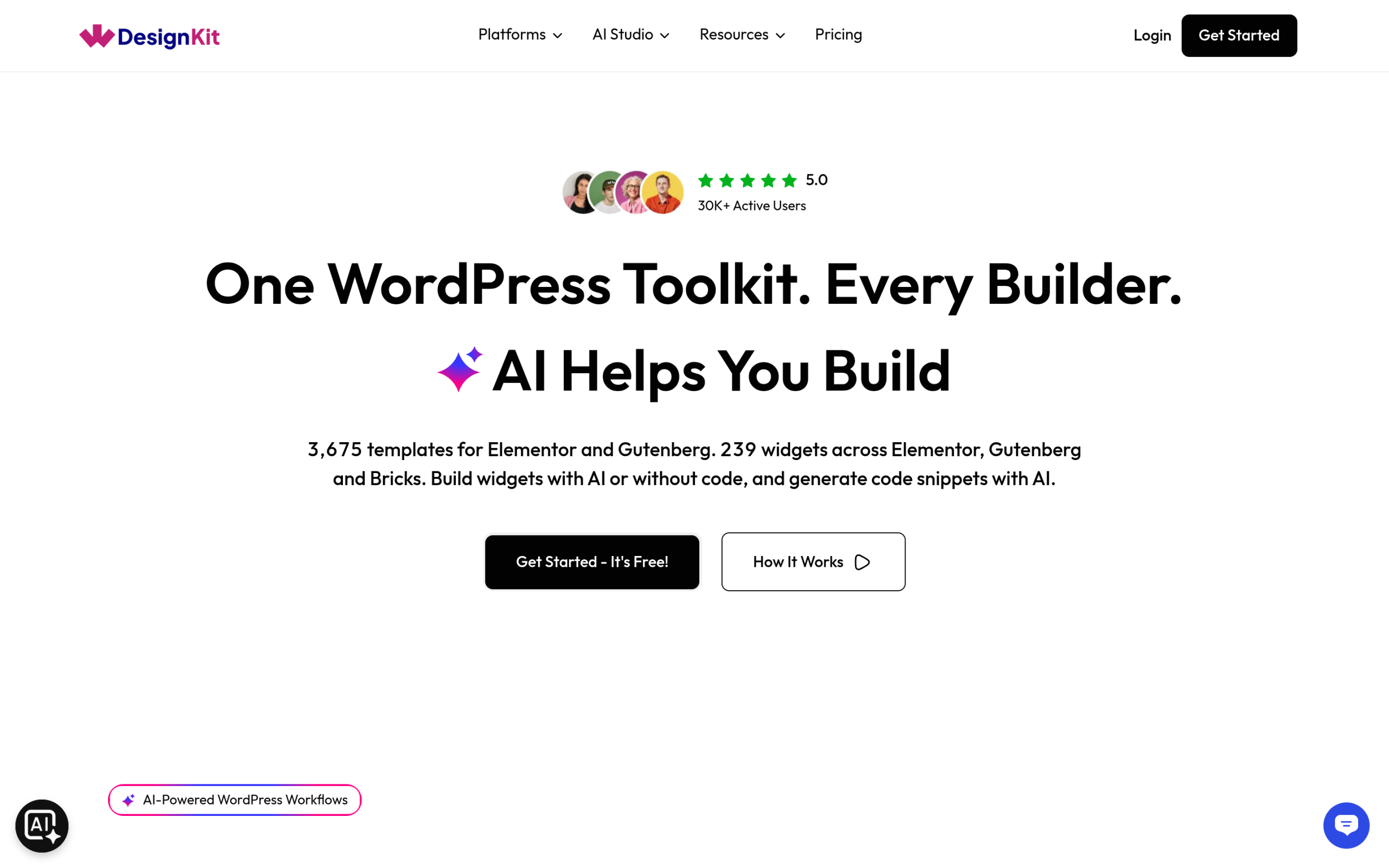
- WDesignKit’s Own Free Template Kits
- Free Elementor Template Libraries Compared
- Where to Start by Site Type
- How to Customize a Free Elementor Template Without Breaking It
- When a Free Template Is Enough, and When to Pay
- Importing a Free Elementor Template With WDesignKit
- Free Template Red Flags to Check Before You Import
- Which Free Elementor Template Should You Start With
- Suggested Reading
- Frequently Asked Questions
Key Takeaways
- Astra Starter Templates lists more than 150 free Elementor templates, more than 300 website templates in total, and more than 1,000,000 active installs on WordPress.org.
- OceanWP pairs its free theme with Ocean Extra, a free companion plugin with more than 500,000 active installs, and its full website templates are designed for the OceanWP theme.
- TemplateGoat advertises 640 or more free Elementor template kits, requires no signup for its freebies page, and shows 124 templates in its free grid when captured on 14 September 2026.
- WDesignKit includes 896 free Elementor templates and 587 free Gutenberg templates inside a plugin with more than 30,000 active installs and a 96 out of 100 rating on WordPress.org.
- Elementor Pro is required for the Form builder, the Posts widgets, and the Theme Builder for headers, footers and post templates, so any free template using those parts does not render fully on free Elementor.
Table of Contents
The most common trap with free Elementor templates is not the design. It is the dependency list. A template can be free while the plugins it needs to render the way its preview looks are not, and you usually find that out after importing. So this list focuses on templates that work with free Elementor, or Elementor plus a free companion plugin, on a normal WordPress install.
Every number below comes from each library’s own pages or from WordPress.org, pulled in September 2026, so you can see how large each library really is, what is genuinely free, and what needs a paid plan before you commit a build to it.
What Actually Makes an Elementor Template “Free”
A lot of free Elementor templates are really lead magnets for a paid theme or a paid add-on pack. Three things separate a genuinely free template from a free preview of a paid one:
- The template or full-site export imports without asking for a license key.
- Every widget used in the template ships in the free tier of whatever plugin built it, not just in the demo.
- The images and fonts are either included or clearly marked as placeholders you swap out.
The second point catches people most often. Elementor’s own Pro vs. Free comparison places the Form builder, the Posts widgets and the Theme Builder for headers, footers and post templates in Elementor Pro. A template that uses any of those will not render fully on free Elementor, however free the download was.
How We Evaluated These Free Elementor Templates
Instead of ranking libraries on looks, which is subjective, we checked the things that decide whether a free template still works six months after launch:
- License at import. Whether free templates import without a key or an account upgrade.
- Dependencies. Whether the templates rely on Elementor Pro widgets or paid add-ons to match the preview.
- Maintenance signals. For plugin-based libraries, active installs and recent updates on WordPress.org.
- Builder coverage. Whether the same library also covers the block editor, which matters if a site ever changes direction.
- Import workflow. Whether templates import from inside the editor or need a download and upload cycle.
The Best Free Elementor Template Libraries in 2026
Astra Starter Templates
Starter Templates from the Astra team is the library many Elementor users reach for first. It has more than 1,000,000 active installs on WordPress.org and a 98 out of 100 rating. Its listing describes more than 300 website templates, including more than 150 free Elementor templates, and supports Elementor, Spectra, Beaver Builder and the block editor. It also includes an AI website builder that generates a site from a business description. The listing is clear that some designs are only available on higher plans, so filter for free templates before you fall for a layout.
OceanWP
OceanWP pairs its free theme with Ocean Extra, a free companion plugin with more than 500,000 active installs that adds extra features and options to the theme, and it offers full website templates designed for OceanWP. It is a practical choice if you are happy to build on the OceanWP theme itself. Before you commit, check whether a specific demo depends on any of OceanWP’s premium extensions, because that decides whether it is free for your use case.
TemplateGoat
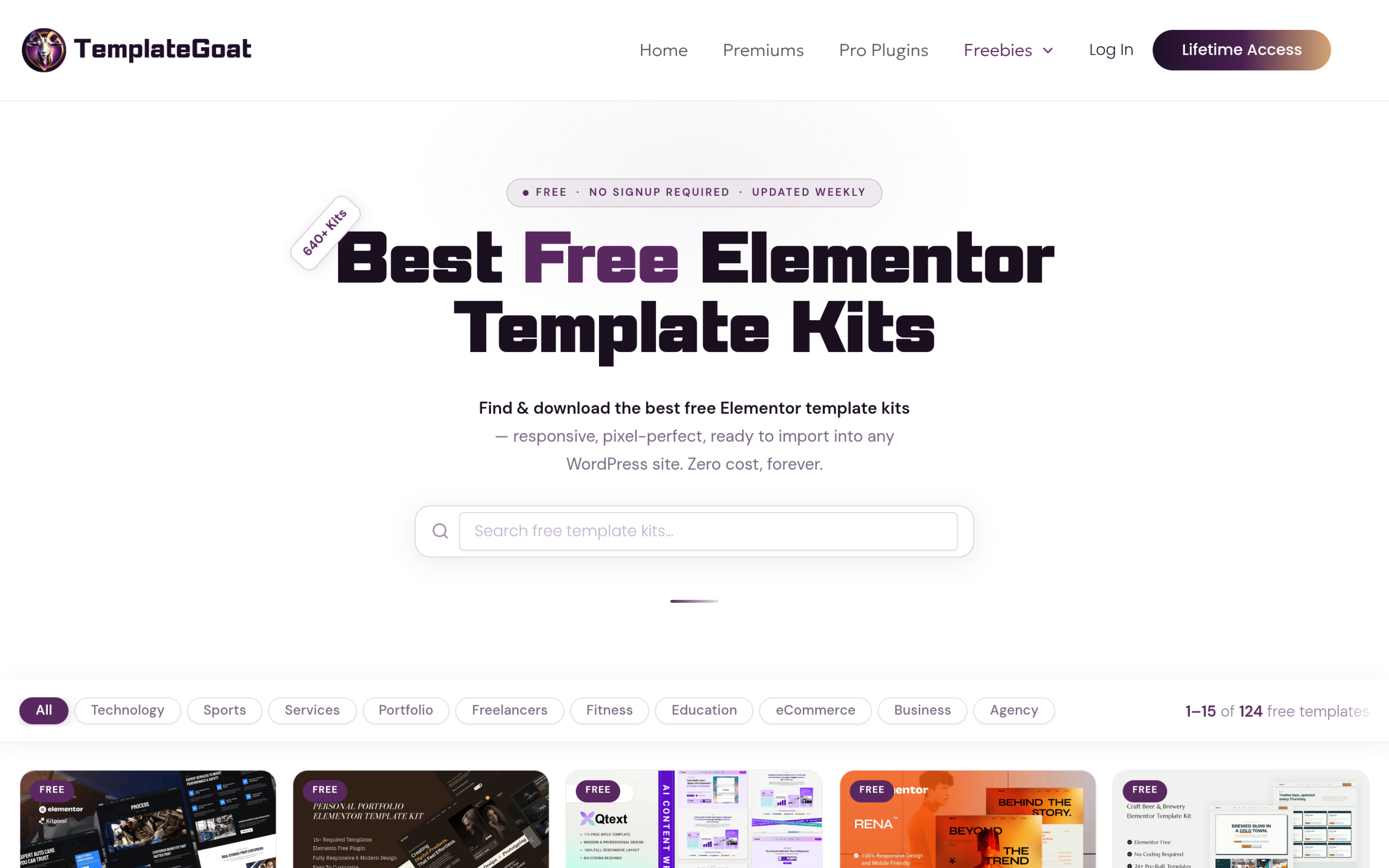
TemplateGoat is a dedicated template repository rather than a theme add-on, so its kits are not tied to one theme. Its homepage advertises 640 or more free Elementor template kits, and its freebies page labels them free, with no signup required and weekly updates, filterable by categories such as technology, portfolio, fitness, education, eCommerce and agency. When we captured the page, its free grid listed 124 templates, so counts depend on how the site groups kits. The site also sells premium kits and plugins, and there is no single vendor standing behind every kit, so check each kit’s plugin requirements yourself.
WDesignKit’s Own Free Template Kits
This is the one we know best, so here is how it differs rather than a claim that it is better. WDesignKit is not a folder of JSON exports you download and re-upload. It is a plugin, with more than 30,000 active installs and a 96 out of 100 rating on WordPress.org, that adds a template panel inside the Elementor and Gutenberg editors. Its library currently holds 2,040 Elementor templates, 896 of them free, plus 587 free Gutenberg templates, across 243 page kits, 2,401 full pages and 1,031 sections.
Free kits sit in that panel next to the pro ones, and importing one is a click from inside the page you are editing. The Free plan on WDesignKit’s pricing page covers two active websites and includes 1,000 one-time AI credits, which you can use on AI Compatible kits to rewrite placeholder copy for your business before you start editing.
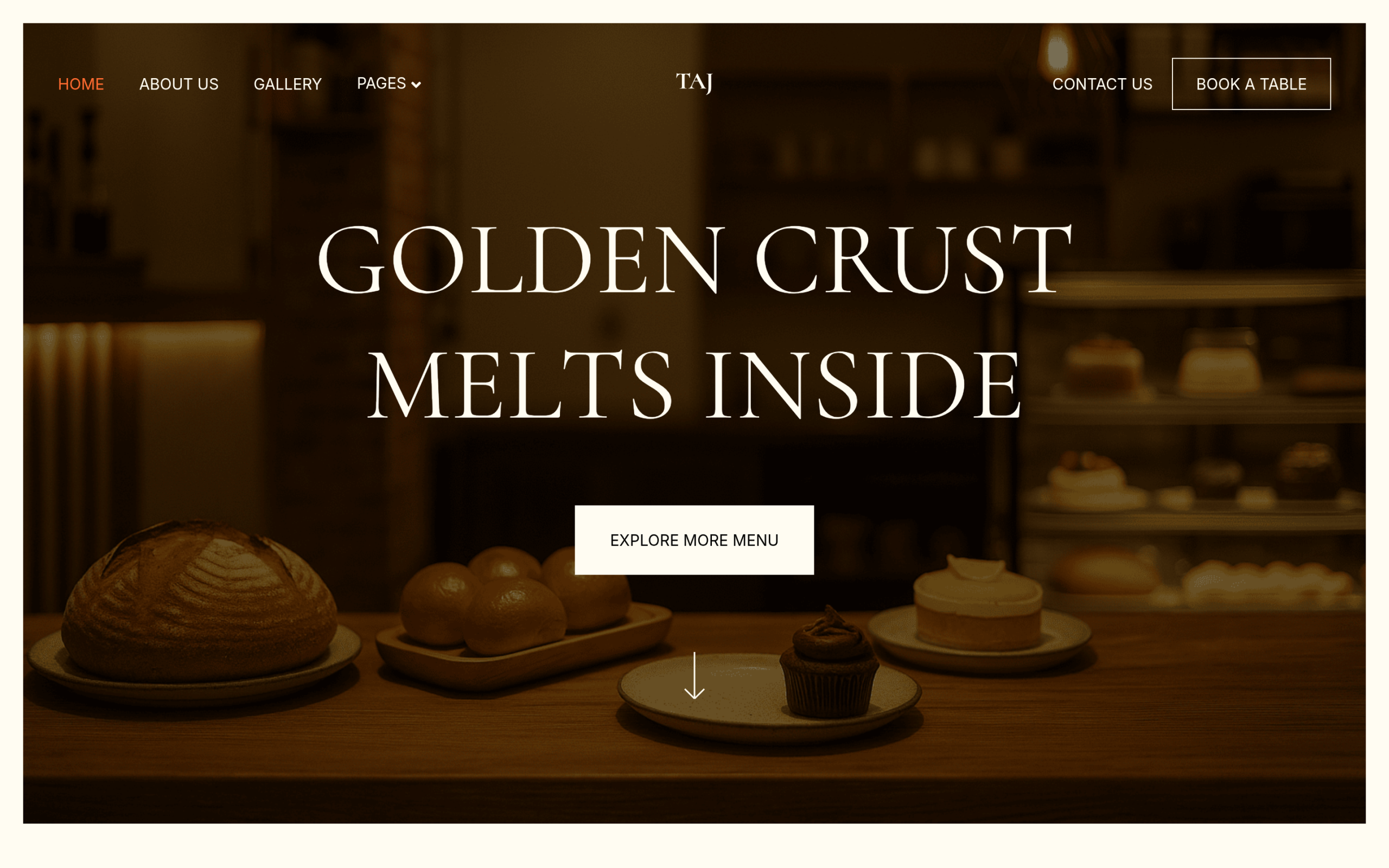
Two free kits are good places to start. Taj Bakery is built for bakeries and cake shops, with pages including Home, Services, Product List, Single Product, Portfolio, Blog, About Us and Contact. Its Elementor version is free, carries the AI Compatible badge and shows more than 22,000 downloads on its listing, and a free Gutenberg version is available too. TasteWheels is a free food truck kit, also offered in Elementor and Gutenberg versions, built around Home, About Us, Products and Gallery pages.
Not every kit in the panel is free, so check the label before planning a project around one. TailTrim, a pet grooming kit, is a good example: it sits in the same library but is a Pro kit in both its Elementor and Gutenberg versions.
Also Read: Portfolio Website Templates for WordPress if you specifically need a creative-work showcase rather than a general business layout.
Free Elementor Template Libraries Compared
| Library | Free templates | Builders | How you get them | Watch for |
|---|---|---|---|---|
| Starter Templates (Astra) | More than 150 free Elementor templates, 300+ in total | Elementor, Spectra, Beaver Builder, block editor | Plugin with 1,000,000+ installs | Some designs need higher plans |
| OceanWP | Full website templates for the OceanWP theme | Elementor on OceanWP | Ocean Extra plugin with 500,000+ installs | Check for premium extension requirements |
| TemplateGoat | 640+ free kits advertised | Elementor | Download, no signup | Mixed free and premium catalogue |
| WDesignKit | 896 free Elementor and 587 free Gutenberg templates | Elementor, Gutenberg, plus Bricks widgets | Panel inside the editor, 30,000+ installs | Pro kits need a paid plan |
Where to Start by Site Type
| Site type | What the template must include | A sensible first stop |
|---|---|---|
| Bakery, cafe or food business | Menu or product list, location, ordering or booking call to action | WDesignKit’s free Taj Bakery or TasteWheels kits |
| Local service business | Services, trust signals, a contact form you can actually run | Business designs in Starter Templates or WDesignKit |
| Portfolio or creative studio | A project grid and single project pages | A portfolio kit with enough inner pages, not just a homepage |
| Theme-first build on OceanWP | Layouts designed for the theme you already use | OceanWP’s own website templates |
Whatever the niche, prefer a kit with the inner pages you need over a beautiful homepage on its own. Designing five missing pages yourself erases most of the time a free template was supposed to save.
How to Customize a Free Elementor Template Without Breaking It
- Set global colours and fonts first in Elementor’s Site Settings, so imported sections pick up your brand instead of the demo palette.
- Replace demo images with your own, compressed and sized for how they are displayed.
- Rewrite placeholder copy section by section, keeping the heading levels the template uses so the page outline stays logical.
- Delete sections you do not need instead of hiding them, so unused content is not left sitting in the page.
- Rebuild forms with a tool you actually have, since a demo contact form may rely on Elementor Pro’s Form widget.
- Check tablet and mobile views last, and adjust spacing there, because demo spacing is usually tuned for desktop first.
The goal is a page that looks like your brand, not the demo with new words in it. Templates that follow global styles make this much faster, which is a good reason to favour libraries that are built around them.
When a Free Template Is Enough, and When to Pay
Free templates comfortably cover most brochure sites, portfolios and small business sites. Paying starts to make sense in three situations. The first is when you need site-wide templates such as a header, footer or single post layout, which in Elementor means the Theme Builder in Elementor Pro, listed at $49 a year for one website on the Essential plan at the time of writing. The second is when the layout you need only exists in a pro library; WDesignKit, for example, has 1,144 pro Elementor templates alongside its 896 free ones. The third is when you build many sites, where WDesignKit’s pricing page lists Starter at $99 a year for three websites and Studio at $249 a year for unlimited websites.
A useful rule before spending anything: finish one real page with a free template. If the only thing missing is a specific section or two, buying a section is usually cheaper than switching to a whole new library.
Also Read: WDesignKit vs Envato Elements if you’re weighing a template plugin against a general creative subscription before you pay for anything.
Importing a Free Elementor Template With WDesignKit
Install and activate the free WDesignKit plugin, then open any page in the Elementor editor. A WDesignKit icon appears alongside Elementor’s own controls, and clicking it opens the template library without leaving the page you are on. Filter to Elementor and free, preview a kit, page or section, and insert it directly into the canvas. There is no ZIP file to download and no separate import screen. From there it behaves like any other Elementor content: click any text or image to edit it in place.
Kit pages in the library also show which page builder a kit was made for, which plugins it uses, and whether another builder version is available. Check the plugins list first, because that is where a hidden paid dependency would show up.
Also Read: AI Website Builder for WordPress for how AI Kit Import can replace a kit’s placeholder copy instead of you editing it by hand.
Free Template Red Flags to Check Before You Import
- Pro widgets in a free template. A contact form, post grid or site-wide header in the preview often means Elementor Pro is required.
- An unknown add-on in the requirements. Look up the add-on before importing, and check its free tier covers the widgets used.
- Paid templates offered free on third-party sites. Modified files can carry malicious code, so get premium templates only from their original vendor.
- Oversized images. Demo images exported at full resolution slow every page they appear on, so replace or compress them after import.
- No mobile preview. If a library only shows desktop screenshots, check the live demo on a phone before choosing it.
- No sign of maintenance. Templates built for older versions of Elementor may use layouts that need rework in current versions.
Which Free Elementor Template Should You Start With
If you want the widest choice of niches from one plugin and do not mind filtering out paid designs, start with Astra’s Starter Templates. If you are already building on the OceanWP theme, its own templates will fit most naturally. If you want a large pool of standalone kits and are comfortable checking requirements kit by kit, TemplateGoat is worth browsing. And if you want to skip the download and import cycle, stay inside the editor you already use, and keep the option of a Gutenberg version later, WDesignKit’s free kits get you there in the fewest clicks. None of these are wrong choices. They solve slightly different problems.
Also Read: Business Website Templates: 3 WordPress Kits Compared for a closer look at WDesignKit’s business-category layouts specifically.
Suggested Reading
- Elementor Landing Page Templates: Free Kits to Launch Your Site Faster
- Elementor Header Templates, Free and Ready to Import
- Business Website Templates: 3 WordPress Kits Compared
- Real Estate Website Templates for WordPress Agents
Frequently Asked Questions
Why do some free Elementor templates break after import?
The usual problem is hidden dependencies, not the design itself. A template can be free but still rely on Elementor Pro widgets or paid add-ons to match the preview. The page calls out Form builder, Posts widgets, and Theme Builder as Elementor Pro features, so any template using those will not render fully on free Elementor. That is why checking the widget list matters before you build around a kit.
Which free Elementor template library is best if I want the most choices in one place?
Starter Templates from Astra is the broadest starting point if you want lots of options in one library. The page says it has more than 300 website templates, including more than 150 free Elementor templates, and it supports Elementor, Spectra, Beaver Builder and the block editor. That makes it useful when you want variety first and are willing to filter out designs that sit behind higher plans.
What should I use for a bakery or food business site with free templates?
WDesignKit’s free Taj Bakery or TasteWheels kits are the strongest fit on this page for bakery, cafe, and food business sites. Taj Bakery includes pages like Home, Services, Product List, Single Product, Portfolio, Blog, About Us and Contact, while TasteWheels is built around Home, About Us, Products and Gallery. That matters because food sites usually need product or menu-style pages plus a clear contact path, not just a pretty homepage.
How do I customize a free Elementor template without wrecking the layout?
Global styles first, content second. The page recommends setting global colours and fonts in Elementor’s Site Settings before changing sections, because imported blocks then pick up your brand instead of fighting the demo palette. It also says to keep heading levels intact when rewriting copy and to delete unused sections rather than hiding them. That keeps the page outline logical and avoids leftover clutter that can cause spacing problems later.
Is WDesignKit better if I want to stay inside Elementor while importing templates?
WDesignKit is built for that workflow. Its template panel loads directly inside the Elementor editor, so importing skips the download-and-upload cycle entirely. The page also says free kits sit next to pro ones in the same panel, and you can filter to Elementor and free before inserting a kit into the canvas. That makes it a cleaner choice when speed matters and you want to avoid juggling ZIP files.
Last reviewed: September 29, 2026
Author

Sagar is the Founder & CEO of POSIMYTH Innovations, with 10+ years building WordPress products trusted by 100,000+ websites globally. He has led the development of The Plus Addons for Elementor, Nexter, WDesignKit, and UiChemy, all built hands-on from concept to launch. His work focuses on making website building faster, more flexible, and accessible for creators and businesses worldwide.
Share this article