On this page
- Table of Contents
- The One Fact That Governs Every Builder Migration
- What Survives Any Builder Switch
- Should You Switch at All?
- Choosing the Destination Builder
- Scope the Work Before You Start
- Count the Pages That Genuinely Matter
- Inventory Your Components, Not Your Pages
- Decide What Is Not Moving
- Budget Extra Time for Interactive Elements
- The Migration Sequence That Protects Your Site
- SEO Checks for the First Month After a Migration
- Where WDesignKit Changes the Maths
- Templates for Both Sides of the Move
- Widgets That Exist in More Than One Builder
- A Cloud Workspace for the Assets You Rebuild
- Next Steps by Direction
- Suggested Reading
- Frequently Asked Questions
Key Takeaways
- WordPress content survives a builder switch, but Elementor stores layout in post meta as JSON and Bricks stores it in its own meta structure, so whole pages usually need rebuilding.
- Block editor migrations stay cheaper because headings, text, images and lists remain readable HTML in post_content when the builder is switched off.
- Core Web Vitals, licensing costs across a number of sites, mixed estates, or an unmaintained builder justify a switch, while a plugin conflict or a benchmark does not.
- Migration scope shrinks when forty pages become eight or ten repeating patterns such as a hero, feature grid, testimonial row, pricing table or contact section.
- WDesignKit includes 3,675 templates and 239 widgets, with 2,040 Elementor templates and 1,635 Gutenberg templates, but no Bricks page templates.
Table of Contents
Every guide to switching WordPress page builders starts at step one of the migration. That is the wrong place to start, because the most valuable decision happens earlier, and it is the decision most people skip: whether to switch at all, and if so, how much of the site actually has to move.
This is the planning layer. What a builder migration really costs, which parts of your site are genuinely at risk, how to choose a destination, how to scope the work so it does not consume a month, and what to check in the weeks after launch so rankings survive the move.
The One Fact That Governs Every Builder Migration
Page builders differ in where they put your layout, and that single detail decides how painful leaving them will be.
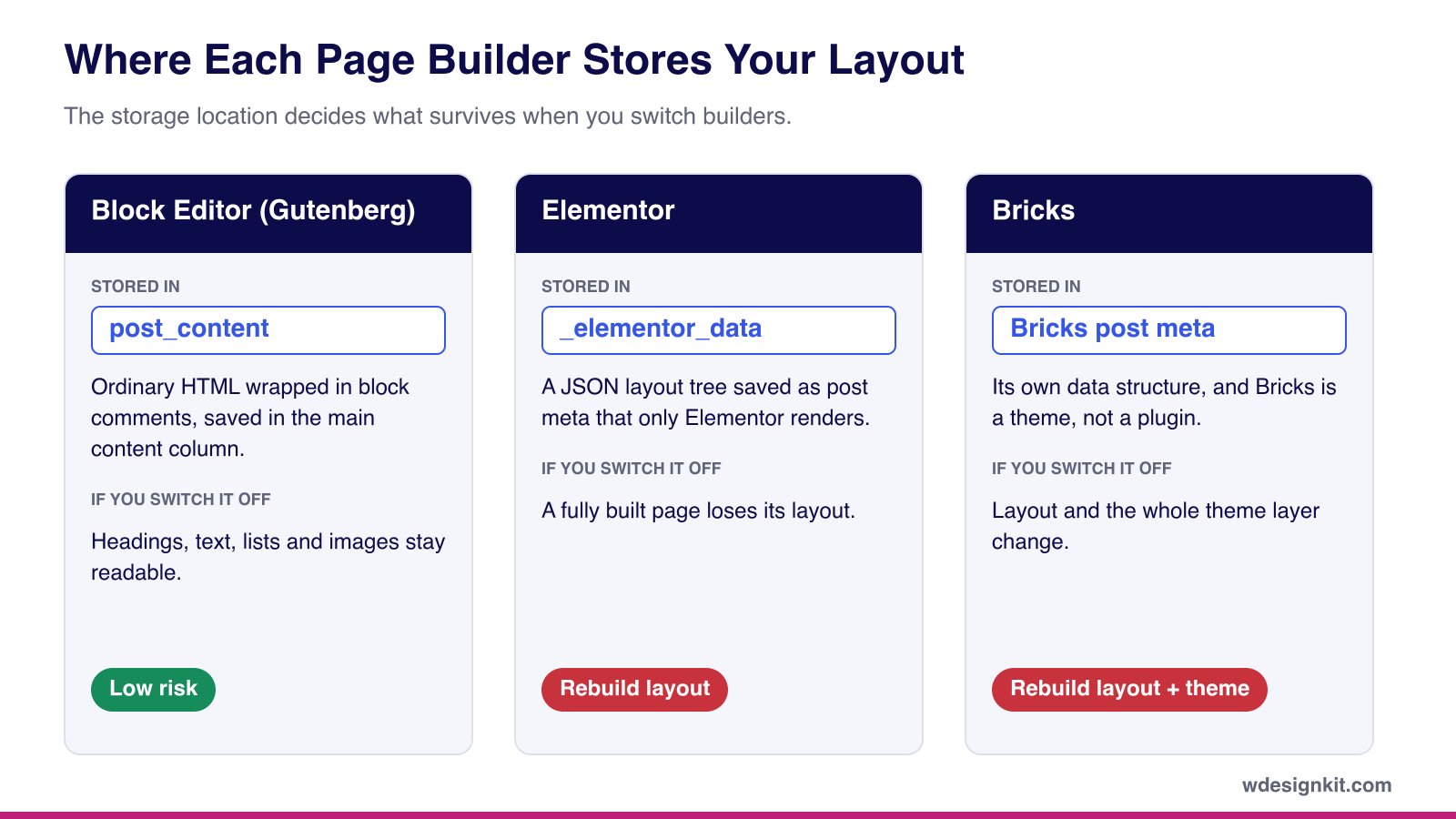
| Builder | Where the layout lives | What remains if you switch it off |
|---|---|---|
| Block editor (Gutenberg) | post_content, as HTML with block comments | Readable HTML: headings, text, images, lists |
| Elementor | _elementor_data post meta, as JSON | Usually nothing on a fully built page |
| Bricks | Its own meta structure, and it is a theme | Nothing, and the whole theme layer changes |
Read down that last column and the asymmetry is obvious. Moving away from the block editor is comparatively cheap, because your content was never held hostage. Moving away from Elementor or Bricks means the layout has to be rebuilt, because the data describing it cannot be read by anything else.
This is also why no credible one click converter exists between these systems for whole pages. A converter would have to map every element and every style control from one proprietary schema onto another, and guess wherever no equivalent exists. Tools that attempt it manage plain text, headings and images, then break on custom layouts, dynamic content and conditional logic. Plan for a rebuild and any tool that helps is a bonus. Plan for a tool and you will be rebuilding anyway, late and under pressure.
What Survives Any Builder Switch
It helps to separate what belongs to WordPress from what belongs to the builder, because only the second group is at risk.
| Belongs to WordPress, survives the switch | Belongs to the builder, needs rebuilding |
|---|---|
| Posts and pages as database records, with their titles and URLs | Page layouts built in the old builder |
| Media Library files | Global colours, fonts and spacing set inside the builder |
| Menus, categories and tags | Header, footer, single and archive templates |
| Users and comments | Builder-specific widgets, popups and forms |
| SEO titles, descriptions and schema stored by your SEO plugin | Responsive settings for tablet and mobile |
The right-hand column is the real scope of any migration. Everything on the left carries over as long as you keep permalinks the same, which is why a well-planned switch is a design project, not a content rescue.
Should You Switch at All?
Reasons that justify the work: your builder is measurably hurting Core Web Vitals and you have already exhausted caching and image optimisation; licensing costs no longer make sense at your number of sites; you are consolidating a mixed estate onto one standard; or the builder is genuinely unmaintained.
Reasons that do not: a bad week with a plugin conflict, a benchmark you read somewhere, or the belief that stock WordPress blocks are all the block editor can ever offer. That last one is worth testing before committing to a migration, because a block library closes most of that gap for a fraction of the effort.
Consider staying put if your builder is actively maintained, your site performs acceptably, and the only real complaint is unfamiliarity. Elementor at version 4.2.4 has more than 10,000,000 active installs and a 90 out of 100 rating from 7,298 reviewers on WordPress.org, and was last updated on 31 August 2026. Whatever else is true, that is not an abandoned dependency you need to escape.
Choosing the Destination Builder
If you do switch, pick the destination with the same storage question in mind, because the builder you move to is the one you might leave next.
| Destination | What it costs | Lock-in if you leave later | Good fit for |
|---|---|---|---|
| Block editor | Free, part of WordPress core | Low, content stays readable in post_content | Content-heavy sites, blogs, teams that want the fewest dependencies |
| Elementor | Free core plugin, with Theme Builder in Pro plans starting at $49 a year for one site | High for fully built pages | Design-heavy marketing sites and teams already trained on it |
| Bricks | Theme license starting at $79 a year for one site, or $599 for a lifetime unlimited license | High, and the theme layer changes too | Developers who want a visual builder with tight control over markup |
Prices are taken from Elementor’s and Bricks’ own pricing pages at the time of writing, and both change over time, so confirm them before you budget.
Scope the Work Before You Start
Count the Pages That Genuinely Matter
Export your page list and pull the last twelve months of traffic from Google Search Console beside it. On most established sites a small fraction of pages carries nearly all the traffic. Those are the pages that get careful, considered rebuilds. The long tail gets a simplified layout or gets retired, and retiring a page is the cheapest migration there is.
Inventory Your Components, Not Your Pages
Forty pages usually reduce to eight or ten repeating patterns: a hero, a feature grid, a testimonial row, a pricing table, a contact section. Rebuild each pattern once, save it as a reusable template, then assemble pages from the set. This is the difference between a migration measured in days and one measured in weeks.
Decide What Is Not Moving
Nothing requires a single builder across an entire site. Running Elementor on landing pages and the block editor on posts is a legitimate, common arrangement. A partial migration that finishes beats a total migration that stalls half done, which is how sites end up with two builders and no plan.
Budget Extra Time for Interactive Elements
Forms, sliders, tabs, popups and menus are the parts of a site most tied to a specific builder, because each builder implements them as its own widgets. They rarely survive a switch and usually take longer to rebuild than static sections. List them separately during scoping, and check whether a widget library you already use offers the same component in the destination builder, since that can turn a rebuild into a quick configuration job.
The Migration Sequence That Protects Your Site
Order matters more than speed. This sequence holds regardless of which builders you are moving between.
- Record your baseline. Top twenty pages, their positions, and current Core Web Vitals. Without this you cannot tell later whether the migration helped or hurt.
- Clone to staging. Never migrate on production. Switching a builder that is also a theme changes every template at once.
- Rebuild global styles first. Colours, typography, spacing and breakpoints, before any page work.
- Rebuild templates second. Header, footer, single post and archive layouts render everywhere, so finish them before individual pages.
- Rebuild your component set third. The eight or ten repeating patterns from your inventory.
- Rebuild pages in traffic order. Highest value first, so that if you run out of time the unfinished pages are the ones nobody visits.
- Keep URLs identical. If a URL genuinely must change, ship a 301 redirect in the same release.
- Remove the old builder last. Deactivate but keep it installed until everything is verified, then delete it and clean up its orphaned meta rows. Back up the database before any cleanup query.
SEO Checks for the First Month After a Migration
A migration is not finished when the new pages go live. These checks catch the problems that quietly cost rankings in the weeks that follow:
- Crawl the site on launch day. Look for 404s, redirect chains and pages that lost their internal links during the rebuild.
- Confirm heading structure on your top pages. One H1 per page, and no headings downgraded to styled paragraphs by the new builder.
- Check titles, descriptions and schema. These live in your SEO plugin, but a new template can still output duplicates or drop structured data.
- Resubmit the sitemap in Google Search Console so changed pages are recrawled sooner.
- Compare Core Web Vitals against your baseline once enough field data has collected, rather than trusting a single lab test.
- Review positions at two and four weeks against the baseline you recorded. Day-to-day movement is noise, and a single morning tells you very little.
Also Read: How to Speed Up an Elementor Website if your Core Web Vitals slip after moving to Elementor.
Where WDesignKit Changes the Maths
The cost of a migration is the cost of rebuilding layouts. Anything that reduces rebuilding time reduces the cost directly, and that is the part of the job WDesignKit is built for.
Templates for Both Sides of the Move
WDesignKit currently holds 3,675 templates, 1,483 of them free and 2,192 pro, made up of 243 kits, 2,401 full pages and 1,031 sections. The split by builder is 2,040 Elementor templates and 1,635 Gutenberg templates, which means the same library covers both sides of the most common migration in either direction. Sections are especially useful here: rebuilding a component inventory from ready sections is faster than designing each pattern from a blank canvas.
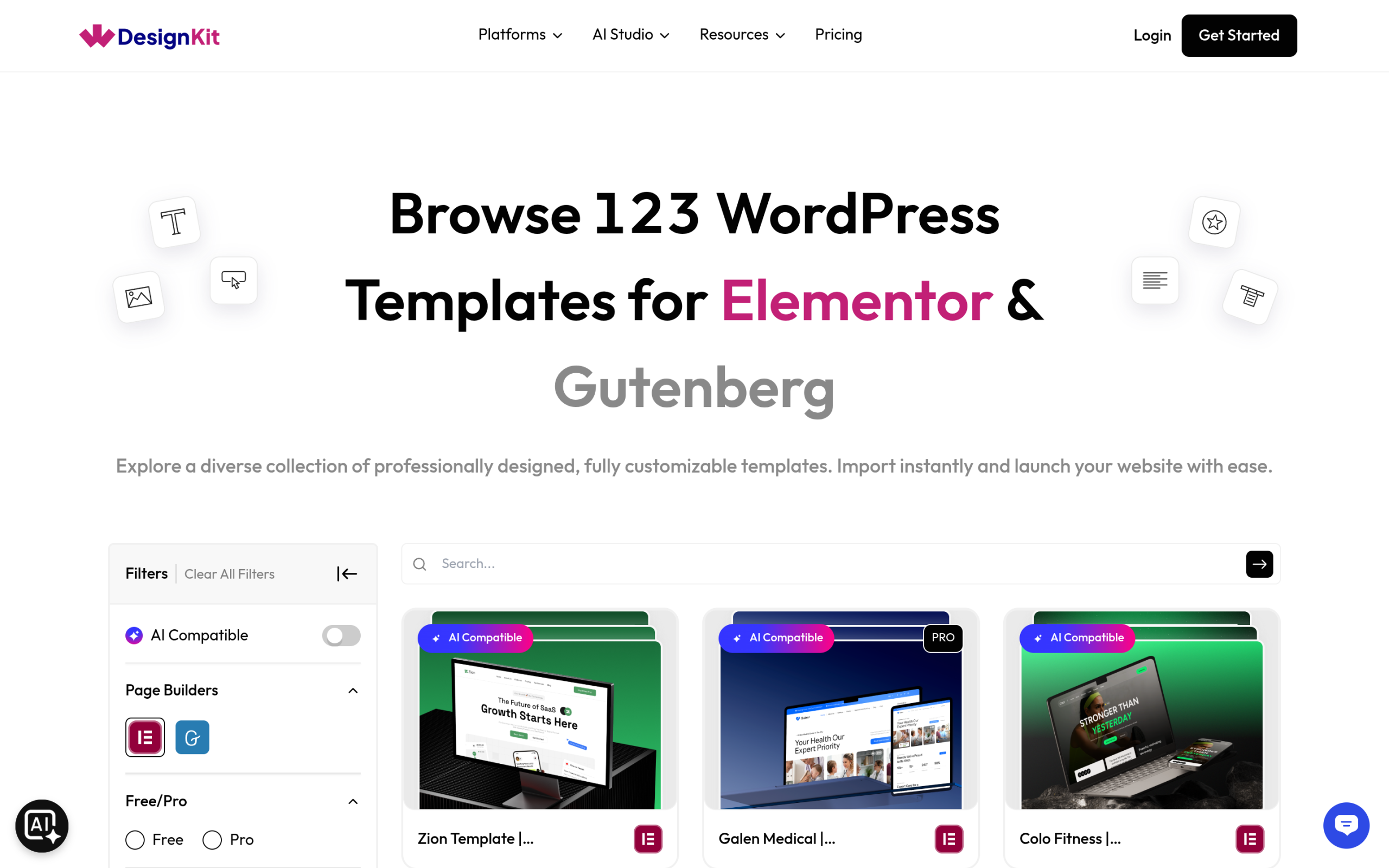
One honest caveat about the shape of the library: there are no Bricks page templates. Bricks users get widgets, currently 91 of the 239 in the library, and rebuild page layouts themselves.
Widgets That Exist in More Than One Builder
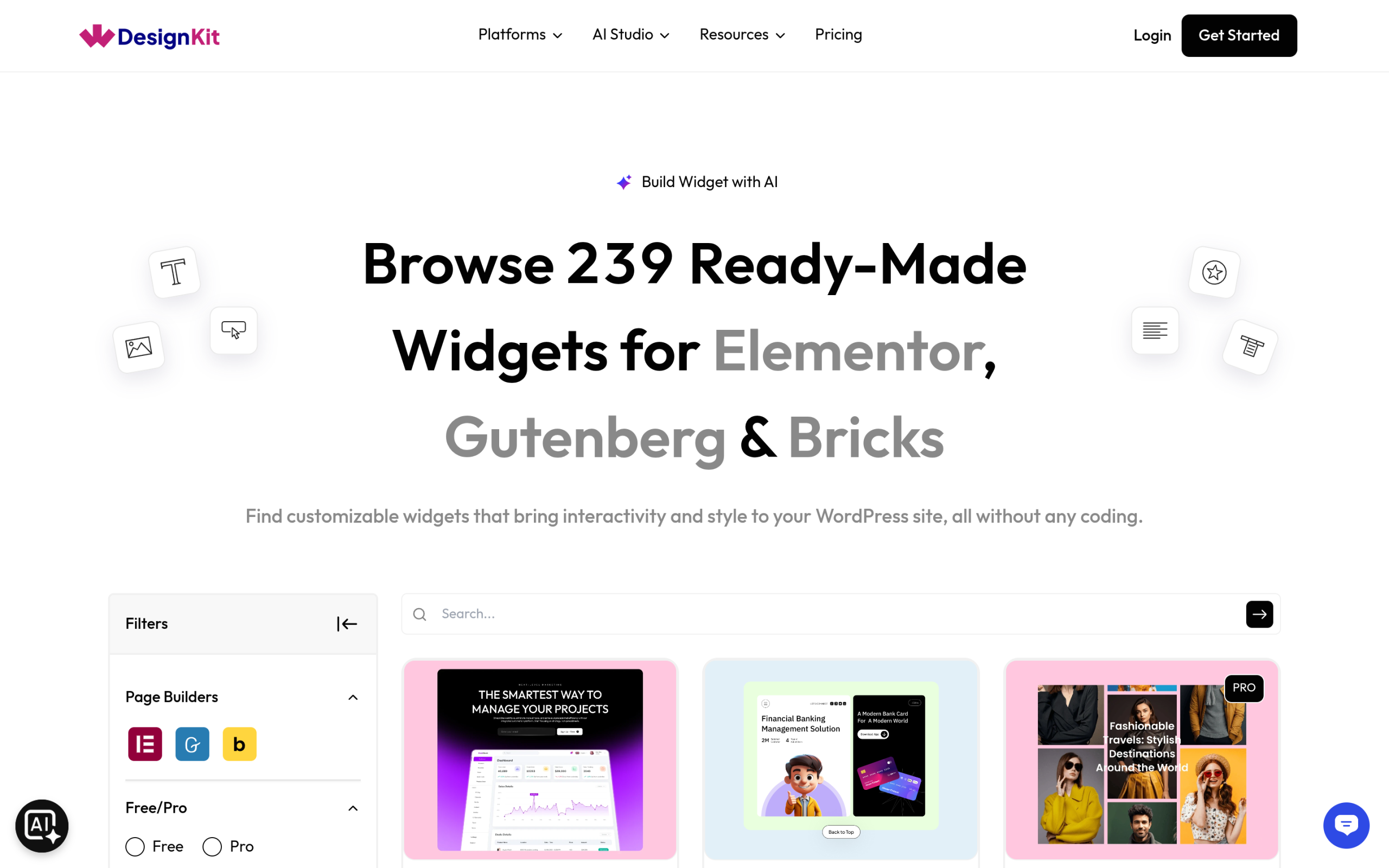
The WDesignKit Widget Builder creates Elementor widgets, Gutenberg blocks and Bricks elements from one interface, and many ready-made widgets in the library already exist in more than one builder version, such as the Toggle Menu and the pricing tables. That matters during a migration, because a component you relied on in the old builder may already have an equivalent waiting in the new one.
For widgets you built yourself, the 1-Click Widget Convertor converts them between builders, but only widgets created inside the WDesignKit Widget Builder. WDesignKit says about 90% of the design and logic carries over, and that some advanced controls behave differently depending on what the target builder supports. It does not convert pages, and it does not migrate a site.
A Cloud Workspace for the Assets You Rebuild
Once you rebuild your component set, you want to reuse it rather than rebuild it again on the next site. WDesignKit’s Cloud Workspace stores templates and custom widgets against your account so you can pull them into any site, organise them into separate workspaces per client or project, and share access with teammates. WDesignKit describes the data handling as GDPR-compliant, with an option to choose your preferred server region.
Next Steps by Direction
The specifics differ by route, so pick the guide that matches yours.
- Elementor to the block editor. The most common route and the most involved, because the layout data does not come with you. Our sister site has a full walkthrough on migrating from Elementor to Gutenberg.
- Block editor to Elementor. The gentlest route, because your content stays readable in
post_contentthroughout. See how to convert Gutenberg to Elementor without losing content. - Elementor to Bricks. A theme level change as well as a builder change, so it needs the most planning. See what transfers and what you rebuild.
Whichever direction you take, the fundamentals hold. Your posts, pages, media, menus and SEO metadata belong to WordPress and survive any builder change. Only presentation has to be rebuilt, and presentation is the one part of a site that benefits from being revisited.
Suggested Reading
- How to Convert Gutenberg to Elementor Without Losing Content
- Elementor to Bricks: What Transfers and What You Rebuild
- What Are Template Kits, Sections and Full Pages in the WDesignKit Library
- Bricks Builder Templates: Best Free and Premium Libraries
Frequently Asked Questions
Why is switching from Elementor to Gutenberg usually harder than switching the other way around?
Elementor stores layout in post meta as JSON, so when you turn it off, a fully built page usually loses its readable structure. Gutenberg keeps layout in post_content as HTML with block comments, so the content still survives as headings, text, images, and lists. That asymmetry is why moving away from Elementor is a rebuild job, while moving away from the block editor is much cheaper.
What content survives a WordPress page builder migration?
Posts and pages, media library files, menus, categories, tags, users, comments, and SEO titles, descriptions, and schema stored by your SEO plugin all survive because they belong to WordPress or your SEO layer. What does not survive are builder layouts, global styles set inside the builder, templates like headers and footers, and builder-specific widgets or forms. That split is the real scope of the work.
Should I switch page builders if my site is already working fine?
A switch only makes sense when the current builder is causing a real problem: it is hurting Core Web Vitals after caching and image optimization have already been exhausted, licensing costs no longer fit your site count, you are standardizing a mixed stack, or the builder is unmaintained. If the site performs acceptably and the only issue is familiarity, staying put is often the lower-risk move.
What should I rebuild first when migrating a WordPress site to a new builder?
Global styles come first because colours, typography, spacing, and breakpoints affect every page. Templates come next since header, footer, single post, and archive layouts render everywhere. After that comes your repeating component set such as heroes, feature grids, testimonial rows, pricing tables, and contact sections. Rebuilding in that order prevents you from wasting time on pages before the shared pieces are stable.
Can WDesignKit help when switching between Elementor and Gutenberg?
WDesignKit changes the math because it has templates on both sides of the move: 2,040 Elementor templates and 1,635 Gutenberg templates out of 3,675 total. That matters most for rebuilding repeated components faster than starting from scratch. It also has a Widget Builder for Elementor widgets and Gutenberg blocks from one interface, plus a Cloud Workspace for storing templates and custom widgets across sites.
Last reviewed: September 29, 2026
Author

Sagar is the Founder & CEO of POSIMYTH Innovations, with 10+ years building WordPress products trusted by 100,000+ websites globally. He has led the development of The Plus Addons for Elementor, Nexter, WDesignKit, and UiChemy, all built hands-on from concept to launch. His work focuses on making website building faster, more flexible, and accessible for creators and businesses worldwide.
Share this article