On this page
- Table of Contents
- Three Different Things People Mean by “AI Website Builder for WordPress”
- Hosted AI Builders That Generate a Whole Site
- AI Inside Themes and Template Plugins
- AI Agents That Work Inside Your Existing Site
- Side by Side: Which Approach Fits Which Project
- How WordPress Itself Is Getting Ready for AI Agents
- Where WDesignKit’s AI Tools Fit
- AI Kit Import
- MCP Workflows
- AI Credits
- What AI Can and Can’t Do for a WordPress Site Today
- Before You Let an AI Agent Work on a Live Site
- How to Choose in Five Questions
- Suggested Reading
- Frequently Asked Questions
Key Takeaways
- Hostinger AI Website Builder for WordPress generates a regular WordPress site with pre-filled content and images, edited in the native block editor; it is included with Business WordPress hosting and with every Hostinger cloud hosting plan.
- 10Web AI Website Builder generates WordPress sites with Google Cloud hosting included, and its plans start at $10 a month; its own editor combines natural-language prompts, point-and-edit controls, and custom code.
- Starter Templates has more than 1,000,000 active installs on WordPress.org, and its built-in wizard generates a full site from a business description in under two minutes, using more than 300 templates for Elementor, Spectra, Beaver Builder and the block editor.
- WordPress 6.9 introduces the Abilities API, and the WordPress MCP Adapter, announced on 4 February 2026, turns those abilities into tools for AI clients using two transports: STDIO for local development with WP-CLI, and HTTP for public sites via a remote proxy that requires Node.js.
- WDesignKit 2.6.5 adds support for WordPress 7.1’s Abilities API, while its MCP Workflows connect assistants like Claude, Cursor and VS Code AI tools to templates, widgets, snippets and Workspace; its AI Credits balance shows 1,000 one-time credits on Free, 2,000 a month on Starter at $99/year, 3,000 a month on Professional at $149/year, and 5,000 a month on Studio at $249/year.
Table of Contents
“AI website builder for WordPress” is a search that three different people type for three different reasons. One wants a hosted tool that generates a whole site from a prompt. One wants AI help inside a WordPress site they already run. And one simply wants a site built faster without learning a page builder from scratch. Most articles ranking for the phrase answer the first case and stop there.
This guide separates the three, shows what each one actually produces using facts from the vendors’ own pages, explains the WordPress core pieces that are making AI agents practical, and covers where WDesignKit’s AI kit import and MCP workflows fit as of September 2026.
Three Different Things People Mean by “AI Website Builder for WordPress”
The label covers tools that work at very different levels. Some generate a new site on their own hosting, some add AI to the templates you import, and some let an AI assistant carry out tasks on a site you already have. The difference decides where your site lives, which editor you maintain it in, and what happens if you stop paying for the tool.
Hosted AI Builders That Generate a Whole Site
Hostinger’s AI Website Builder for WordPress is included in its Business WordPress hosting and all of its cloud hosting plans. You describe your website idea, give it a name, and Hostinger generates a layout with pre-filled content and images. Its page is explicit that the result is a normal WordPress site: you edit it in the native block editor and can add pages and install themes and plugins like any other WordPress install. The trade-off is that the builder is a feature of Hostinger’s hosting, so choosing the tool also means choosing the host.
10Web’s AI Website Builder also generates WordPress sites, with hosting on Google Cloud servers included and plans its page says start at $10 a month. Editing happens in 10Web’s own editor, which it describes as a unified smart editor combining natural language prompts, point and edit controls and custom code. The page describes one-click migration into 10Web, so if moving a site out later matters to you, confirm that process before you commit.
AI Inside Themes and Template Plugins
The second group runs on any host, because it works inside WordPress rather than around it. Starter Templates from the Astra team has more than 1,000,000 active installs on WordPress.org. Its listing describes an AI website builder with a built-in assistant that can generate a complete website from a business description in under two minutes, drawing on a library of more than 300 templates for Elementor, Spectra, Beaver Builder and the block editor.
Elementor takes a similar direction for its own users. Its homepage points new projects to the AI Site Planner or professionally designed themes to reach a first draft fast, and introduces Angie as its next generation of AI-powered creation tools. In both cases the output is a starting layout on your own WordPress install, which you then refine in the builder you already use.
AI Agents That Work Inside Your Existing Site
The third category does not generate a new site at all. It lets an AI assistant you already use, such as Claude or an AI coding tool, carry out tasks on the WordPress site you already have: finding and importing templates, creating widgets, or reading content, through a defined and permission-checked protocol. This is the newest of the three, it depends on groundwork in WordPress core covered below, and it is where WDesignKit’s own AI tooling sits.
Side by Side: Which Approach Fits Which Project
| Approach | Examples | Where the site lives | How you edit it | Best for |
|---|---|---|---|---|
| Hosted AI builder | Hostinger AI Website Builder, 10Web | On that vendor’s hosting | Block editor on Hostinger, 10Web’s own editor on 10Web | Brand new sites that need a first draft in minutes |
| AI in templates | Starter Templates, Elementor AI Site Planner | Your own hosting | The builder you chose | Starting from a generated layout on any host |
| AI agents via MCP | WDesignKit MCP workflows | Your existing site | Your existing builder, plus an AI assistant | Teams already on WordPress that want to automate repetitive work |
None of these is strictly better. A freelancer launching a simple site for a new client may be best served by a hosted builder, while an agency maintaining forty Elementor sites gets more value from an agent that can work inside those sites without moving them anywhere.
How WordPress Itself Is Getting Ready for AI Agents
The third category became practical because of two pieces of WordPress infrastructure. The first is the Abilities API, introduced in WordPress 6.9. It gives plugins, themes and core a standardized way to register what they can do, so an ability such as “import a template” or “list widgets” is described once in a form other software can discover. WordPress’s developer handbook notes the Abilities API is only available on WordPress 6.9 and above.
The second is the WordPress MCP Adapter, announced on the WordPress Developer Blog on 4 February 2026 as an official package in the AI Building Blocks for WordPress initiative. It adapts registered abilities into the primitives of the Model Context Protocol, generally exposing them as tools an AI client can call. It supports two transports: STDIO, which uses WP-CLI for local development, and HTTP, which uses a remote proxy that requires Node.js for public sites.
The part that matters most for site owners is permissions. Each ability carries a permission callback that enforces WordPress capabilities, and the official guidance is to require the minimum capability needed and never to allow destructive operations without a check. In practice, an AI agent can only do what the connected user’s role and each ability’s own permission check allow. WordPress 7.1 is the current release, and WDesignKit version 2.6.5, released on 21 August 2026, added support for the WordPress 7.1 Abilities API.
Where WDesignKit’s AI Tools Fit
WDesignKit is a template and widget library for Elementor, Gutenberg and Bricks, with more than 30,000 active installs on WordPress.org. Its AI features sit in the second and third categories: AI that personalizes imported templates, and MCP workflows that let an AI assistant work with your WordPress site directly.
AI Kit Import
WDesignKit’s AI import takes a kit from its library and rewrites the placeholder copy for a site profile you provide, such as your business name and industry. The plugin’s own ability registry describes it as generating AI-tailored template content for a given site profile. The output still lands as editable Elementor or Gutenberg pages on your own site, not a hosted page you cannot move.
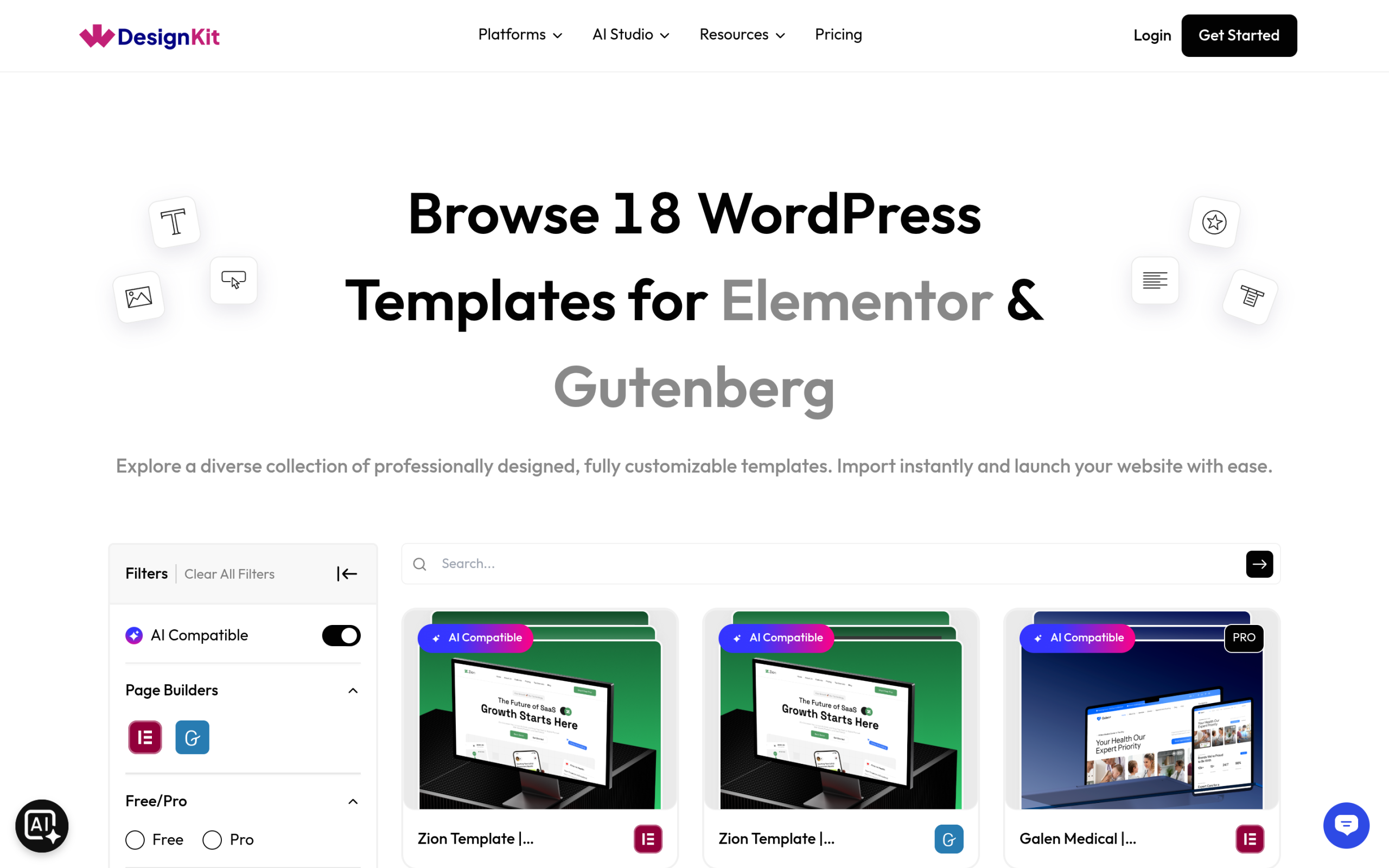
Several recent releases shaped how this works. Version 2.6.2, released on 29 July 2026, added an AI Compatible badge and browse filter to the template library and made AI kit import significantly faster with batched AI content generation. Version 2.6.4 added Site Info persistence, which auto-fills your business details on the next kit you import, and a globals import flow so button styles, radius, shadows and animations carry over. With the AI Compatible filter switched on, the library showed 18 kits on 14 September 2026.
MCP Workflows
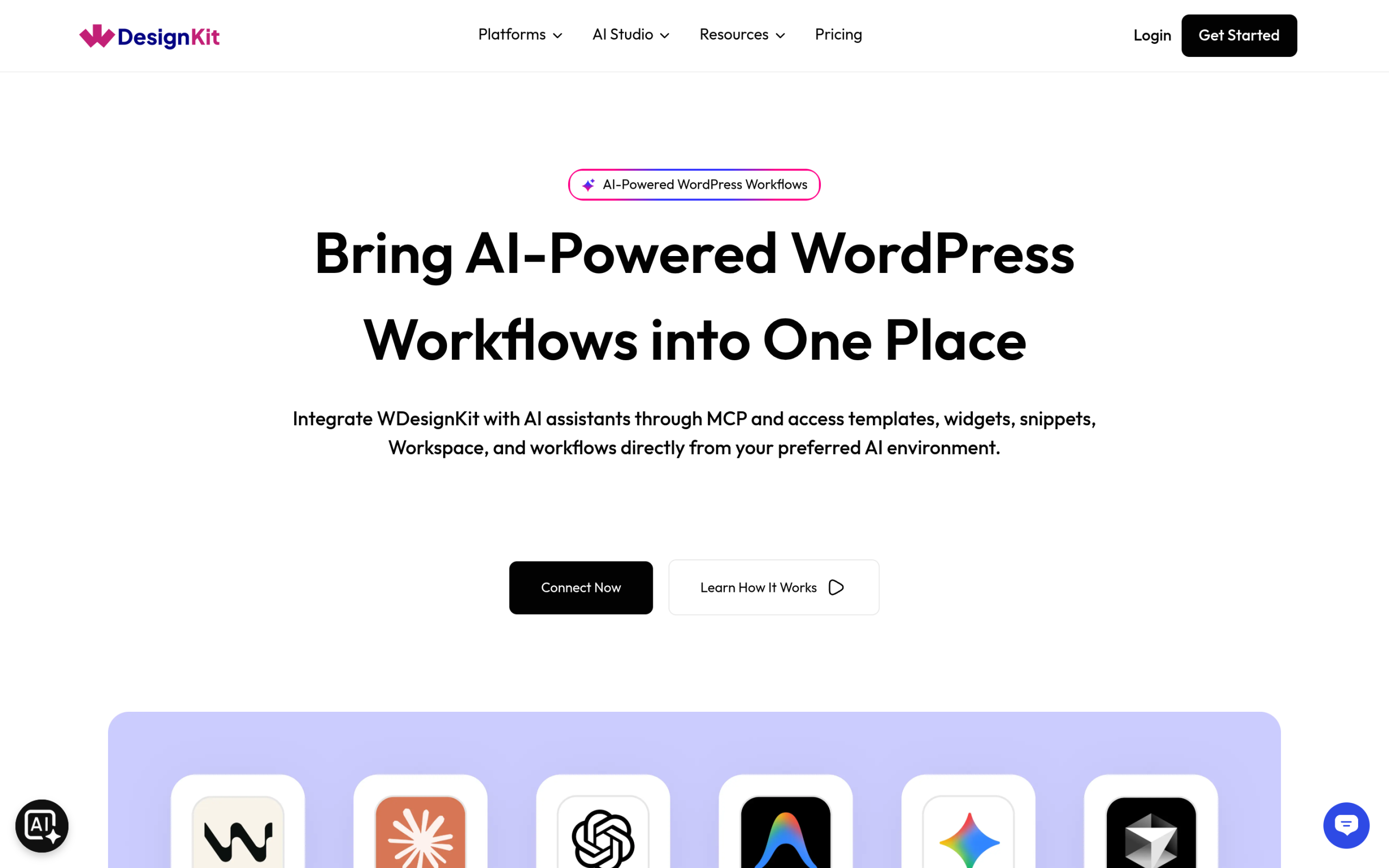
WDesignKit’s MCP Workflows page describes the goal as integrating WDesignKit with AI assistants through MCP to access templates, widgets, snippets, Workspace and workflows directly from your preferred AI environment. The May 2026 announcement lists Claude, Cursor, VS Code AI tools and other MCP-compatible platforms, and a four-step setup: install a WordPress MCP plugin, connect your WDesignKit account, add the MCP configuration to your AI assistant, and start working.
The abilities behind it now cover browsing kits and kit pages, importing a full kit, creating and validating widgets, managing code snippets, and saving templates with their globals. Version 2.6.5 also hardened ability inputs, tightened permissions for rollback, data removal and dependency installation, and made ability discovery filterable by namespace, public exposure and fields, so an AI client only sees what it needs.
AI Credits
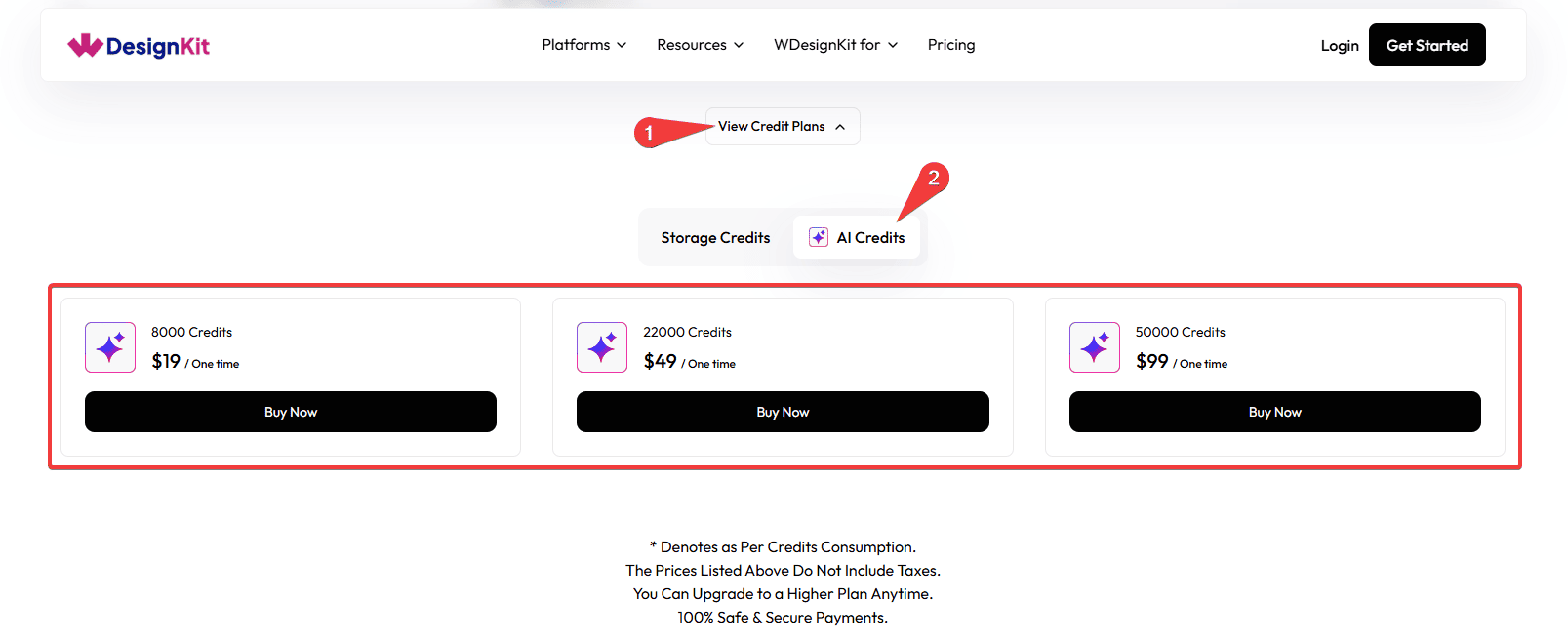
AI features draw from an AI credit balance. At the time of writing, WDesignKit’s pricing page lists 1,000 one-time AI credits on the Free plan, 2,000 AI credits a month on Starter at $99 a year, 3,000 a month on Professional at $149 a year, and 5,000 a month on Studio at $249 a year. The balance is visible from the plugin’s licence panel, which version 2.6.2 split into separate Storage Credit and AI Credit columns.
Also Read: WDesignKit MCP Integration: AI-Powered WordPress Workflows for the original setup walkthrough.
What AI Can and Can’t Do for a WordPress Site Today
AI is genuinely useful for the parts of site building that are repetitive or blank-page heavy:
- Filling a template with copy that sounds like your business instead of lorem ipsum.
- Producing a first layout draft so a designer starts from something rather than nothing.
- Handling repetitive setup work, such as finding the right template, installing a widget or listing what already exists, through defined abilities.
It still cannot judge whether a page converts, replace a real content strategy, verify that the facts in generated copy are true, or safely make destructive changes such as deleting content or changing plugin settings without a person confirming first. Well-designed tools build that caution in. WDesignKit’s own abilities guide, for example, sets safety rules for irreversible calls: run a dry run before confirming, log in before cloud actions, and read before writing. Any tool that promises a finished, publish-ready site with no human review is skipping the step where someone checks the output.
Before You Let an AI Agent Work on a Live Site
MCP makes it possible for an assistant to act on WordPress rather than just advise you, so treat the connection the way you would treat giving a new team member access to a client site:
- Connect it to a staging copy first. Let the agent import templates or create widgets on staging, review the result, then repeat the work on production once you trust it.
- Connect as a user with the lowest role that can do the job. Abilities check WordPress capabilities, so the connected user’s role is your most important safety limit.
- Expose only the abilities you need. WDesignKit 2.6.5 lets ability discovery be filtered by namespace and public exposure, which keeps the list of tools an assistant sees short and relevant.
- Keep backups current. A dry run shows what an irreversible call would do, but only a backup lets you undo a mistake that slipped through anyway.
- Review what was created. Check imported pages, generated widget code and changed settings before publishing, exactly as you would review a colleague’s work.
- Remove access when the project ends, so an old connection is not left open on a site nobody is watching.
None of this is specific to one vendor. It is simply what a permission-based protocol asks of the person who grants the permissions, and it is the difference between AI that saves a team time and AI that creates a cleanup job.
How to Choose in Five Questions
- Do you already run a WordPress site? If yes, AI that works inside it usually beats rebuilding it somewhere new.
- Do you need to choose hosting anyway? If it is a brand new project, a hosted builder can get a first draft live fastest.
- Which editor will your team maintain the site in? Pick the approach that outputs content in that editor, not the one with the flashiest demo.
- Who reviews AI output before it goes live? Decide this before you start, because generated copy and layouts still need a human pass.
- What happens to the site if you cancel the tool? Content that lives in standard WordPress pages survives. Content that depends on a proprietary editor or host may not move as easily.
Also Read: Best Free Elementor Templates in 2026 (Tested) if you would rather start from a proven template than a generated layout.
Suggested Reading
- WDesignKit MCP Integration: AI-Powered WordPress Workflows
- August 2026 Update: AI Templates, MCP Abilities and More
- Best Free Elementor Templates in 2026 (Tested)
- Elementor Landing Page Templates: Free Kits to Launch Your Site Faster
Frequently Asked Questions
How do I use a WordPress AI website builder without rebuilding my whole site?
The practical fit is AI that works inside your existing WordPress install, not a hosted builder that moves the site elsewhere. The page separates that from hosted tools and points to AI agents via MCP for tasks like finding templates, creating widgets, and reading content on the site you already run. WDesignKit Learning Center fits here with AI Kit Import and MCP workflows, which keep the output on your own WordPress pages and in your existing editor.
Which WordPress AI website builder approach is best for a new site?
A hosted AI builder fits best when the project starts from zero and you want a first draft fast. The page says Hostinger’s AI Website Builder for WordPress generates a layout with pre-filled content and images, while 10Web also generates WordPress sites with hosting included. That trade-off matters because the site lives on the vendor’s hosting, so this route is about speed first and portability second.
Does Starter Templates work with Elementor, Spectra, Beaver Builder, and the block editor?
Starter Templates is built around those editors. Its listing says the AI website builder can generate a complete website from a business description in under two minutes and draws from more than 300 templates for Elementor, Spectra, Beaver Builder, and the block editor. That makes it a good fit when you already know which builder your team wants to maintain instead of starting over on new hosting.
Why isn't an AI agent safe to connect directly to a live WordPress site?
Permission boundaries are the main reason. The page explains that each ability carries a permission callback tied to WordPress capabilities, so an agent can only do what the connected user role and ability checks allow. WDesignKit Learning Center also recommends staging first, using the lowest role that can do the job, keeping backups current, reviewing what was created, and removing access when the project ends.
What should I check before choosing an AI website builder for WordPress?
The biggest decision points are where the site will live, which editor your team will maintain, who reviews AI output before it goes live, and what happens if you cancel the tool. The page’s five-question framework also asks whether you already run WordPress and whether you need to choose hosting anyway. That matters because content in standard WordPress pages survives more easily than content tied to a proprietary editor or host.
Last reviewed: September 14, 2026
Author

Sagar is the Founder & CEO of POSIMYTH Innovations, with 10+ years building WordPress products trusted by 100,000+ websites globally. He has led the development of The Plus Addons for Elementor, Nexter, WDesignKit, and UiChemy, all built hands-on from concept to launch. His work focuses on making website building faster, more flexible, and accessible for creators and businesses worldwide.
Share this article