On this page
- What a Nonprofit Website Actually Needs
- Does WDesignKit Have a Dedicated Nonprofit Kit?
- The Closest-Fit Kits to Start From
- Widgets That Do the Nonprofit-Specific Work
- Step by Step: Building a Nonprofit Site With WDesignKit
- Design and Trust Signals That Matter for Donor Conversion
- Basic SEO Nonprofits Skip and Should Not
- Suggested Reading
- Does WDesignKit have a nonprofit or charity website template?
- Can I add a donation button without a payment plugin?
- Which WordPress page builder is best for a nonprofit site?
- How much does it cost to build a nonprofit website with WDesignKit?
- Do I need coding skills to build this?
Key Takeaways
- WDesignKit has no dedicated nonprofit or charity kit today; live marketplace searches for “nonprofit,” “charity,” “community,” and “corporate” all return zero dedicated kits.
- NexaByte is the closest live structural match, with team profiles, a portfolio-style grid that repurposes into a programs gallery, testimonials, and a built-in blog.
- CleanGeniux is a second Pro option with a built-in newsletter block, useful for email-driven fundraising, but still needs a team page and donate CTA added.
- A handful of the library’s 239 widgets do the nonprofit-specific work: pricing or button widgets as donation tiers, Custom Post Listing for events, the Animated Timeline for impact history, and the free Team Member widget for staff and board pages.
- Test the donate flow on mobile first, since most nonprofit traffic converts on a phone, and back the design with real photos, a real number, and visible transparency signals rather than stock imagery and vague claims.
A nonprofit reached out in the WDesignKit Discord last month asking a simple question: which template kit is built for a charity? I went looking for an honest answer instead of a marketing one, and the answer was uncomfortable. WDesignKit does not have a dedicated nonprofit or charity kit yet. Neither do most WordPress template libraries. Nonprofits get folded into “business” or “corporate” categories designed for law firms and creative agencies, not causes that need a donate button, an events calendar, and a way to show donors where the money goes.
This post is the honest version of that answer. Search interest in “nonprofit website template” has actually been sliding, down roughly a third year over year, so this is not a hot trend piece. It is a practical one: here is exactly what a nonprofit site needs, which parts of WDesignKit’s existing library already cover it, and where you still have to build the rest yourself with widgets instead of a ready-made kit.
What a Nonprofit Website Actually Needs
A charity site is not a smaller version of a business site. It carries a different job: convince a stranger to trust an organization enough to hand over money or time, then make it painless to do both. That means a handful of sections show up on almost every nonprofit site, regardless of cause or size.
- A donate call to action that is visible without scrolling, not buried in a menu
- A mission and impact section that states what the organization does in plain language
- A team or leadership page, because donors give to people they can picture, not logos
- An events or programs listing for fundraisers, volunteer days, and outreach
- Transparency signals: annual reports, financial breakdowns, or a simple “where your money goes” chart
- Volunteer and contact forms that do not require a developer to wire up
None of that is exotic. Every piece already exists as a widget or section type somewhere in WDesignKit’s Elementor, Gutenberg, or Bricks library. What does not exist is a single kit that arranges them in a cause-specific order out of the box.
It also helps to separate what a nonprofit needs from what a nonprofit is often given instead. Most cause-driven sites I have looked at, including ones built on other page builders entirely, default to a wall of text about the founding story before ever mentioning how to help. Donors decide in seconds whether a site feels credible. The donate button and the impact number need to compete for attention with the mission statement, not wait politely behind it.
Does WDesignKit Have a Dedicated Nonprofit Kit?
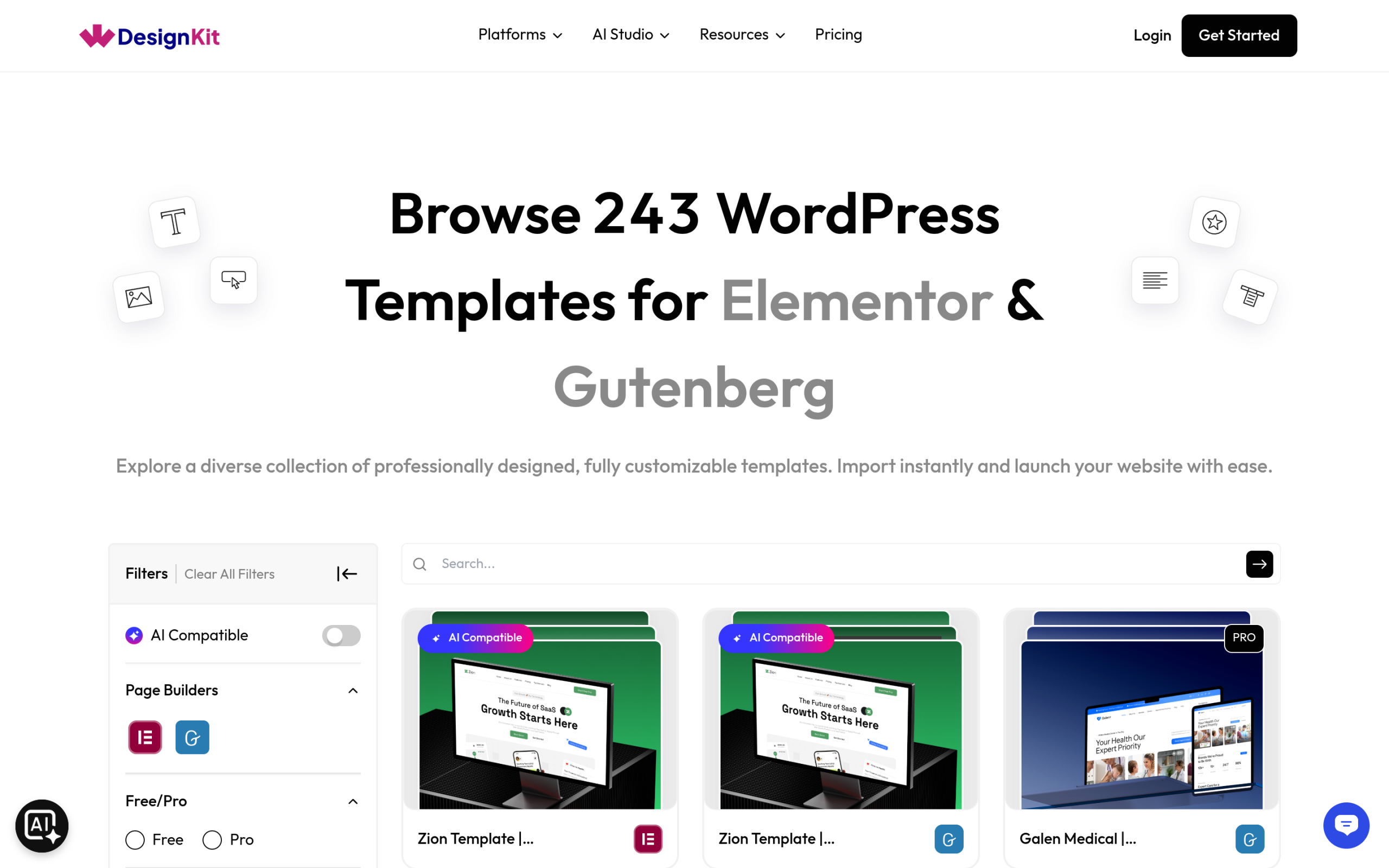
No, not as of this writing. I checked the live marketplace directly before writing this, searching “nonprofit,” “charity,” “community,” and “corporate” inside the kit library. All four searches returned zero dedicated website kits. That is worth stating plainly rather than papering over it, because a past WDesignKit post made the opposite mistake: it cited kit names for a different vertical that turned out not to exist, and got corrected for it. This post will not repeat that.
What that means in practice: you are not one click away from a “Charity Elementor Template Kit.” You are borrowing the closest general-purpose kit and rebuilding two or three sections to fit a cause instead of a client roster. It takes longer than importing a purpose-built kit, but it is still faster than starting from a blank canvas, and every piece you need is already inside the plugin.
Also Read: real estate website templates for WordPress covers the same honest gap for a different vertical, and the workaround that follows here.
The Closest-Fit Kits to Start From
I pulled the live kit manifests instead of guessing from thumbnails. NexaByte, a creative agency kit available for both Elementor and Gutenberg, is the closest structural match in the library today. Its page set already includes an About section with team profiles, a portfolio-style showcase you can repurpose as a programs or projects gallery, client testimonials that translate directly into donor or volunteer quotes, and a built-in blog for updates and impact stories.
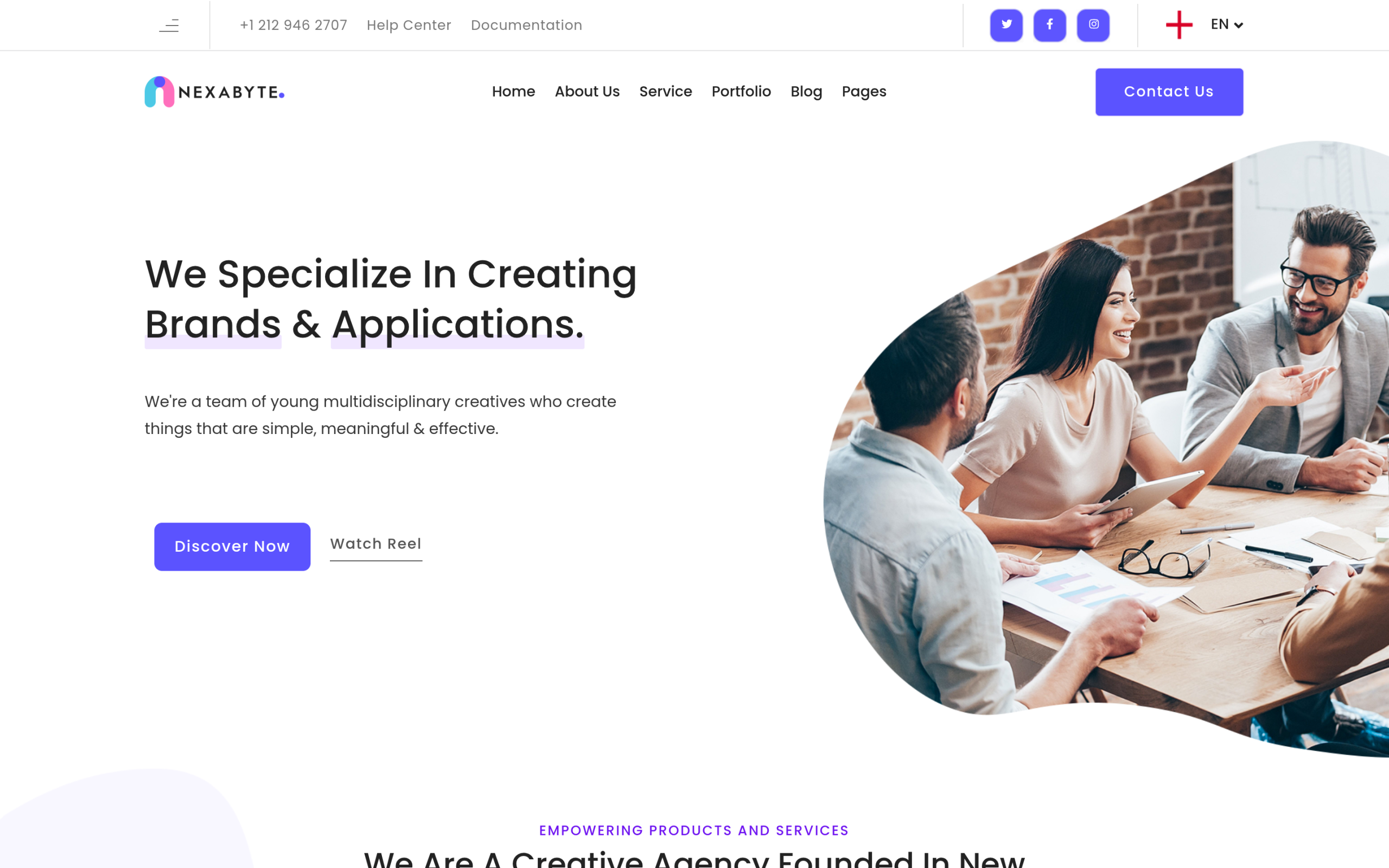
What NexaByte will not give you: a donate button, a fundraising progress indicator, or an events calendar. Those need to come from individual widgets layered on top, which is the next piece.
NexaByte is not the only reasonable starting point. CleanGeniux, a separate Pro kit also available for both Elementor and Gutenberg, is a second live option worth comparing before you commit to one.
| Kit | Builder | License | What fits a nonprofit | What you still add |
|---|---|---|---|---|
| NexaByte | Elementor and Gutenberg | Pro | Team profiles, portfolio grid for programs, testimonials, blog | Donate CTA, events feed, fundraising progress |
| CleanGeniux | Elementor and Gutenberg | Pro | Clean minimal layout, newsletter signup block, contact form | Team page, portfolio-style program showcase, donate CTA |
If your organization leans on email fundraising, CleanGeniux’s built-in newsletter subscription block gives you a head start NexaByte does not have natively. If your organization leans on visible program work, NexaByte’s portfolio-style grid is the stronger base. Neither one is purpose-built for a cause, which is exactly the point of this post.
Widgets That Do the Nonprofit-Specific Work
This is where a general kit stops being generic. WDesignKit’s marketplace carries 239 individual widgets across Elementor, Gutenberg, and Bricks at the time of writing, and a handful map directly onto what a cause-driven site needs that a business kit does not.
- Pricing or button widgets, repurposed as donation tiers. A pricing table built for SaaS plans works just as well for “$25 / $50 / $100” giving levels, with the CTA text changed from “Buy Now” to “Donate.”
- Custom Post Listing and Taxonomy Listing widgets, repurposed as an events or program feed. Instead of listing blog posts, filter by an “Events” or “Programs” custom post type so upcoming fundraisers surface automatically.
- The Animated Timeline widget, for impact history or “how we started.” It is built and marketed as a company-milestones widget, but the same scroll-triggered layout works for a founding story or a year-by-year impact record without any modification.
- The Team Member widget, for staff and board pages. This one is available across Elementor, Gutenberg, and Bricks and is free on all three, so it is the cheapest real fix for “our team page looks generic.”
- Gallery and before/after slider widgets, for outreach photography. A before/after slider built for renovation photos does double duty for “before this program, after this program” storytelling.
Also Read: business website templates for the general-purpose kits this workaround borrows sections from.
Step by Step: Building a Nonprofit Site With WDesignKit
Here is the actual build order, not a theoretical one.
- Step 1: Install WDesignKit and open the template library panel inside Elementor or the block editor. Both builders are supported, so pick whichever your team already knows rather than learning a new one for this project.
- Step 2: Import NexaByte or CleanGeniux as your homepage and about page starting point, based on the comparison above. Treat the import as a skeleton, not a finished page.
- Step 3: Rewrite the hero and about copy around your mission, not your services. Cut any line that could apply to any organization; a sentence that works for a food bank and a law firm equally well is not saying anything specific.
- Step 4: Replace the portfolio section with a Custom Post Listing widget pulling from an Events or Programs post type, so new fundraisers and volunteer days appear automatically instead of needing a manual page edit every time.
- Step 5: Drop in a pricing or button widget above the fold, relabeled as donation tiers, linked to your payment processor. Keep it visible on scroll if your builder supports a sticky element; donors should never have to hunt for it.
- Step 6: Add the Animated Timeline widget for your organization’s history if you have one worth telling. Skip this step entirely if your founding story is not a selling point; a timeline nobody reads is worse than no timeline.
- Step 7: Swap the Team Member widget’s placeholder content for real staff and board photos, and swap testimonial widgets for donor or volunteer quotes with real names attached.
- Step 8: Test the donate flow on mobile before you test anything else. Most nonprofit traffic converts on a phone, not a desktop, and a donate button that looks fine on a 27-inch monitor can be unreachable on a 6-inch screen.
Design and Trust Signals That Matter for Donor Conversion
A donor is not evaluating your design taste. They are evaluating whether their money will do what you say it will do. That changes what “good design” means on a nonprofit site compared to a business one.
- Show real photos of real people and real programs. A stock photo of a generic volunteer group reads as evasive on a donation page.
- State a number, not a feeling. “412 families housed this year” earns more trust than “making a difference.”
- Put contact information and a registered nonprofit number or EIN somewhere visible, not buried in a footer link three clicks deep.
- Keep the donation form to the fewest fields that actually work. Every extra field is a reason to abandon.
- Make sure the site is accessible: donors skip sites that are hard to read or navigate, and screen-reader users are locked out entirely by poor contrast or missing alt text.
Also Read: WDesignKit’s full template library to browse every kit and widget referenced in this guide before you start building.
Basic SEO Nonprofits Skip and Should Not
Search traffic matters more for a nonprofit than most site owners assume, because a lot of nonprofit discovery starts with a location-plus-cause search: “food bank near me,” “animal rescue [city],” “volunteer opportunities [cause].” Templates and widgets do not fix search visibility on their own, but a few habits carried over from any WDesignKit build apply directly here.
- Write a real page title and meta description for every page, not the default “Home” or “About Us” a theme generates automatically.
- Use one clear H1 per page that states what the organization does and where, not just the organization’s name.
- Add alt text to every photo, especially team and program photos, since screen readers and image search both depend on it.
- List a physical address or service area if you serve a specific region, so local searches can actually find you.
Suggested Reading
- Real Estate Website Templates for WordPress Agents
- Business Website Templates
- Portfolio Website Templates
- Browse the Full WDesignKit Template Library
Does WDesignKit have a nonprofit or charity website template?
Not a dedicated one, as of this writing. The closest live option is a general-purpose kit like NexaByte, adapted section by section, plus individual widgets for donations, events, and impact reporting.
Can I add a donation button without a payment plugin?
You still need a payment processor or donation plugin to handle the transaction itself. WDesignKit’s pricing and button widgets handle the visual presentation and link out to that processor; they do not process payments on their own.
Which WordPress page builder is best for a nonprofit site?
Either Elementor or Gutenberg works, since WDesignKit’s widgets and kits are available for both. Elementor tends to be faster for volunteers with no coding background; Gutenberg is lighter and loads slightly faster if your team is comfortable with the native block editor.
How much does it cost to build a nonprofit website with WDesignKit?
The core WDesignKit plugin and many widgets are free. Some kits, including NexaByte, and some advanced widgets require a Pro license. Total cost depends on which premium pieces you use, plus your existing hosting and domain costs.
Do I need coding skills to build this?
No. Every step in this guide uses drag-and-drop widgets inside Elementor or the block editor. The only technical step is connecting a payment processor to your donation button, which is typically a copy-paste API key rather than custom code.
Author

Sagar is the Founder & CEO of POSIMYTH Innovations, with 10+ years building WordPress products trusted by 100,000+ websites globally. He has led the development of The Plus Addons for Elementor, Nexter, WDesignKit, and UiChemy, all built hands-on from concept to launch. His work focuses on making website building faster, more flexible, and accessible for creators and businesses worldwide.
Share this article