On this page
A year ago, getting an AI assistant to work on a WordPress site meant copying text between a chat window and wp-admin. In 2026 it increasingly means MCP. US searches for “wordpress mcp” roughly doubled, from 480 a month in late 2025 to about 1,000 a month through 2026, and new MCP server plugins on WordPress.org have passed tens of thousands of installs within months.
This guide covers what WordPress MCP is, how the pieces connect, the main plugins that provide it and what to check before you give an AI tool access to your site.
What is WordPress MCP?
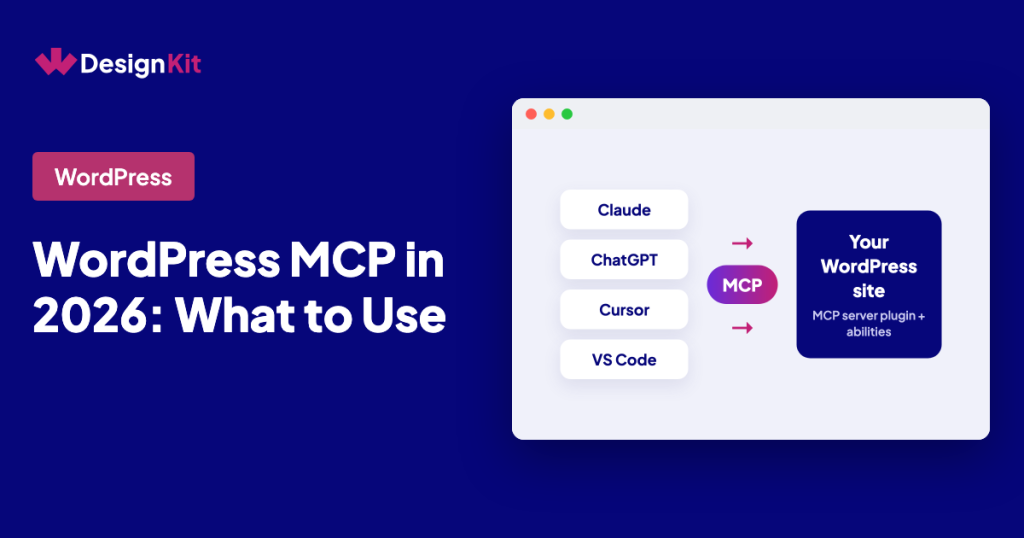
MCP (Model Context Protocol) is an open standard that lets AI tools such as Claude, ChatGPT, Cursor or VS Code discover and call tools on another system. WordPress MCP is MCP applied to a WordPress site: a plugin on your site acts as an MCP server, and your AI tool connects to it as a client. Once connected, the assistant can read and change things on the site, such as posts, media, settings or plugin features, within the permissions you give it.
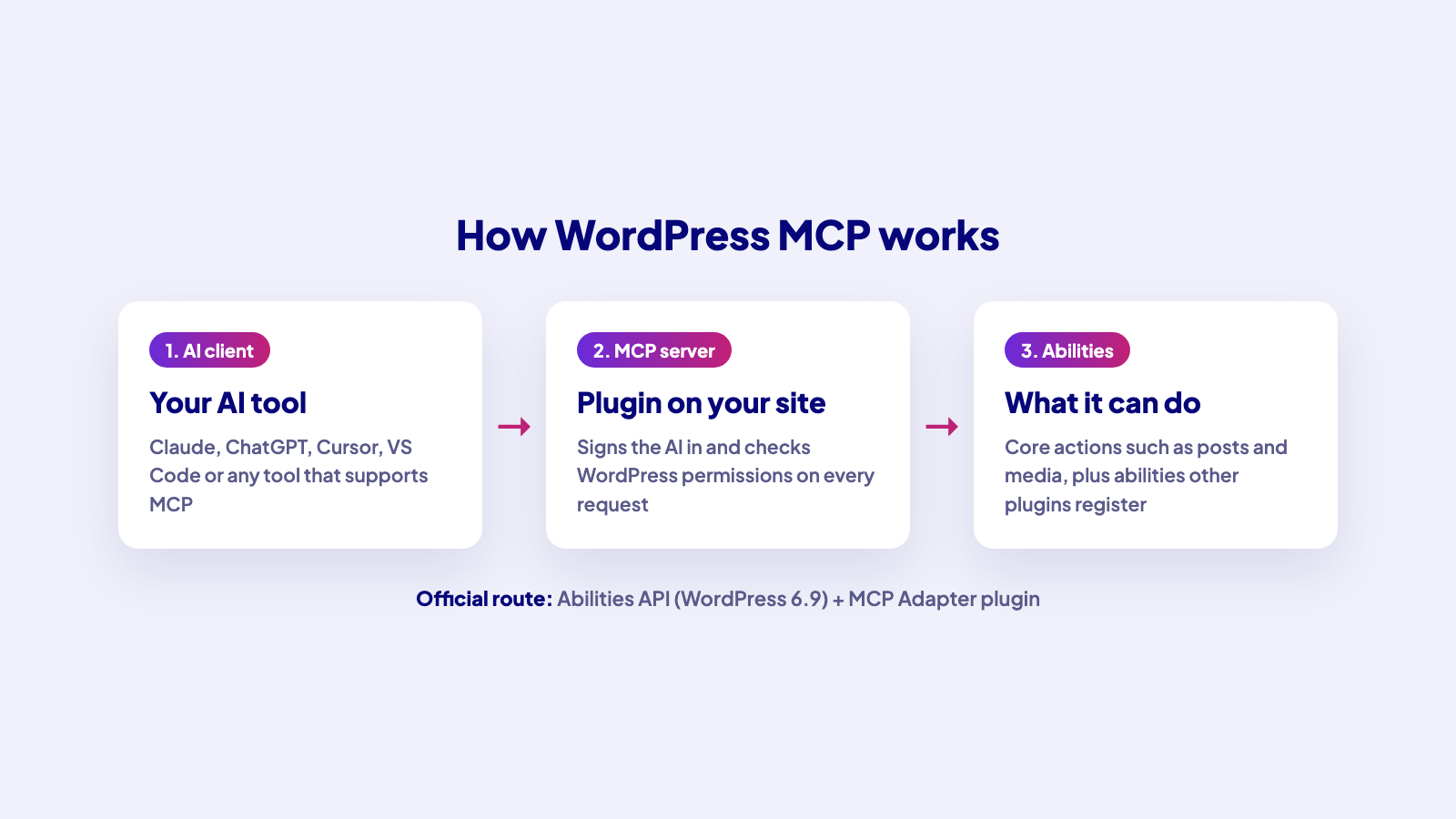
How the pieces fit together
There are three layers:
- The AI client. Claude, ChatGPT, Cursor, VS Code or another tool that supports MCP. You add your site’s MCP address and credentials to its configuration.
- The MCP server on your site. A WordPress plugin that turns site actions into MCP tools. It handles authentication and checks that the connected user is allowed to do what the AI asks.
- What the server exposes. Core actions such as creating posts or uploading media, plus actions from other plugins.
WordPress core now has a shared way to describe those actions. WordPress 6.9 introduced the Abilities API, where plugins register what they can do with defined inputs, outputs and permissions. The official MCP Adapter plugin, published by WordPress.org as part of the AI Building Blocks for WordPress initiative, “bridges WordPress’s Abilities API with the Model Context Protocol”. It converts registered abilities into MCP tools, supports HTTP and STDIO transports and applies permission checks to everything it exposes. It has 60,000+ active installs and requires WordPress 6.9.
Popular WordPress MCP server plugins
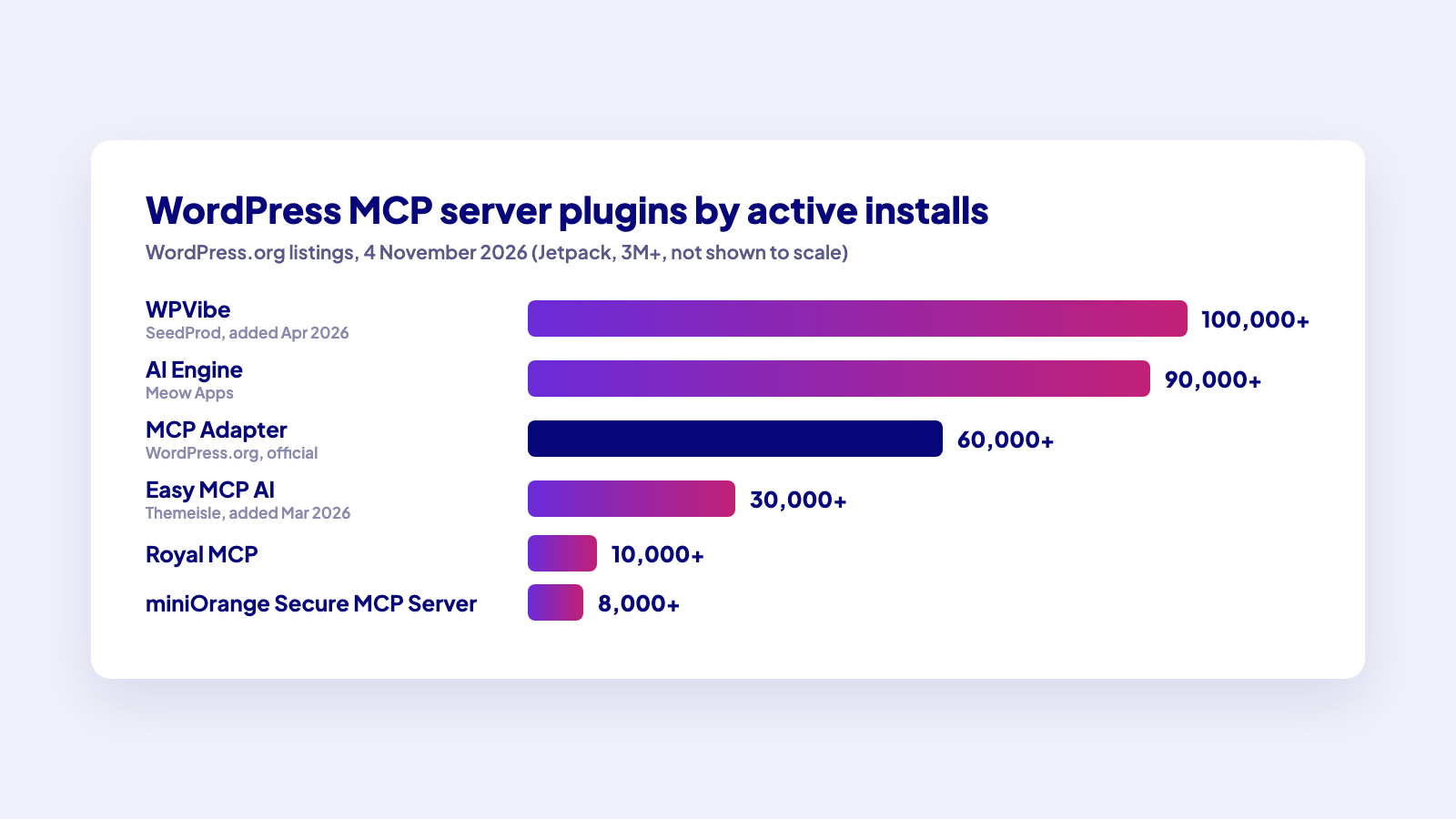
Several plugins now offer a ready-made MCP server. Figures are from each plugin’s WordPress.org listing on 4 November 2026.
| Plugin | Active installs | What stands out |
|---|---|---|
| MCP Adapter (WordPress.org) | 60,000+ | Official bridge from the Abilities API to MCP; no AI features of its own |
| WPVibe (SeedProd) | 100,000+ | Added April 2026; connects Claude, ChatGPT, Cursor and others; relays the AI’s tool calls to your site’s REST API |
| Easy MCP AI (Themeisle) | 30,000+ | Added March 2026; 280+ tools, OAuth 2.1, audit log; runs on your own site with no hosted relay |
| AI Engine (Meow Apps) | 90,000+ | Chatbots and AI writing tools plus an MCP server |
| Royal MCP | 10,000+ | 250+ tools, OAuth 2.0 and WebMCP |
| miniOrange Secure MCP Server | 8,000+ | 400+ tools, focused on security controls |
| Jetpack | 3+ million | Jetpack’s listing now leads with connecting ChatGPT, Claude or another AI agent to your site |
Direct or relayed: the difference that matters
MCP servers for WordPress take one of two routes:
- Direct. The MCP server is PHP running on your own site, and the AI client connects to your site. Easy MCP AI describes itself this way: “no hosted relay, account or usage fee”. The MCP Adapter also runs on your site.
- Relayed. A service sits between the AI client and your site. WPVibe’s listing says it handles authentication, encrypts credentials with AES-256-GCM and relays your AI’s tool calls to the WordPress REST API.
Neither is wrong. A relay can make setup easier, especially with web-based AI clients. A direct server keeps traffic between your AI tool and your site. Read each listing so you know where your requests go.
How to choose a WordPress MCP server
Check these before you install:
- Who can connect and how. Look for OAuth or application passwords, per-token permissions and a way to revoke access.
- What it exposes. A server with hundreds of tools is powerful, but you may only need content and media. Prefer servers that let you limit tools or use a read-only mode.
- Plugin coverage. If you want the AI to work with a page builder, SEO plugin or WooCommerce, check whether the server covers that plugin directly or through the Abilities API.
- Logging. An audit log of every tool call makes it much easier to see what the AI changed.
- Where requests go. Direct to your site, or through the vendor’s relay.
Use MCP safely
An AI tool connected over MCP acts with the permissions of the user it signs in as. A few habits keep that safe:
- Start on a staging site, not a client’s live site.
- Connect as a user with the lowest role that can do the job.
- Begin with read-only tasks, then allow edits once you trust the setup.
- Review changes before they go live, and keep backups.
For a disposable test site, WordPress Playground also has its own MCP package for AI agents.
Where WDesignKit fits
WDesignKit is one of the plugins that registers its own abilities, so an AI tool connected over MCP can work with your WDesignKit widgets, templates, code snippets and workspaces, not just posts and pages. That is how the AI widget builder creates Elementor, Gutenberg and Bricks widgets from a prompt. The WDesignKit MCP Workflows page lists the supported tools and setup. For a wider look at AI tools beyond MCP, see our guide to WordPress AI plugins.
What comes next
The WordPress AI team’s roadmap at make.wordpress.org/ai targets core abilities and a Secrets API for WordPress 7.2, and MCP, OAuth and broader abilities for 7.3, and says this depends on technical readiness. If that lands, more of what these plugins do today will move into WordPress itself.
Trying MCP on your site? Share your setup in the WDesignKit Facebook group.
Author

Sagar is the Founder & CEO of POSIMYTH Innovations, with 10+ years building WordPress products trusted by 100,000+ websites globally. He has led the development of The Plus Addons for Elementor, Nexter, WDesignKit, and UiChemy, all built hands-on from concept to launch. His work focuses on making website building faster, more flexible, and accessible for creators and businesses worldwide.
Share this article