On this page
- What the Bricks Elements Builder does
- How it works, step by step
- Turn HTML into a Bricks element
- Add PHP when the element needs live data
- Ship an element as its own plugin
- Custom vs native Bricks Builder elements
- Frequently Asked Questions
- Is the WDesignKit PHP editor for Bricks free?
- Can I use a custom Bricks element on a site without WDesignKit?
- Can I turn existing HTML into a Bricks element?
Key Takeaways
- The WDesignKit Elements Builder turns HTML, CSS, JS or PHP into custom Bricks elements that you edit in Bricks like native ones.
- It offers more than 28 drag-and-drop control types, dynamic content for posts and products, CDN libraries, and cloud saving with versions.
- The PHP + HTML editor type is free for all users, reads control values from $settings, checks syntax and blocks restricted functions.
- A Bricks widget can be downloaded as a standalone WordPress plugin; the destination site needs the Bricks theme active.
- WDesignKit lists 91 prebuilt Bricks elements you can start from instead of a blank file.
Bricks Builder elements cover most layout needs out of the box, but most real projects need something it does not have: a custom card, a pricing toggle, a gallery with its own markup or an element that pulls live data. Bricks lets developers create their own elements in PHP, which works but means writing a class, registering controls by hand and maintaining it on every site.
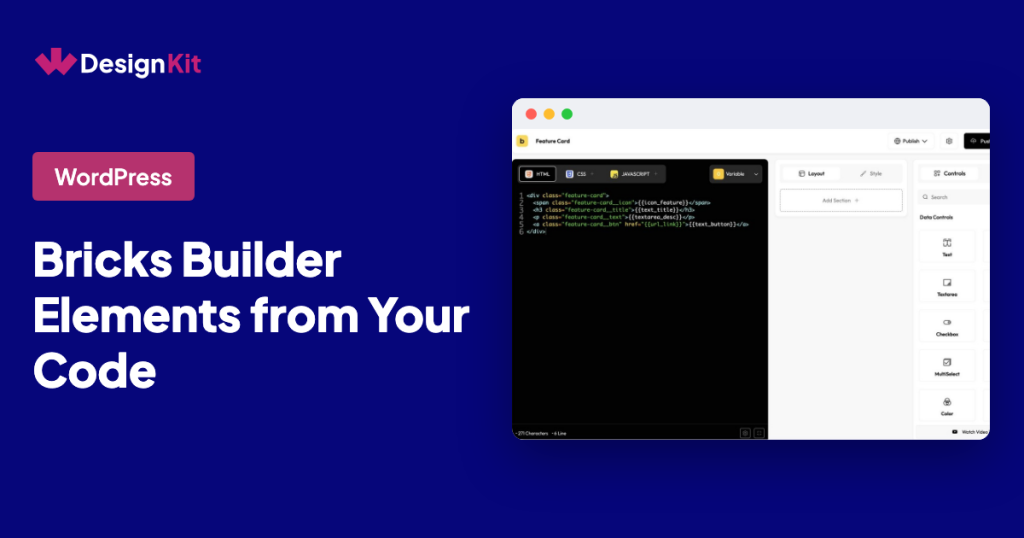
The WDesignKit Elements Builder for Bricks takes a faster route. You paste or write your HTML, CSS, JS or PHP, connect visual controls to it, and get a custom Bricks element you can edit in the builder like any native one.
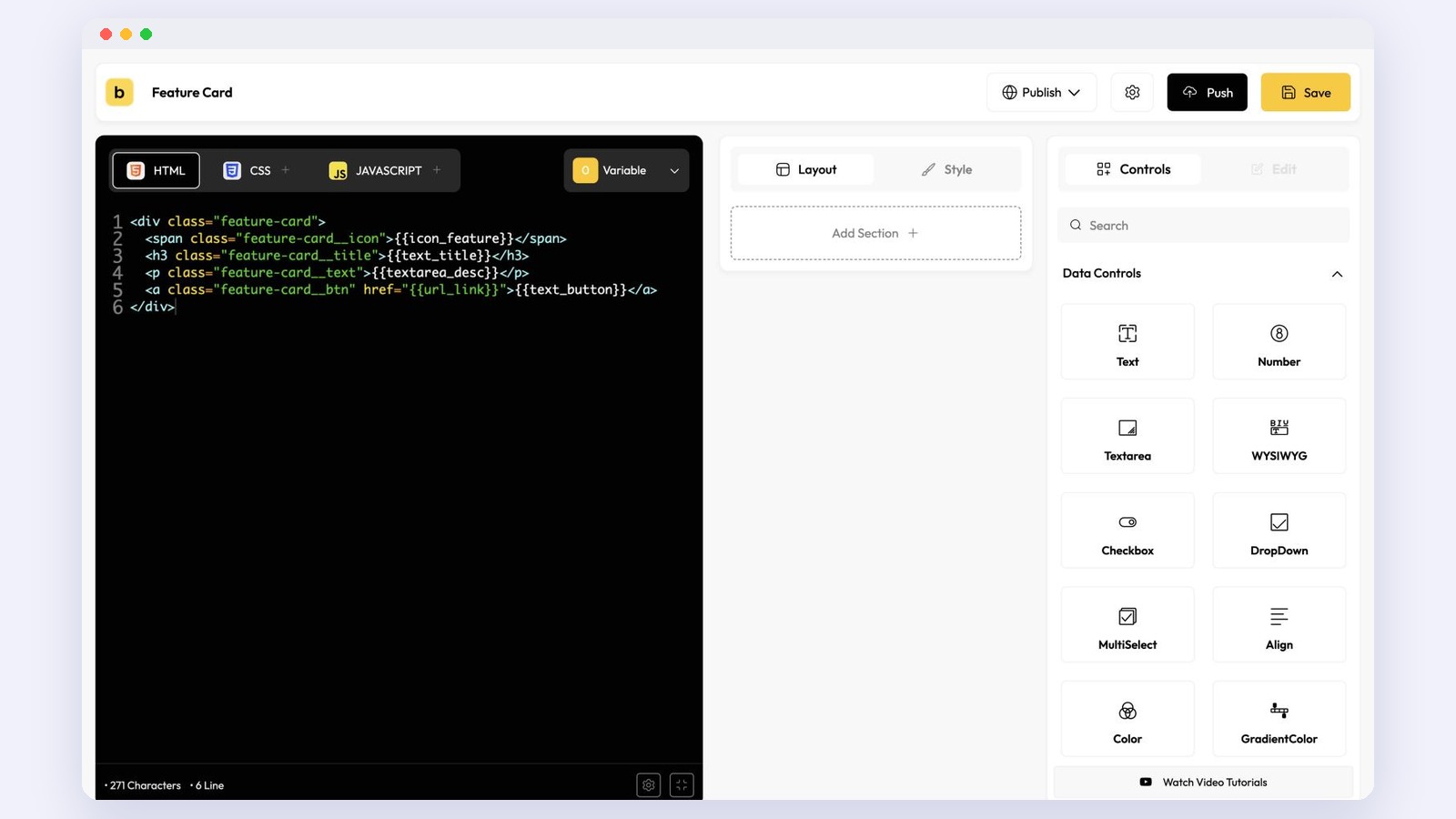
What the Bricks Elements Builder does
From the Bricks Elements Builder page, the main features are:
- HTML, CSS, JS and PHP support. Write the element in plain front-end code, or add PHP for server-side logic.
- Drag and drop controllers. More than 28 control types, including Text, Number, Text Area, WYSIWYG, Switcher, Select, Color, Gradient Color, Media, Gallery, Repeater, Icon, URL, Typography, Border, Box Shadow and Background.
- Dynamic content. Controls for Post Listing and Product Listing, with Bricks dynamic content, WooCommerce, WordPress post meta, terms and user profile listed as supported.
- CDN libraries. Connect a library such as an animation or slider script without bundling it yourself.
- Cloud saving and versions. Save elements to your WDesignKit cloud, reuse them on other sites and manage element versions for client maintenance.
- Kept up to date with Bricks. WDesignKit says it updates elements with every major Bricks release.
The page also lists 91 prebuilt Bricks elements you can start from instead of a blank file.
How it works, step by step
- Prepare your code. In WordPress, go to WDesignKit, open the Widget Builder and create a new widget with Bricks as the builder. Add your HTML, CSS and JS, or choose the PHP + HTML editor type if the element needs server-side logic.
- Add controls and connect them. Drag controls into the panel and place their placeholders in your markup, for example a Text control for a heading and a Text Area for a description. Each control becomes a setting in the Bricks editor.
- Use it inside Bricks. Open a page in Bricks, find your element in the elements panel and drop it in. Your client edits the text, images and colors visually, without touching code.
- Save to the cloud and reuse it. Push the element to your WDesignKit workspace and pull it into the next project.
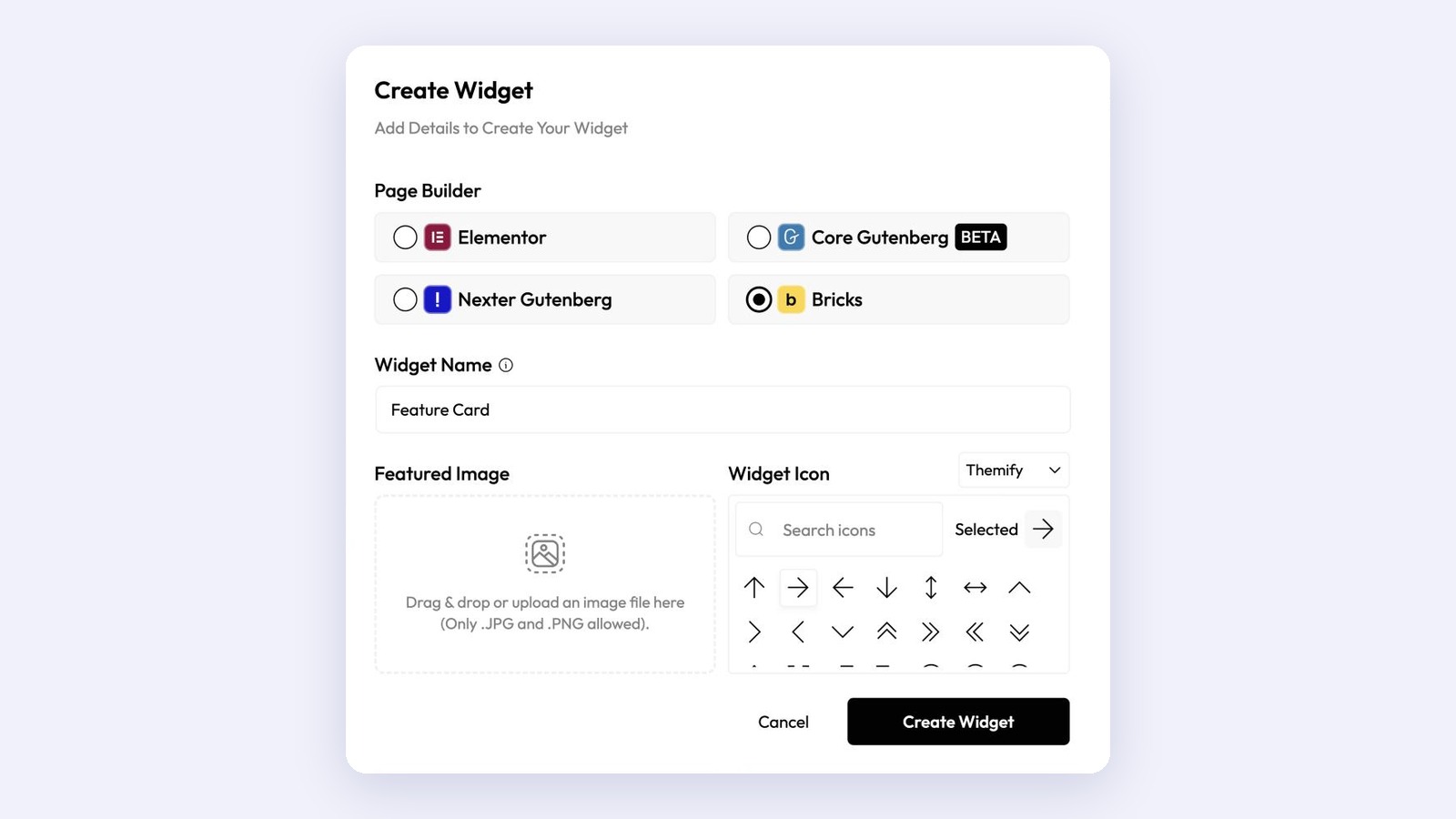
Turn HTML into a Bricks element
People search for “html to Bricks” because they already have working code: a component from a past project, a snippet from CodePen or a design handed over by a developer. The Elements Builder is built for that case. Paste the snippet into the HTML, CSS and JS tabs, swap the hard-coded text and images for control placeholders, and the snippet becomes a reusable element with settings, instead of a block of code inside a Code element.
Add PHP when the element needs live data
For elements that list posts, read custom fields or call an API, use the PHP + HTML editor type. The WDesignKit PHP editor docs cover the details:
- It works for Elementor and Bricks widgets and is free for all users.
- Control values are read from the
$settingsarray, for example$settings['post_count']. - WDesignKit checks the PHP syntax before saving and blocks restricted functions such as shell commands,
eval(), file writes andexit. - Only administrators can edit widget PHP, and the editor type cannot be changed after the widget is created.
- Keep API keys in
wp-config.phpand reference them by name instead of pasting them into the element.
Ship an element as its own plugin
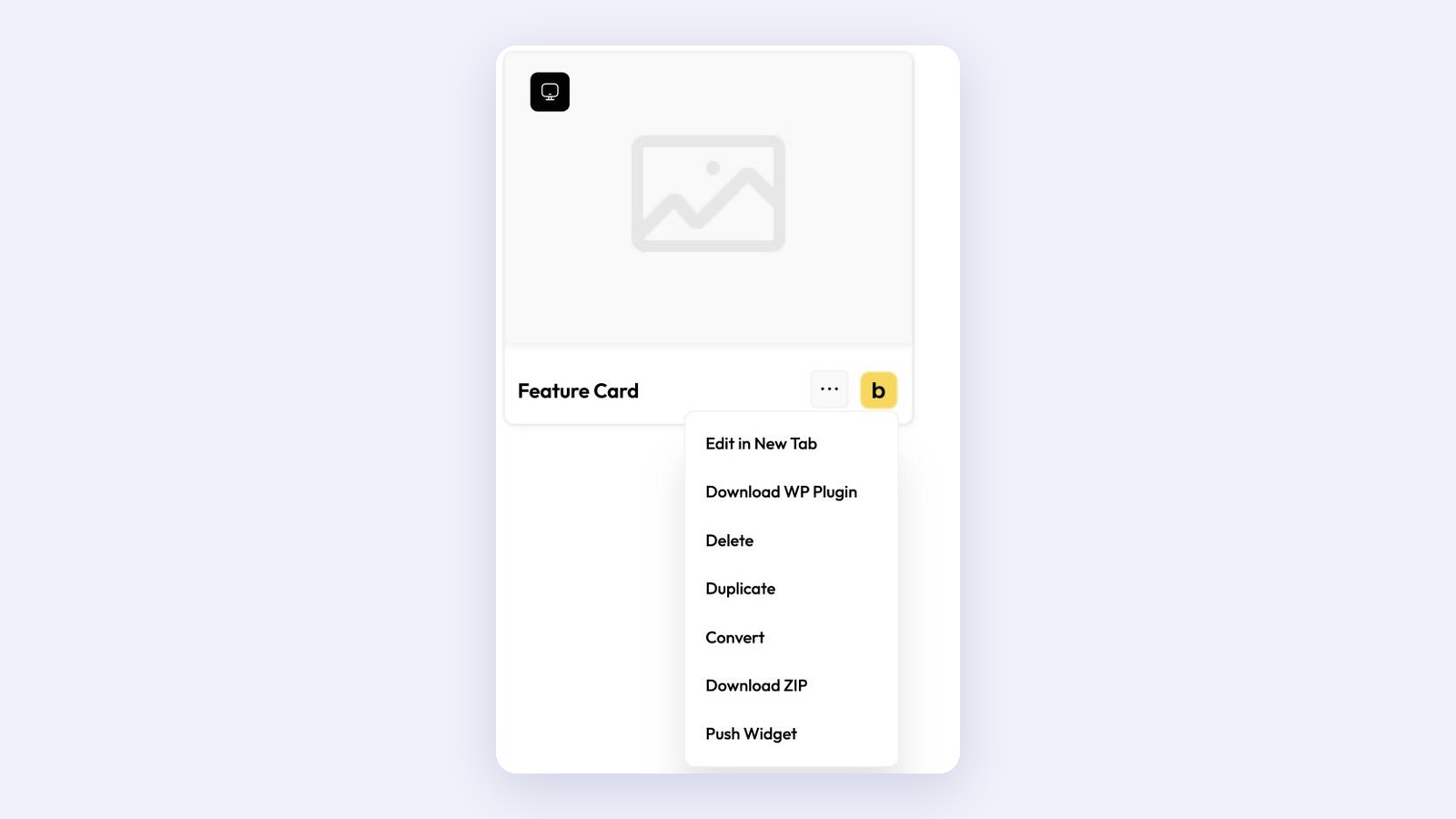
If a client site should not depend on WDesignKit, you can download a widget as a WordPress plugin. This works for Bricks widgets too. From My Widgets, open the menu on the widget card, choose Download WP Plugin, fill in the plugin name, slug and prefix, and install the zip on the other site. The destination site needs the Bricks theme active, and you need to be signed in to your WDesignKit account because the package is built in the cloud.
Custom vs native Bricks Builder elements
- Use a native element for standard layout pieces such as headings, buttons and containers.
- Use the Code element for a one-off snippet that nobody will edit.
- Use the Elements Builder when the same component appears on many pages or sites, when a client needs to edit it safely, or when you want controls and dynamic data without writing a full element class.
If you are weighing a builder against writing elements by hand, our comparison of widget builder vs hand coding walks through the trade-offs. It uses Elementor as the example, but the same points apply to Bricks.
Building something in Bricks? Share it in the WDesignKit Facebook group.
Frequently Asked Questions
Is the WDesignKit PHP editor for Bricks free?
Yes. The WDesignKit PHP editor docs say it works for Elementor and Bricks widgets and is free for all users. Only administrators can edit widget PHP.
Can I use a custom Bricks element on a site without WDesignKit?
Yes. From My Widgets, choose Download WP Plugin on the widget card and install the zip on the other site. That site needs the Bricks theme active.
Can I turn existing HTML into a Bricks element?
Yes. Paste the HTML, CSS and JS into the builder’s tabs, then replace the hard-coded text and images with control placeholders so the element gets editable settings.
Author

Sagar is the Founder & CEO of POSIMYTH Innovations, with 10+ years building WordPress products trusted by 100,000+ websites globally. He has led the development of The Plus Addons for Elementor, Nexter, WDesignKit, and UiChemy, all built hands-on from concept to launch. His work focuses on making website building faster, more flexible, and accessible for creators and businesses worldwide.
Share this article