On this page
- What is WordPress Playground?
- What changed in 2026
- How page builder users can use Playground
- How AI agents use Playground
- Limits to keep in mind
- Try it
- Frequently Asked Questions
- Do I need hosting to use WordPress Playground?
- Does WordPress Playground save my site?
- Can AI agents work with WordPress Playground?
Key Takeaways
- WordPress Playground runs a full WordPress site in your browser with WebAssembly, with no server, hosting account or login.
- In July 2026 Playground moved its tools into a customizable Dock, and in April 2026 the team released a Blueprint agent skill for coding agents.
- The @wp-playground/mcp package lets AI agents start a Playground site, install a plugin, run code and check the result.
- WordPress 7.1 shipped on 19 August 2026, and Playground can switch WordPress versions so you can test it before updating a live site.
- Temporary Playgrounds are discarded when you close the tab, so save the Playground or export a ZIP to keep your work.
WordPress Playground lets you run a full WordPress site inside your browser, with no server, hosting account or login. In 2026 it has also become one of the main ways AI coding agents test WordPress code, which is part of why searches for it jumped from 480 in July to 2,400 in September in the US.
This guide covers what Playground is, what changed this year, and how page builder users and plugin developers can use it.
What is WordPress Playground?
WordPress Playground is an official WordPress project. The Playground documentation describes it as an online tool to experiment and learn about WordPress that runs entirely client-side in WebAssembly. Everything happens in your browser tab, so nothing touches your live site.
You can open it at playground.wordpress.net and get a working WordPress dashboard in a few seconds.
Common uses listed in the docs:
- Try a block, theme or plugin before installing it on a real site.
- Test a specific WordPress or PHP version.
- Use it as a zero-setup local development environment.
- Build demos and prototypes, including AI-generated ones.
What changed in 2026
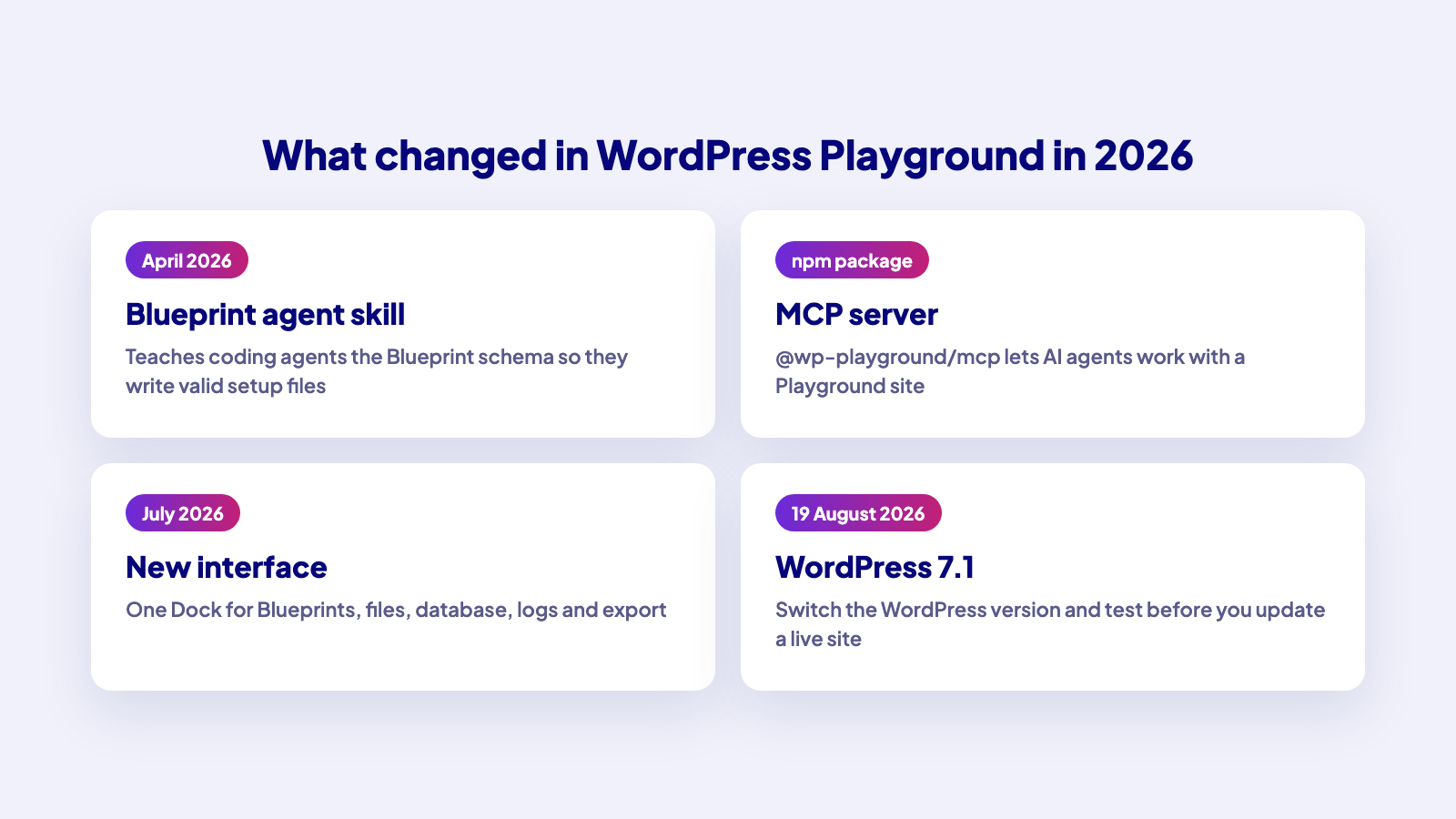
A new interface (July 2026). The Playground team moved the tools into a customizable Dock at the bottom of the screen. From the Dock you can start a site from a Blueprint gallery, a GitHub repository or a ZIP, switch between saved Playgrounds, edit the site’s blueprint.json, change the WordPress or PHP version, browse files, inspect the database through Adminer or phpMyAdmin, read logs and export the site. The team describes it as mainly a navigation redesign rather than new capabilities.
An agent skill for Blueprints (April 2026). Blueprints are JSON files that describe how to set up a Playground site: which plugins to install, which settings to change, which content to import. The Playground team released a Blueprint agent skill that teaches coding agents the Blueprint schema, so they write valid Blueprints instead of guessing property names. The post lists Claude Code, Gemini CLI, GitHub Copilot, Cursor and Codex as supported agents. The quick install is:
npx skills add wordpress/agent-skills --skill blueprintThe skills live in the WordPress agent-skills repository, and the docs have a guide for the wp-playground agent skill.
An MCP server for Playground. The @wp-playground/mcp package is published on npm as an MCP server that lets AI agents interact with a Playground site. Together with the skills, this means an agent can spin up a throwaway WordPress site, install a plugin, run code and check the result, without touching a real site.
WordPress 7.1 (August 2026). WordPress 7.1 shipped on 19 August 2026. Playground lets you switch the WordPress version in Site Settings, so you can test how your theme, plugins or page builder setup behave on 7.1 before you update a live site.
How page builder users can use Playground
- Test a plugin before you install it. Open Playground, install the plugin from the WordPress.org directory, and check it works with your builder.
- Check a WordPress update. Set the WordPress version, recreate your plugin stack and click through your key pages.
- Share a reproducible setup. Export a Blueprint or a link to it, so a teammate or a support agent opens the same site.
Treat Playground as a test space, not a place to build a production site.
How AI agents use Playground
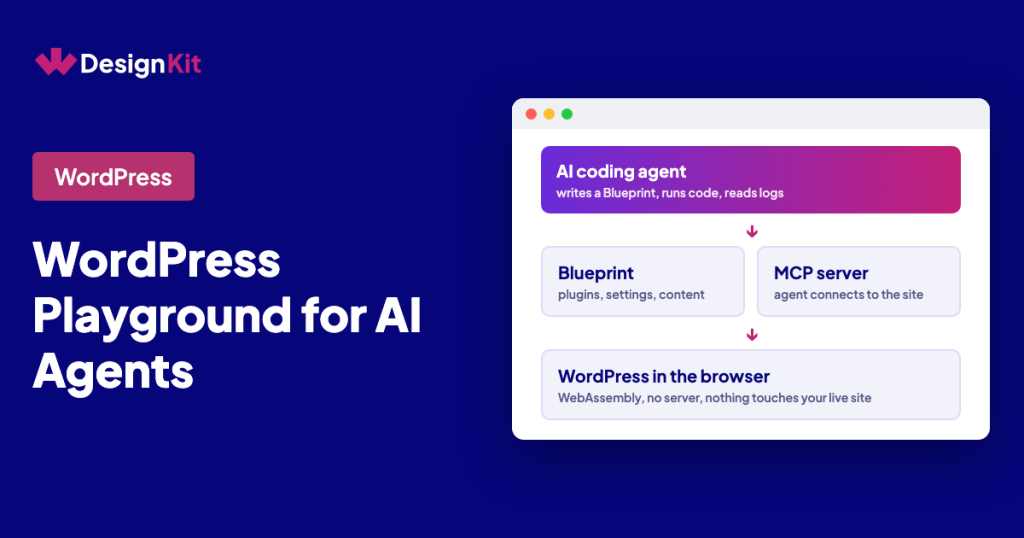
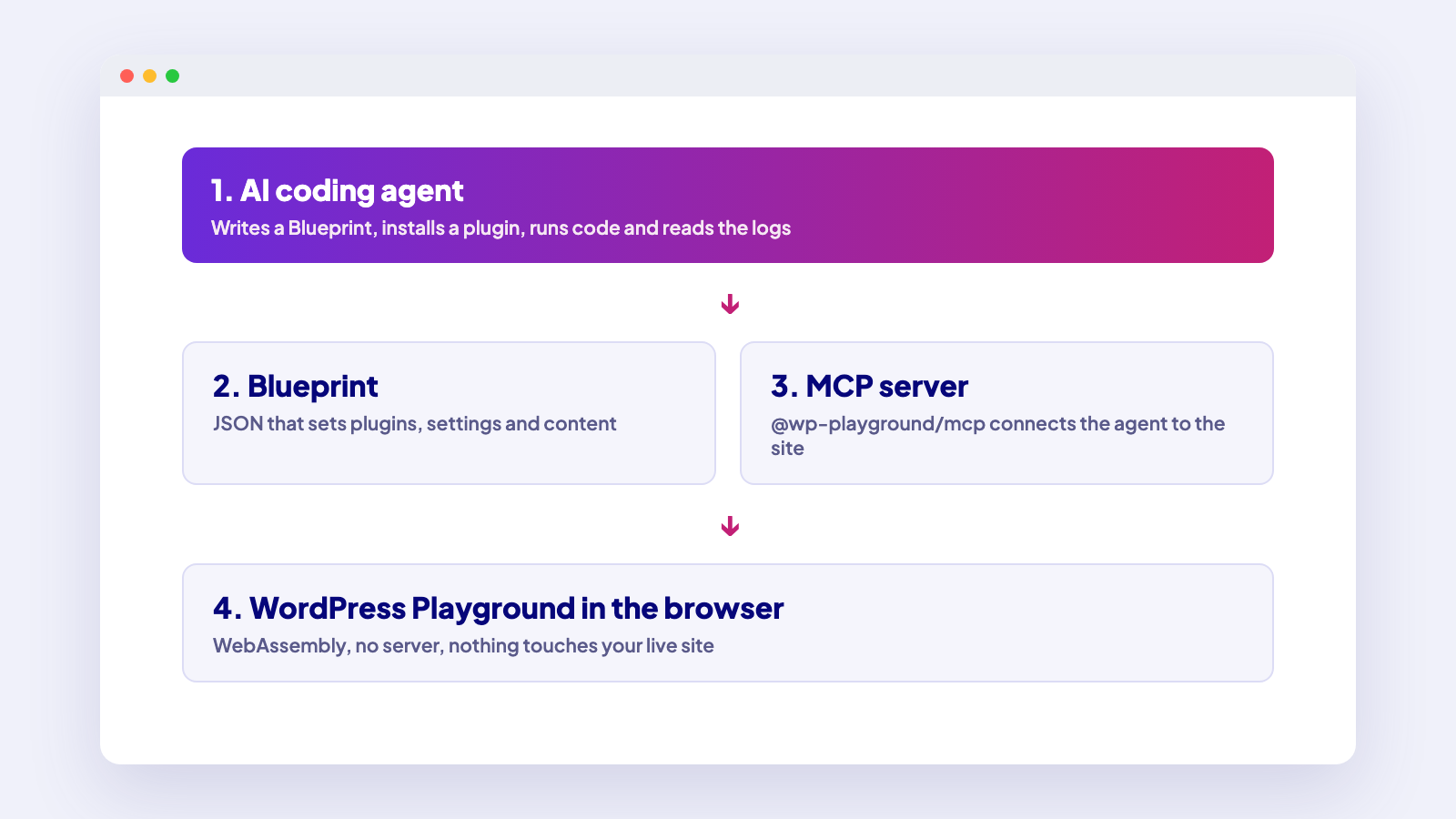
The 2026 releases point to one workflow: an AI agent writes code, tests it in a disposable WordPress site and reports back. In practice:
- The agent writes a Blueprint that installs the plugins and content it needs (the Blueprint skill helps it get the schema right).
- Playground starts a fresh site from that Blueprint.
- The agent installs or edits code, runs it and reads the logs.
- You review the result in the same Playground before anything reaches your real site.
This fits a wider move toward AI agents working with WordPress through standard interfaces. WDesignKit follows the same direction: its plugin exposes WordPress abilities such as importing templates and creating widgets that AI assistants can call. See WordPress AI plugins and the AI widget builder for WordPress for what that looks like today.
Limits to keep in mind
The Playground docs list a few limitations:
- Temporary Playgrounds are discarded when you close the tab or refresh the page. Save the Playground or export a ZIP to keep your work.
- Playground keeps only five autosaves, and browser storage can be cleared by private browsing or by clearing site data.
- Large plugins take longer to load. The docs give 10 to 20 seconds with small plugins and 30 to 60 seconds with large ones such as WooCommerce.
- Not every WP-CLI command is supported.
Playground is for testing and demos. Move finished work to a real site through your normal deployment process.
Try it
Open playground.wordpress.net, install your usual plugins and test your next change there first. If you build with WDesignKit, you can also browse the WDesignKit template library for designs to try.
Share what you are testing in the WDesignKit Facebook group.
Frequently Asked Questions
Do I need hosting to use WordPress Playground?
No. Playground runs entirely in your browser tab at playground.wordpress.net, with no server, hosting account or login.
Does WordPress Playground save my site?
A temporary Playground is discarded when you close the tab or refresh the page. Save the Playground or export a ZIP to keep it. Playground keeps only five autosaves, and clearing browser data removes them.
Can AI agents work with WordPress Playground?
Yes. The Blueprint agent skill teaches coding agents such as Claude Code, Gemini CLI, GitHub Copilot, Cursor and Codex to write valid Blueprints, and the @wp-playground/mcp server lets an agent act on a Playground site.
Author

Sagar is the Founder & CEO of POSIMYTH Innovations, with 10+ years building WordPress products trusted by 100,000+ websites globally. He has led the development of The Plus Addons for Elementor, Nexter, WDesignKit, and UiChemy, all built hands-on from concept to launch. His work focuses on making website building faster, more flexible, and accessible for creators and businesses worldwide.
Share this article