On this page
- The Four Types of WordPress AI Plugin
- Writing Assistants
- Jetpack AI Assistant
- AI Engine
- SEO AI
- Rank Math Content AI
- Yoast SEO Premium
- Agents and Builders
- Angie by Elementor
- WDesignKit
- Infrastructure: The Pieces Inside WordPress
- The Abilities API
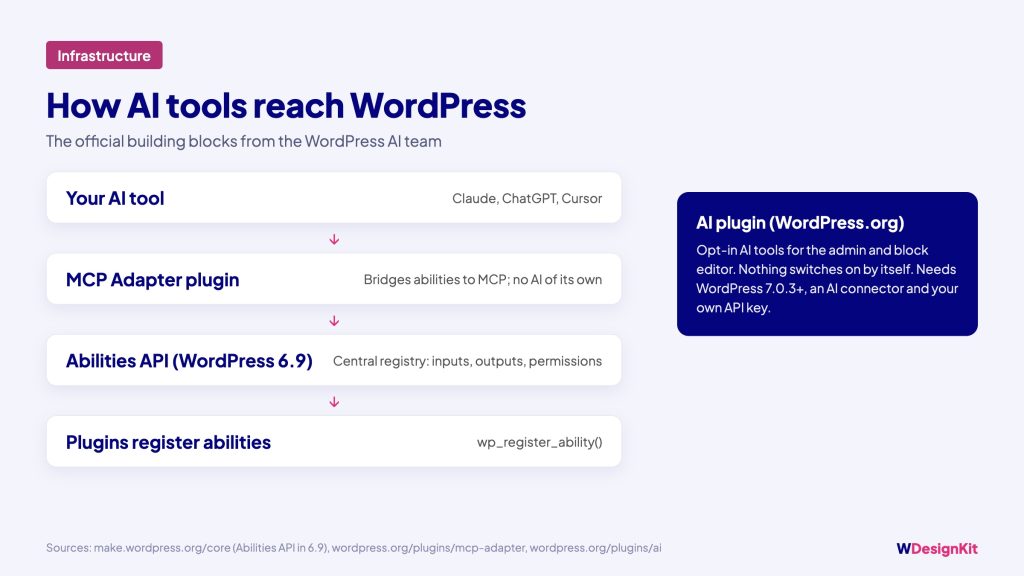
- AI (the WordPress.org plugin)
- MCP Adapter
- How to Choose
- Try AI Plugins Safely
- Where This Is Heading
“AI plugin” used to mean a writing box in the editor. In 2026 it covers much more: SEO suggestions, agents that build pages, servers that let Claude or ChatGPT act on your site, and new building blocks inside WordPress itself. The plugins also differ in how they charge, what accounts they need and how much access they ask for.
This guide sorts the main WordPress AI plugins by type, using what each plugin’s own WordPress.org listing and website say, so you can pick the one that fits the job instead of installing five.
The Four Types of WordPress AI Plugin
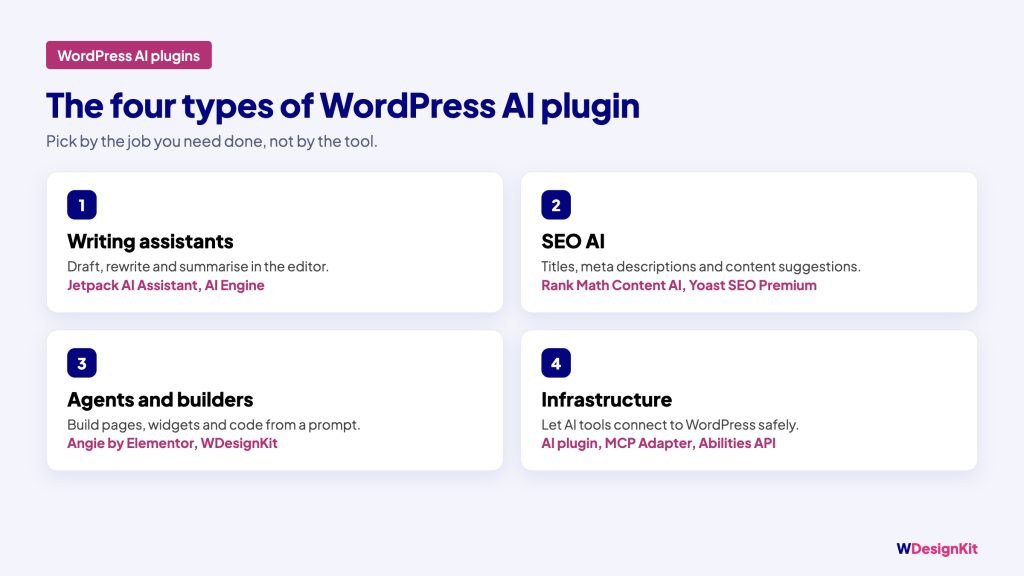
| Type | What it does | Examples |
|---|---|---|
| Writing assistants | Draft, rewrite and summarise content in the editor | Jetpack AI Assistant, AI Engine |
| SEO AI | Suggest titles, meta descriptions and content changes | Rank Math Content AI, Yoast SEO Premium |
| Agents and builders | Build pages, widgets and code from a prompt | Angie by Elementor, WDesignKit |
| Infrastructure | Let AI tools connect to WordPress safely | AI plugin, MCP Adapter |
Writing Assistants
Jetpack AI Assistant
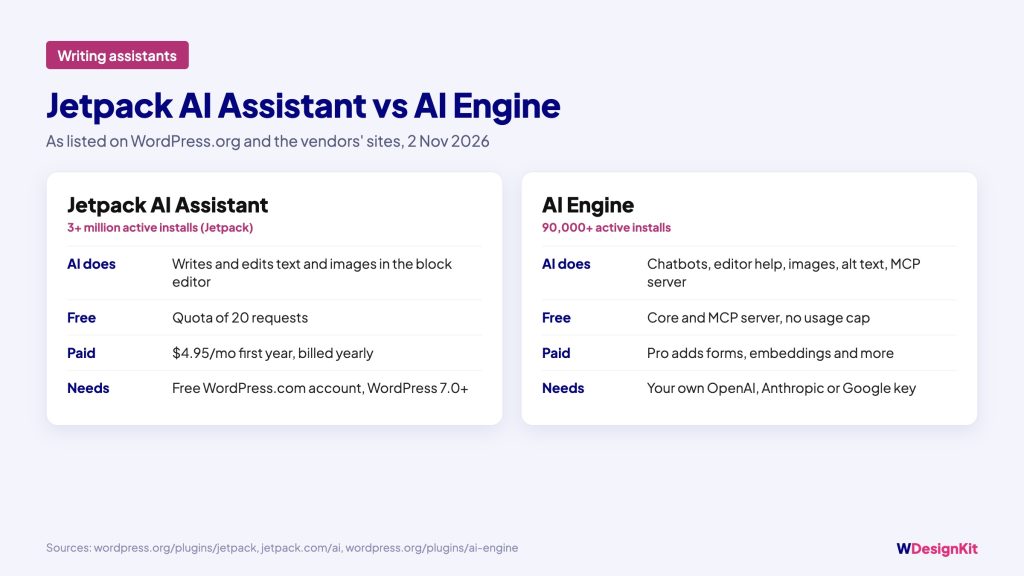
Jetpack’s WordPress.org listing describes an “AI-powered Gutenberg Block”. According to jetpack.com, it can generate text and images, suggest titles and summaries, fix grammar and adjust tone. Jetpack now also lets you connect ChatGPT, Claude and other tools through MCP.
- Cost: a free plan with a quota of 20 requests; paid Jetpack AI is listed at $4.95 a month for the first year, billed yearly, then $9.95 a month.
- Needs: a free WordPress.com account. The listing requires WordPress 7.0 or later.
AI Engine
AI Engine by Meow Apps has 90,000+ active installs. It adds chatbots trained on your content, AI help in the editor for drafts, images, alt text and translation, and an MCP server so AI agents can read and edit your site.
- Cost: the core plugin and MCP server are free, with “no monthly fee and no usage cap”. Pro adds AI forms, embeddings and more.
- Needs: your own API keys from OpenAI, Anthropic or Google. The listing says Claude and ChatGPT can also connect through OAuth without an API key.
SEO AI
Rank Math Content AI
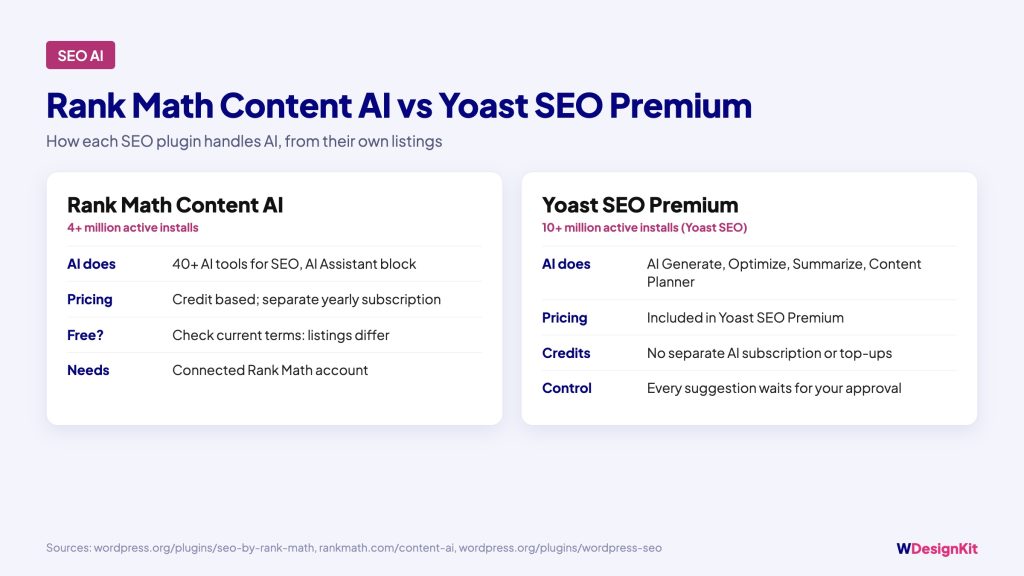
Rank Math (4+ million active installs) lists “40+ AI Tools Built for SEO” and an AI Assistant block. Content AI runs on credits. Its WordPress.org listing invites you to get started for free, while rankmath.com lists Content AI as a separate yearly subscription with a free trial. Check the current terms on rankmath.com before you rely on the free tier.
Yoast SEO Premium
Yoast SEO (10+ million active installs) names its AI tools AI Generate, AI Optimize, AI Summarize and AI Content Planner. The listing states that “Yoast’s AI tools come with Yoast SEO Premium”, with no separate AI subscription or credit top-up, and that every suggestion waits for your approval before it saves.
Agents and Builders
Angie by Elementor
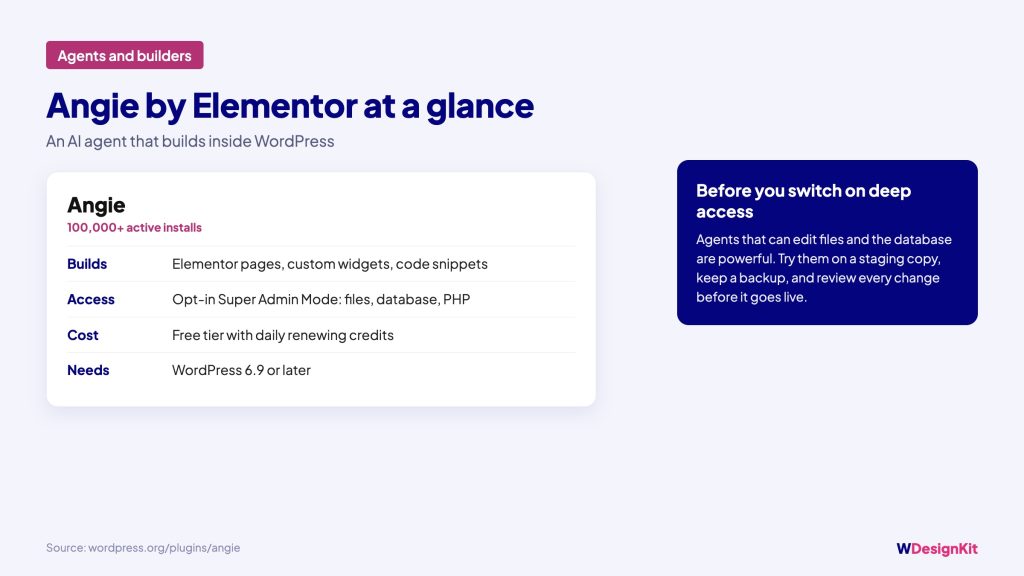
Angie (100,000+ active installs) is “an AI agent built natively into WordPress”. It generates Elementor pages, custom widgets and code snippets, and has an opt-in Super Admin Mode with file, database and PHP access. The FAQ describes a free tier with daily renewing credits. It requires WordPress 6.9 or later.
WDesignKit
WDesignKit (30,000+ active installs) is our own plugin, so read this section with that in mind. Its AI features cover three builders, Elementor, Gutenberg and Bricks:
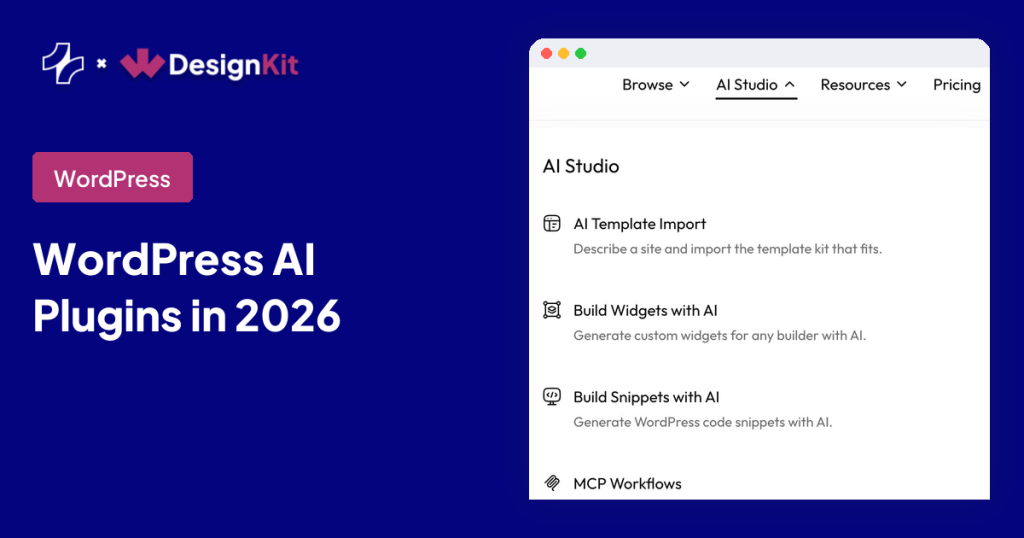
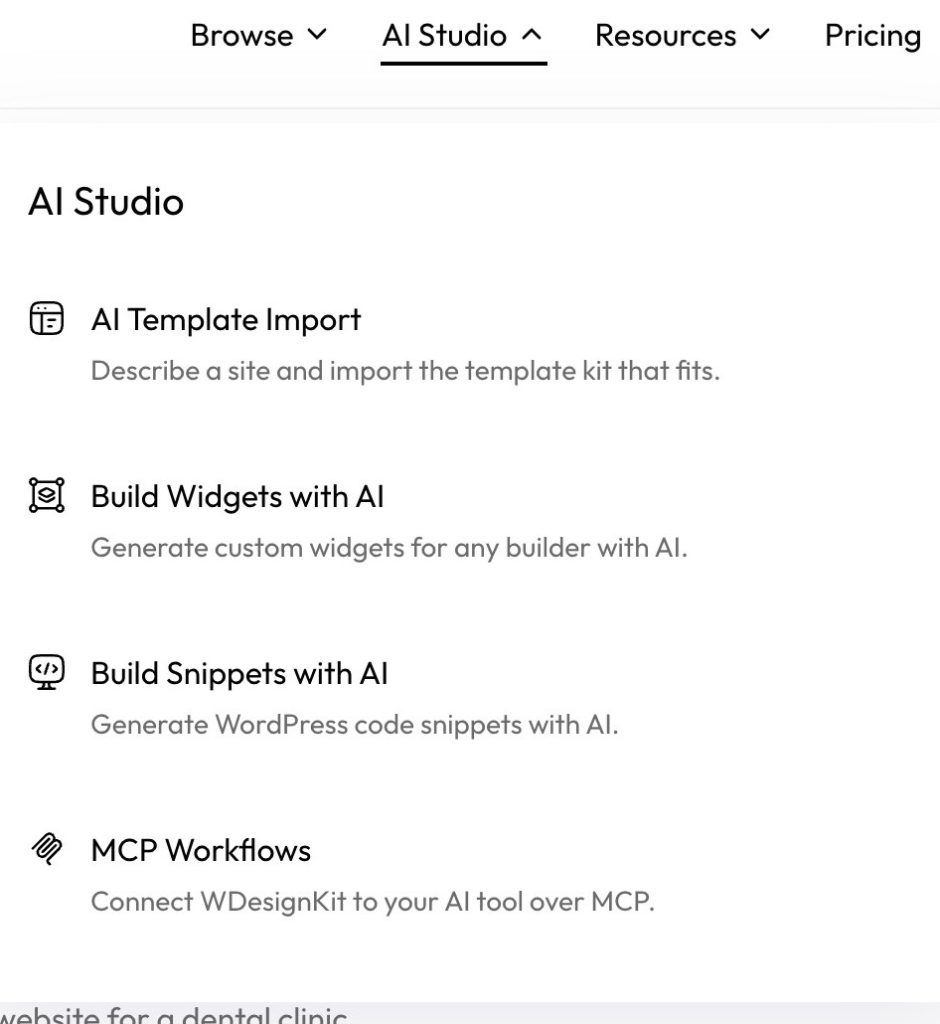
- AI widget builder: “Generate custom widgets for any builder with AI”, through an AI tool connected over MCP.
- AI templates: describe the site you need, then import it to your existing site or a sandbox site.
- AI snippets: create code snippets from your AI tool.
The WDesignKit MCP Workflows page lists the actions an AI tool can use: 18 for the Widget Builder, 11 for Template Cloud, 12 for Code Snippets, 7 for Workspaces and 2 for Presets. The AI tools named are Claude Code, ChatGPT, Gemini, Cursor, Windsurf and VS Code.
Infrastructure: The Pieces Inside WordPress
Two official plugins from the WordPress AI team matter even if you never install them yourself, because other AI plugins build on them.
The Abilities API
WordPress 6.9 introduced the Abilities API. Plugins register what they can do with wp_register_ability(), with defined inputs, outputs and permissions, in one central registry that AI tools and other systems can read.
AI (the WordPress.org plugin)
The plugin simply called AI (60,000+ active installs) adds opt-in AI tools to the admin and the block editor. Nothing is switched on when you activate it. Image generation and editing is its stable feature, and the rest are labelled experiments. It needs WordPress 7.0.3 or later, an AI connector plugin for Anthropic, Google or OpenAI, and your own API key. The plugin has no fee of its own; your AI provider bills you per request.
MCP Adapter
MCP Adapter (60,000+ active installs) “bridges WordPress’s Abilities API with the Model Context Protocol (MCP) specification”. In practice, it lets an AI tool such as Claude call the abilities your plugins register. The listing is clear that it “does not provide any AI features itself”, and only abilities marked public are exposed, with permission checks still applied.
How to Choose
Start from the job, not the tool:
| If you want to… | Look at |
|---|---|
| Write and edit posts faster | Jetpack AI Assistant or AI Engine |
| Improve titles, meta and on-page SEO | The AI in the SEO plugin you already use |
| Build pages or widgets from a prompt | Angie for Elementor sites, WDesignKit for Elementor, Gutenberg and Bricks |
| Let Claude, ChatGPT or Cursor work on your site | An MCP route: MCP Adapter, AI Engine, Jetpack or WDesignKit MCP |
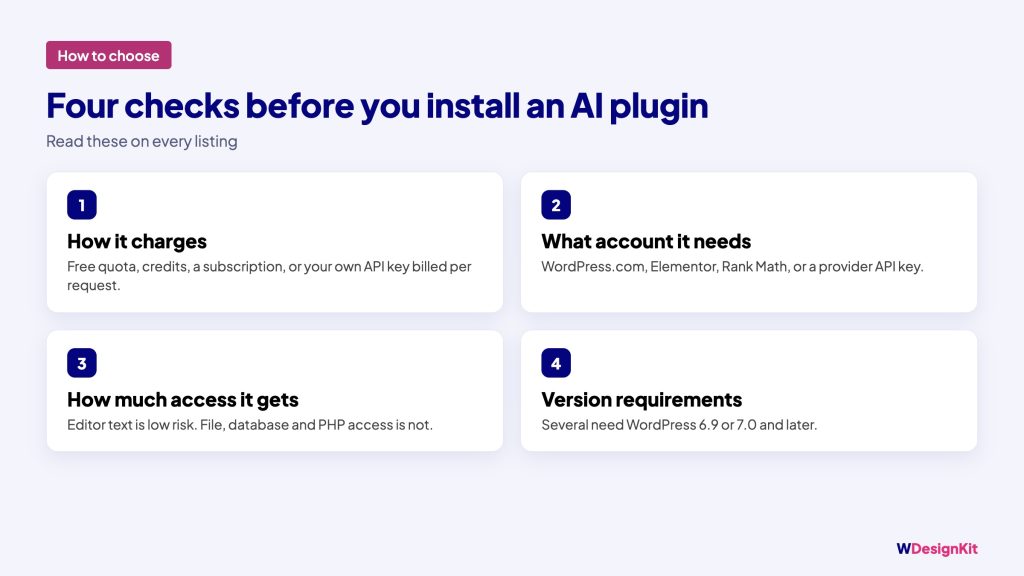
Then check four things on each listing before you install:
- How it charges: free quota, credits, a subscription, or your own API key billed per request.
- What account it needs: WordPress.com, Elementor, Rank Math or a provider API key.
- How much access it gets: text in the editor is low risk; file, database and PHP access is not.
- Version requirements: several of these plugins need WordPress 6.9 or 7.0 and later.
Try AI Plugins Safely
AI plugins that act on your site are useful because they make real changes. Test new ones on a staging copy first, connect AI tools with the lowest permission level that works, review drafts before anything goes live, and keep a recent backup.
Where This Is Heading
The WordPress AI team’s roadmap at make.wordpress.org/ai targets core abilities and a Secrets API for WordPress 7.2, and MCP, OAuth and broader abilities for 7.3, and says this depends on technical readiness. Expect more plugins to build on these shared pieces rather than each bringing its own connection method.
Questions about AI in WordPress? Join the conversation in the WDesignKit Facebook group.
Share this article