On this page
- What a Good Fitness Website Actually Needs
- Titan Fitness: Elementor & Gutenberg Template Kit (Free)
- Colo Fitness: Elementor & Gutenberg Template Kit (Free)
- BodyBlast: Arena, Power & FitCore (Pro)
- Titan vs Colo vs BodyBlast: Which One Should You Actually Pick
- Common Mistakes When Setting Up a Fitness Website
- How to Import a Fitness Template with WDesignKit
- What to Customize After Import
- Do You Ever Need a Custom Theme Instead?
- Free vs Pro: Is BodyBlast Worth Paying For?
- Frequently Asked Questions
- Suggested Reading
I get asked a version of the same question every few weeks by gym owners and personal trainers building their first WordPress site: “do I really need a custom-built theme, or is a template kit good enough?” The honest answer, after watching WDesignKit users launch dozens of fitness sites, is that a well-built free kit gets you 90% of the way there. The other 10% is your own photos and copy. Here are the actual fitness and gym template kits available right now, what each one is built for, how they compare side by side, and how to get one running on your own site without hiring a developer.
What a Good Fitness Website Actually Needs
Before picking a kit, it helps to know what separates a fitness site that converts from one that just looks nice. Gym and trainer sites live or die on a handful of sections: a clear class or program schedule, trainer profiles with real credibility signals, a testimonials section that reads like real people (not stock quotes), and a booking or contact path that takes under two clicks. Visitors researching a gym are usually comparing two or three options in the same evening, so anything that adds friction (a missing price, a broken contact form, a schedule that’s three months out of date) is enough to lose them to a competitor’s site. Every kit below covers the fundamentals, but they lean into them differently: Titan and Colo are built around service and class listings, while BodyBlast leans harder into a fitness-brand, high-energy visual style. None of them require you to touch a line of code to get a professional-looking result.
Also Read: Best Free Elementor Templates for a broader look at what’s free across every WDesignKit category, not just fitness.
Titan Fitness: Elementor & Gutenberg Template Kit (Free)
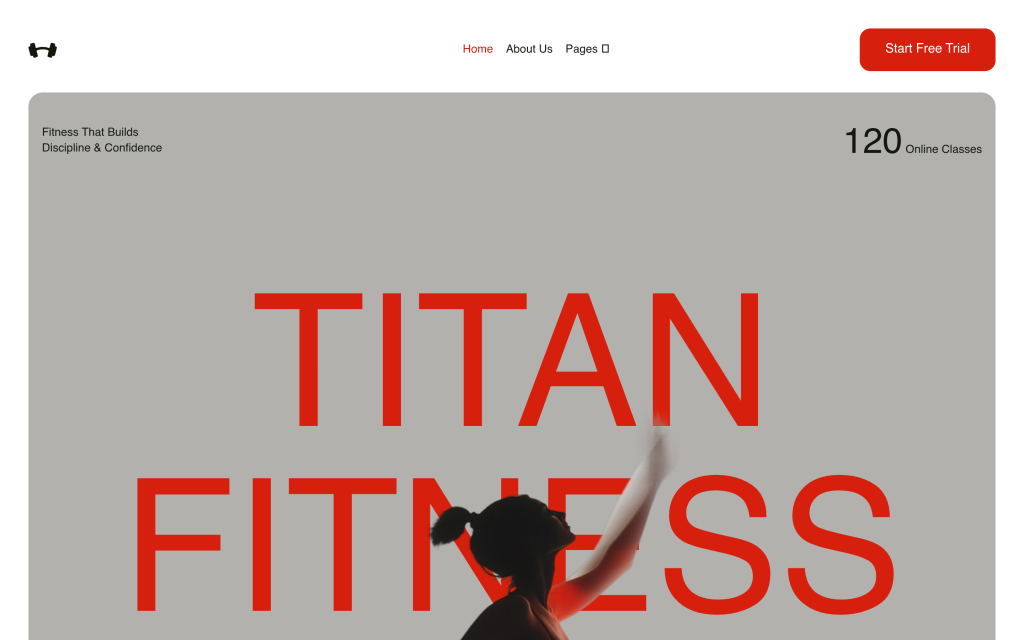
Titan is the most complete of the three: Home, About Us, Services, Team, Workouts, Success Stories, Blog, and Contact pages are all included out of the box, in both Elementor and Gutenberg versions. It’s built specifically to highlight class schedules, trainer profiles, and client testimonials: the exact sections that make or break a gym’s first impression. The Workouts page doubles as a program showcase if you sell packaged training plans rather than drop-in classes, and the Success Stories layout is designed for real before/after photos rather than generic stock imagery. It’s free, and it’s the one I’d point a personal trainer or small gym toward first if they only have time to evaluate one option.
Colo Fitness: Elementor & Gutenberg Template Kit (Free)
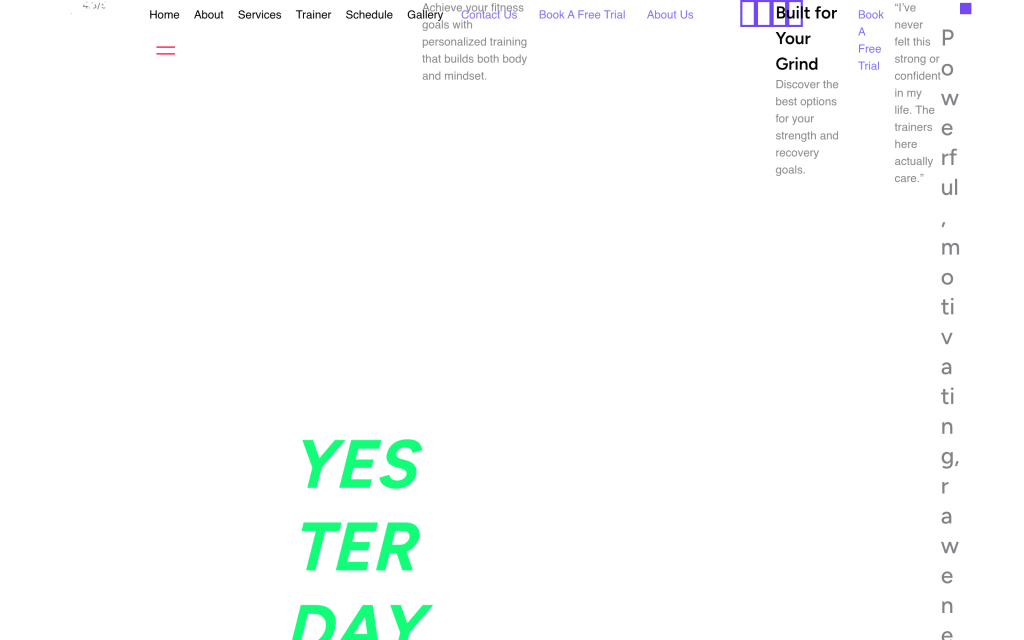
Colo covers the same core pages as Titan but puts more weight on the visual gallery and pricing-table sections, useful if your gym sells multiple membership tiers or class packages side by side. It also includes interactive FAQ accordions built directly into the homepage and a dedicated team-showcase layout that works well for larger gyms with several trainers on staff. Where Titan reads as a straightforward, all-purpose fitness site, Colo reads slightly more premium and boutique, the kind of layout that suits a studio charging a membership fee rather than a walk-in gym. Also free, also available in both Elementor and Gutenberg.
BodyBlast: Arena, Power & FitCore (Pro)
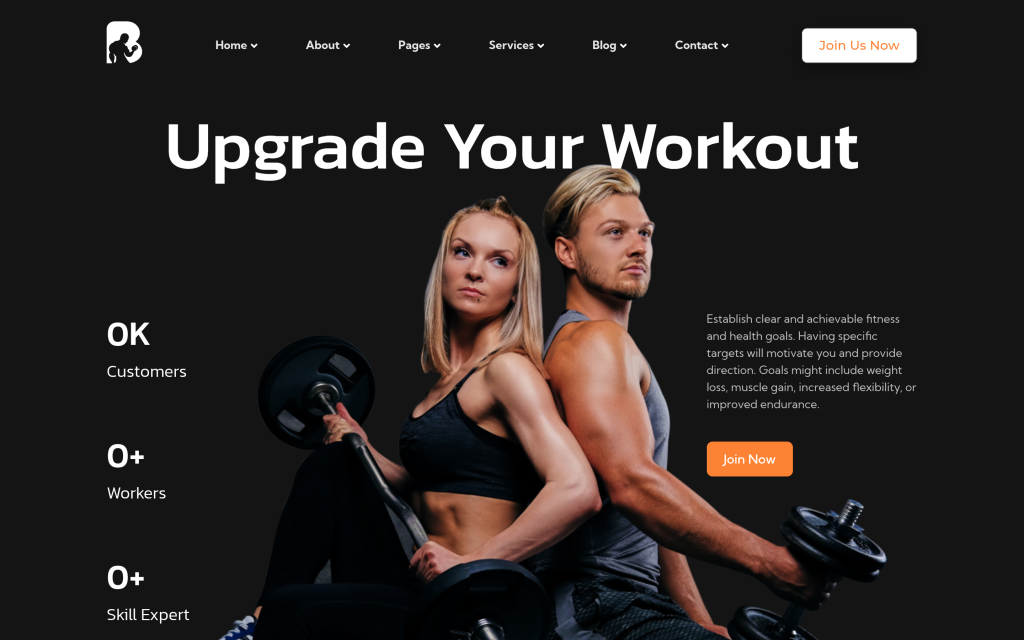
BodyBlast is actually a family of three related pro layouts, all sharing the same class-schedule and trainer-profile structure but with different homepage styling. Arena leans into a competitive, CrossFit-style visual identity with bold typography and high-contrast imagery. Power is built around strength and powerlifting programs, with a homepage structure that foregrounds personal-record tracking and program tiers. FitCore is the most general-purpose of the three, closer to Titan’s structure but with a punchier visual style. It’s the pick if Titan or Colo feel a little too generic for your brand and you want something that looks like it was designed specifically for a fitness business, not adapted from a general business template.
Also Read: Business Website Templates if your gym is part of a larger multi-location or franchise business.
Titan vs Colo vs BodyBlast: Which One Should You Actually Pick
| Kit | Builder(s) | Price | Best For | Standout Section |
|---|---|---|---|---|
| Titan Fitness | Elementor + Gutenberg | Free | Personal trainers, small gyms | Workouts / program showcase |
| Colo Fitness | Elementor + Gutenberg | Free | Boutique studios, tiered memberships | Pricing tables + FAQ accordions |
| BodyBlast (Arena/Power/FitCore) | Elementor + Gutenberg | Pro | Brand-forward gyms, CrossFit/strength studios | Bold homepage styling per layout |
If you’re not sure where to start, Titan is the safest default: it’s free, complete, and covers every page a first-time fitness site actually needs. Upgrade to BodyBlast once you know your brand well enough to want a specific visual identity, and consider Colo specifically if pricing tiers and a gallery-heavy layout matter more to your business than a workouts page.
Common Mistakes When Setting Up a Fitness Website
- Leaving the demo photos in place. Stock gym photography is instantly recognizable to visitors and undercuts trust. Swap in real photos of your space, your trainers, and your actual clients before launch.
- An out-of-date class schedule. A schedule that still shows last month’s classes is worse than no schedule at all: it signals the whole site is neglected.
- Burying the contact or booking button. Every major page should have a visible path to book a class or send an inquiry, not just the homepage.
- Skipping trainer bios. Credibility signals like certifications and years of experience are exactly what convert a browsing visitor into a lead.
- Ignoring mobile testing. Most gym searches happen on a phone, so check the schedule table and contact form specifically, since tables are the most common thing to break on small screens.
- Not compressing photos before upload. High-resolution gym photos straight from a phone can be 5-10MB each; compress them first or the page will load slowly on mobile data.
How to Import a Fitness Template with WDesignKit
- Install and activate the free WDesignKit plugin on your WordPress site from the plugin directory.
- Open the WDesignKit template library from your dashboard and search “fitness” or “gym.”
- Pick Titan, Colo, or a BodyBlast layout, and choose your builder (Elementor or Gutenberg) based on which one you’re already comfortable with.
- Import the full kit if you’re starting from scratch, or a single page if you just need one section (like the Workouts or Team page) added to an existing site.
- Swap in your own gym’s photos, class schedule, trainer bios, and testimonials before doing anything else: this is the step that actually makes the site yours.
- Preview on mobile before publishing, since schedule tables and pricing grids are the two elements most likely to need small tweaks on smaller screens.
That’s the whole workflow: no separate theme purchase, no rebuilding pages from scratch, and no developer required for a first launch.
What to Customize After Import
- Replace every demo photo with real photos of your gym, trainers, and clients.
- Update the class schedule or booking widget with your actual current times.
- Rewrite trainer bios with real certifications and specialties, not placeholder text.
- Connect your contact form to a real inbox or booking system, and test it yourself before launch.
- Set a focus keyword and meta description for each page so search engines understand what the page is about.
Do You Ever Need a Custom Theme Instead?
Template kits like Titan and Colo cover the vast majority of fitness businesses, but there are a few cases where a fully custom build still makes sense. If you run a multi-location franchise with a location-finder tool, a member portal with login-gated content, or a booking system tightly integrated with a third-party gym management platform, you’re likely better off treating a template kit as a starting visual layout and building the custom functionality on top of it rather than expecting the kit to handle it out of the box. For the other 90% of gyms and trainers : a single location, a public schedule, and a straightforward contact or booking flow : a template kit is not a compromise. It’s simply the faster way to get the same result.
Free vs Pro: Is BodyBlast Worth Paying For?
Titan and Colo are free and genuinely production-ready, which raises the obvious question: why would anyone pay for BodyBlast? The honest answer is branding, not functionality. All three kit families cover the same core pages and the same practical needs. What BodyBlast buys you is a homepage and visual identity that looks less like a template and more like something a design agency built specifically for a fitness brand. If you’re a solo trainer just getting started, that difference rarely matters and Titan will serve you well for years. If you’re opening a gym with real marketing spend behind it, or you’ve outgrown the generic look of a free kit, BodyBlast’s three layout options give you room to pick a visual identity that actually differentiates you from the gym down the street using the same free template.
Frequently Asked Questions
Do fitness website templates work well for a small gym or personal trainer site?
A good template kit gets most of the job done for a small gym or personal trainer site because the page says a well-built free kit gets you 90% of the way there. The missing 10% is your own photos and copy, which matters because fitness sites live or die on real credibility signals. Titan Fitness is the first pick here since it includes Home, About Us, Services, Team, Workouts, Success Stories, Blog, and Contact pages out of the box.
Which fitness template is best if I want class schedules and trainer profiles front and center?
Titan Fitness is built specifically to highlight class schedules, trainer profiles, and client testimonials, so it fits gyms and trainers that need those sections to do the selling. The page also says Colo covers the same core pages but leans more into gallery and pricing-table sections. For a first site where trust and clarity matter more than visual flair, Titan is the cleaner fit.
What should a fitness website include to actually convert visitors?
The page points to four sections that matter most: a clear class or program schedule, trainer profiles with real credibility signals, a testimonials section that reads like real people, and a booking or contact path that takes under two clicks. That mix matters because visitors are usually deciding fast whether your gym feels legitimate. WDesignKit Learning Center frames these as the parts that separate a site that converts from one that just looks nice.
Can I use these fitness templates with Elementor and Gutenberg?
Titan Fitness and Colo Fitness are both available in Elementor and Gutenberg versions, so they fit either builder without changing the template choice. BodyBlast is also presented as pro layouts with the same class-schedule and trainer-profile structure. That makes builder compatibility straightforward on this page: pick the layout based on style and content needs first, then choose Elementor or Gutenberg during import.
How do I import a fitness template into WordPress with WDesignKit?
WDesignKit Learning Center offers a simple import flow: install and activate the free WDesignKit plugin, open the template library from your dashboard, search for “fitness” or “gym,” then pick Titan, Colo, or a BodyBlast layout. The page says you can import the full kit or a single page. That matters if you only need one section rebuilt instead of replacing an entire site.
Last reviewed: September 16, 2026
Suggested Reading
- Salon and Beauty Website Templates for WordPress
- Real Estate Website Templates for WordPress Agents
- Restaurant Website Templates
- Portfolio Website Templates
Author

Sagar is the Founder & CEO of POSIMYTH Innovations, with 10+ years building WordPress products trusted by 100,000+ websites globally. He has led the development of The Plus Addons for Elementor, Nexter, WDesignKit, and UiChemy, all built hands-on from concept to launch. His work focuses on making website building faster, more flexible, and accessible for creators and businesses worldwide.
Share this article