
February 2026 Updates: A Faster WDesignKit, New Widgets & Something Big Coming
Contents
Table of Contents
Building websites should feel faster every month, not more complicated.
So in February, we focused on speed, smarter AI workflows, and expanding creative possibilities inside WDesignKit.
From performance upgrades and improved AI template imports to new Bricks widgets and fresh template kits, here’s everything we shipped this month (and a few things we’re quietly building next).
🔥 Highlight of the Month
Smarter AI Template Import
We’ve improved how AI templates generate and import inside WDesignKit.
This means smoother imports, faster generation, and fewer adjustments after adding templates to your project.
So instead of spending time fixing layouts, you can focus on building and customizing faster.
🚀 Product Updates
We rolled out a few important improvements to make WDesignKit faster and more reliable.
⚡Quick Win
One of our users recently shared:
We love hearing how WDesignKit helps creators build faster.
😉 Did You Know?
You can build your own custom widget in WDesignKit and use it just like a native widget in Elementor, Gutenberg, or Bricks.
Your widget can still support dynamic controls, styling options, and visual editing directly inside the builder.
Perfect for developers and freelancers who want more control without losing the visual workflow.
⚙️ Tool of the Month
🎥 Watch & Learn
Are you using the Hamburger Menu correctly in Elementor?
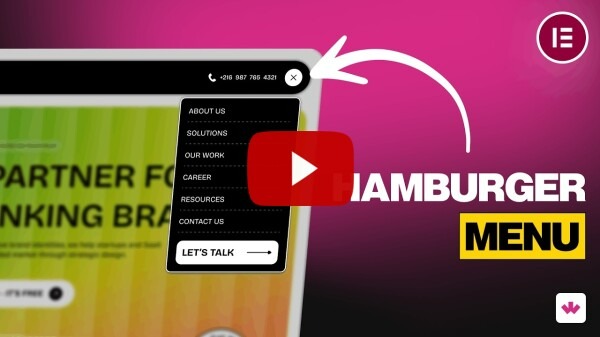
Many websites get this small but important detail wrong. In this quick tutorial, we show how to build a clean and responsive hamburger menu in Elementor the right way.
🧠 Helpful Resource
👀 Coming Next
We’re currently working on some exciting improvements.
Plugin Side
- Download widgets while importing templates
- AI Widget Builder
- Download widgets as standalone plugins
- New controller for Core Gutenberg Widget Builder
- PHP editor inside Widget Builder
- Code snippet compatibility in workspace
- Share with Me page improvements
Server Side
- AI Widget Builder
- Author page design update
- AI generated text & descriptions
- Download widgets as plugins
- AI compatibility inside Browse Widgets
A lot more AI-powered features are on the way…. So stay tuned.
That’s all for February.
Every update we release is focused on making building websites faster, easier, and more creative with WDesignKit.
More improvements are already in the works, and we’re excited to share them soon.
Subscribe our Newsletter, get Monthly & Weekly Product updates, News and more….✉️
Previous: January 2026 Updates | Next: March 2026 Updates
Author

Sagar is the Founder & CEO of POSIMYTH Innovations, with 10+ years building WordPress products trusted by 100,000+ websites globally. He has led the development of The Plus Addons for Elementor, Nexter, WDesignKit, and UiChemy, all built hands-on from concept to launch. His work focuses on making website building faster, more flexible, and accessible for creators and businesses worldwide.
Keep reading
New In WDesignKit: AI Templates Now Start With One Line About Your Site
WDesignKit AI Templates now starts with one line about your site. Answer a few questions, set colors and fonts, test on a sandbox, then import.
6 min read
September 2026 Updates: Bricks Widgets Auto-Register, AI Templates And More
WDesignKit September 2026 update: Bricks widgets now register automatically, a Bricks MCP settings fix, six AI-compatible kits and four widgets built to move.
5 min read
August 2026 Update: AI Templates, MCP Abilities & More
WDesignKit August 2026 update: AI-compatible kits, globals import, MCP abilities for WordPress 7.1, security hardening and optional data sharing explained.
12 min read